PvP HUD Tracker
Client-side PvP HUD with Drag-and-Drop Position Editor & Vanilla UI Config.
介绍
# PvP HUD Tracker ⚔️
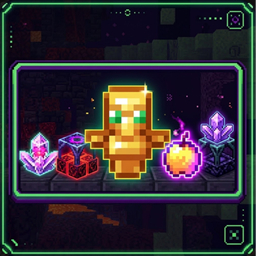
A modern, highly customizable client-side Fabric mod for Minecraft 1.21.1 featuring item tracking, armor durability overlays, potion status HUD, interactive drag-and-drop positioning, and native Vanilla Minecraft configuration GUI.
—
## ✨ Features
– **Item Tracker HUD**: Real-time counter for combat items:
– Totems of Undying
– Golden Apples & Enchanted Golden Apples
– End Crystals & Respawn Anchors
– Glowstone & XP Bottles
– Splash Swiftness, Strength, and Healing Potions
– Wind Charges, Breeze Rods, and Ender Pearls
– **Armor Durability HUD**:
– Displays durability status for Helmet, Chestplate, Leggings, Boots, Mainhand, and Offhand.
– Supports multiple durability display types: **Damage Left**, **Percentage**, and **Damage Taken**.
– **Potion Status HUD**:
– Displays active potion status effects with duration timers, amplifier levels, and filters for beneficial / harmful effects.
– **Interactive Drag & Drop Position Editor**:
– Easily reposition any HUD overlay anywhere on your screen in real-time.
– **100% Vanilla Minecraft Config UI**:
– Configurable via Mod Menu or in-game hotkey (`H`).
– Styled with native Vanilla Minecraft buttons, click sound effects, and item icons.
—
## 🎮 How to Use
– **Open Configuration Menu**: Press **`H`** in-game or open via **Mod Menu**.
– **Reposition HUD Overlays**: Click **`Move HUD Position`** in the config menu to open the interactive Drag & Drop editor.
– **Toggle Options**: Switch between **Row** and **Column** layout modes, adjust scale multiplier (**50% to 200%**), and toggle individual items or equipment slots.
—
## 📦 Requirements
– **Minecraft**: `1.21.1` (Fabric)
– **Fabric Loader**: `>=0.16.0`
– **Fabric API**: Required
– **Mod Menu**: Recommended (Optional)
—
## 📄 License
Distributed under the **MIT License**.
常见问题
PvP HUD Tracker 支持哪些 Minecraft 版本?
PvP HUD Tracker 支持 Minecraft Java 版 1.21.11,可用的加载器:Fabric。下载时注意选择和你游戏版本一致的文件。
PvP HUD Tracker 怎么安装?
先用 PCL2 或 HMCL 启动器安装对应版本的 Fabric,再把下载的 .jar 文件放进游戏目录的 mods 文件夹,重新启动游戏即可。开启了版本隔离的,mods 文件夹在 versions/版本名 下面。
评论
登录后评论和评分