
Enhanced Book
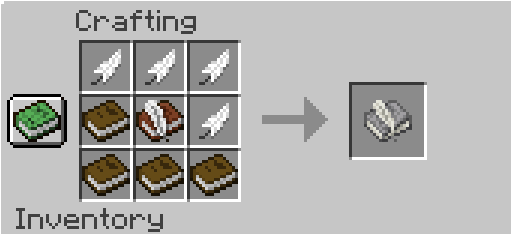
This is a 1.12.2 book mod that adds a new “Advanced Book.” Unlike the standard book, this one includes the following GIFs 2 fonts Colors Text styles like bold New music A counter Text formatting options Ctrl and cursor changes
截图


介绍
EN
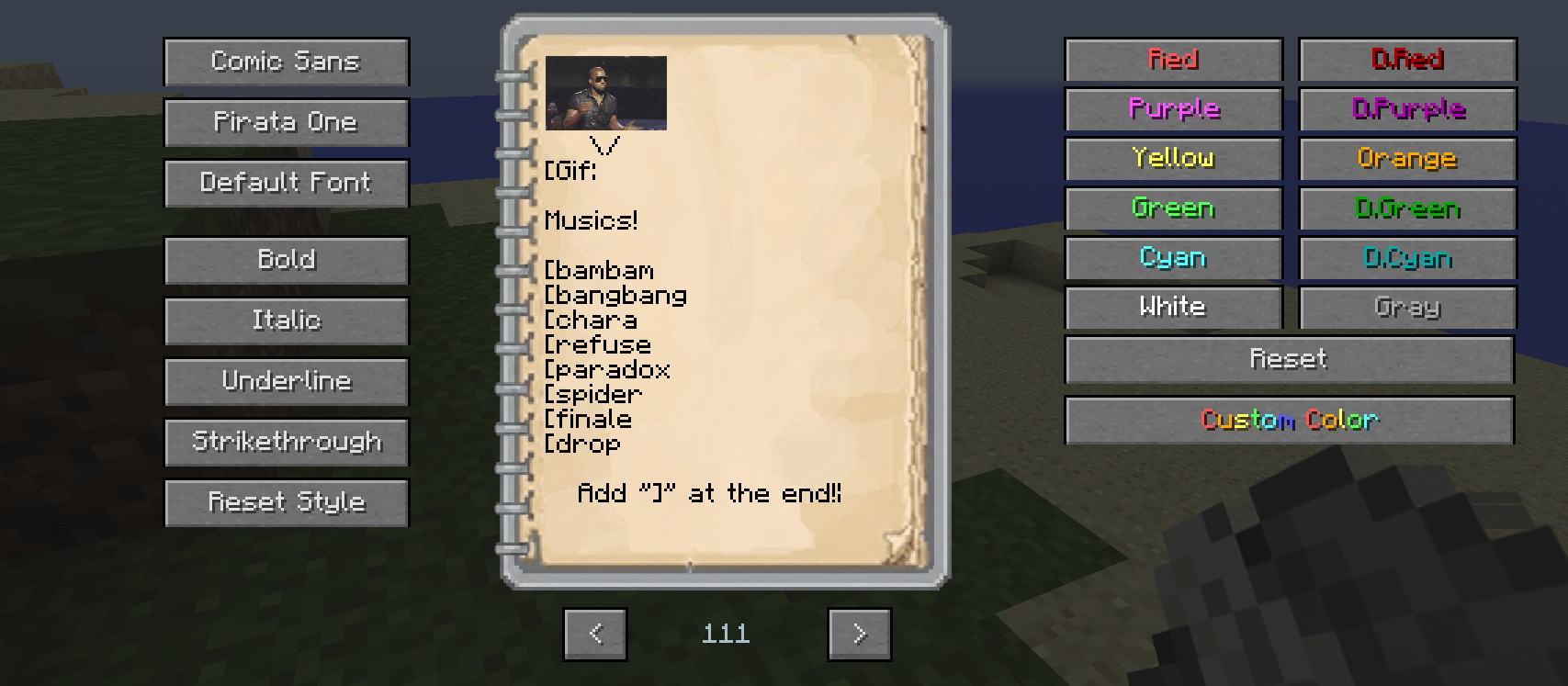
This is a 1.12.2 book mod that adds a new “Advanced Book.” Unlike the standard book, this one includes the following:
– Gifs
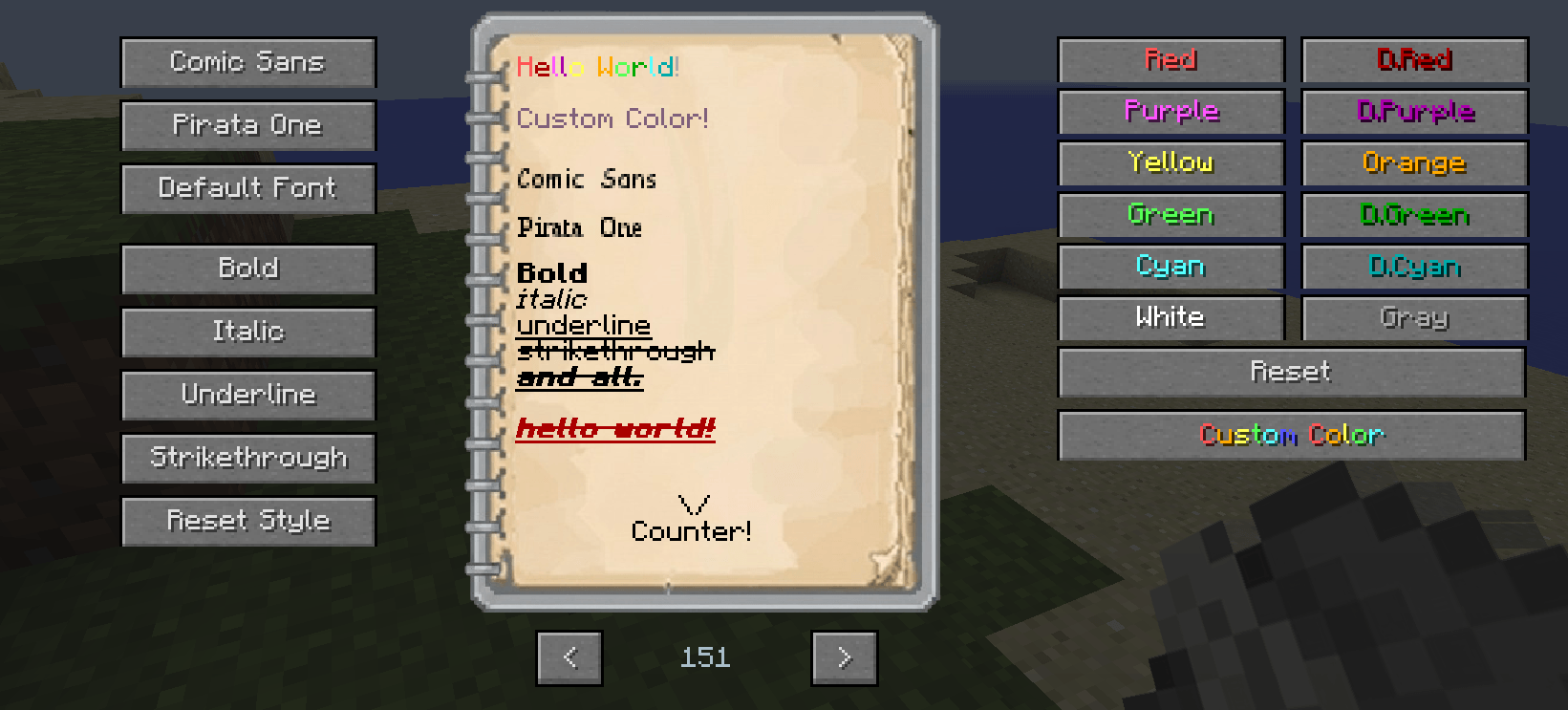
– 2 fonts
– Colors
– Text styles (such as bold)
– New music
– A counter
– Text formatting adjustments
– Ctrl and cursor changes
– Sound Effect
– Photo Support
GIF support!
We recommend getting GIFs from Giphy. After selecting a GIF, hold down on it to open a new tab, then use the GIF’s link in the format [GIF:(link)]. Some GIFs may cause a red screen.
Photo Support!
There is an “Upload Photo” button below the “Custom Color” button—you can use it to upload photos in PNG and JPG formats!
Music
[Finale]
[Undertale]
[Drop]
[Darker]
[Abc]
[Bambam]
[Bangbang]
[Hopes]
[Fah]
[Knock]
[Error]
[Chara]
[Choice]
[Determination]
[Fault]
[Kınık]
[Asgore]
[Asgoren]
[Asgoret]
[Paradox]
[Spider]
[Refuse]
[Snowdin]
[Metal]
[Megat]
[Bone]
Spelling Rules
The first letter of a word is capitalized; for example, in “Hello world,” the first letter “H” is capitalized. Also, if you type two spaces, a period (.) appears.
Ctrl and Cursor Changes
Shortcuts like Ctrl+a, Ctrl+c, and Ctrl+v have been added, and you can use the arrow keys (🠐 🠒) to move the cursor (“|”) between letters, allowing you to correct typos
Counter!
Every word and GIF you type adds +1 to the counter! That way, you can see how many characters you’ve typed at the end!
TR
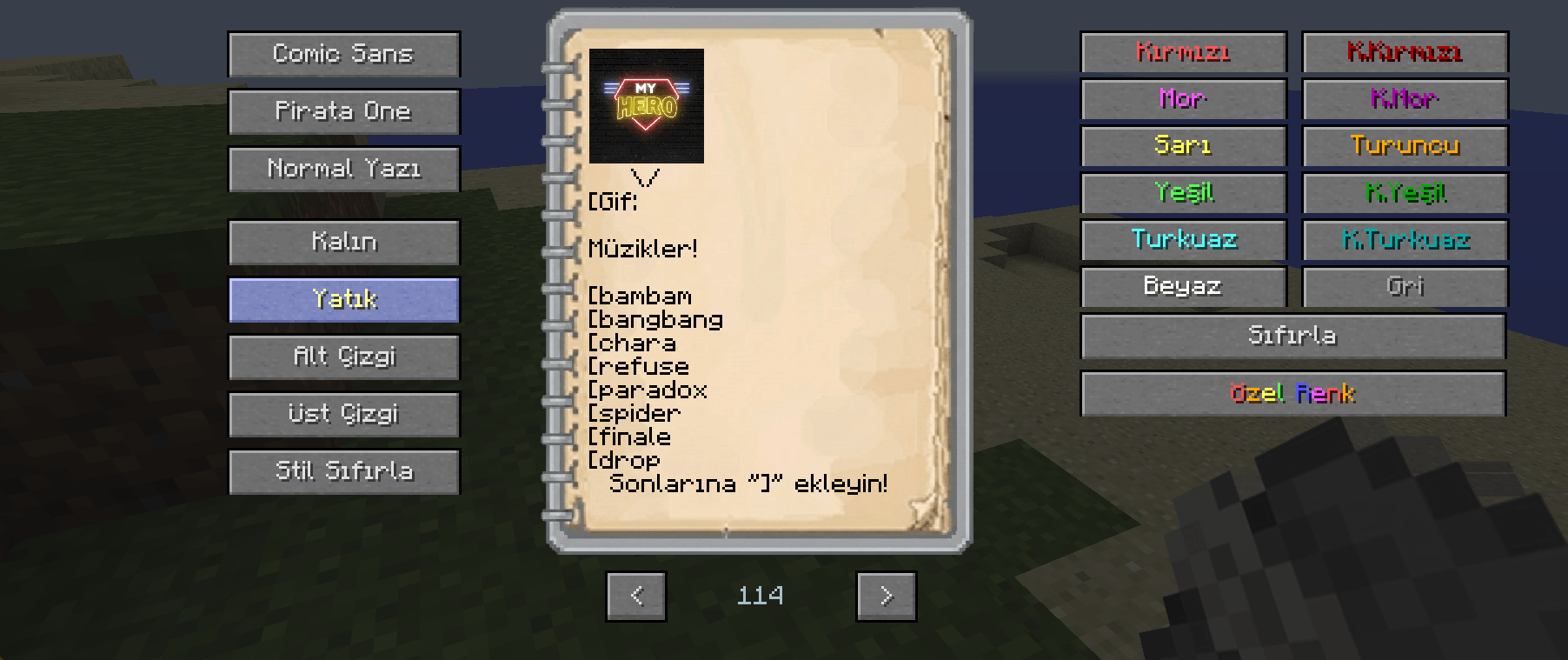
bu bir 1.12.2 kitap modudur ve yeni bir “Advanced Kitap” ekler bu kitap normal kitabın aksine şunları ekler;
– Gifler
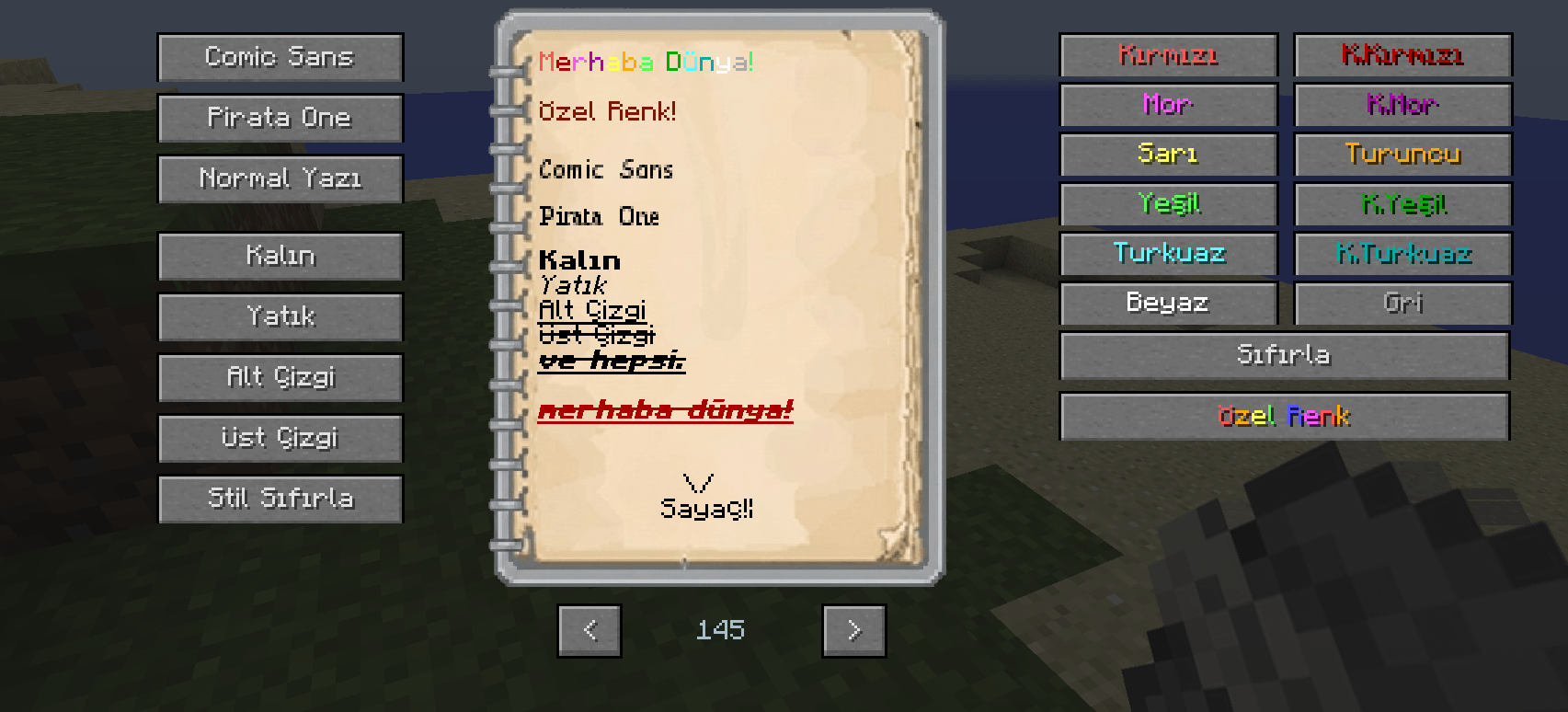
– 2 Yazı Fontu
– Renkler
– Bold gibi yazım şekilleri
– Yeni müzikler
– Sayaç
– Yazım düzenlemeleri
– Ctrl ve imleç değişiklikleri
– Sound Effect
– Fotoğraf Desteği
Gif desteği!
Gifleri Giphy’den almanızı öneririz bir gif seçtikten sonra o gifin üstüne basılı tutarak yeni bir sekme yaratın ve orada ki gifin linkini [Gif:(link)] yaparak kullanın bazılarında kırmızı ekran çıkabilir.
Fotoğraf Desteği!
“Özel Renk” butonun altında “Fotoğraf Yükle” butonu var bununla birlikte PNG ve JPG formatlarını fotoğraf olarak yükleyebilirsiniz!
Müzikler
[Finale]
[Undertale]
[Drop]
[Darker]
[Abc]
[Bambam]
[Bangbang]
[Hopes]
[Fah]
[Knock]
[Error]
[Chara]
[Choice]
[Determination]
[Fault]
[Kınık]
[Asgore]
[Asgoren]
[Asgoret]
[Paradox]
[Spider]
[Refuse]
[Snowdin]
[Metal]
[Megat]
[Bone]
Yazım düzenlikleri
Kitabın ilk harfi büyük harfle başlar örneğin “Hello world” ilk harf “H” büyüktür ayrıca eğer 2 boşluk atarsanız ise 1 nokta(.) belirir
Ctrl ve İmleç değişiklikleri
Ctrl+a/Ctrl+c/Ctrl+v gibi şeyler eklendi ve imleci (“|”) yön tuşları ile (🠐 🠒) harfler arasında geçiş yapabilirsiniz böylece harf hatalarını düzeltebilirsiniz
Sayaç!
her yazdığınız kelime ve gifler sayaca +1 ekler! Böylece sonda kaç harf yazdığınızı görebilirsiniz!
常见问题
Enhanced Book 支持哪些 Minecraft 版本?
Enhanced Book 支持 Minecraft Java 版 1.12.2,可用的加载器:Forge。下载时注意选择和你游戏版本一致的文件。
Enhanced Book 怎么安装?
先用 PCL2 或 HMCL 启动器安装对应版本的 Forge,再把下载的 .jar 文件放进游戏目录的 mods 文件夹,重新启动游戏即可。开启了版本隔离的,mods 文件夹在 versions/版本名 下面。
评论
登录后评论和评分