
Bigger Quest Books
This Mod allows your world or server to have larger quest books without crashing the game
介绍
Bigger Questbooks only does one very specific thing: it raises Minecraft 1.20.1’s maximum allowed size for server-to-client custom network payloads from 1 MiB to 16 MiB.
That matters because FTB Quests sends a quest book from the server to the client as a custom payload.
When a Quest Book has a new quest added, it saves that quest in a file in your config and it changes the contents of that file as you edit things
– when text is added to its subtitles, descriptions, or titles.
– when rewards are assigned
– when tasks are assigned to a quest
– dependency are linked
– literally any other information you save in its settings or otherwise
all of these things are saved in your config file as lines of text that represent your various quests and their settings ect
eventually, a quest book can become TOO BIG, and when that happens, it will send an error to the client that their player data is invalid, but thats actually not whats happening, that player is simply experiencing a handshake attempt from server to client with a custom payload that is too large! Specifically it would have to be larger than 1,048,576 bytes, and when a quest book has lots of pages with lots of quests, and each of those quests have text and rewards and titles and so on, those bytes add up fast!
Well NO MORE!
Now, you can make your quest book Ridiculously big and meticulously detailed in its titles and descriptions!
This mod needs to be installed on both the client and the server in order to work
plug and play and write quests all day!
You have my permission to use this Mod in your Modpacks
=====================================================
Brought to you by Dark Morning Studios
常见问题
Bigger Quest Books 支持哪些 Minecraft 版本?
Bigger Quest Books 支持 Minecraft Java 版 1.20.1,可用的加载器:Forge。下载时注意选择和你游戏版本一致的文件。
Bigger Quest Books 怎么安装?
先用 PCL2 或 HMCL 启动器安装对应版本的 Forge,再把下载的 .jar 文件放进游戏目录的 mods 文件夹,重新启动游戏即可。开启了版本隔离的,mods 文件夹在 versions/版本名 下面。
DArchAngel 的其他作品
查看全部 →
Lore of Rhu’Naria: Age of Gears
Combine Science and Magic to write your Story.. automate, fabricate, and magically manipulate the world around you. Rebuild and Harness the Heart of an Ancient, Sleeping Deity, and learn the Lore of Rhu'Naria

Lore of Rhu’Naria: Bosses Expansion
Core Content Mod for the Lore of Rhu'Naria: Age of Gears Modpack
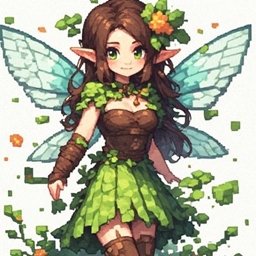
Fae Folk
Lets Fae Folk spawn in your world, adorable flying creatures with a love for apples!
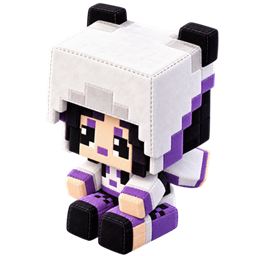
Lore of the Plushies
Adds some craftable plushie dolls to the game
评论
登录后评论和评分