
Wars and Sounds [Combat Music, Battle Music, Dynamic Music, Combat Sounds, PvP, Immersion]
Wars and Sounds detects when combat begins and automatically plays battle music. Whether you hit an enemy or get hit yourself, every fight becomes more immersive, exciting, and cinematic with its own soundtrack.
介绍
Wars and Sounds
Transform every battle into a cinematic experience.
Wars and Sounds is a simple idea with one goal: make Minecraft combat feel alive.
Whenever you enter combat, whether by attacking an enemy or being attacked yourself, the mod automatically starts playing battle music to match the action. Suddenly, a normal zombie fight feels more exciting, immersive and memorable.
No more silent battles.
Every fight deserves its own soundtrack.
Features
/combatfilter
One of the most important features of the mod.
The combat filter prevents music from playing in situations where it simply wouldn’t make sense. For example:
- Falling damage
- Drowning damage
- Environmental damage
- Attacking passive or harmless mobs
Without the filter, punching a cow or taking fall damage would trigger combat music, which would quickly become annoying and immersion-breaking.
This option exists to ensure that battle music only plays during actual combat situations.
/combatmessages
Controls the chat messages displayed by the mod.
By default, Wars and Sounds sends a small notification in chat when combat music starts and when it ends.
If you prefer a cleaner experience, you can disable these messages at any time.
Enabled by default.
/combattimer
Displays the combat timer running in the background while music is playing.
Here’s how it works:
When combat starts, a hidden 10 second countdown begins.
If you attack an enemy again before the timer reaches zero, the countdown resets back to 10 seconds.
If no combat happens during those 10 seconds, the music stops.
This system allows the soundtrack to naturally continue during long battles while automatically ending once the fight is truly over.
/combatmusicresume
Ever had an amazing battle theme stop right before the best part?
This feature solves that problem.
Imagine fighting zombies and the music reaches an exciting moment, but the battle ends. A few minutes later another fight begins.
Instead of restarting the song from the beginning, the music continues from where it previously stopped.
This creates smoother transitions between battles and makes combat feel much more cinematic.
/combatmusicguide
A guide for adding your own custom battle music.
The goal is to allow players and modpack creators to easily expand their soundtrack library and personalize their combat experience.
However, this feature is still heavily experimental and currently does not work reliably in the beta version.
It will receive major improvements in future updates.
Beta Notice
Wars and Sounds is currently in its very first beta release.
Many systems are still simple, some features are unfinished, and bugs are expected to exist. Several commands are still basic implementations and will evolve significantly over time.
This project is only getting started.
Your feedback, suggestions and bug reports are incredibly important to me and will directly influence the future of the mod.
If you encounter problems, have ideas for new features, or simply want to share your thoughts, please leave a comment.
Every suggestion helps shape the future of Wars and Sounds.
Thank you for trying the mod and being part of its journey from the very beginning. ❤️
# 💬 Community & Support
Need help, want to report a bug, or have suggestions? Join our community!
常见问题
Wars and Sounds [Combat Music, Battle Music, Dynamic Music, Combat Sounds, PvP, Immersion] 支持哪些 Minecraft 版本?
Wars and Sounds [Combat Music, Battle Music, Dynamic Music, Combat Sounds, PvP, Immersion] 支持 Minecraft Java 版 1.21.8,可用的加载器:Fabric。下载时注意选择和你游戏版本一致的文件。
Wars and Sounds [Combat Music, Battle Music, Dynamic Music, Combat Sounds, PvP, Immersion] 怎么安装?
先用 PCL2 或 HMCL 启动器安装对应版本的 Fabric,再把下载的 .jar 文件放进游戏目录的 mods 文件夹,重新启动游戏即可。开启了版本隔离的,mods 文件夹在 versions/版本名 下面。
LL4i 的其他作品
查看全部 →
Better F5 Cam [Third Person Camera , Camera Zoom , F5 Zoom , Cinematic Camera , Free Look , Better F5]
让你在第三人称(F5)视角下动态调整摄像机距离

PVP Pack [PvP , FPS Boost , Performance , Optimization , Low Latency , Competitive , 26.2 , Modern PVP , pvppack , pvp]
一款轻量级 Minecraft 26.2 PvP 整合包,专注于提升 FPS、让游戏运行更流畅、降低输入延迟并改善整体性能,为你带来快速、灵敏且更具竞争力的 PvP 体验。
Opacity [Transparency and mount]
Opacity Mod 会在玩家、怪物或坐骑挡住镜头时,让它们平滑变透明。你可以手动调节透明度,也可以交由模组自动调整,让第一人称和第三人称视野更加清晰。
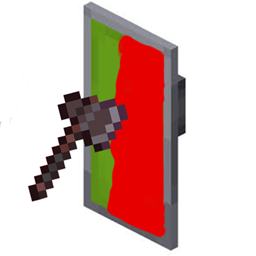
Shield Status [Fabric / PvP / Shield Cooldown Tracker]
Shield Status 会在盾牌上显示可自定义颜色的覆盖层,提示盾牌是否处于冷却状态。红色表示盾牌暂不可用,绿色表示已准备就绪。
评论
登录后评论和评分