
Compass Block Finder
Compass Block Finder lets you quickly find any block in your Minecraft world. Select a block using the in-game search menu, left-click to start a search, and let the compass guide you toward the nearest discovered location.
截图
介绍
🧭 Compass Block Finder
Compass Block Finder is a Fabric mod that turns a compass into a simple and powerful block-finding tool.
Craft the compass, select any block from an in-game menu, and it will search the loaded world for the nearest one. When the block is found, the compass points toward its location.
No coordinates to memorize. No manual searching through caves. Just select a block and search.
✨ Features
- 🧭 Custom Compass Block Finder item, craftable in survival
- 🔎 Search for blocks using an in-game search menu
- 🧱 Select from available Minecraft blocks
- ⚡ Fast search that skips chunk sections that can’t contain your block
- 🎯 Always points to the truly nearest block, across the full world height
- 📍 Compass points toward the discovered block
- 📊 Live search progress
- 💬 Clear status messages while searching
- 🔄 Manual searches with left-click
- 📏 Searches every chunk within your render distance
- ♻️ Re-searches automatically when you move or the target block is mined
- 🎮 Designed specifically for Minecraft with Fabric
📸 Screenshots
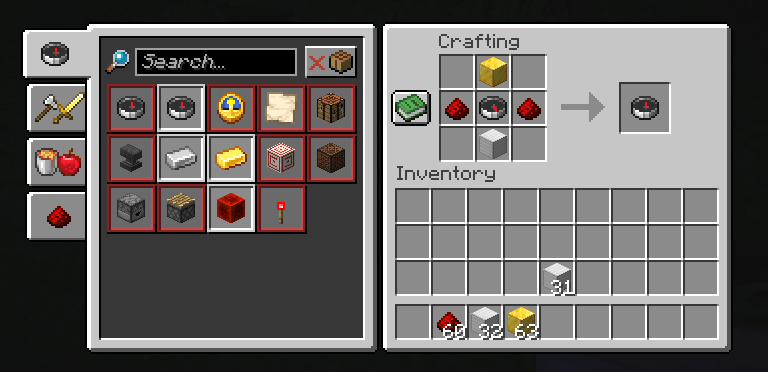
Crafting Recipe
Craft the Compass Block Finder from a Block of Gold, a Block of Iron, a Compass and 2 Redstone Dust.
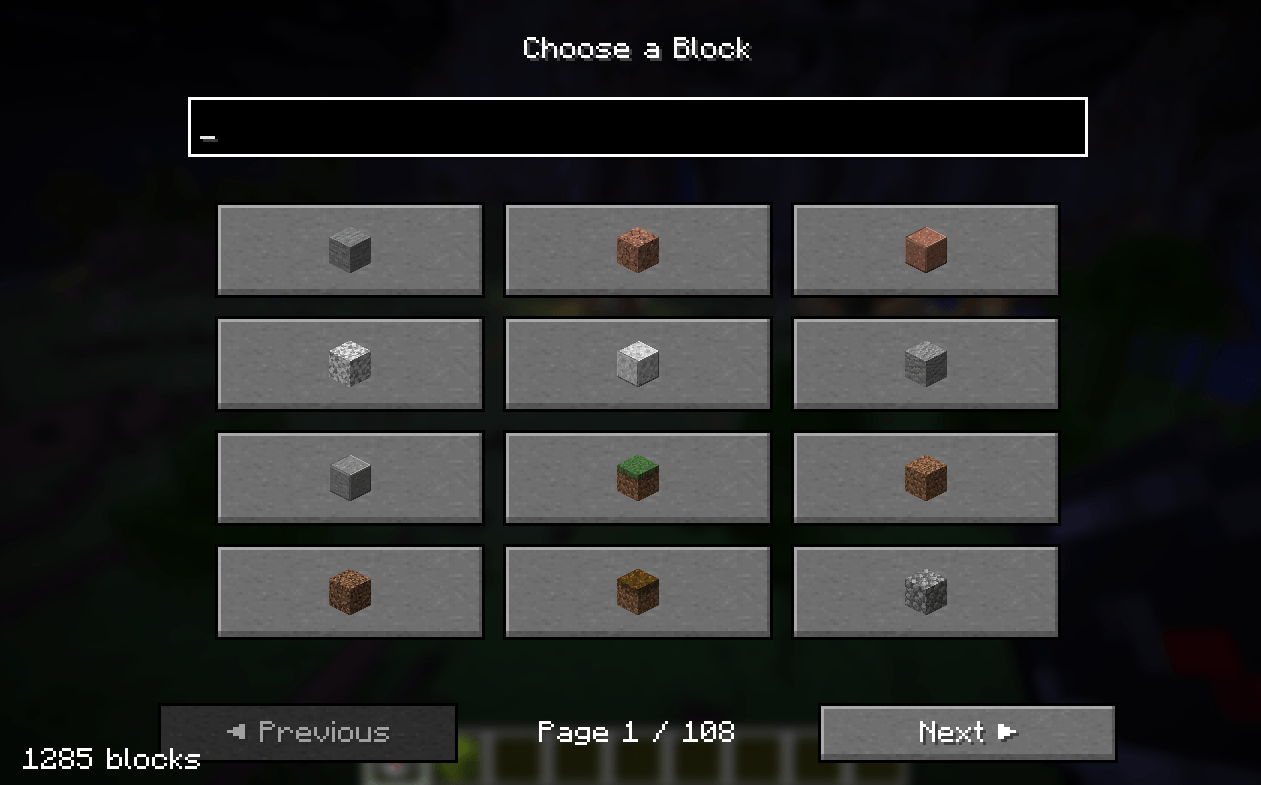
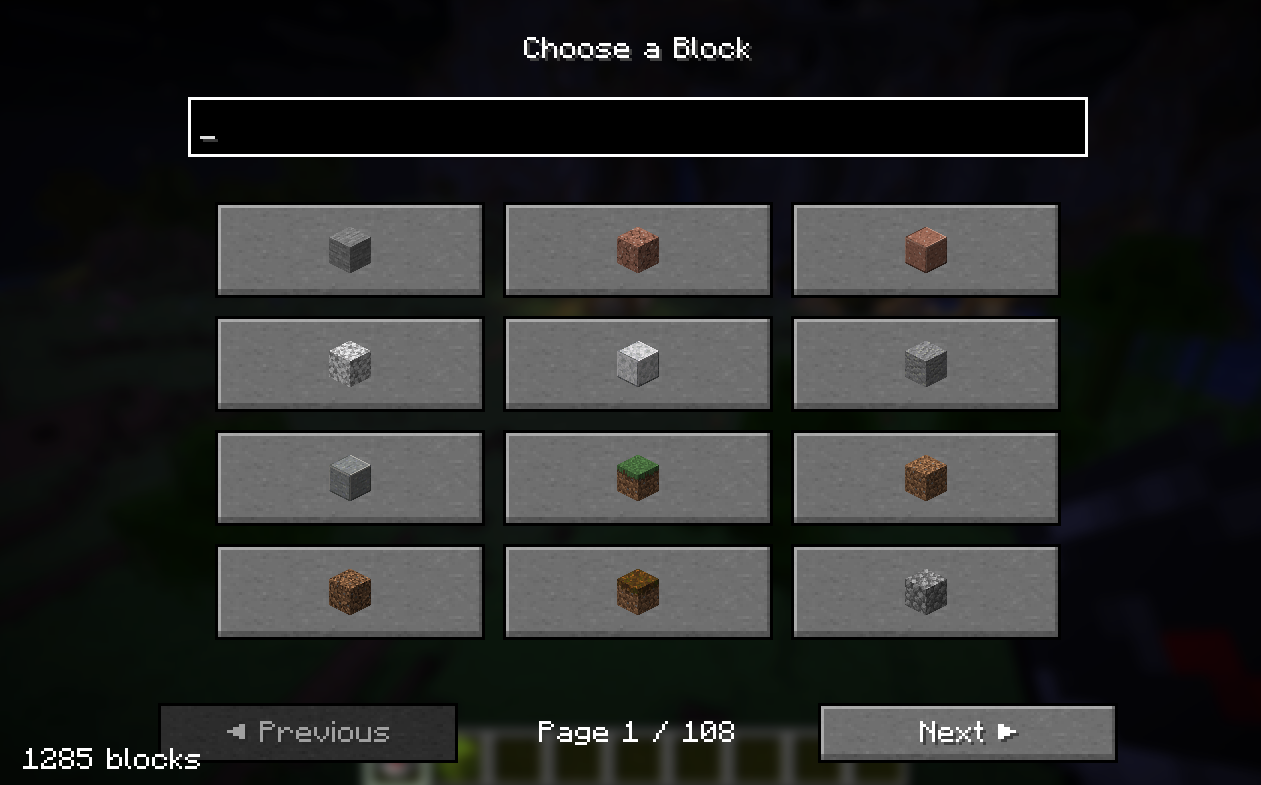
Block Selection Menu
Choose the block you want to find using the in-game block selection menu.
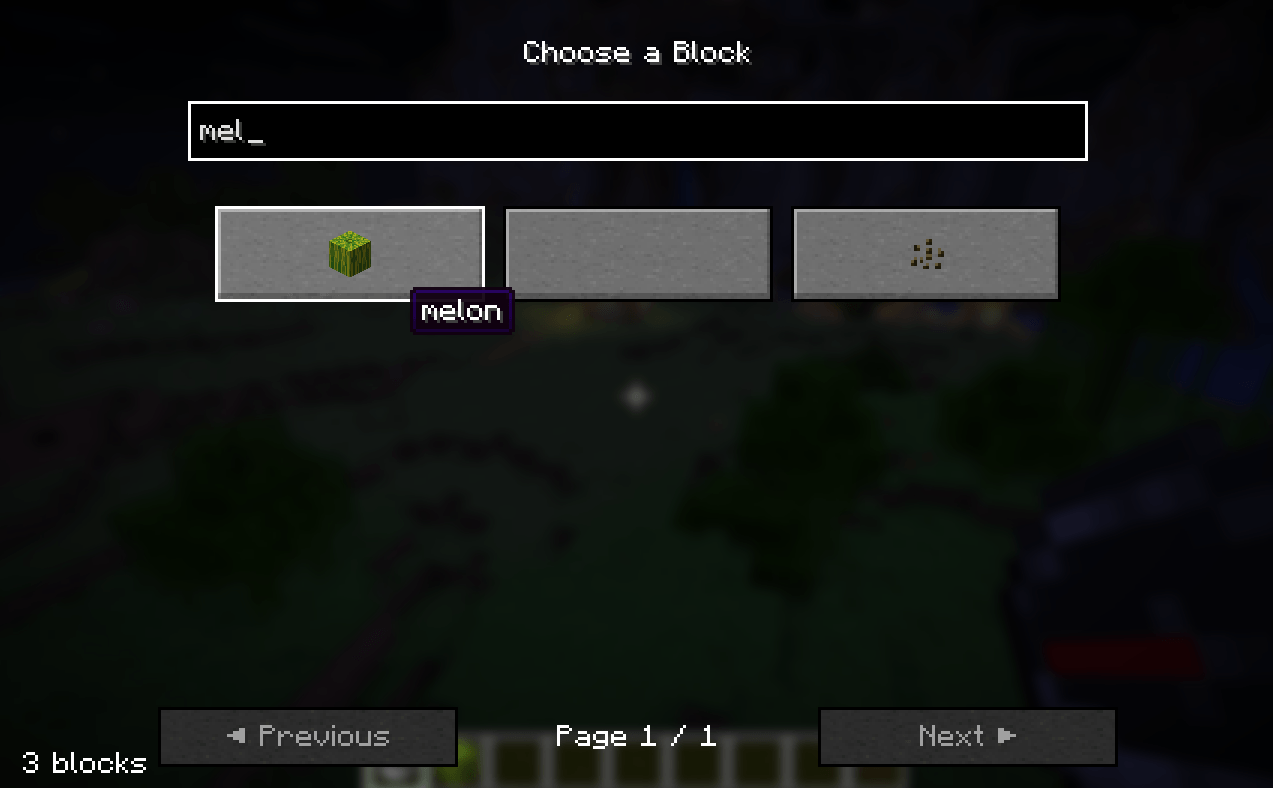
Search for a Block
Use the search box to quickly find the block you are looking for.
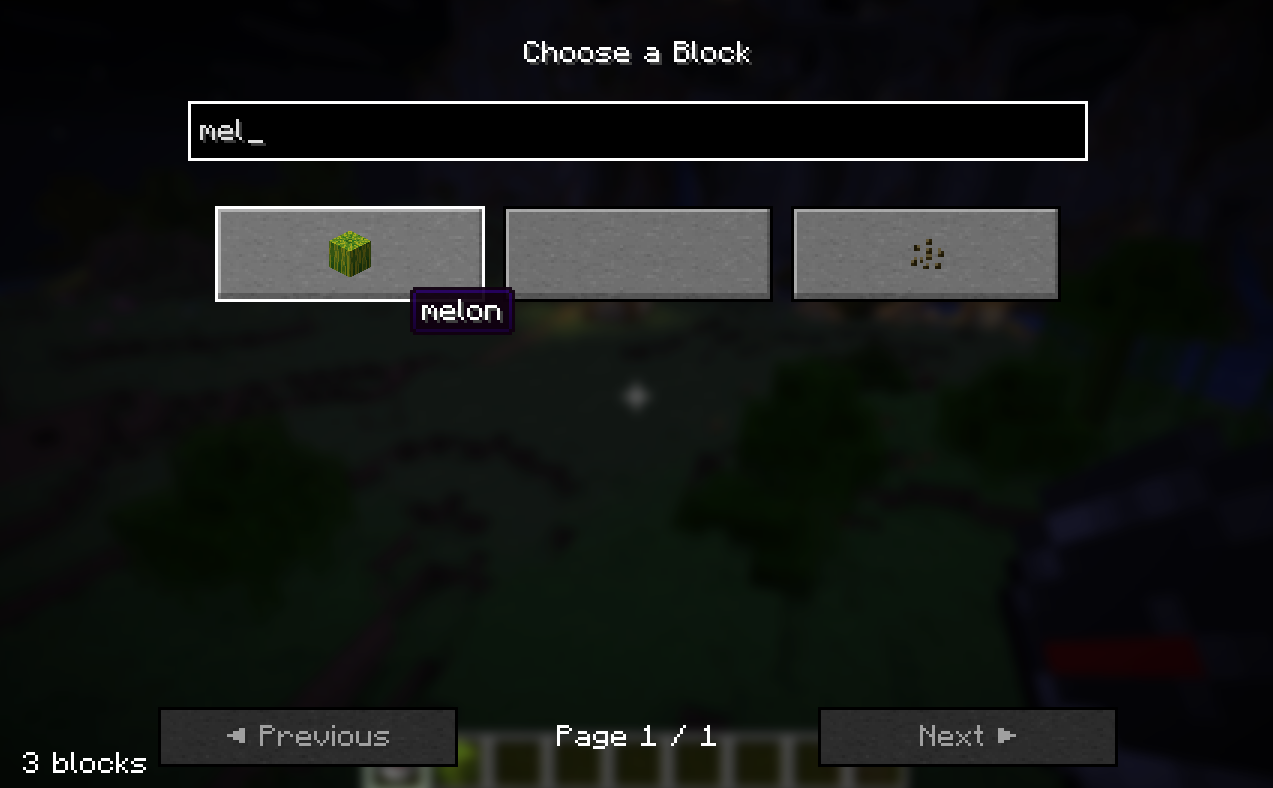
For example, searching for:
melonwill show blocks matching the search.
Start a Search
After selecting a block, left-click while holding the Compass Block Finder to begin searching.
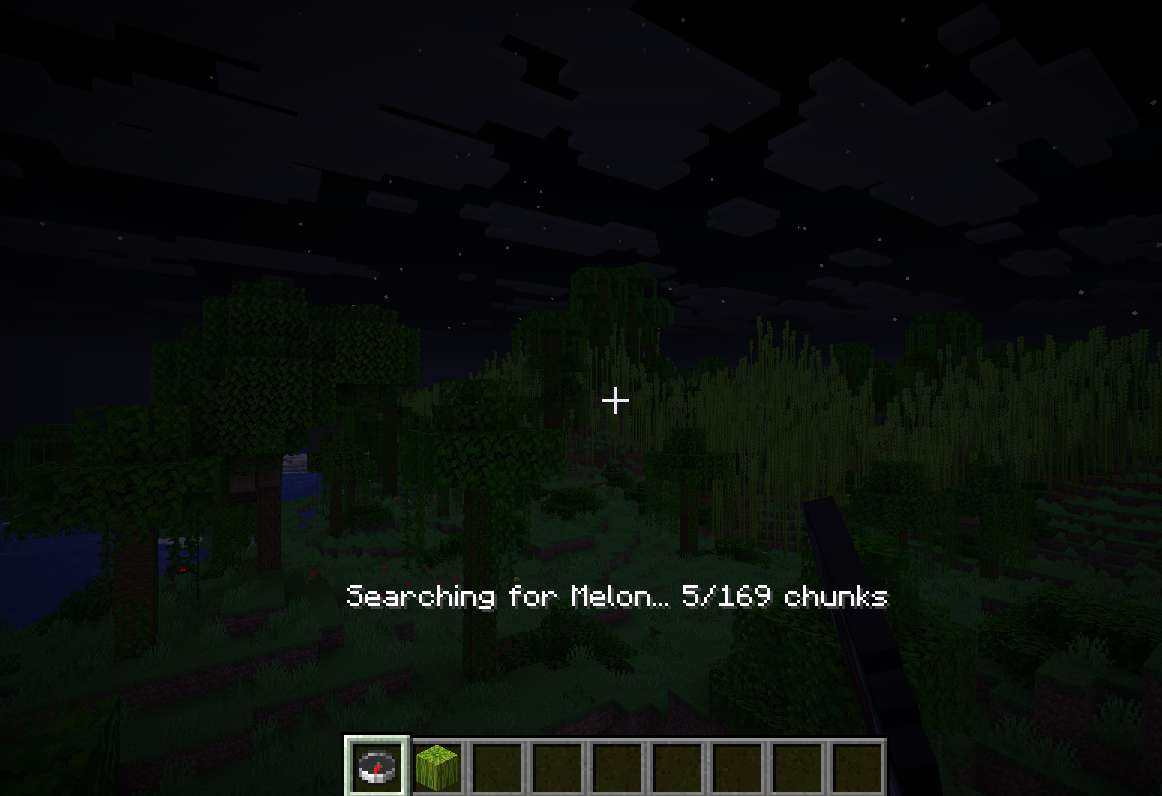
The mod searches nearby chunks starting with the chunks closest to you.
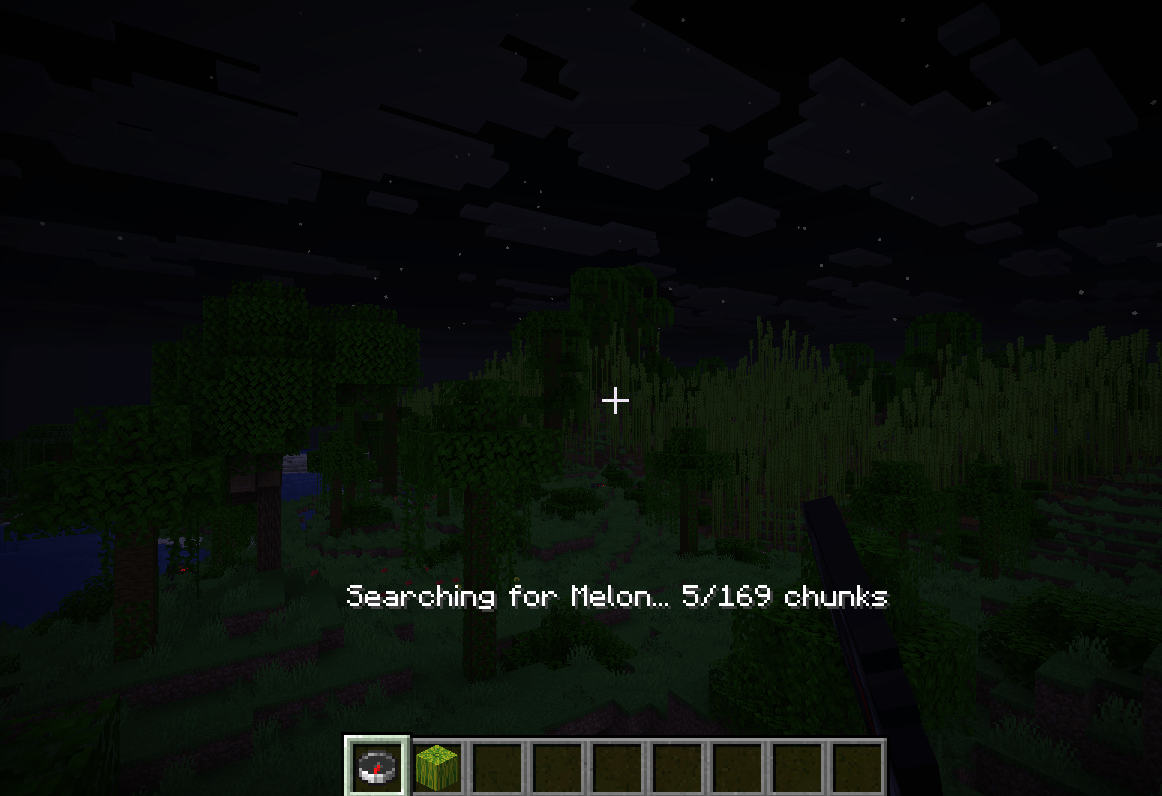
You will see progress such as:
Searching for Melon...
Searching for Melon... 40%
Block Found
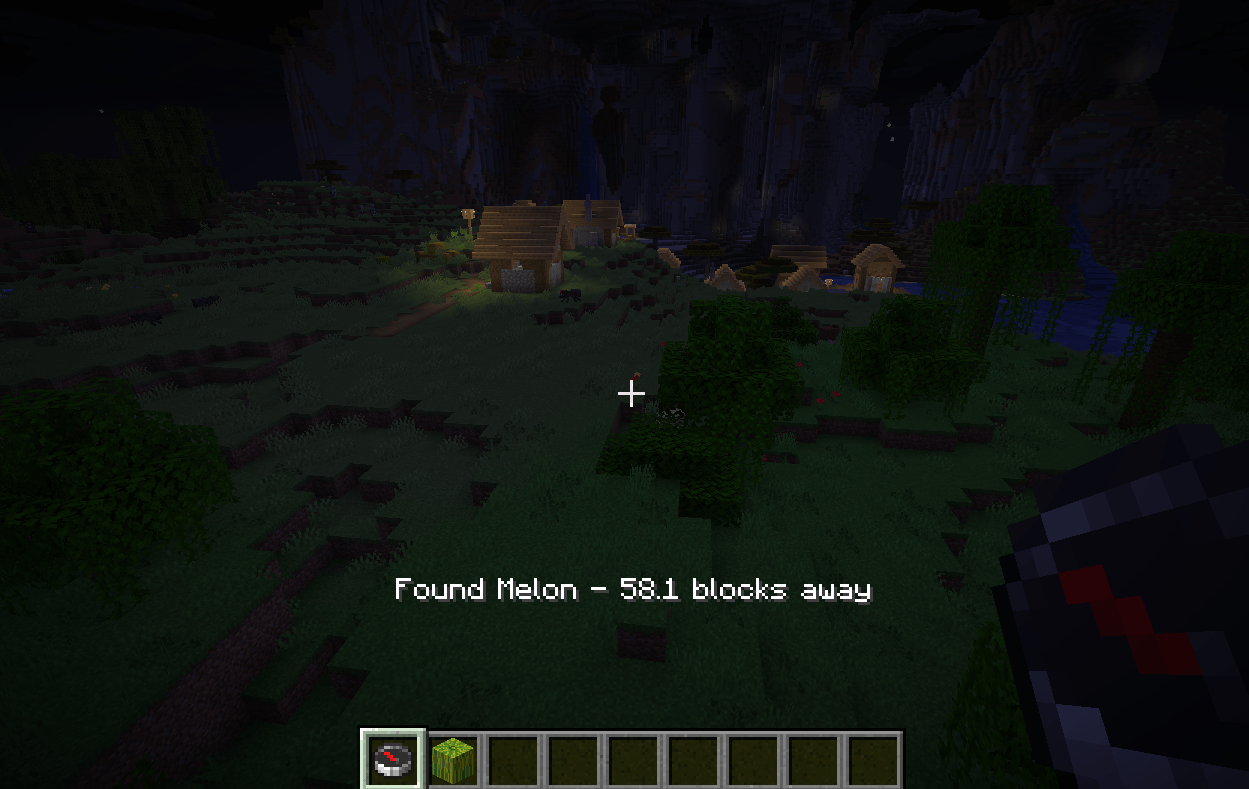
When a matching block is discovered, the mod reports its distance and the compass points toward it.
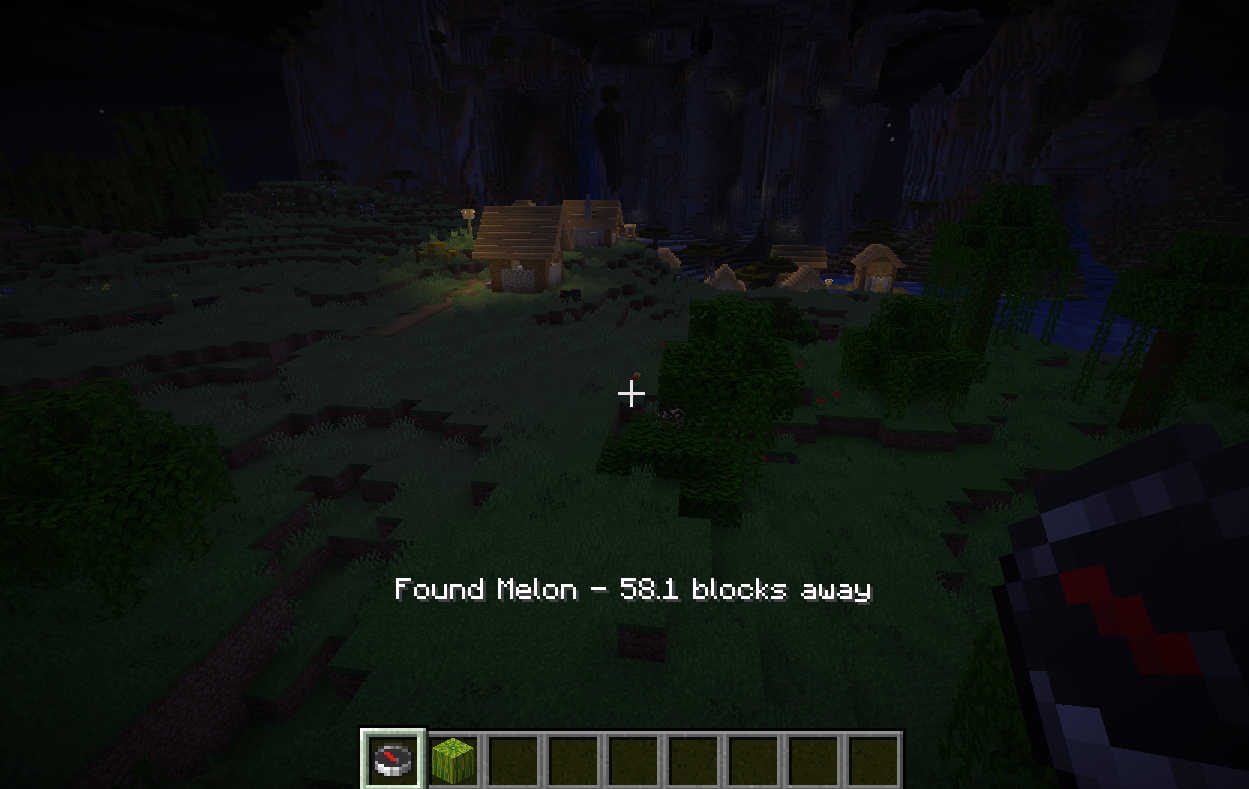
Example:
Found Melon - 42.3 blocks away🎮 How to Use
1. Craft the Compass Block Finder
The Compass Block Finder is crafted at a crafting table:
 [   ]  [Gold Block]  [   ]
 [Redstone] [Compass] [Redstone]
[ ] [Iron Block] [ ]| Ingredient | Amount |
|---|---|
| Block of Gold | 1 |
| Block of Iron | 1 |
| Compass | 1 |
| Redstone Dust | 2 |
The recipe unlocks in your recipe book as soon as you pick up a compass.
It is also available in the Tools & Utilities creative tab.
2. Select a Block
Hold the Compass Block Finder and right-click.
This opens the block selection menu.
You can browse through the available blocks or use the search box.
Click the block you want to search for.
3. Start Searching
Once a block has been selected, hold the Compass Block Finder and left-click.
The search begins immediately.
The mod searches nearby chunks starting with the chunks closest to your current position.
4. Follow the Compass
When the target block is found, the compass will point toward it.
The mod also displays the approximate distance to the discovered block.
For example:
Found Melon - 42.3 blocks awayFollow the direction of the compass to reach your target.
🔎 Search System
Compass Block Finder searches every chunk your client has loaded, out to your render distance, across the entire world height.
How it stays fast:
- Chunks are checked from closest to farthest.
- Each 16×16×16 chunk section keeps a list of the block types inside it. The mod checks that list first, so sections that don’t contain your block are skipped without reading a single block.
- Once a match is found, any chunk or section that can’t contain something closer is skipped, and the search stops as soon as nothing closer is possible.
- The work is spread across ticks with a small time budget so the game never stutters.
Most searches finish almost instantly.
The compass searches again automatically when you walk about 48 blocks away from where the last search happened, or when the block it points to is mined.
💬 Search Messages
The mod provides feedback while you use it.
No block selected
If you try to search before selecting a block:
Select a block first! (right-click)Search started
Searching for Melon...Search progress
Searching for Melon... 40%Block found
Found Melon - 42.3 blocks awayNothing found
If no matching block is found within your render distance:
No Melon found within 12 chunks🕹️ Controls
| Action | Control |
|---|---|
| Open block selector | Right-click |
| Start search | Left-click |
| Select block | Click a block in the menu |
| Search blocks | Type in the search box |
🧱 Supported Blocks
The block selector uses Minecraft’s registered blocks, allowing you to search for a wide variety of blocks.
Examples include:
- Diamond Ore
- Deepslate Diamond Ore
- Iron Ore
- Gold Ore
- Ancient Debris
- Coal Ore
- Redstone Ore
- Emerald Ore
- Lapis Lazuli Ore
- Copper Ore
- Stone
- Deepslate
- Sand
- Gravel
- Wood
- And many more
The search menu can be used to quickly filter the available blocks.
📦 Installation
Requirements
- Minecraft 26.3
- Fabric Loader 0.19.5 or newer
- Fabric API
- Java 25 or newer
Installation Steps
- Install Fabric Loader for Minecraft 26.3.
- Install Fabric API.
- Download the latest Compass Block Finder
.jar. - Place the
.jarfile inside your Minecraftmodsfolder. - Launch Minecraft using the Fabric profile.
- Enter your world.
- Craft the Compass Block Finder (see How to Use).
Your mods folder should look similar to:
.minecraft/
└── mods/
    ├── fabric-api-....jar
    └── compass-block-finder-....jar
🛠️ Development
Compass Block Finder is built using:
- Java
- Minecraft 26.3
- Fabric
- Fabric Loader
- Fabric API
- Fabric Loom
Build From Source
Clone the repository:
git clone https://github.com/harfy345/compass-block-finder-mc.gitEnter the project directory:
cd compass-block-finder-mcBuild the mod:
./gradlew buildOn Windows:
.\gradlew.bat buildThe compiled mod will be available in:
build/libs/🗺️ Roadmap
Planned improvements may include:
- <input type="checkbox" disabled style="margin: 0px 0.35em 0.25em -1.6em; vertical-align: middle;" checked> Improved search performance
- <input type="checkbox" disabled style="margin: 0px 0.35em 0.25em -1.6em; vertical-align: middle;" checked> More precise nearest-block detection
- <input type="checkbox" disabled style="margin: 0px 0.35em 0.25em -1.6em; vertical-align: middle;" checked> Survival crafting recipe
- <input type="checkbox" disabled style="margin: 0px 0.35em 0.25em -1.6em; vertical-align: middle;"> Search configuration
- <input type="checkbox" disabled style="margin: 0px 0.35em 0.25em -1.6em; vertical-align: middle;"> Configurable search radius
- <input type="checkbox" disabled style="margin: 0px 0.35em 0.25em -1.6em; vertical-align: middle;"> Additional compass behavior
- <input type="checkbox" disabled style="margin: 0px 0.35em 0.25em -1.6em; vertical-align: middle;"> Better visual feedback
- <input type="checkbox" disabled style="margin: 0px 0.35em 0.25em -1.6em; vertical-align: middle;"> Multiplayer support improvements
- <input type="checkbox" disabled style="margin: 0px 0.35em 0.25em -1.6em; vertical-align: middle;"> Additional Minecraft versions
- <input type="checkbox" disabled style="margin: 0px 0.35em 0.25em -1.6em; vertical-align: middle;"> Fabric and other platform support where practical
🤝 Contributing
Contributions, bug reports, and suggestions are welcome.
If you encounter a problem, please open an issue with:
- Minecraft version
- Fabric Loader version
- Fabric API version
- Compass Block Finder version
- Steps to reproduce the problem
- Relevant crash log or error message
🐛 Bug Reports & Feature Requests
Found a bug or have an idea?
Open an issue in the project’s GitHub repository and describe what happened.
When reporting a bug, screenshots and logs are especially helpful.
📄 License
This project is licensed under the license included in this repository.
See LICENSE for details.
❤️ Credits
Created by Harfy.
Built for the Minecraft Fabric modding community.
If you enjoy the mod, consider ⭐ starring the project on GitHub and sharing it with other players!
🧭 Compass Block Finder
Select → Search → Find → Follow
Happy mining! ⛏️
常见问题
Compass Block Finder 支持哪些 Minecraft 版本?
Compass Block Finder 支持 Minecraft Java 版 26.3,可用的加载器:Fabric。下载时注意选择和你游戏版本一致的文件。
Compass Block Finder 怎么安装?
先用 PCL2 或 HMCL 启动器安装对应版本的 Fabric,再把下载的 .jar 文件放进游戏目录的 mods 文件夹,重新启动游戏即可。开启了版本隔离的,mods 文件夹在 versions/版本名 下面。
评论
登录后评论和评分