截图
介绍
Modpacks break Create recipes. This fixes them.
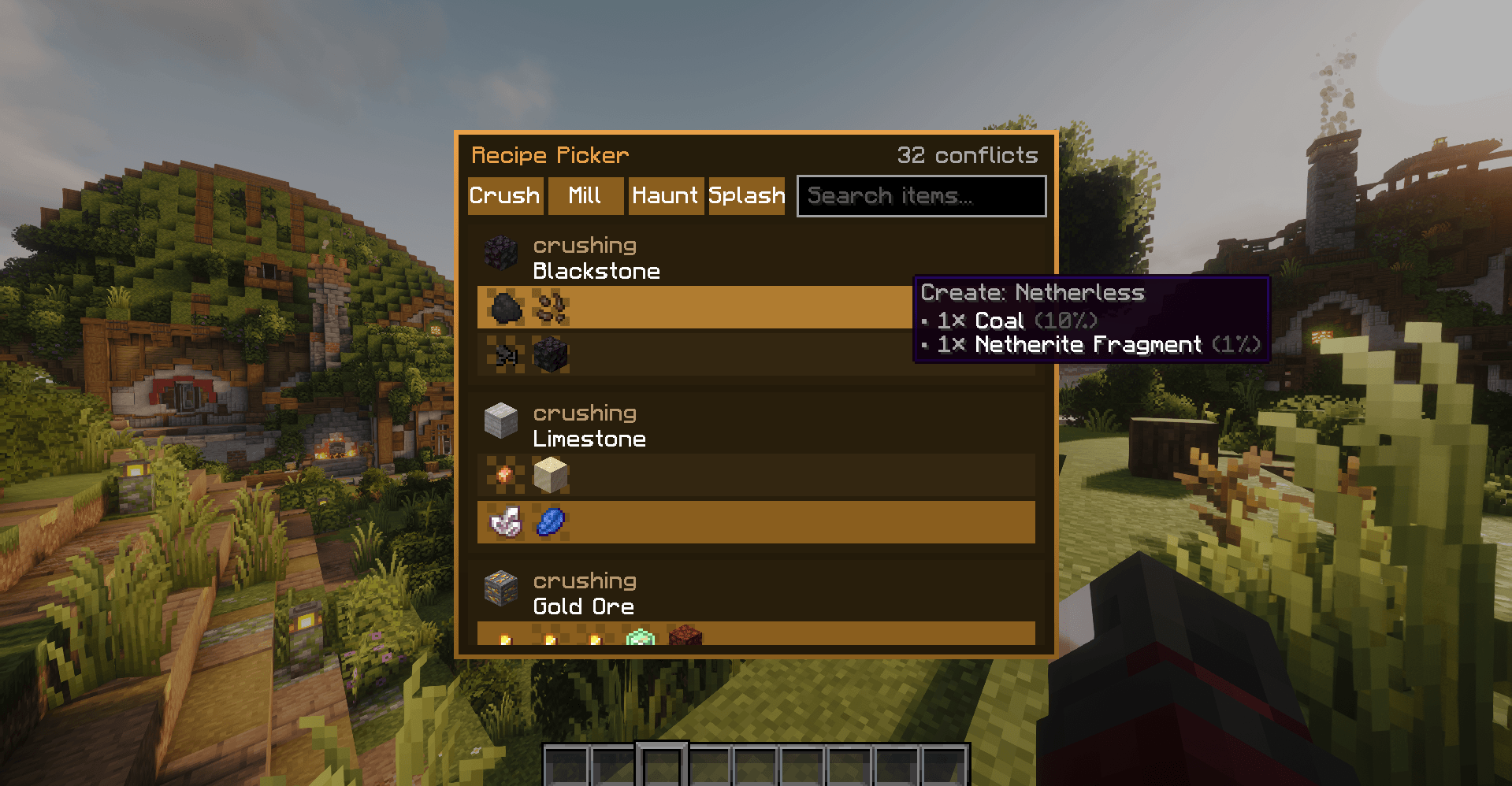
When you run Create alongside addon mods, you often end up with two or more recipes that accept the same input. Two mods both add a crushing recipe for Blackstone. Three mods each add a different way to mill Wheat. Create has to pick one, and it picks essentially at random based on which recipe loaded first. You get whatever the load order decided, with no say in it.
Create Recipe Picker gives you the say. Open an in-game screen, see every conflict on your world, and click the recipe you want to win. Your choice persists per world and applies to every machine of that type.
How it works
Run the command:
/createrecipepicker
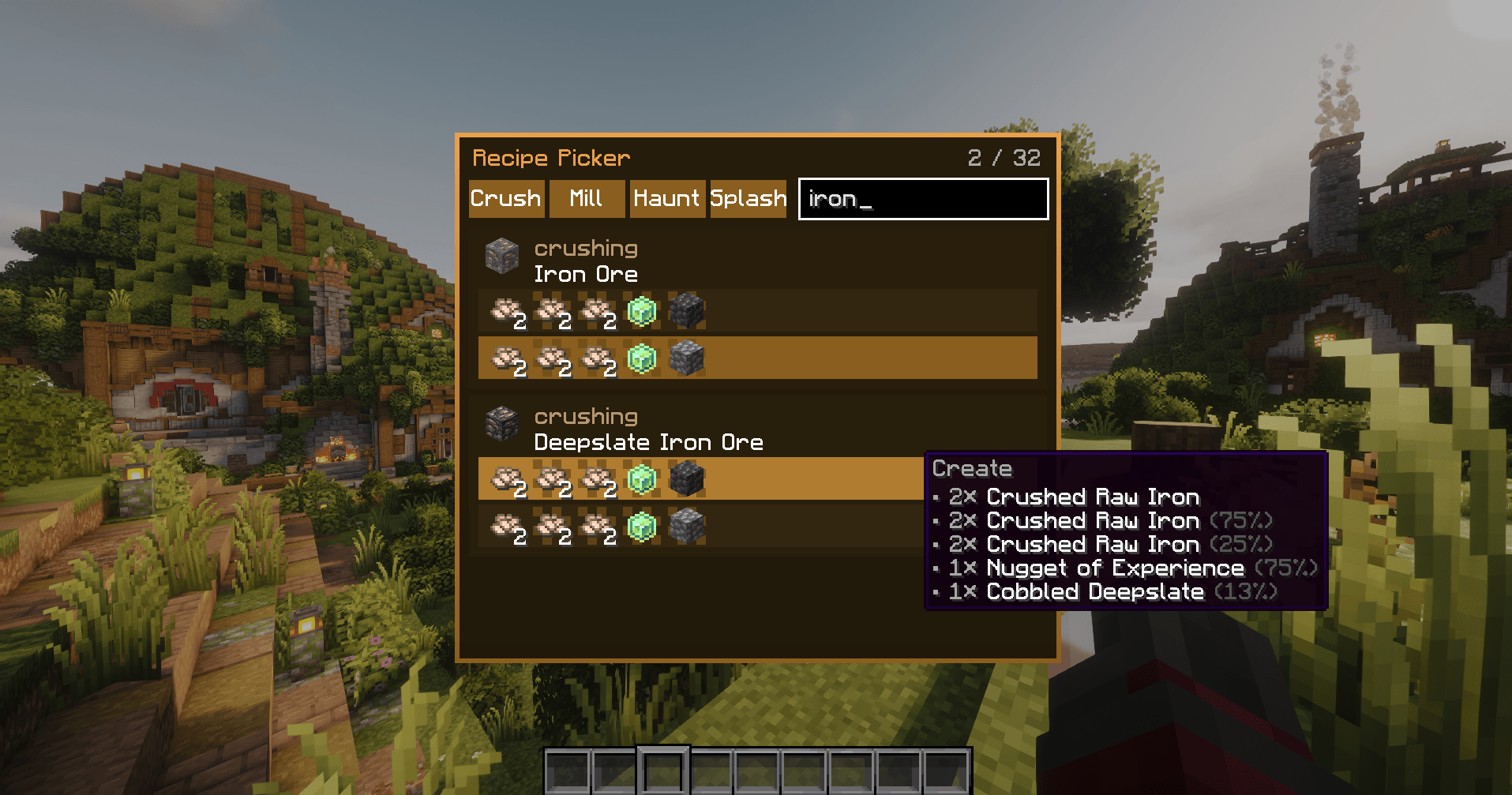
A panel opens listing every recipe conflict detected on the current world. Each conflict shows the input item and the competing recipes as rows. Click a recipe to make it the winner. Click it again to clear your choice and go back to Create’s default behavior.
That’s it. Place a crushing wheel, drop the input in, and the recipe you chose is the one that runs.
Features
- Real conflict detection. Scans the loaded recipes on world join and after
/reload. - Duplicate filtering. If two mods register recipes that produce identical results, they’re collapsed into one entry.
- Per-world, global application. Your choices are saved with the world.
Multiplayer
- Everyone can look. Any player can open the screen and see which recipes are preferred.
- Single-player: you decide. No restrictions.
- Dedicated servers: operators decide. Only server operators can change preferences. Other players see the choices but can’t modify them.
常见问题
Create Recipe Picker 支持哪些 Minecraft 版本?
Create Recipe Picker 支持 Minecraft Java 版 1.20.1,可用的加载器:Forge。下载时注意选择和你游戏版本一致的文件。
Create Recipe Picker 怎么安装?
先用 PCL2 或 HMCL 启动器安装对应版本的 Forge,再把下载的 .jar 文件放进游戏目录的 mods 文件夹,重新启动游戏即可。开启了版本隔离的,mods 文件夹在 versions/版本名 下面。
评论
登录后评论和评分