
lazyboost-render
A client-side optimization mod for Minecraft Fabric, offering weather, entity, sound, and HUD customization for better FPS and gameplay experience.
截图

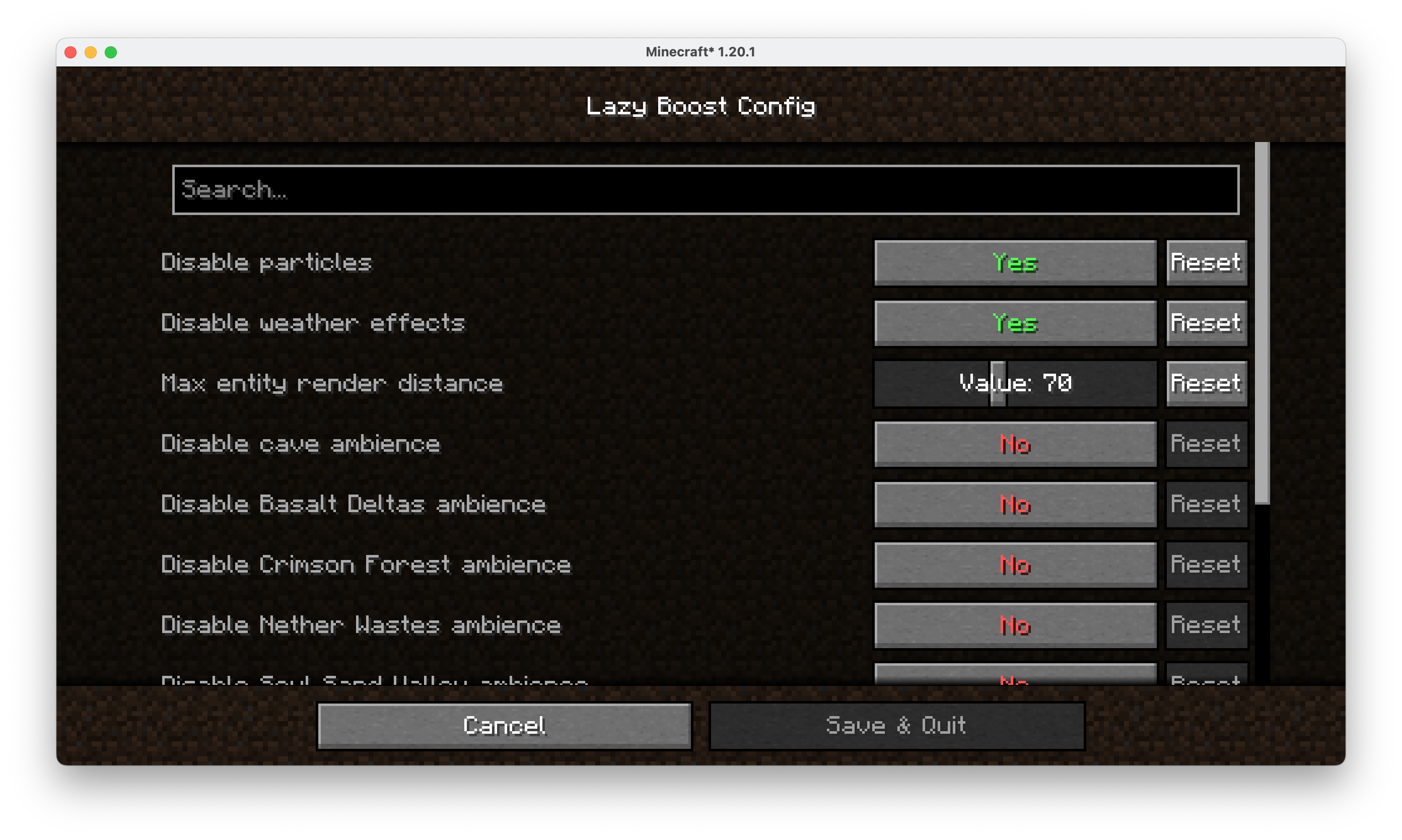
介绍
LazyBoost
LazyBoost is a Minecraft Fabric mod that boosts client rendering performance and provides many configurable visual and audio options for a smoother gameplay experience.
This mod required modmenu, if not, you may not open the configure menu
Features
- easier hand toggle Use that toggle to easier toggle render hand.
- toggle gamma (brightness) Easy to get more brightness, easy to take pictures.
- simple entity render If the entity is out of config entity render distance and also in vanilla entity distance, the mod will use a red box to render it.
- Auto FPS Reduction Automatically lowers FPS limit to 12 when Minecraft window is unfocused or minimized, saving system resources.
- ModMenu Integration All options can be configured in-game via ModMenu or the config file.
Installation
- Download the latest release from Modrinth.
- Place the downloaded
.jarfile into your Minecraftmodsfolder. - Make sure you have installed Fabric Loader and Fabric API.
- (Optional) Install ModMenu for in-game configuration.
Configuration
- Press the LazyBoost key (configurable in Controls) to open the configuration GUI.
- You can also use ModMenu to access the config screen.
- All options are saved in the config file and take effect immediately.
License
Licensed under the Apache License 2.0. See LICENSE for details.
常见问题
lazyboost-render 支持哪些 Minecraft 版本?
lazyboost-render 支持 Minecraft Java 版 1.20–1.21.11,共 11 个版本,可用的加载器:Fabric / Quilt。下载时注意选择和你游戏版本一致的文件。
lazyboost-render 怎么安装?
先用 PCL2 或 HMCL 启动器安装对应版本的 Fabric / Quilt,再把下载的 .jar 文件放进游戏目录的 mods 文件夹,重新启动游戏即可。开启了版本隔离的,mods 文件夹在 versions/版本名 下面。运行环境:仅客户端。
zhengzhengyiyi 的其他作品
查看全部 →
config-editor-render
a improvement for modmenu, supports modmenu, make you can just edit the configure file like text editor, this mod on join reduces lag

super-pvpbot
A bot (s) which can play pvp with you, you can set roll by /pvp-target , or summon by /pvp-bot

better fight
Give player a better fight, villager can fight to mobs too.

ai chat mod
make ai chat in Minecraft. May be ai will be slow, but it still good.
评论
登录后评论和评分