
Dev1lroot’s Status Hud
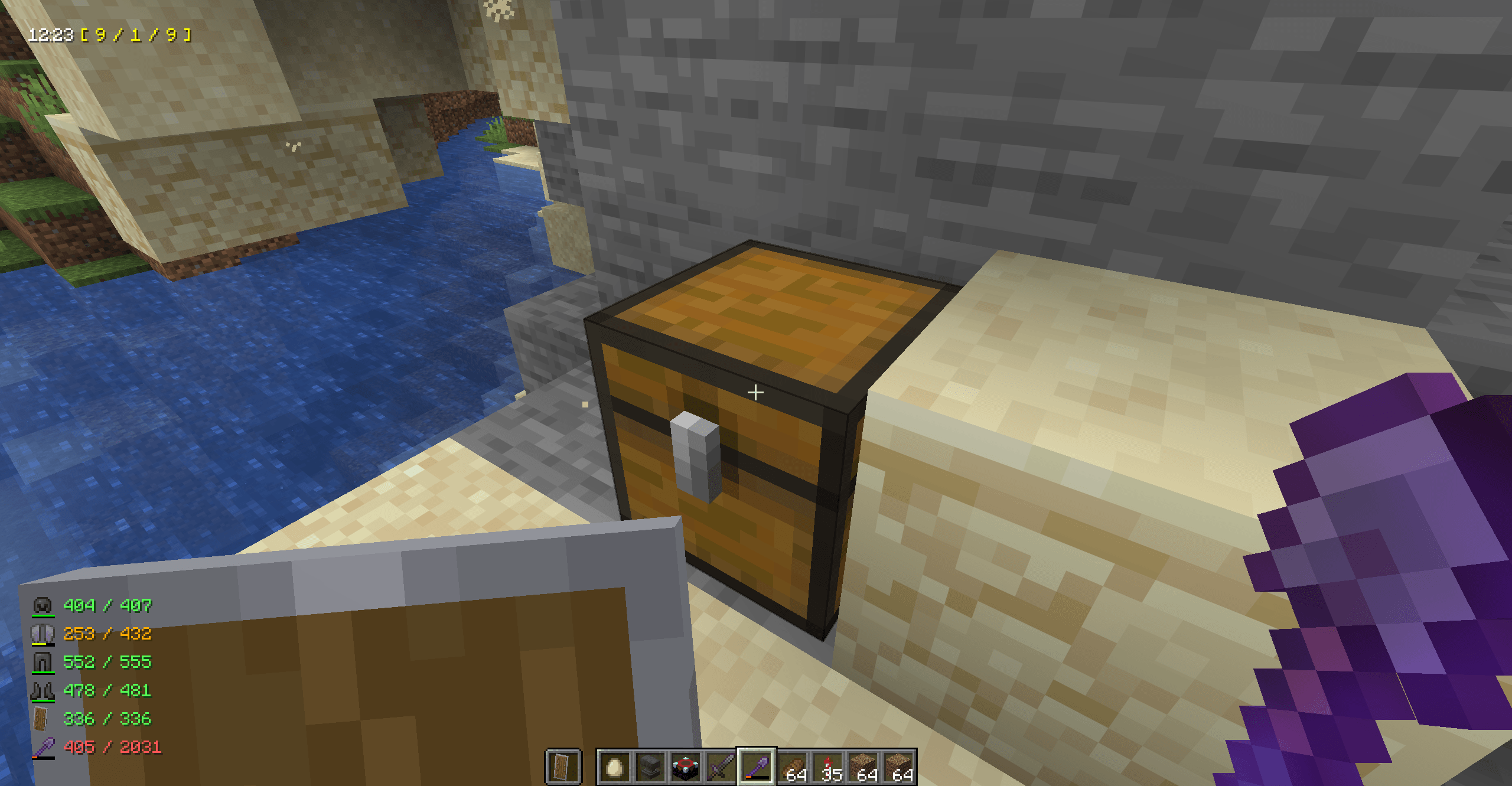
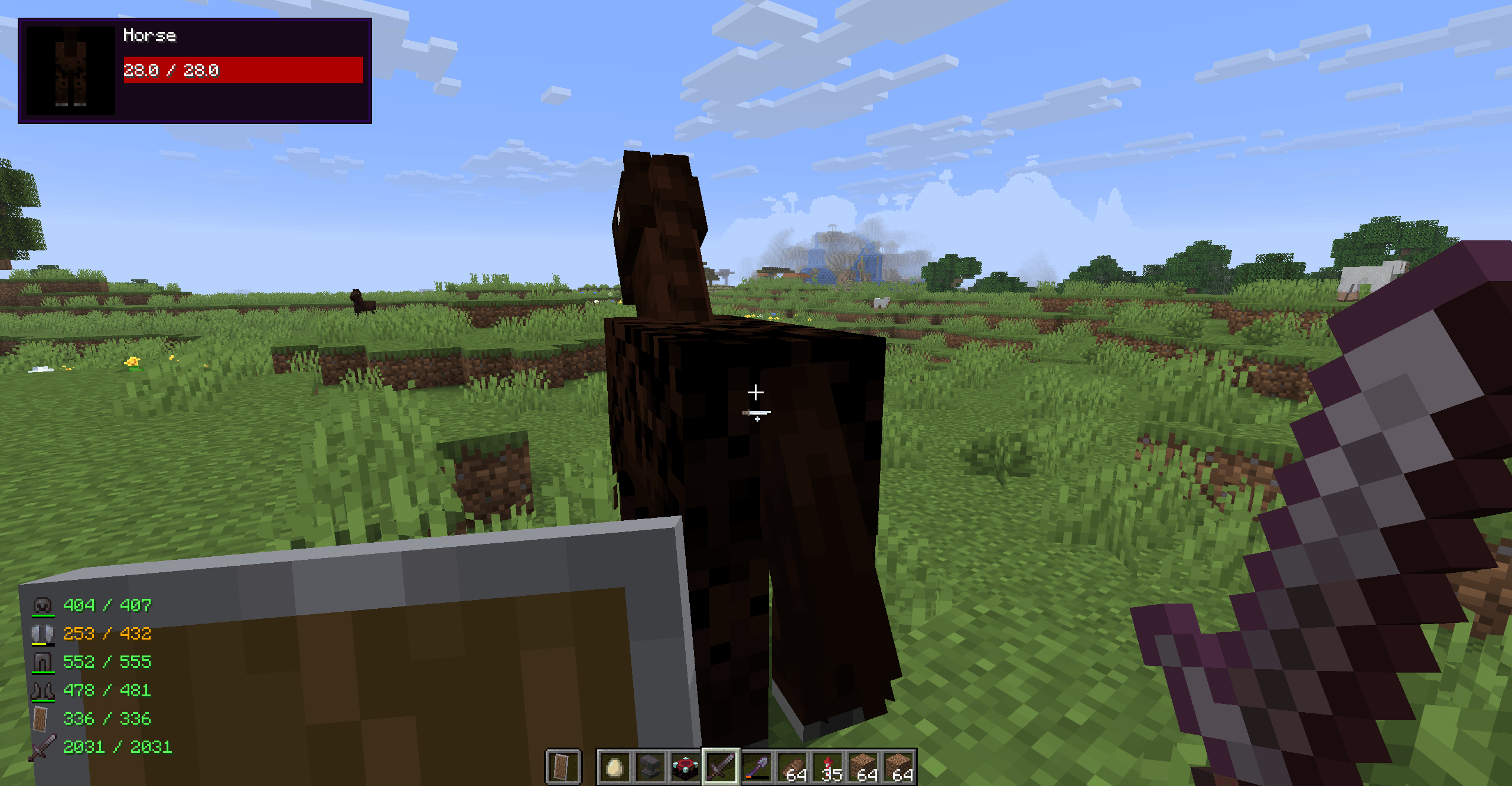
A mod that brings damage indicator, equipment durability, in-game time display, and many other useful game information into a fully customizable HUD
截图
介绍
Dev1lroot’s Status HUD is a lightweight client-side mod for Minecraft (NeoForge) that enhances the in-game HUD with clean and useful real-time indicators. It is designed to give you essential gameplay information at a glance without cluttering your screen or breaking immersion.
Features
-
Damage Indicator
Displays the health of the entity you are currently looking at, including a visual bar and icon. Inspired by the classic Damage Indicators mod. -
Durability Indicator
Shows durability of your equipped armor, main-hand tools, and shield, helping you avoid unexpected breaks during combat or exploration. -
Status Indicator
Displays whatever you want, in config file you can specify any custom text and some in-game variables like coordinates, player name, real time spent in game, in-game daylight cycle time and more. Supports ARGB color codes via &AARRGGBB; tabs and line-breaks via \n perfect for streamers and time management.
Configuration
All features are fully configurable:
- Enable or disable each indicator independently
- Adjust behavior via config file
- Designed to be minimal, flexible, and unobtrusive
General Options
| Option | Type | Default | Description |
|---|---|---|---|
bEnableDamageIndicator |
Boolean | true |
Enables or disables the damage indicator on the HUD. |
bEnableDurabilityIndicator |
Boolean | true |
Enables or disables the display of all durability indicators together. |
bEnableArmorDurabilityIndicator |
Boolean | true |
Enables or disables the display of the currently equipped armor’s remaining durability. |
bEnableShieldDurabilityIndicator |
Boolean | true |
Enables or disables the display of the currently equipped shield’s remaining durability. |
bEnableToolDurabilityIndicator |
Boolean | true |
Enables or disables the display of the currently equipped tool’s remaining durability. |
bEnableStatusIndicator |
Boolean | true |
Enables or disables the display of the upper status line on the HUD. |
Damage Indicator
| Option | Type | Default | Description |
|---|---|---|---|
fDamageIndicatorRaycastDistance |
Float | 30.0 |
Sets the maximum distance (in blocks) at which the damage indicator can detect entities. Vanilla distance is 3. |
Status Indicator Format
| Option | Type | Default | Description |
|---|---|---|---|
sStatusIndicatorFormat |
String | $sGameTime24 \| &FF00FF00;$sPlayerName&FFFFFFFF; \| $sPlayTime \| &FFFFFF00;$sTargetsChunkPosition |
Custom format for the upper HUD line. Supports new lines (\n), ARGB color codes (&AARRGGBB;) and variables: • $sGameTime24 → in-game time (24h) • $sGameTime12 → in-game time (12h) • $sPlayerName → player’s name • $sPlayTime → real time played in world • $sTargetsChunkPosition → position the block you are looking at in chunk coordinates |
Durability Indicator Format
| Option | Type | Default | Description |
|---|---|---|---|
sDurabilityIndicatorFormat |
String | $iCurrentDurability/$iMaxDurability ($fCurrentDurabilityPercent%) |
Custom format for armor, shield, and tool durability. Supports variables: • $iCurrentDurability → current durability • $iMaxDurability → maximum durability • $fCurrentDurabilityPercent → durability percentage |
Inspiration
This mod is originally inspired by classic mods like Damage Indicators and Armor Status HUD, bringing their core functionality to modern Minecraft versions.
At the same time, StatusHUD is planned to evolve into a unified solution that combines the functionality of many different HUD-related mods into a single cohesive and consistent project.
常见问题
Dev1lroot’s Status Hud 支持哪些 Minecraft 版本?
Dev1lroot’s Status Hud 支持 Minecraft Java 版 26.1–26.1.2,共 3 个版本,可用的加载器:NeoForge。下载时注意选择和你游戏版本一致的文件。
Dev1lroot’s Status Hud 怎么安装?
先用 PCL2 或 HMCL 启动器安装对应版本的 NeoForge,再把下载的 .jar 文件放进游戏目录的 mods 文件夹,重新启动游戏即可。开启了版本隔离的,mods 文件夹在 versions/版本名 下面。
评论
登录后评论和评分