
WebDisplays_Fabric
Port the WebDisplays mod to Fabric.(This mod is ported from ds58 and Lyzantra's WebDisplays(forge)and yhe original mod WebDisplays is by the authors ds58 and Lyzantra!!! )
介绍
WebDisplays Mod(This mod is ported from ds58 and Lyzantra’s WebDisplays(forge)and yhe original mod WebDisplays is by the authors ds58 and Lyzantra!!! ) – Implemented Features
🖥️ Core Display
Web Screen Block – Placeable in-world block that displays web pages via MCEF (Chromium Embedded Framework)
Multiplayer Support – Screen data (URL, size, rotation) synced to all players; each player loads pages locally via their own MCEF instance
Texture Broadcasting (Experimental) – Screen owner’s browser texture captured and broadcast to other players every 500ms for identical content
📦 Blocks & Items
Keyboard Blocks (Left & Right) – Right-click to type on screen, linkable to screens using Linking Tool
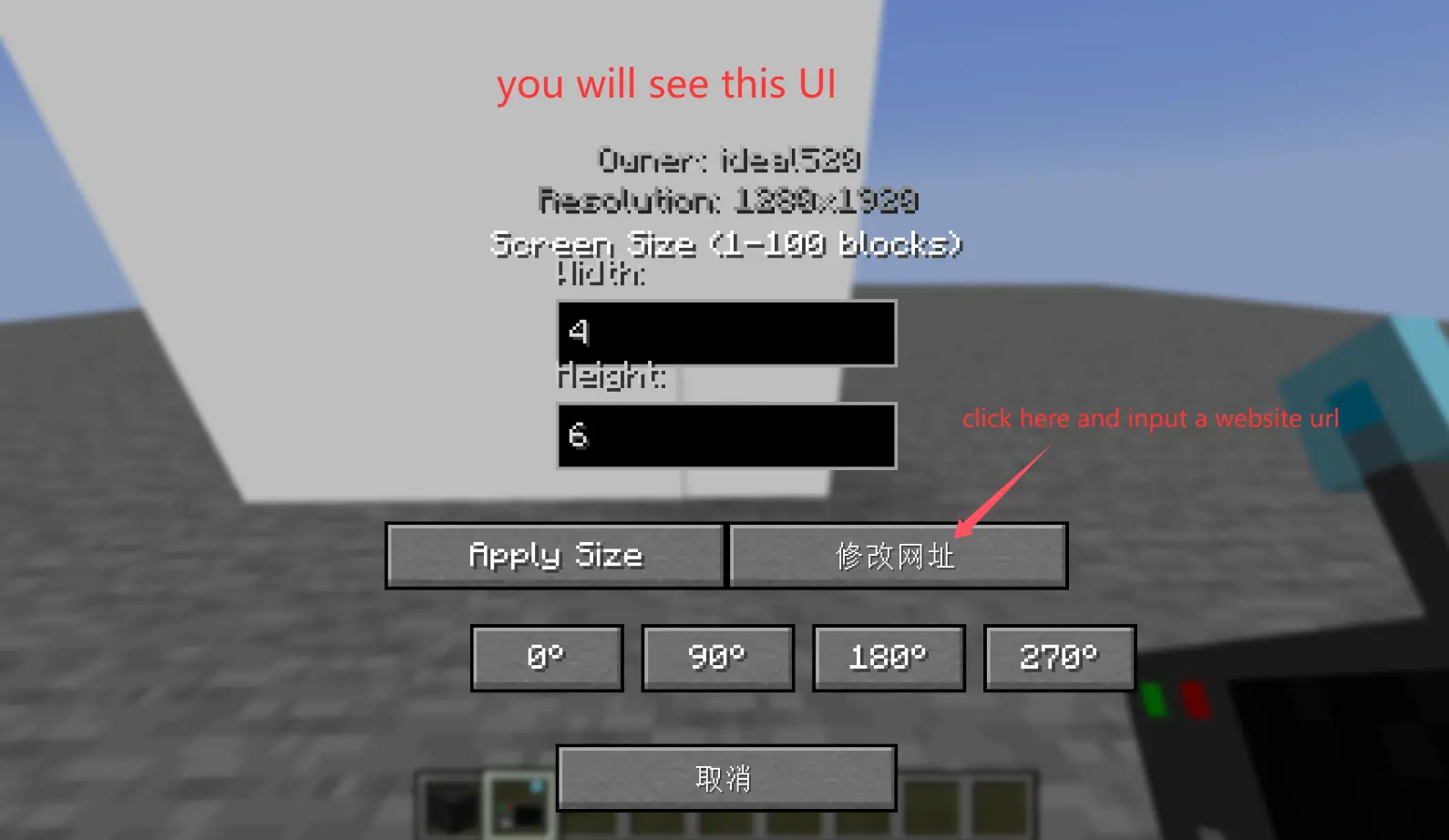
Screen Configurator – Right-click screen to open settings GUI for creating/removing screen faces, setting URL, resizing, and rotating
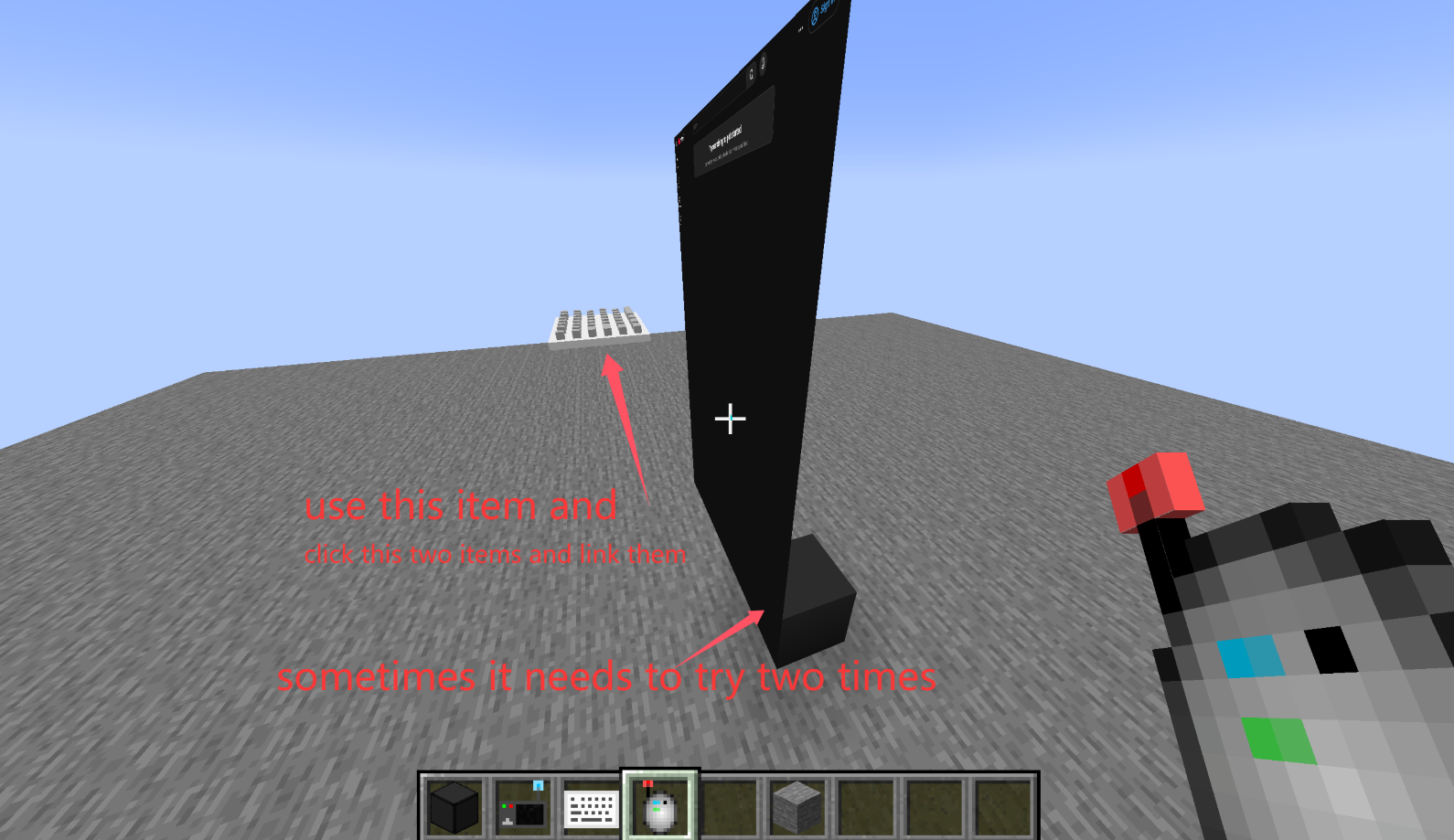
Linking Tool – Click screen to select, then click keyboard to link them together
Creative Tab – All items grouped under Web Displays creative tab
🎮 Interaction
Mouse Interaction – Raycast-based cursor tracking for clicking and scrolling on screen surfaces (Tab to toggle cursor)
Keyboard Input GUI – Dedicated input screen for typing on browser pages
🌐 Network
Network Sync – Custom payload system for screen actions (add/remove/resize/rotate/URL changes)
⚙️ Rendering & Stability
OpenGL State Protection – Mixin to reset GL_UNPACK_ROW_LENGTH/SKIP_PIXELS/SKIP_ROWS after MCEF texture updates, preventing visual corruption
Pixel Store Reset – Mixin to reset GL pixel store state after MCEF texture updates to prevent rendering artifacts
💻 Commands
/screen Command – Give items via command:
/screen screen
/screen configurator
/screen linker
/screen kb_left
/screen kb_right
!!!!!!!!!!!!!!!!!!!!!!!!!!!!!!!!!!!!!!!!!!!!!!!!!!!!!!!!!!!!!!!!!!!!!!!!!!!!!!!!!!!!!!!!!!!!!!!
How to use?
Use the /screen command to obtain the screen block, configurator, connector, and keyboard.
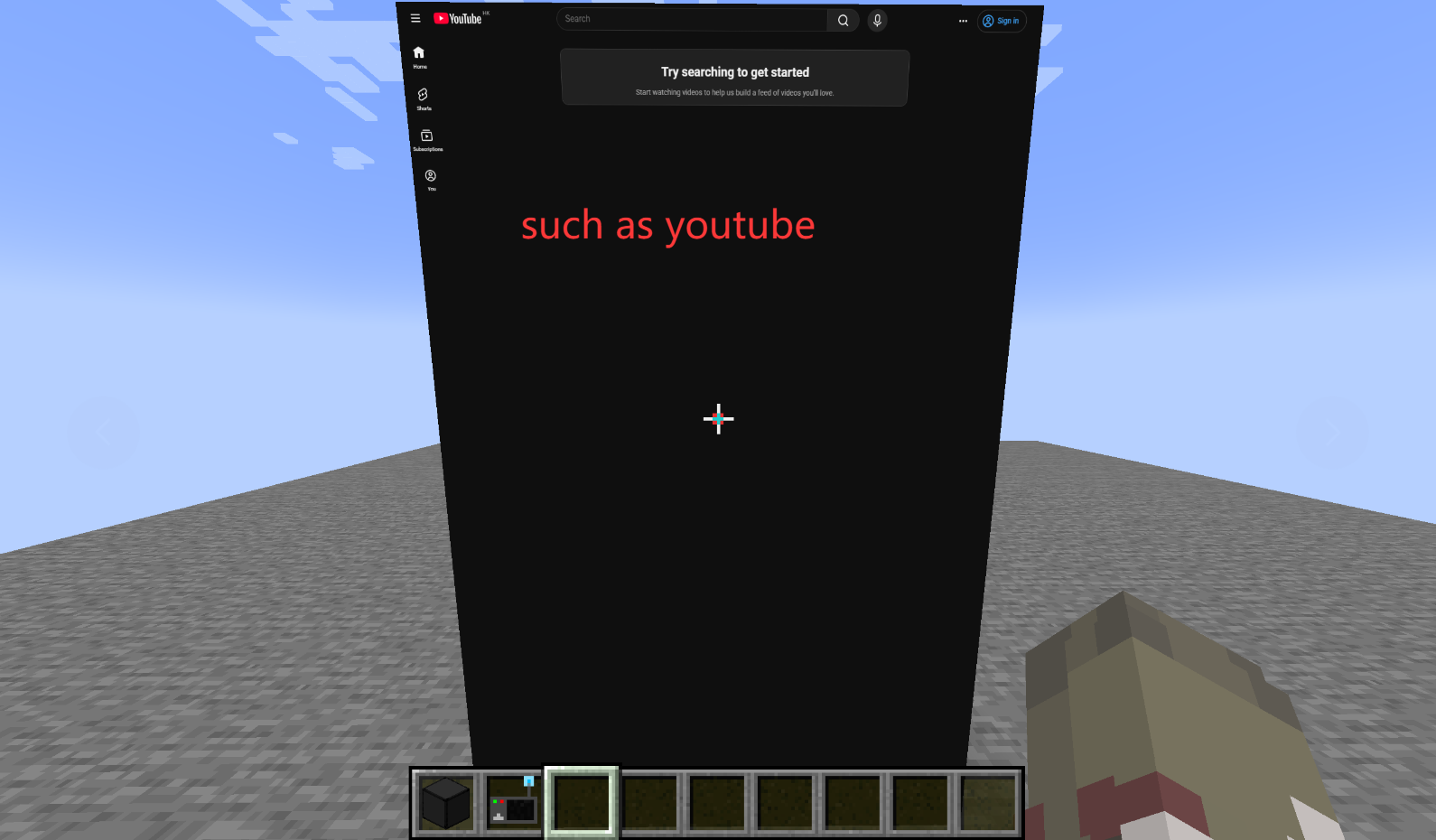
Place the screen block. Right-click the screen block with the configurator to create a screen. Right-click again to adjust the screen ratio, URL, etc.
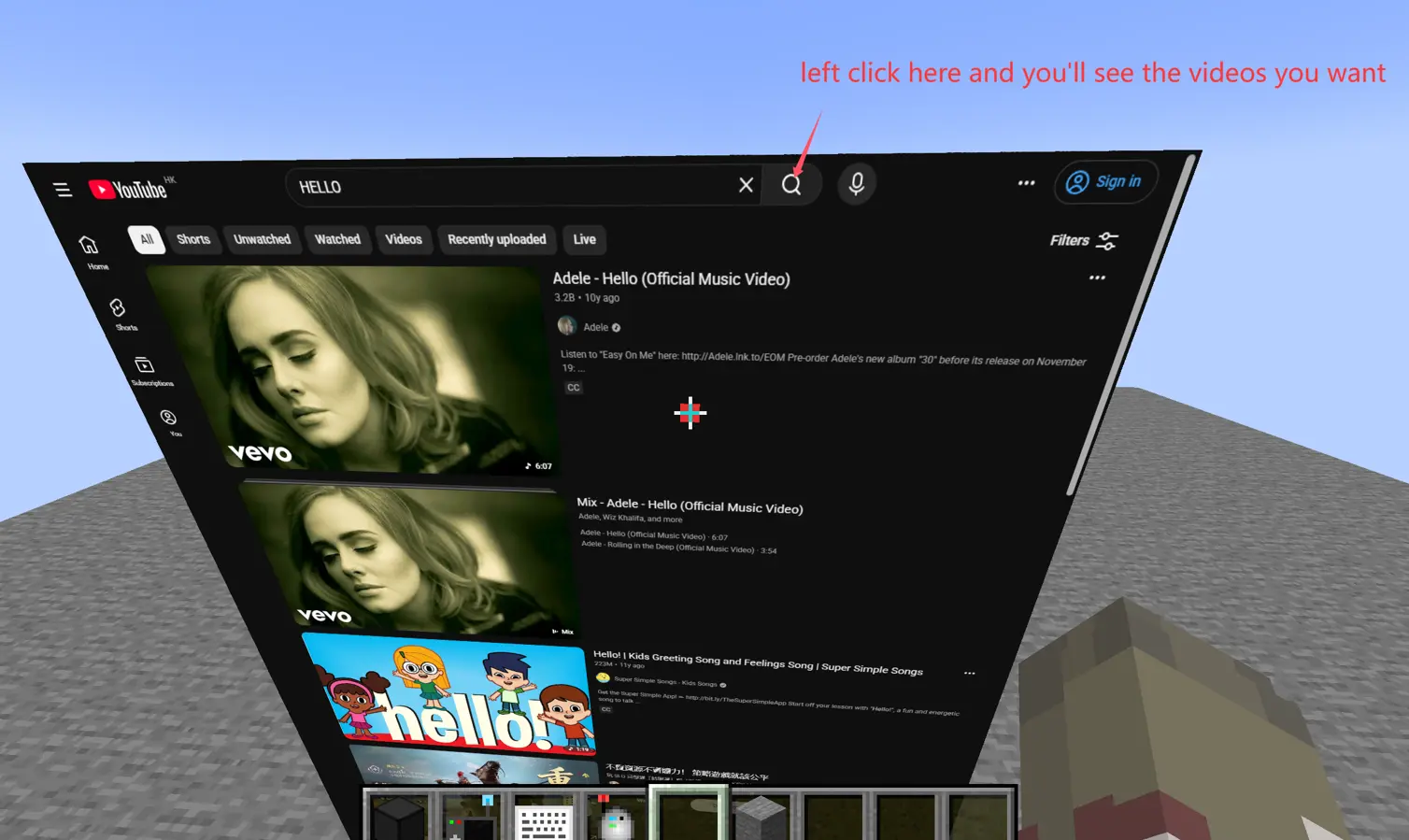
Left-click functions the same as a left-click in a normal browser.
Shift + scroll wheel functions the same as scrolling in a normal browser.
Ctrl + scroll wheel functions the same as zooming in and out in a normal browser.
Press Tab to hide the red pointer.
Press F6 to hide the screen.
Place the keyboard. Use the connector to right-click the screen block and the keyboard respectively to connect them.
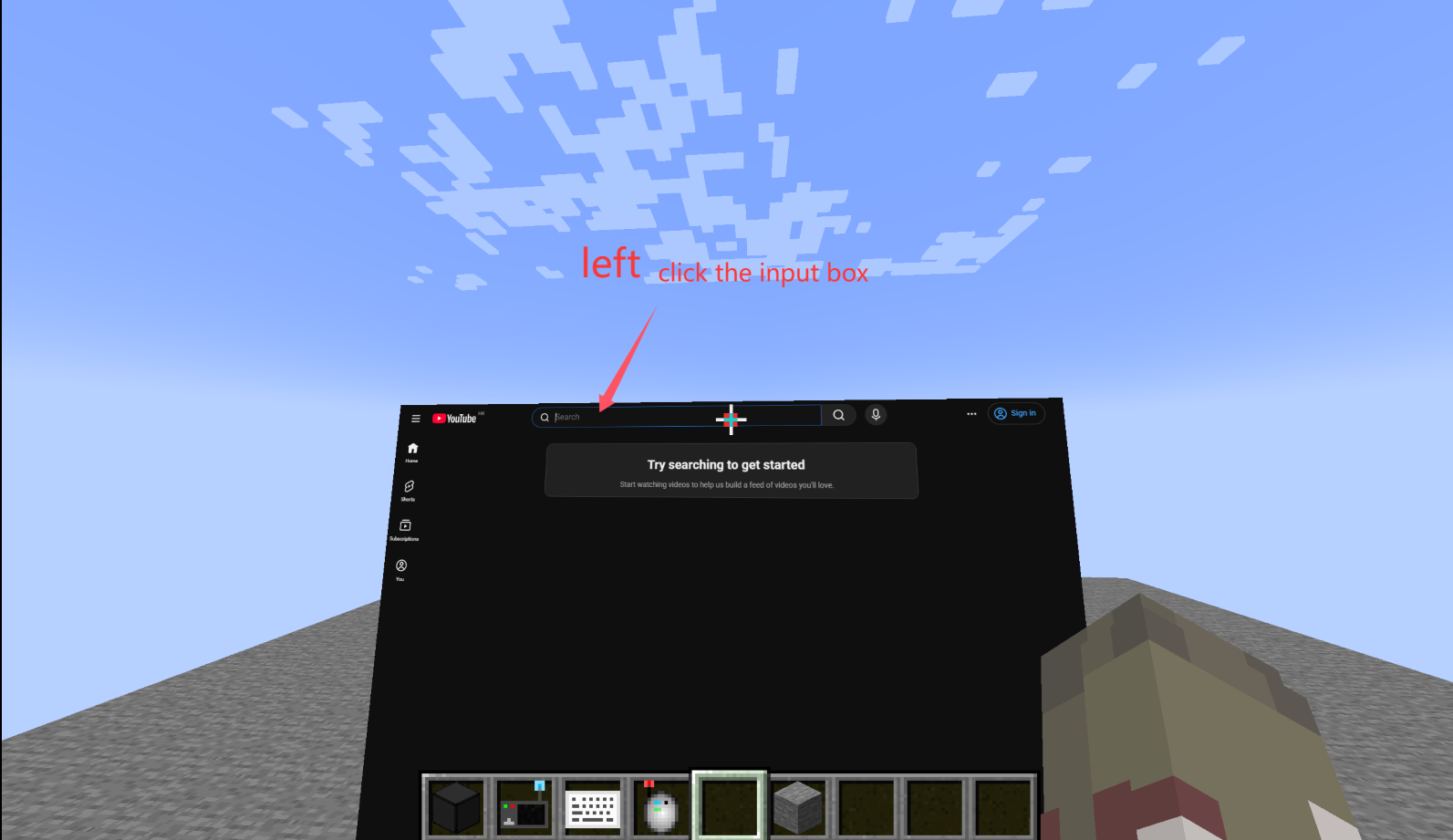
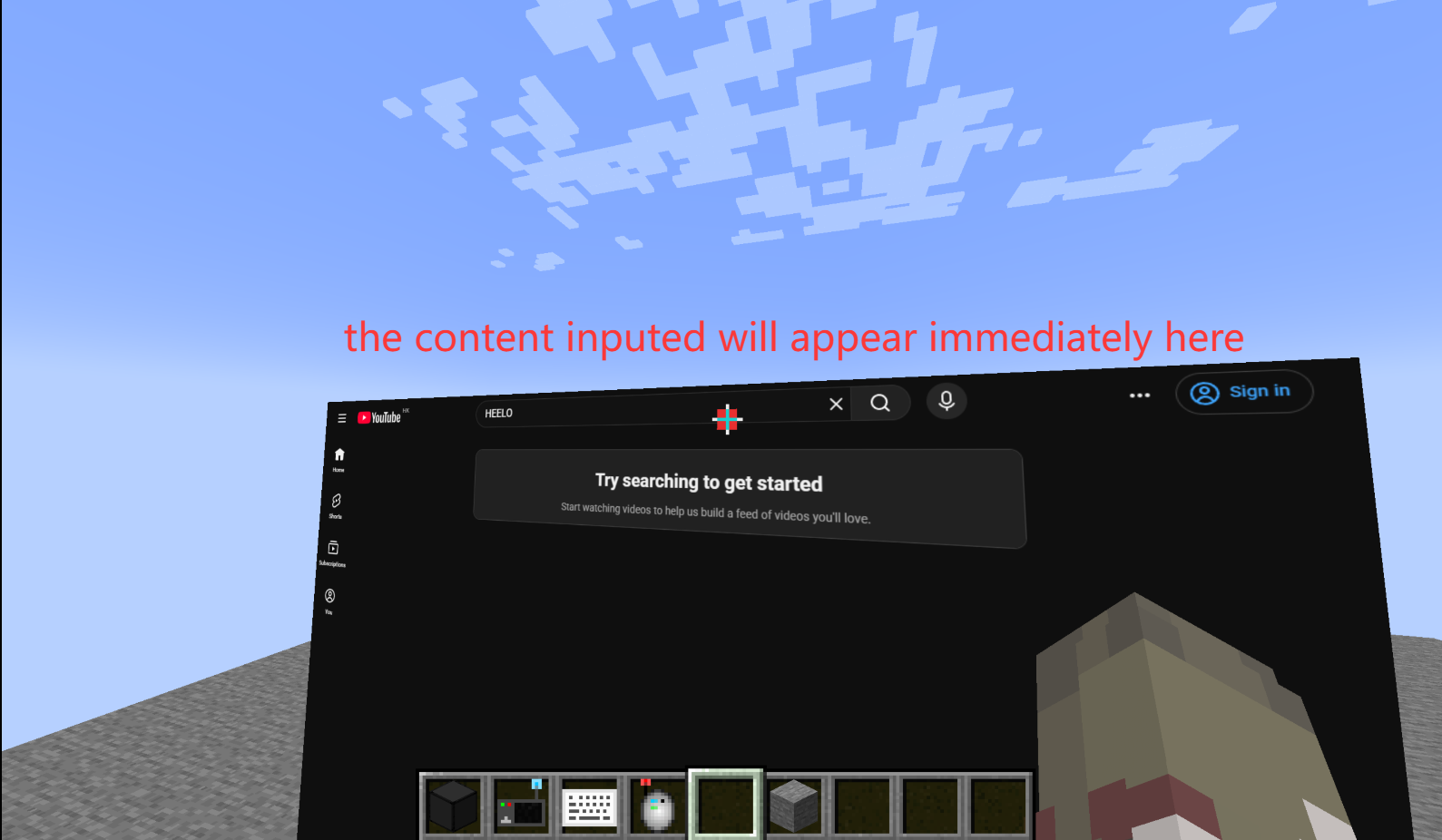
Left-click on the input field on the screen to enter input mode.
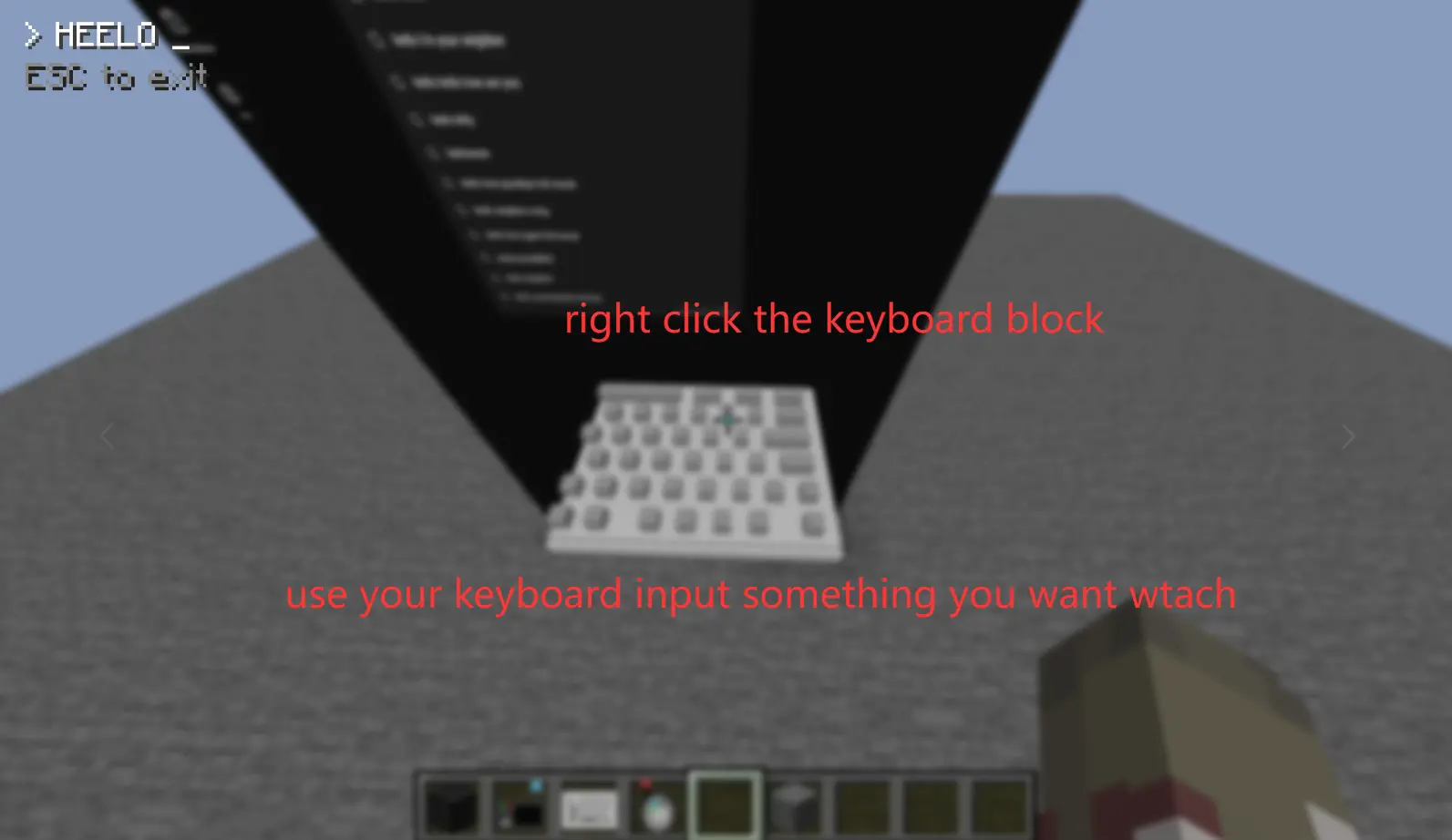
Right-click on the keyboard to type as you would in a normal browser (directly mapping the input content to the browser).
Press Esc to exit.
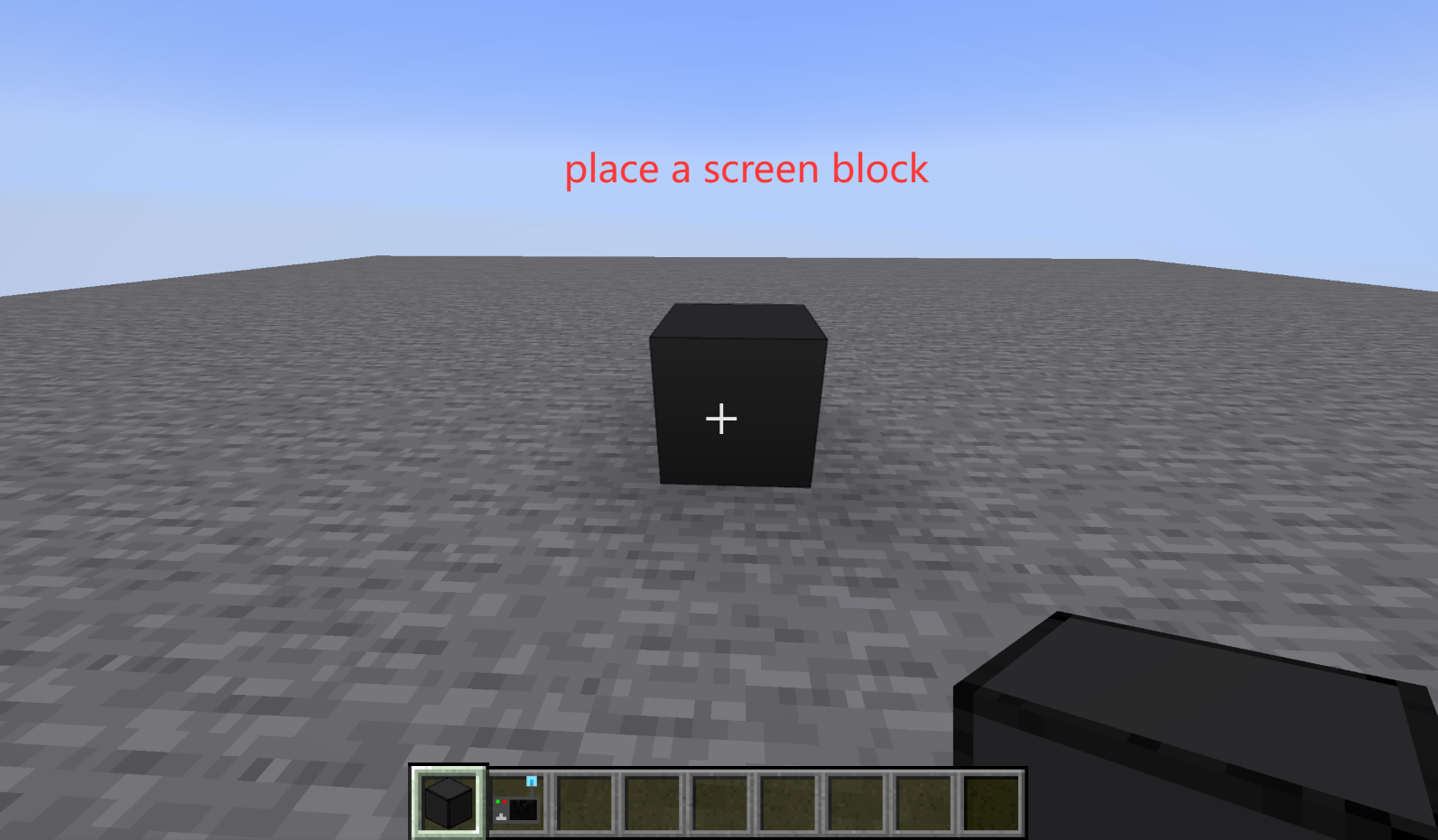
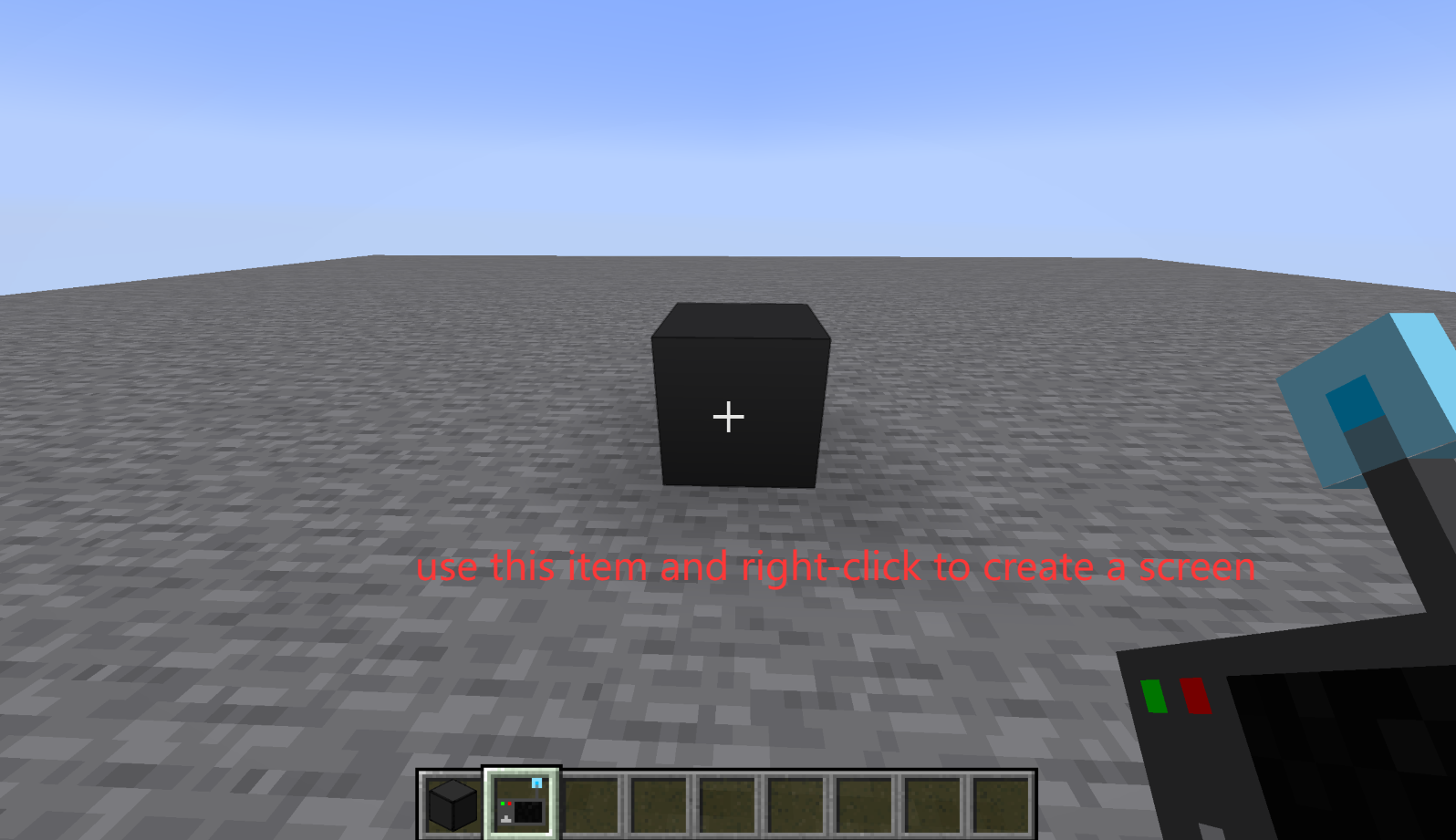
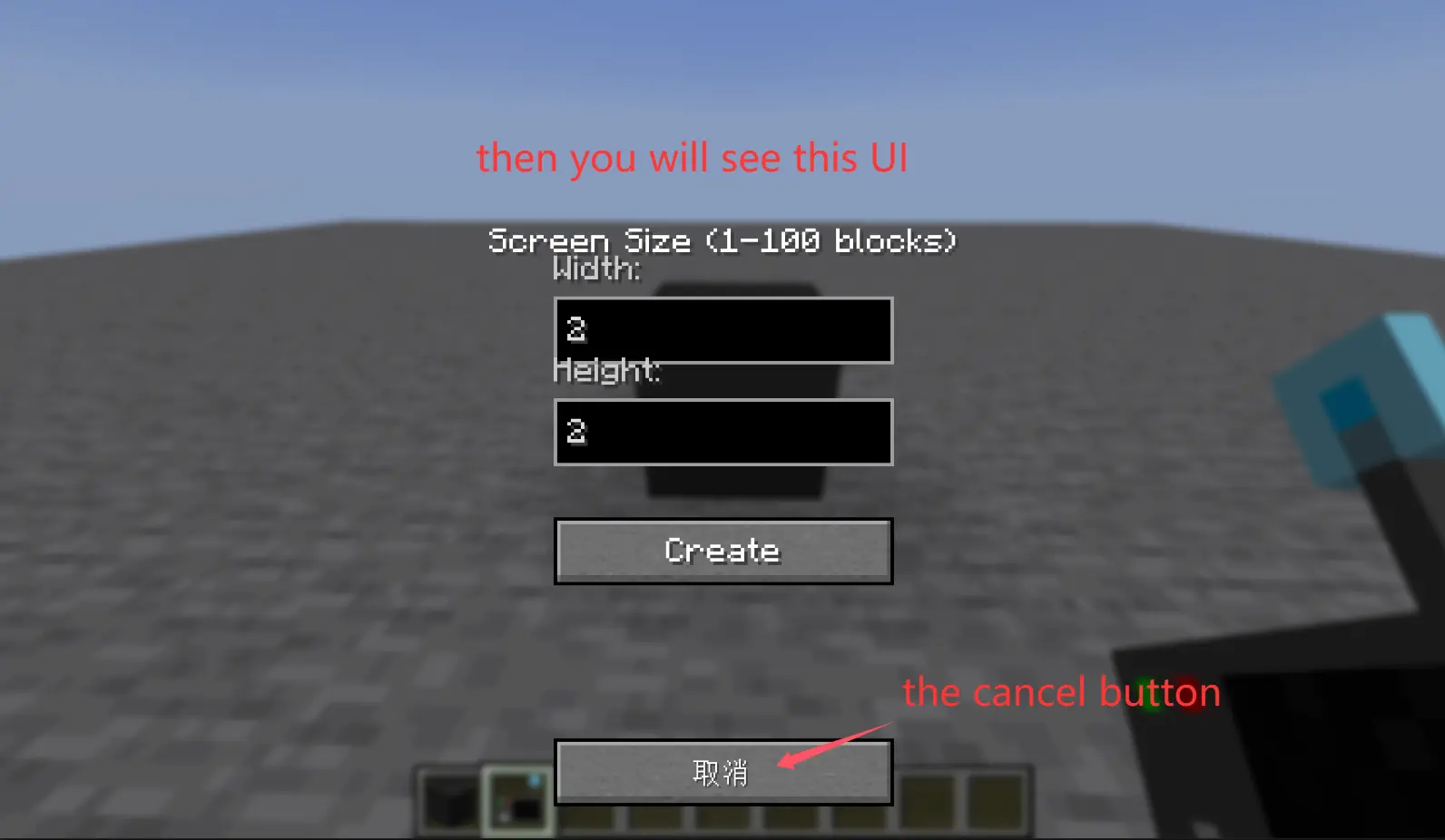
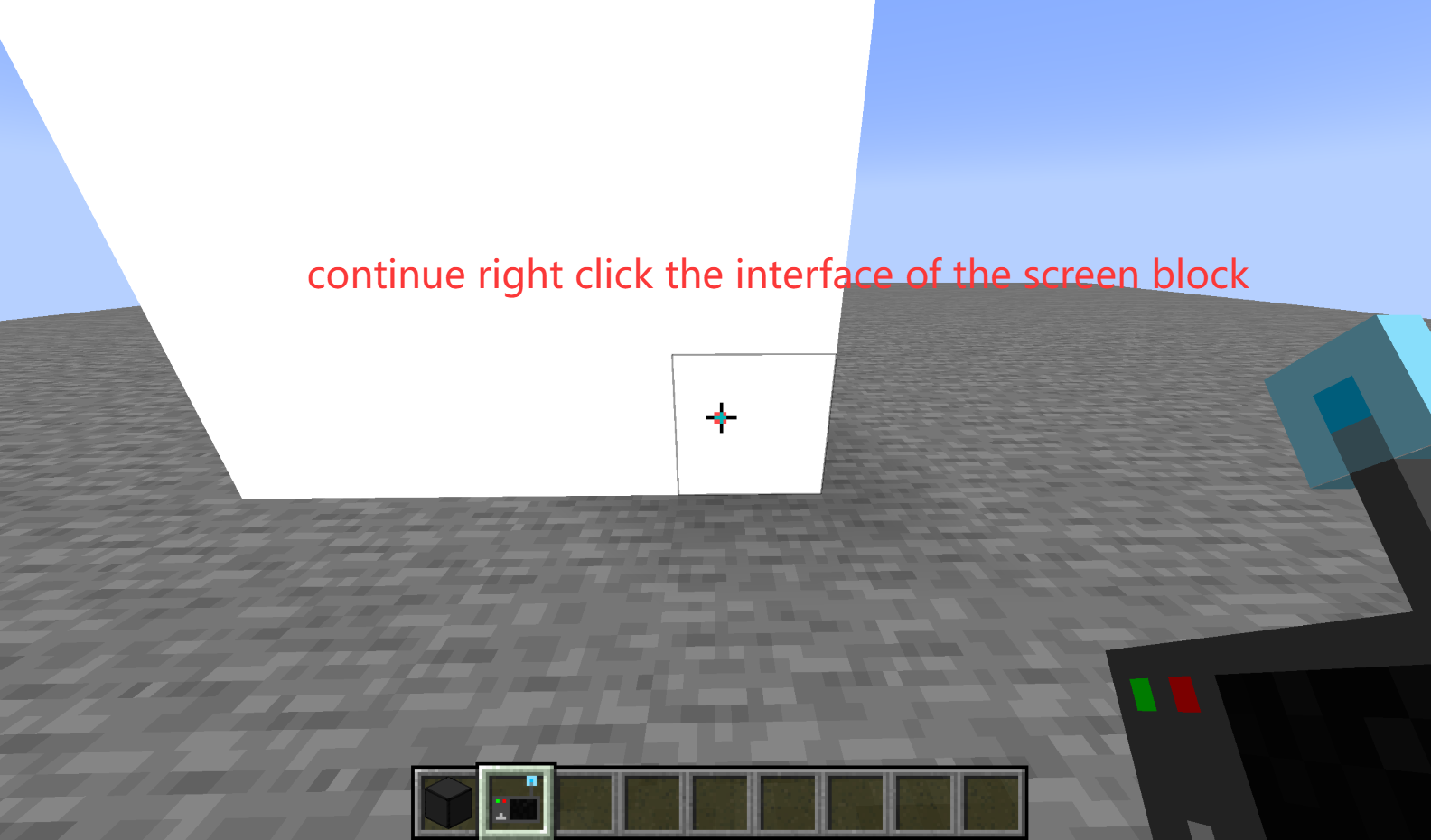
 right click the screen block first!
常见问题
WebDisplays_Fabric 支持哪些 Minecraft 版本?
WebDisplays_Fabric 支持 Minecraft Java 版 1.21.1,可用的加载器:Fabric。下载时注意选择和你游戏版本一致的文件。
WebDisplays_Fabric 怎么安装?
先用 PCL2 或 HMCL 启动器安装对应版本的 Fabric,再把下载的 .jar 文件放进游戏目录的 mods 文件夹,重新启动游戏即可。开启了版本隔离的,mods 文件夹在 versions/版本名 下面。运行环境:客户端和服务端都要装。
ideal520520 的其他作品
查看全部 →
Arrowrailgun
use /railgun to get or use 1 nether star and 1 crossbow to make a railgun and shoot 16 deadly arrows at once
Arrowrailgun
use /railgun to get or use 1 nether star and 1 crossbow to make a railgun and shoot 16 deadly arrows at once

EnderpearlCrossbow
Put an ender pearl in your offhand and load it into the crossbow to throw it more accurately, farther, and faster.
EnderpearlCrossbow
Put an ender pearl in your offhand and load it into the crossbow to throw it more accurately, farther, and faster.
评论
登录后评论和评分