截图
介绍
EntityFade
Stop seeing the inside of mobs when your camera clips into them.
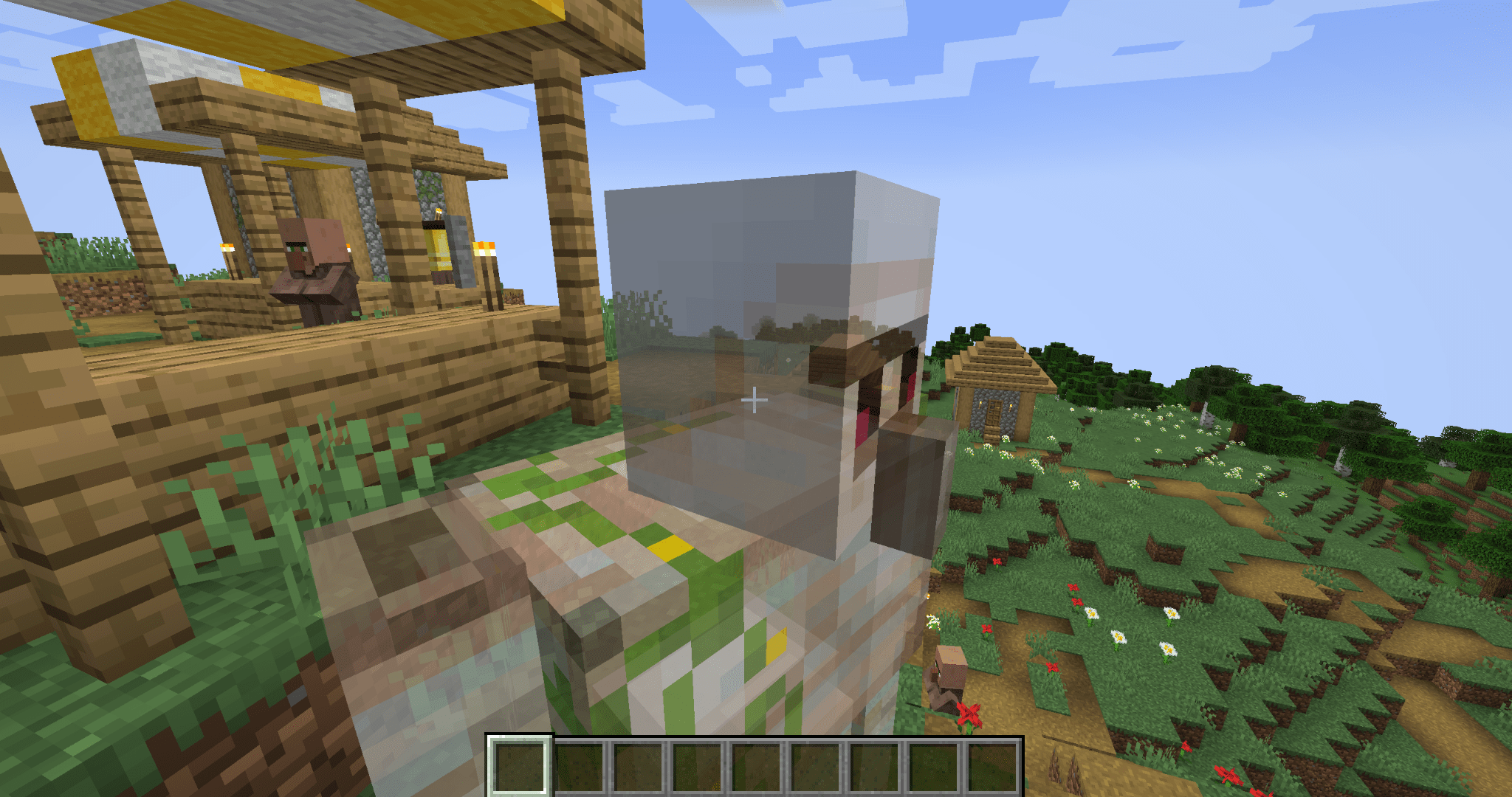
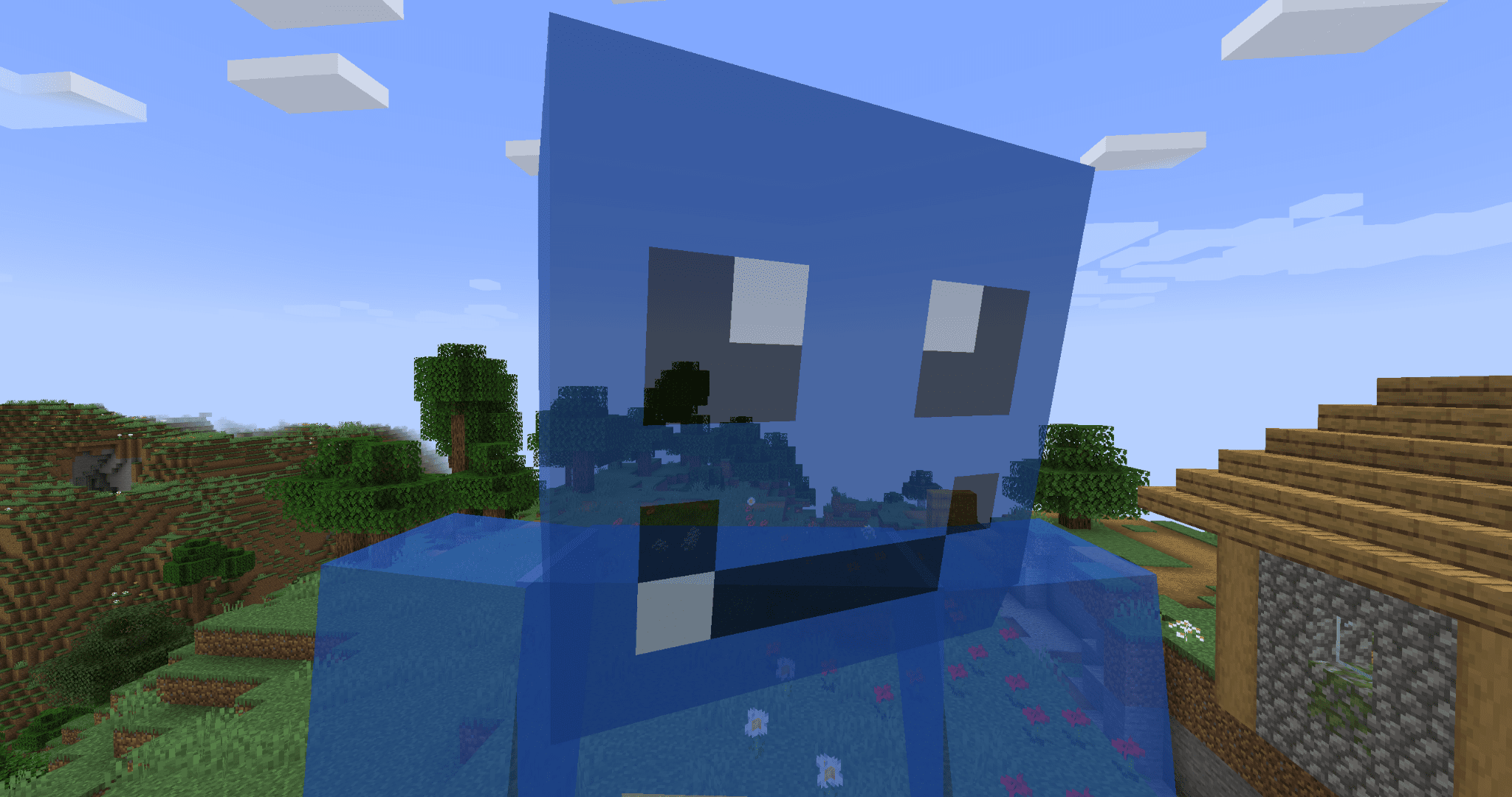
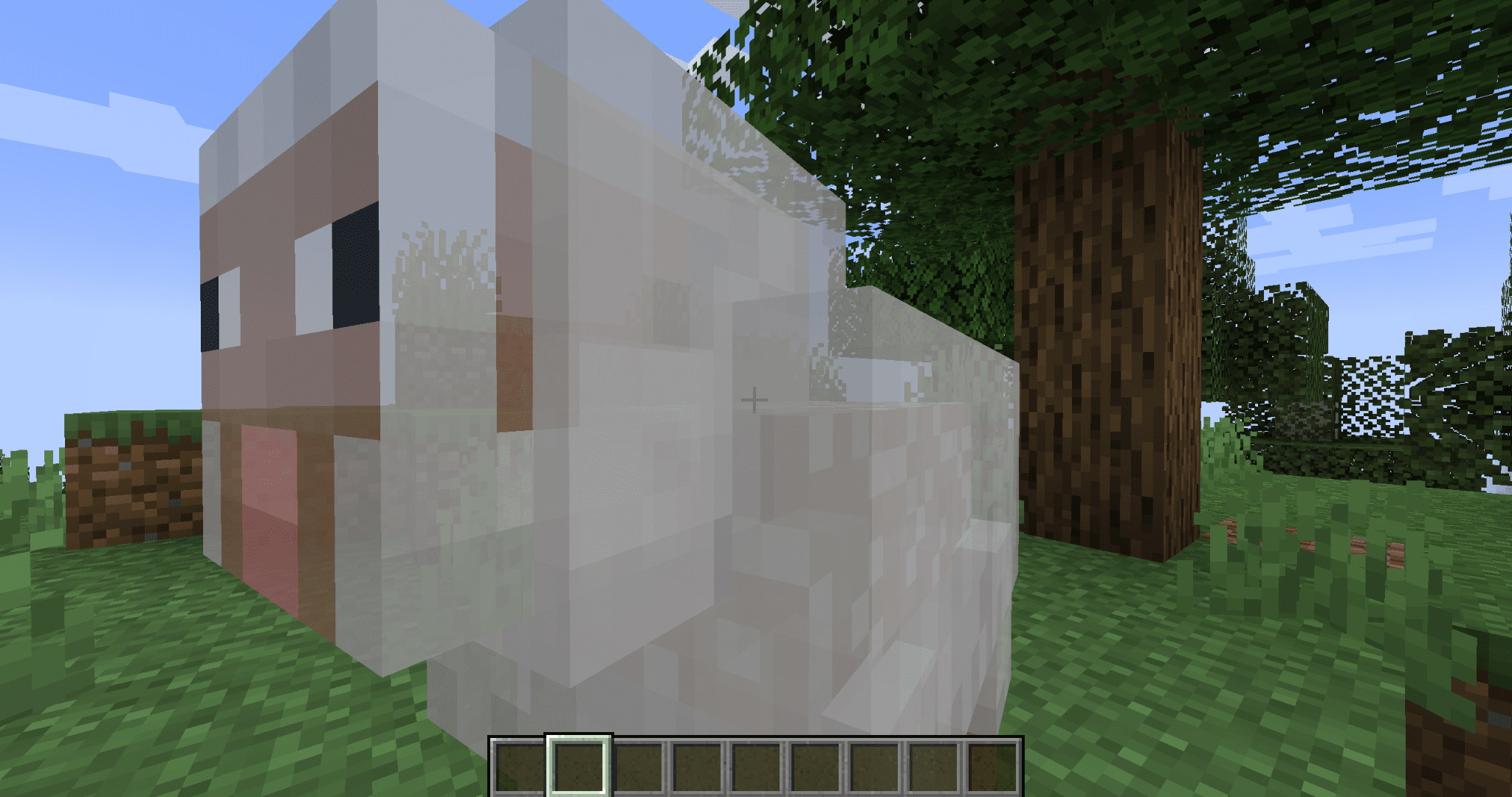
When a mob gets right up in your face, or your third-person camera slides into one, Minecraft draws the model inside-out. You end up staring at the backs of its faces, mirrored textures and all.
EntityFade fixes that. Mobs that get too close to the camera smoothly turn semi-transparent, and the faces you shouldn’t be able to see are simply not drawn.
Features
- No more inside-out mobs. The part of the model your camera is clipping through disappears cleanly instead of showing a mirrored, inside-out texture.
- Smooth fade. Mobs fade gradually as the camera gets closer instead of popping in and out. They never vanish completely, so you can still tell what’s hugging you.
- Only kicks in up close. Nothing changes until a mob is within about half a block of the camera. Everything else renders exactly like vanilla.
- Armor and held items fade too, so nothing is left floating in mid-air.
- Name tags stay readable.
- Leaves your inventory alone. The player preview in the inventory screen is never faded.
- Works in first and third person.
- Client-side only. Install it on your client. Servers don’t need it.
- No configuration needed. Drop it in and it just works.
How it works
Most mobs are drawn with back-face culling turned off, so both sides of every face get rendered. Normally you never notice, because you only ever see the outside. But once the camera gets inside a model, the front faces are cut away by the camera’s near clipping plane, and you see straight through to the back faces on the other side. That’s the inside-out view.
When a mob is close to the camera, EntityFade redraws it with back-face culling turned on and a little transparency. The hidden faces are skipped, and the fade softens the moment a body part slips out of view. Mobs farther away are left completely untouched.
Compatibility
- Works on vanilla mobs, players, and modded mobs that use Minecraft’s standard living-entity renderer.
- Mobs drawn by their own rendering systems (for example, some animation libraries) are not affected.
Known issues
- Glowing overlays, such as spider and enderman eyes, lose their glow while the mob is faded.
- Enchantment glint on armor and held items stays at full strength while the rest of the mob fades.
- Modded models built with inside-out faces may show small gaps when you’re pressed right up against them.
常见问题
EntityFade 支持哪些 Minecraft 版本?
EntityFade 支持 Minecraft Java 版 1.20.1–1.21.5,共 7 个版本,可用的加载器:Fabric / Forge。下载时注意选择和你游戏版本一致的文件。
EntityFade 怎么安装?
先用 PCL2 或 HMCL 启动器安装对应版本的 Fabric / Forge,再把下载的 .jar 文件放进游戏目录的 mods 文件夹,重新启动游戏即可。开启了版本隔离的,mods 文件夹在 versions/版本名 下面。
NEKOZAME_Garo 的其他作品
查看全部 →
SleepAnyway
即使附近有怪物,也可以睡觉

WeatheringBlocks
世界中的方块会随时间自然老化——石头会在脚下开裂,圆石会在雨中长出苔藓,湿海绵则会在阳光下晾干。

EffectTimerHUD
在 HUD 的每个药水效果图标下方显示剩余持续时间。

InventoryHUD
一眼查看整个物品栏——战斗中不用再打开背包。
评论
登录后评论和评分