
Detominer
A standalone 3x3 mining mod with customizations made easy that's tailored for players!
截图
介绍
Description
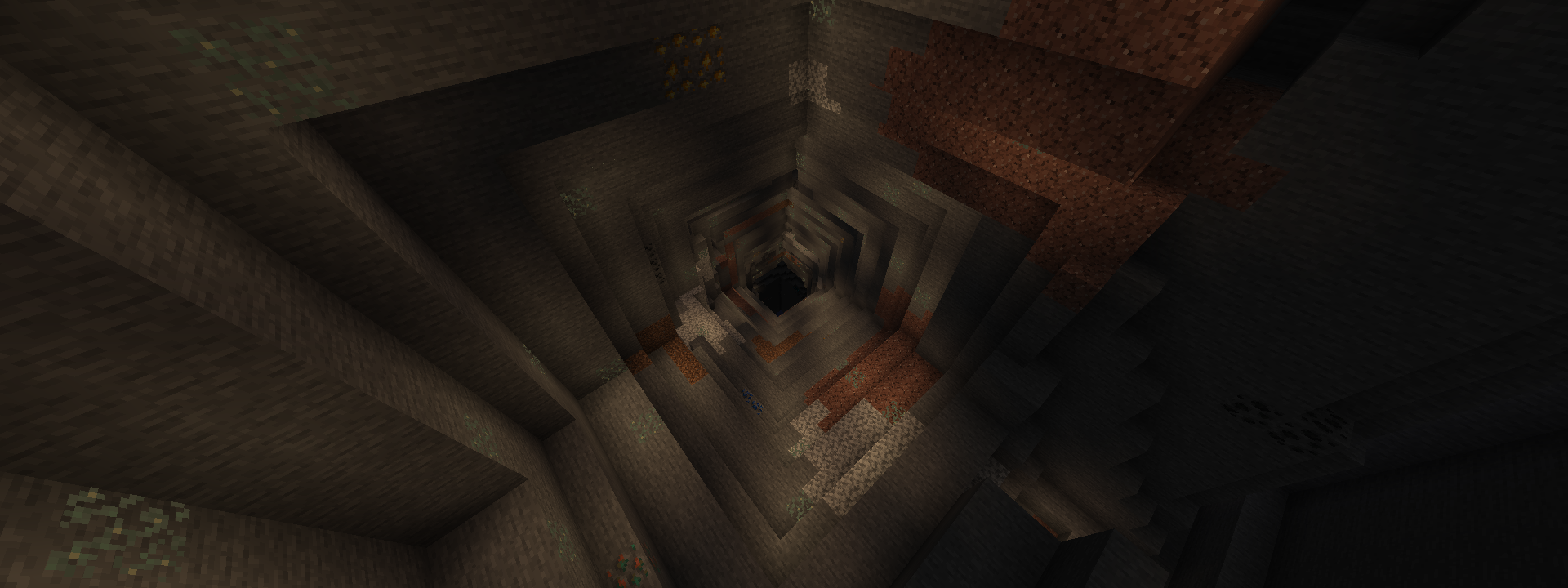
Detominer is a server-side mining mod that adds a new enchantment called “Detonate“. This enchantment allows you to mine in a 3×3 radius of blocks, making it ideal to find ores. It features a vanilla-friendly approach to player builds, only destroying blocks that can naturally generate.
Default blocks list that can detonate:


Modifying the config file
Since the version 4.0 release now packages the pack in a form of an actual mod, you now have access to the Detominer’s configuration settings that can be found inside your config folder:
### detominer.json
{
  "disable_detonate_when_sneaking": true,
  "only_mine_with_proper_tool": true,
  "block_break": {
    "detonate_level_1": {
      "x": 3,
      "y": 3,
      "z": 1
    },
    "detonate_level_2": {
      "x": 3,
      "y": 3,
      "z": 2
    },
    "detonate_level_3": {
      "x": 3,
      "y": 3,
      "z": 3
    }
  },
  "allowed_blocks": {
    "#minecraft:pickaxes": [
      "minecraft:stone",
      "minecraft:andesite",
      "minecraft:granite",
      "minecraft:diorite",
      "minecraft:deepslate",
      "minecraft:tuff",
      "minecraft:netherrack",
      "minecraft:blackstone",
      "minecraft:crimson_nylium",
      "minecraft:warped_nylium",
      "minecraft:basalt",
      "minecraft:end_stone",
      "minecraft:obsidian",
      "minecraft:coal_ore",
      "minecraft:deepslate_coal_ore",
      "minecraft:iron_ore",
      "minecraft:deepslate_iron_ore",
      "minecraft:copper_ore",
      "minecraft:deepslate_copper_ore",
      "minecraft:gold_ore",
      "minecraft:deepslate_gold_ore",
      "minecraft:redstone_ore",
      "minecraft:deepslate_redstone_ore",
      "minecraft:emerald_ore",
      "minecraft:deepslate_emerald_ore",
      "minecraft:lapis_ore",
      "minecraft:deepslate_lapis_ore",
      "minecraft:diamond_ore",
      "minecraft:deepslate_diamond_ore",
      "minecraft:nether_gold_ore",
      "minecraft:nether_quartz_ore",
      "minecraft:sandstone",
      "minecraft:red_sandstone",
      "minecraft:dripstone_block",
      "minecraft:raw_iron_block",
      "minecraft:raw_gold_block",
      "minecraft:raw_copper_block",
      "minecraft:terracotta",
      "minecraft:red_terracotta",
      "minecraft:orange_terracotta",
      "minecraft:yellow_terracotta",
      "minecraft:brown_terracotta",
      "minecraft:white_terracotta",
      "minecraft:light_gray_terracotta",
      "minecraft:magma_block"
    ],
    "#minecraft:axes": [
      ""
    ],
    "#minecraft:shovels": [
      "minecraft:dirt",
      "minecraft:grass_block",
      "minecraft:gravel",
      "minecraft:sand",
      "minecraft:clay",
      "minecraft:coarse_dirt",
      "minecraft:mud",
      "minecraft:mycelium",
      "minecraft:podzol",
      "minecraft:red_sand",
      "minecraft:snow_block",
      "minecraft:soul_sand",
      "minecraft:soul_soil"
    ],
    "#minecraft:hoes": [
      ""
    ],
    "minecraft:shears": [
      ""
    ]
  }
}
Parameters
###
disable_detonate_when_sneaking
boolean | default = true
- If set to true, players can bypass or disable block mining detonation when they are sneaking.###
only_mine_with_proper_tool
boolean | default = true
- If set to true, players will need the correct tool tier to detonate certain blocks.
- If set to false, players can detonate any block listed in the config, regardless of tool.
- If set to false, also enables detonation of custom blocks from other mods.
###
block_break:detonate_levels:xyz
any positive integer | see config above for default values
- These settings allow you to customize how many blocks you can detonate.
- Take note that the point of origin is always the block in your cursor.
- The XYZ coordinates specify the location of the blocks based from where you're facing.
- Coordinate X is the left and right of your screen.
- Coordinate Y is the up and down of your screen.
- Coordinate Z is the front and back of your screen.
###
allowed_blocks:minecraft:<tools>
any valid block id | see config above for default values
- These settings allow you to customize the blocks you can detonate.
- Data insertion must follow the format: "<namespace>:<block>".
- Blocks specified on specific tools will only detonate for those specific tools.
- You cannot add, modify, or remove the tools listed in the config, you can only edit the blocks you want to detonate.
Important Notes
- The enchantment is exclusive to pickaxes, axes, shovels, hoes, and shears.
- The enchantment only destroys blocks if the player is holding the correct tool. This means that if you’re mining a stone block and there’s a dirt block nearby, it’ll only destroy the _pickaxe-mineable_ blocks like stone and therefore skips the dirt block entirely.
- The enchantment can be found at your local enchanting tables, villager trades, and/or can be found inside treasure chests like the ones from the ancient cities.
- The config file is dynamic. This means that the game will automatically recognize if you add or modify the values in your config, allowing you to experience the changes in real time.
- If you want to reset your config settings, you can delete the config file and restart your game, it will auto-generate a fresh one for you.
- For those who are still using the datapack version, if you wish to fully remove the datapack, you may run: “
/function detonate:uninstall“ Make sure you remove the datapack before reloading the world.
Happy Mining!
常见问题
Detominer 支持哪些 Minecraft 版本?
Detominer 支持 Minecraft Java 版 1.21–1.21.11,共 12 个版本,可用的加载器:Fabric。下载时注意选择和你游戏版本一致的文件。
Detominer 怎么安装?
先用 PCL2 或 HMCL 启动器安装对应版本的 Fabric,再把下载的 .jar 文件放进游戏目录的 mods 文件夹,重新启动游戏即可。开启了版本隔离的,mods 文件夹在 versions/版本名 下面。运行环境:客户端 / 服务端。
评论
登录后评论和评分