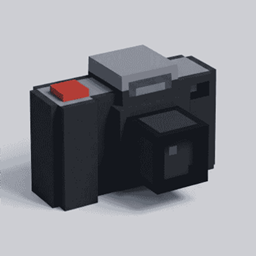
Realm Finder
Take photos of Minecraft builds and mobs, then place them back into the world anywhere you want.
截图
介绍
RealmFinder
Take a picture of part of your Minecraft world, carry it elsewhere, and place what is in the picture as real blocks. Photograph a bridge to cross a gap, move a staircase, or bring a house into a new landscape. Living mobs can appear in your photos too, including tamed pets.
SUPPORTED FABRIC/FORGE 1.20.1 and FABRIC/NEOFORGE 1.21.1
Enjoying the project? Consider supporting me on Ko-Fi:
Getting started
- Craft a Viewfinder Camera and some Empty Photographs, or find them in the RealmFinder creative tab.
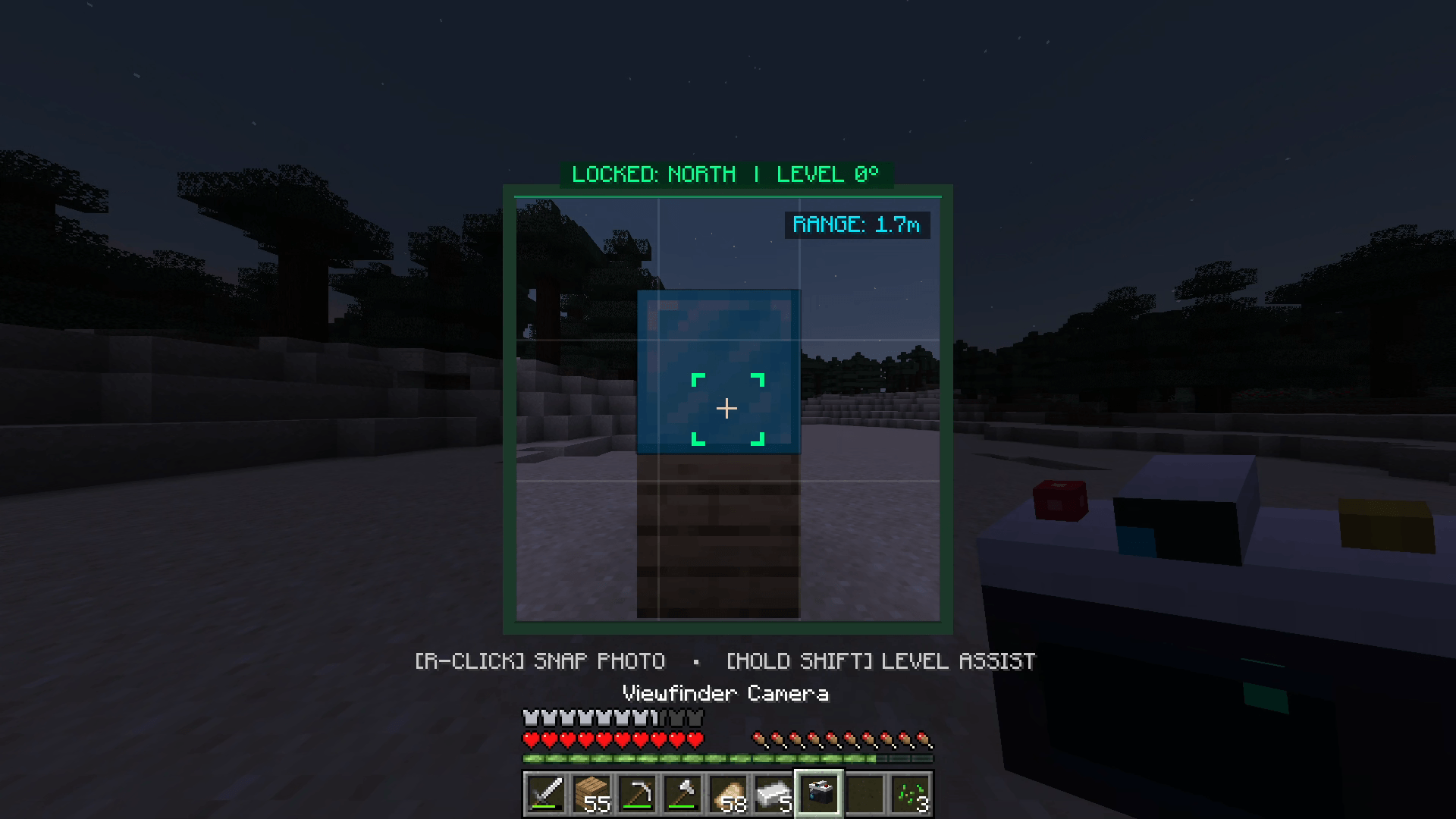
- Keep the Empty Photographs in your inventory. Hold the Camera, aim at the area you want, and right-click to take a picture. The result is a Photograph item. A Camera click takes a picture even when you aim at a chest, villager, or pet.
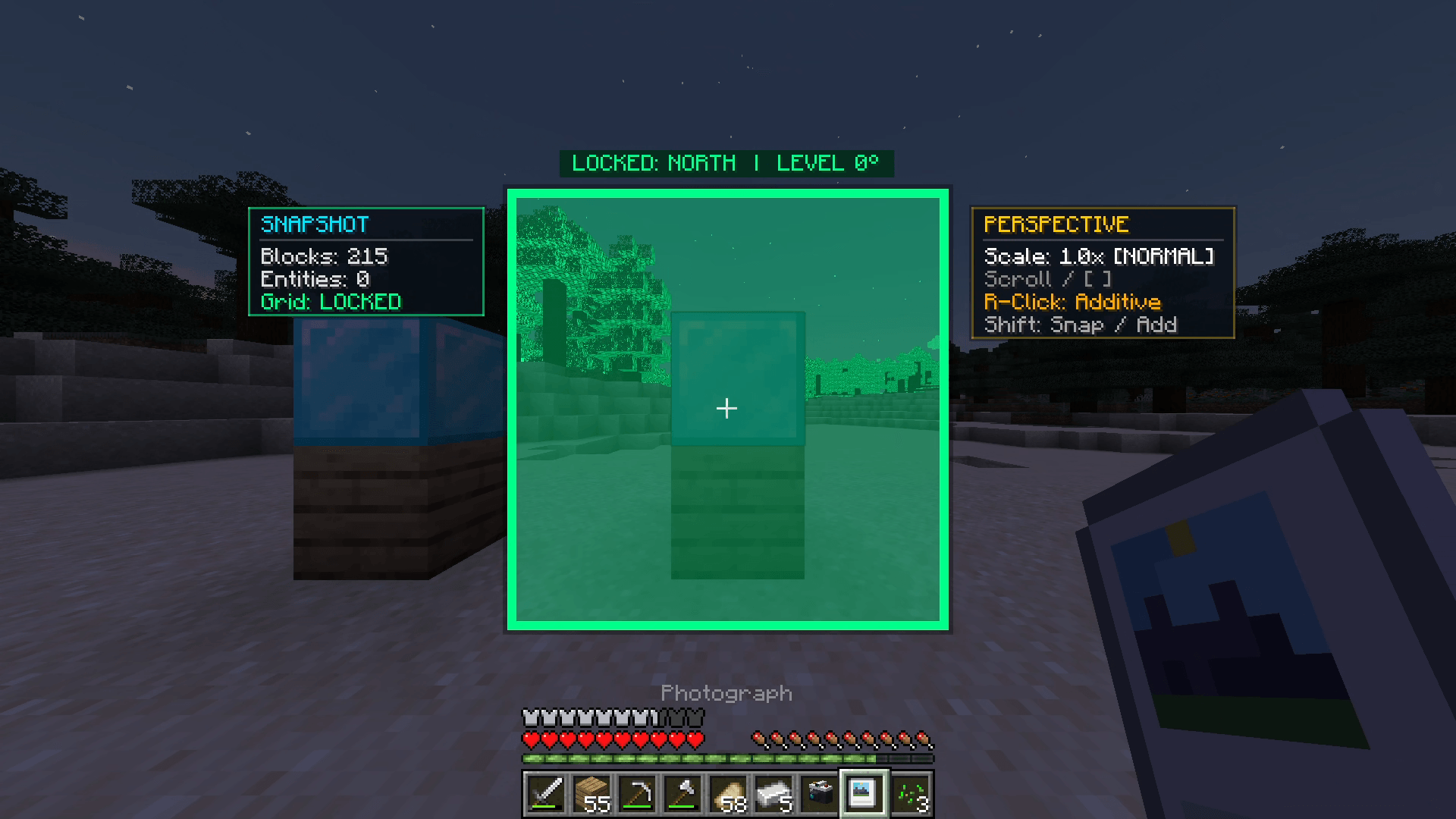
- Hold the Photograph and move or turn until its preview lines up where you want it. The colored block outlines show where the blocks will appear. Right-click to place it.
- Press Z to undo your most recent placement and get the Photograph back. Undo works in the dimension where you placed it. It may refuse if someone has replaced one of its blocks with a different block.
In Survival, a successful picture normally uses one Empty Photograph and one of the Camera’s 100 shots. Placing a Photograph uses that item once; Undo returns it. Creative mode does not use blanks or Camera durability. These rules can be changed in Settings.
Aim and placement controls
| Action | Default control |
|---|---|
| Take a picture | Right-click with Camera |
| Zoom before taking a picture | Ctrl + mouse wheel with Camera |
| Place a Photograph | Right-click with Photograph |
| Place without clearing obstacles | Shift + right-click with Photograph |
| Change Photograph distance | Ctrl or Shift + mouse wheel, or [ and ] |
| Undo the last placement | Z |
| Open RealmFinder Settings | O |
Photograph distance has 0.5x, 1x, 2x, and 3x choices. The 0.5x choice moves the whole picture farther away and does not clear terrain. Normal placement can clear obstacles inside the photographed structure; Shift placement adds the photographed blocks without clearing space. You can rebind Z, O, and the bracket keys in Minecraft Controls.
Mobs, storage, and display
Photographed mobs keep their saved appearance and state. Villagers keep their profession and trades. Tamed pets keep their original owner, even if the pet you photographed later dies. By default, copies also keep armor, held items, inventories, and the contents of photographed chests. Turn off chest item or mob gear copying in Settings if you want a more balanced world.
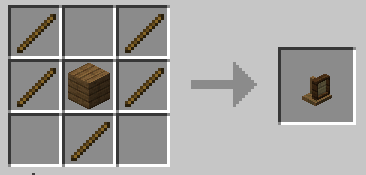
The Photo Album holds 18 Photographs. Right-click it to store and inspect your pictures. The Photo Display Stand shows one Photograph in the world: right-click it with a Photograph to mount it, then right-click with an empty hand to take the Photograph back. The stand is decorative; hold the Photograph itself to place its contents.
Press O to open Settings and hover over an option for a short explanation. You can change capture costs, mob capture, chest and mob copying, obstacle clearing, capture limits, Undo history, zoom, HUD hints, and Undo confirmation. In multiplayer, server operators control gameplay rules; each player controls their own personal settings.
If a picture cannot be taken, check that you are in first-person view, have the required Empty Photograph, and have Camera durability left. If placement says blocked, move the preview to a loaded area. Photographs cannot replace bedrock or a chest already at the target position.
Crafting recipes
Camera:
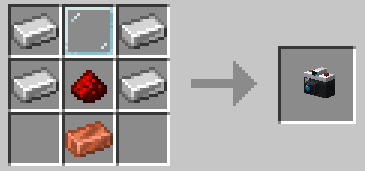
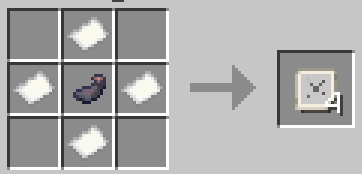
Empty Photograph:
Picture Album
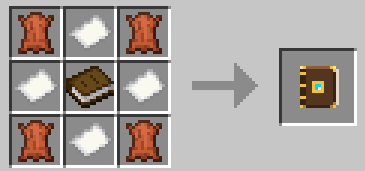
Photo Stand
常见问题
Realm Finder 支持哪些 Minecraft 版本?
Realm Finder 支持 Minecraft Java 版 1.20.1–1.21.1,共 2 个版本,可用的加载器:Fabric / Forge / NeoForge。下载时注意选择和你游戏版本一致的文件。
Realm Finder 怎么安装?
先用 PCL2 或 HMCL 启动器安装对应版本的 Fabric / Forge / NeoForge,再把下载的 .jar 文件放进游戏目录的 mods 文件夹,重新启动游戏即可。开启了版本隔离的,mods 文件夹在 versions/版本名 下面。
HyIsNoob 的其他作品
查看全部 →
Orbital Railgun Enhanced
用轨道打击摧毁敌人,还附带音效和更多功能!

Orbital Railgun Sounds
Orbital Railgun 模组的音效附加包

Revive By Death
ReviveByDeath 会将致命时刻变成电影感十足的死亡回溯。
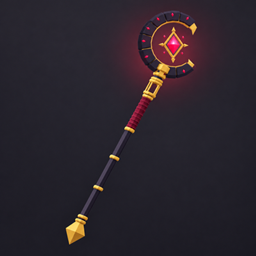
God Wand
God Wand 添加了一把拥有多种模式和技能的魔杖
评论
登录后评论和评分