
Cobblemon Quick Teams
This mod provides a quick and easy way for users to save and load their favorite teams.
截图
介绍
Cobblemon Quick Teams
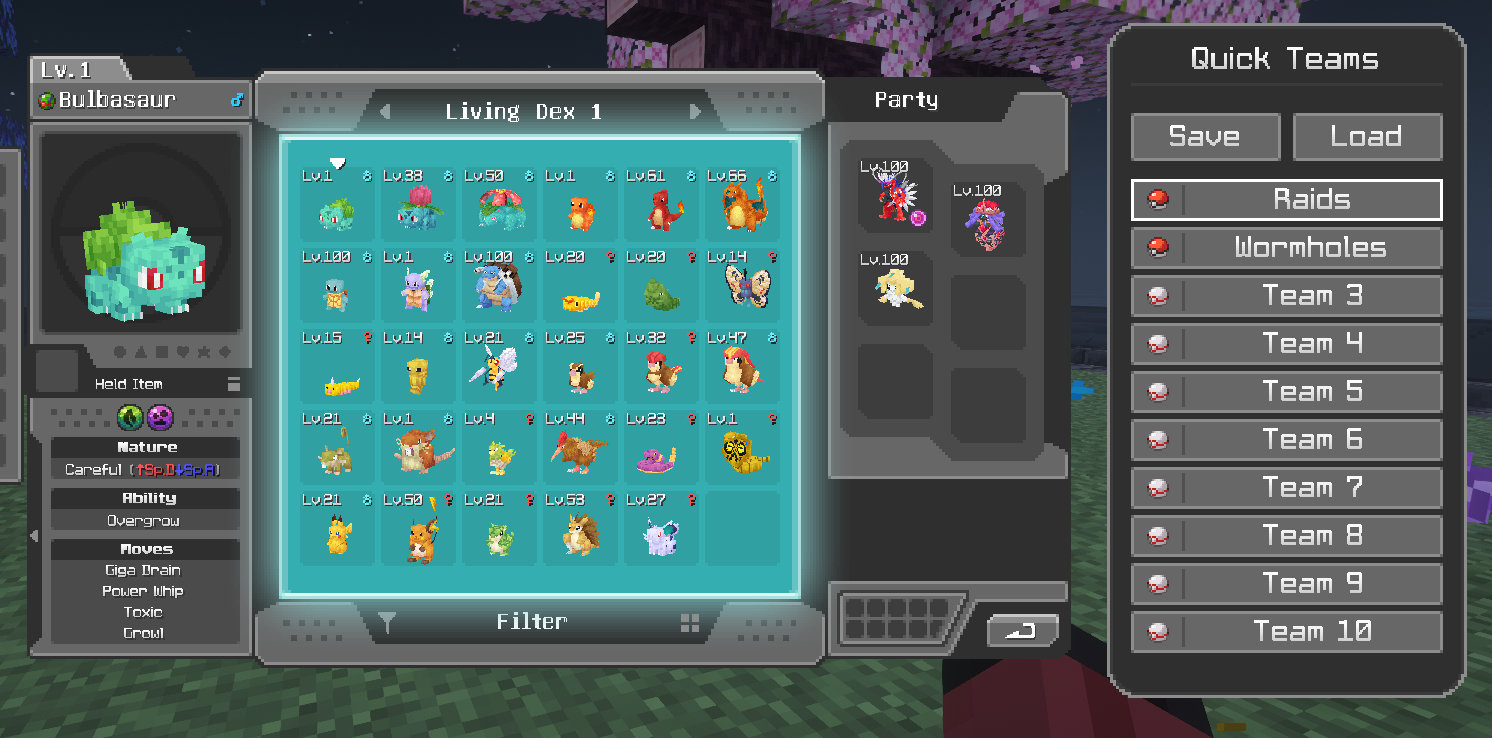
This mod adds a side panel to the Cobblemon PC that allows players to save and load Pokémon from their party slots without digging through menus to find them every time.
How to save a team?
- Open the Cobblemon PC UI
- Place Pokémon into your Party
- Choose “Save” in the Quick Teams UI
- Right-click a team slot in the Quick Teams UI.
How to load a team?
- Right-click on a team slot, or choose the “Load” button and then click on a team slot.
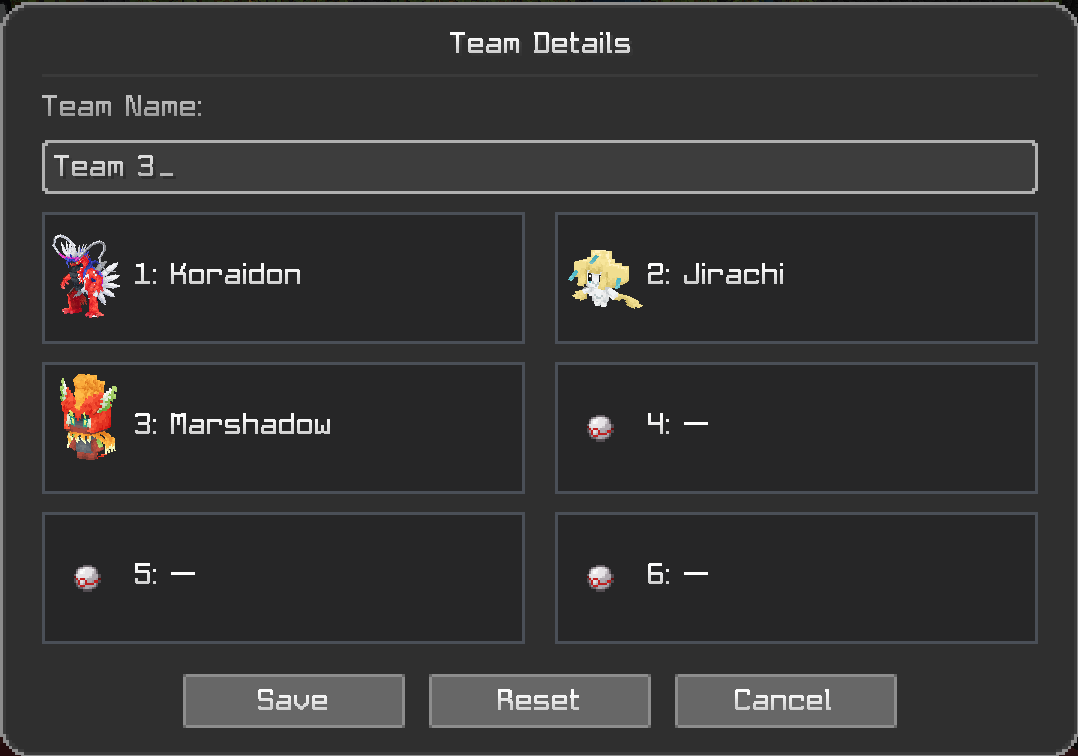
This mod also offers the ability to rename your teams by right-clicking on any of the teams to bring up the “Team Details” window. Here you can see what Pokémon are saved to that team, rename the team, or reset it entirely if you wish.
Users may also choose to have their Pokémon put back into a specific box/slot when loading another team. By default, the mod will keep track of what box/slot a Pokémon was in before it was saved into a team, then when loading another team, it will attempt to put it back in that same spot. If for any reason it cannot, it will move it to the first available box/slot and notify you on screen. Users can also change the home box/slot manuaally in the “Team Details” window.
Warning:
On multiplayer server networks that use a proxy, switching servers immediately after moving Pokémon in the Cobblemon PC or loading a team in the Quick Teams UI can cause players to lose their Pokémon. This is a known issue where your Party and/or PC data are not sent to the other server quickly enough. This can occur even if this mod is not installed. To reduce the risk, wait at least 60-90 seconds before switching servers when moving Pokémon in the Cobblemon PC or loading a team from the Quick Teams UI.
If you have any comments, or suggestions feel free to message me on discord, MrLegitosity.
Not affiliated with the official Cobblemon project.
常见问题
Cobblemon Quick Teams 支持哪些 Minecraft 版本?
Cobblemon Quick Teams 支持 Minecraft Java 版 1.21.1–1.21.11,共 11 个版本,可用的加载器:Fabric。下载时注意选择和你游戏版本一致的文件。
Cobblemon Quick Teams 怎么安装?
先用 PCL2 或 HMCL 启动器安装对应版本的 Fabric,再把下载的 .jar 文件放进游戏目录的 mods 文件夹,重新启动游戏即可。开启了版本隔离的,mods 文件夹在 versions/版本名 下面。运行环境:仅客户端。
MrLegitosity 的其他作品
查看全部 →
Cobblemon Detail Viewer
Allows users to view detailed information about Pokémon in a HUD, or when hovering over Pokémon in the PC Boxes.

Cobblemon Pokemon Hider
Allows users to hide Pokémon based on what category they fall into, preventing players from griefing during events with their Pokémon.

Cobblemon PC Exporter
A client-side mod that exports your Cobblemon PC box data to an excel (.xlsx) workbook with images of the Pokémon.
评论
登录后评论和评分