
Create Toolbox Tooltip
This addon mod shows a tooltip which displays the contents of Create toolboxes when hovering over them in your inventory.
截图


介绍


This addon mod shows a tooltip which displays the contents of Create toolboxes when hovering over them in your inventory.
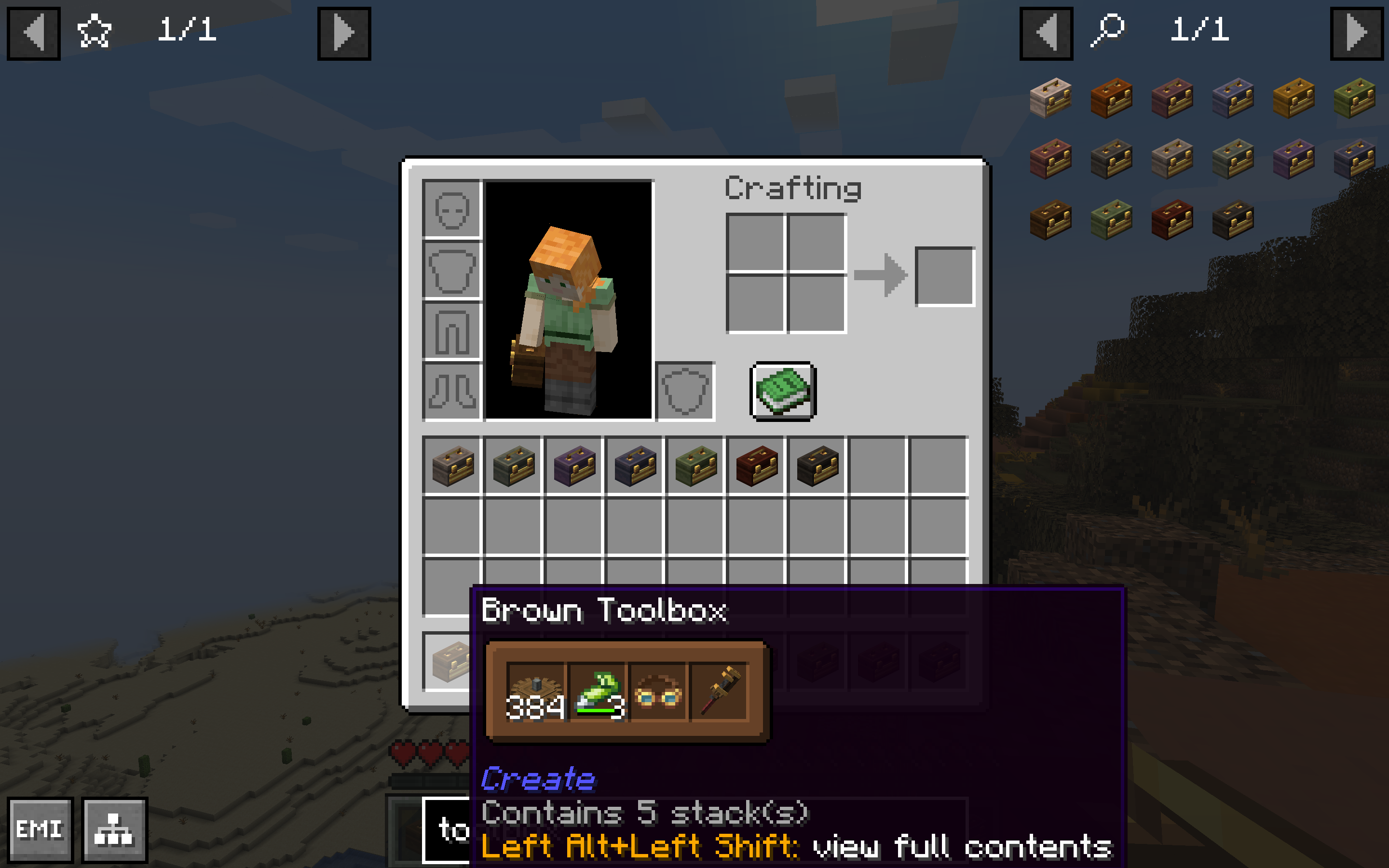
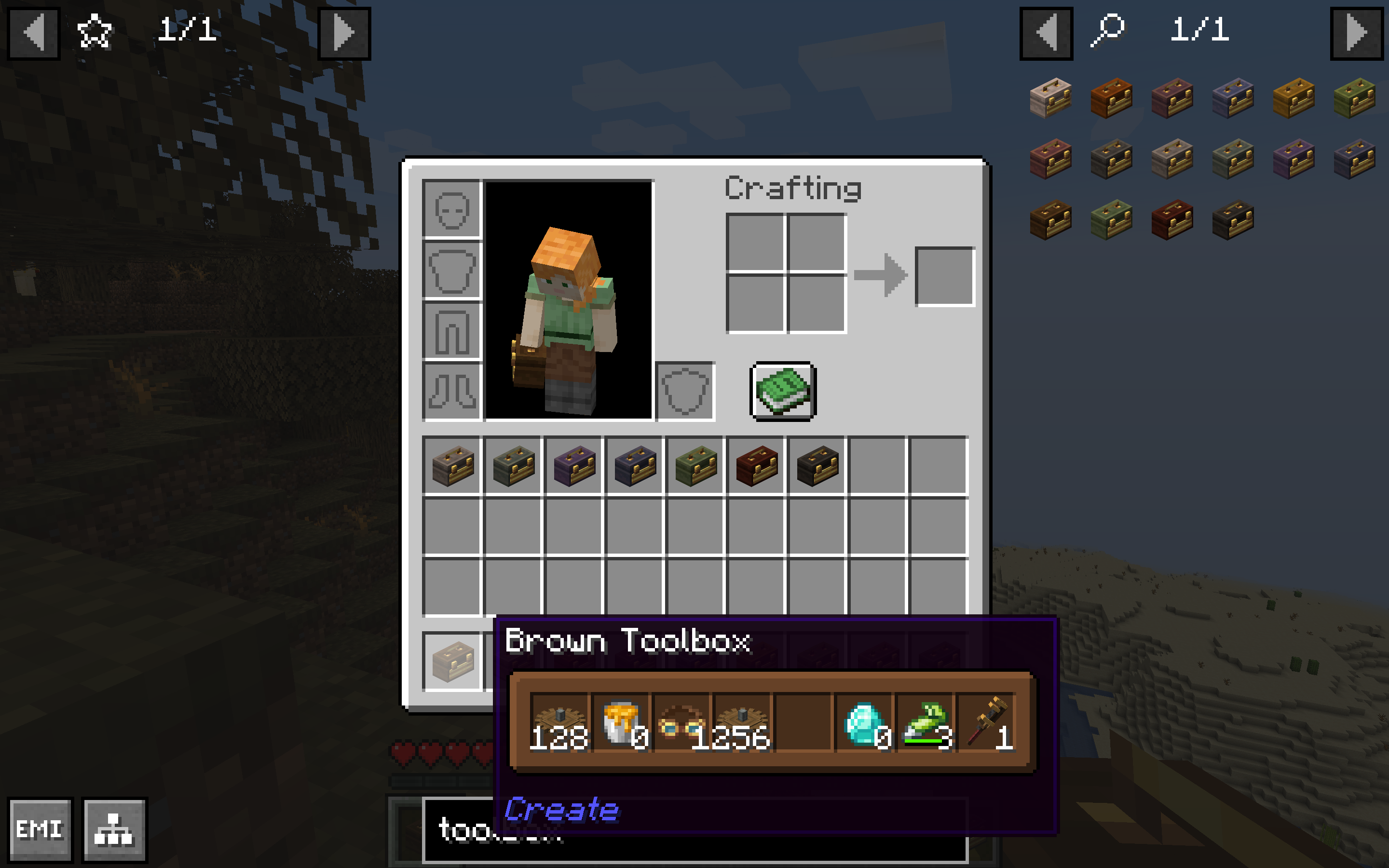
This mod was made using the Shulker Box Tooltip API. You can edit its configurations under the Shulker Box Tooltip mod’s config in Mod Menu (on Quilt/Fabric, you will need to have Mod Menu installed first). Check out their Wiki and Modrinth page for more info.
Big thanks to the creators of Shulker Box Tooltip for making this mod a possibility!
Features:

(Basically) everything that Shulker Box Tooltip gives you for Shulker Boxes except for toolboxes including GUI color customization.

Displays empty item stacks.

Ability to toggle off tooltips for other container types besides toolboxes to prevent incompatibilities with other mods such as Easy Shulker Boxes.

Ability to toggle on/off Create’s default tooltip for toolboxes.
Dependencies:
- Create (and all its dependencies)
- Shulker Box Tooltip v4.0.4+1.20.1 or v5.1.9+1.21.1 (and all its dependencies)
Recommended:
- Mod Menu (On Quilt/Fabric)
Copyright © 2026, Sylvie Lee. Licensed under the MIT License.
常见问题
Create Toolbox Tooltip 支持哪些 Minecraft 版本?
Create Toolbox Tooltip 支持 Minecraft Java 版 1.20.1–1.21.1,共 2 个版本,可用的加载器:Fabric / Forge / NeoForge / Quilt。下载时注意选择和你游戏版本一致的文件。
Create Toolbox Tooltip 怎么安装?
先用 PCL2 或 HMCL 启动器安装对应版本的 Fabric / Forge / NeoForge / Quilt,再把下载的 .jar 文件放进游戏目录的 mods 文件夹,重新启动游戏即可。开启了版本隔离的,mods 文件夹在 versions/版本名 下面。运行环境:仅客户端。
评论
登录后评论和评分