
Intesa Effect Manager
Manage Minecraft status effects through an easy graphical interface without using commands.
截图
介绍
Intesa Effect Manager
Intesa Effect Manager is a Minecraft Forge mod that provides a clear and convenient in-game interface for managing player status effects.
Search for effects, adjust their levels, choose timed or infinite duration, use ready-made presets, create your own presets, and safely remove only the effects managed by this mod.
Main Features
- Searchable list of Minecraft status effects
- Familiar vanilla-style effect icons
- Adjustable effect levels
- Timed duration or Infinity mode
- Apply multiple effects together
- Remove individual managed effects
- Clear all effects managed by Intesa Effect Manager
- Built-in presets for common play styles
- Create and manage custom presets
- Responsive interface for different screen sizes
- Improved support for Minecraft GUI Scale Auto
- English and Thai localization
- Server-authoritative validation and configuration
Effects Manager
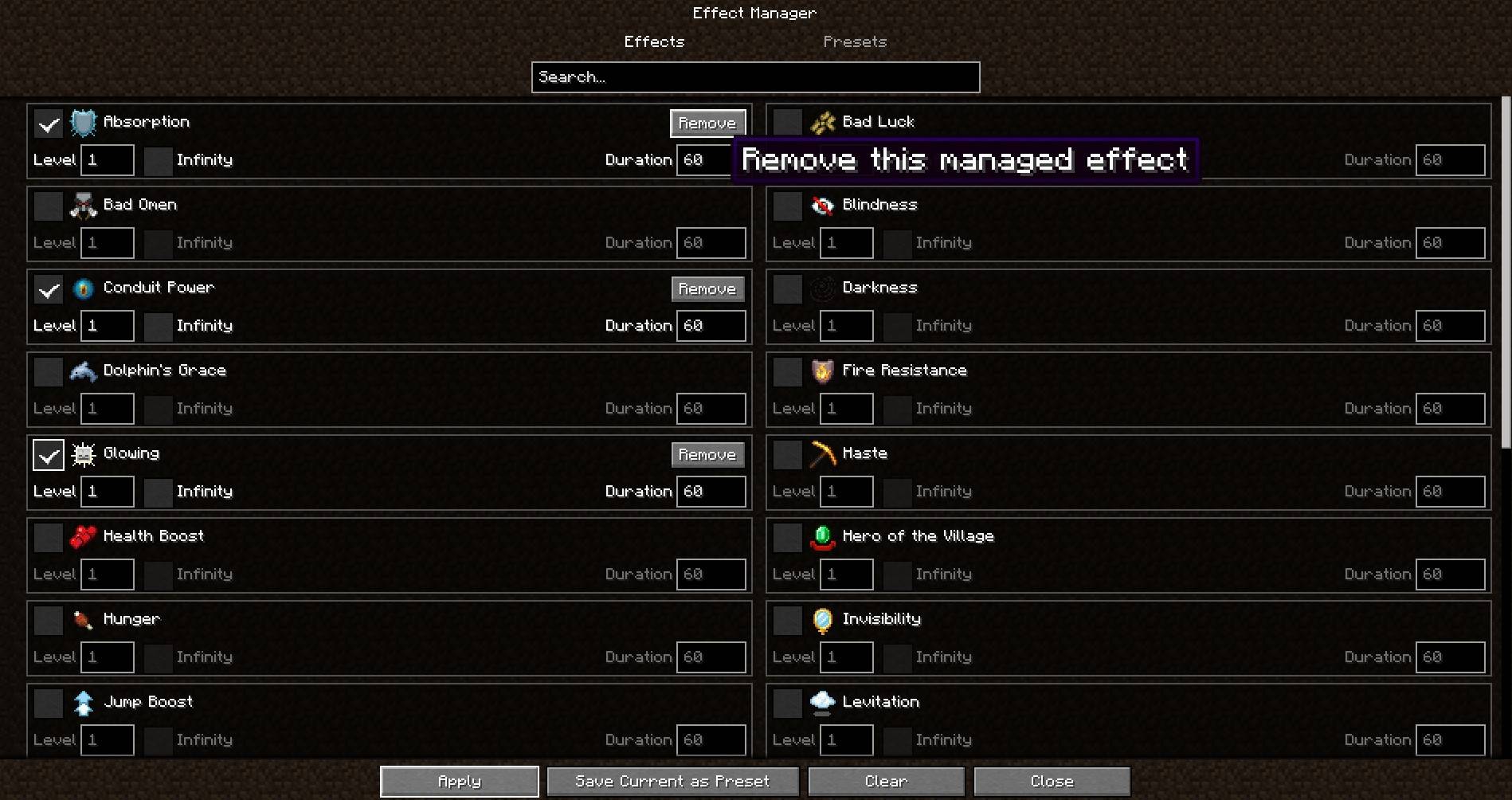
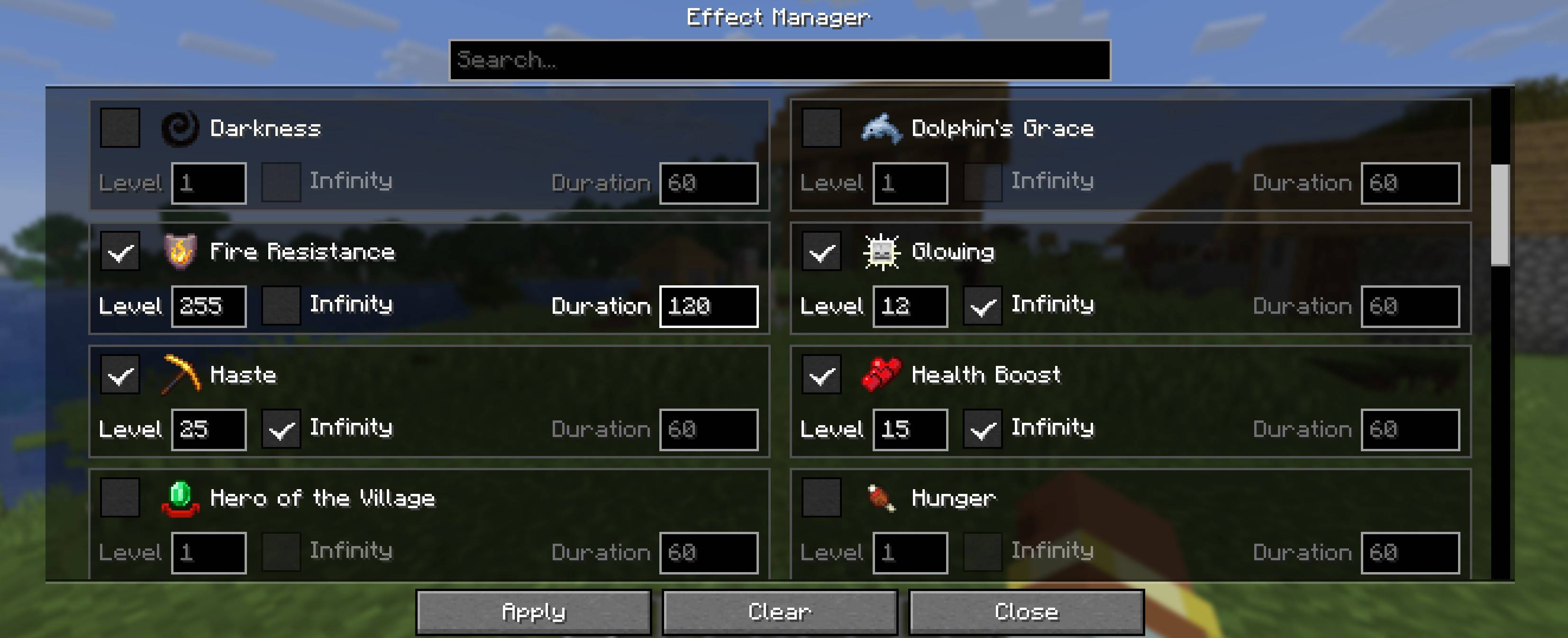
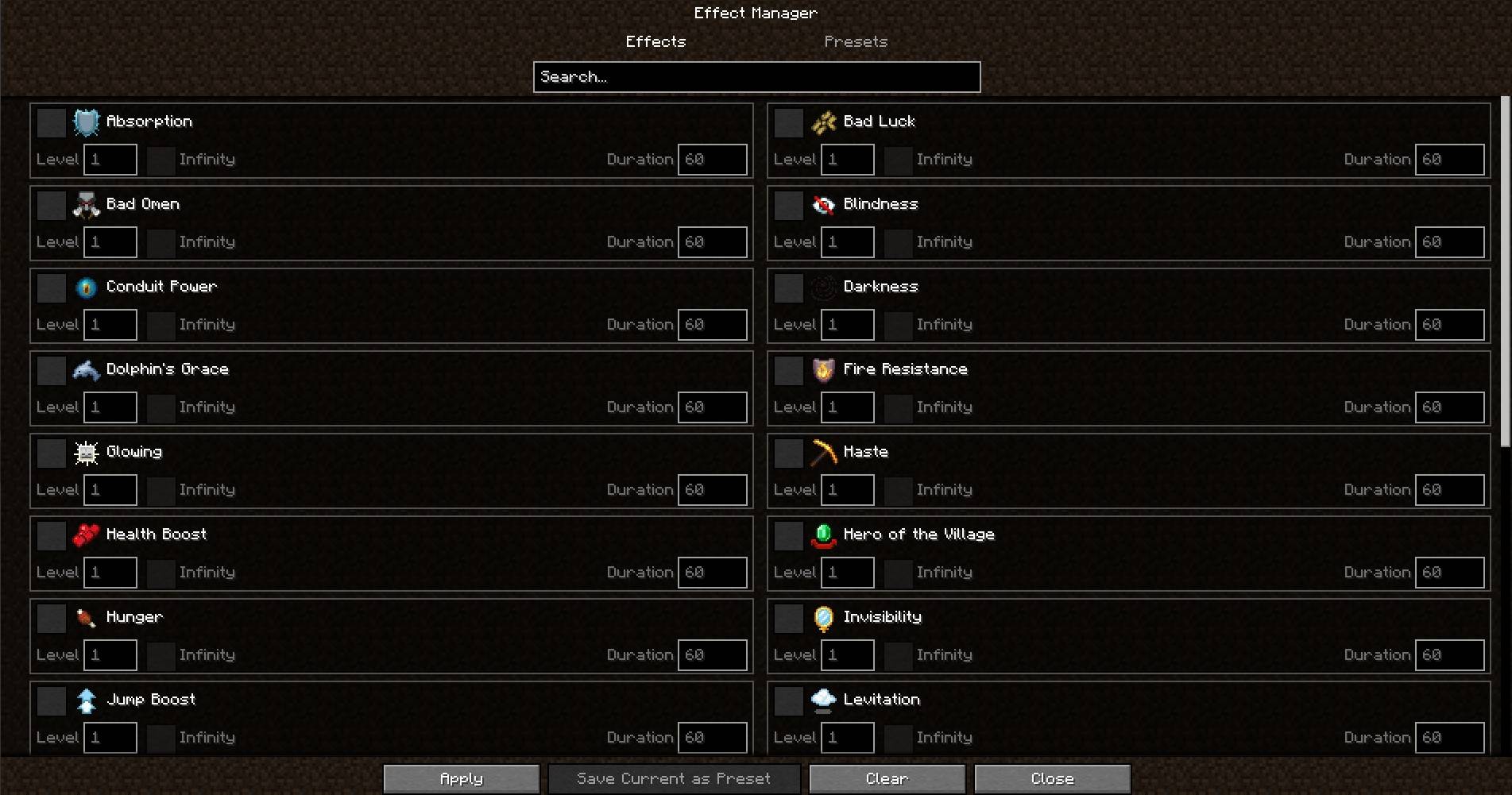
The Effects screen provides direct control over available Minecraft status effects.
For each effect, you can configure:
- Effect level
- Timed duration in seconds
- Infinity mode
- Whether the effect should be applied
- Individual removal when the effect is already managed by the mod
The search field can be used to quickly find a specific effect.
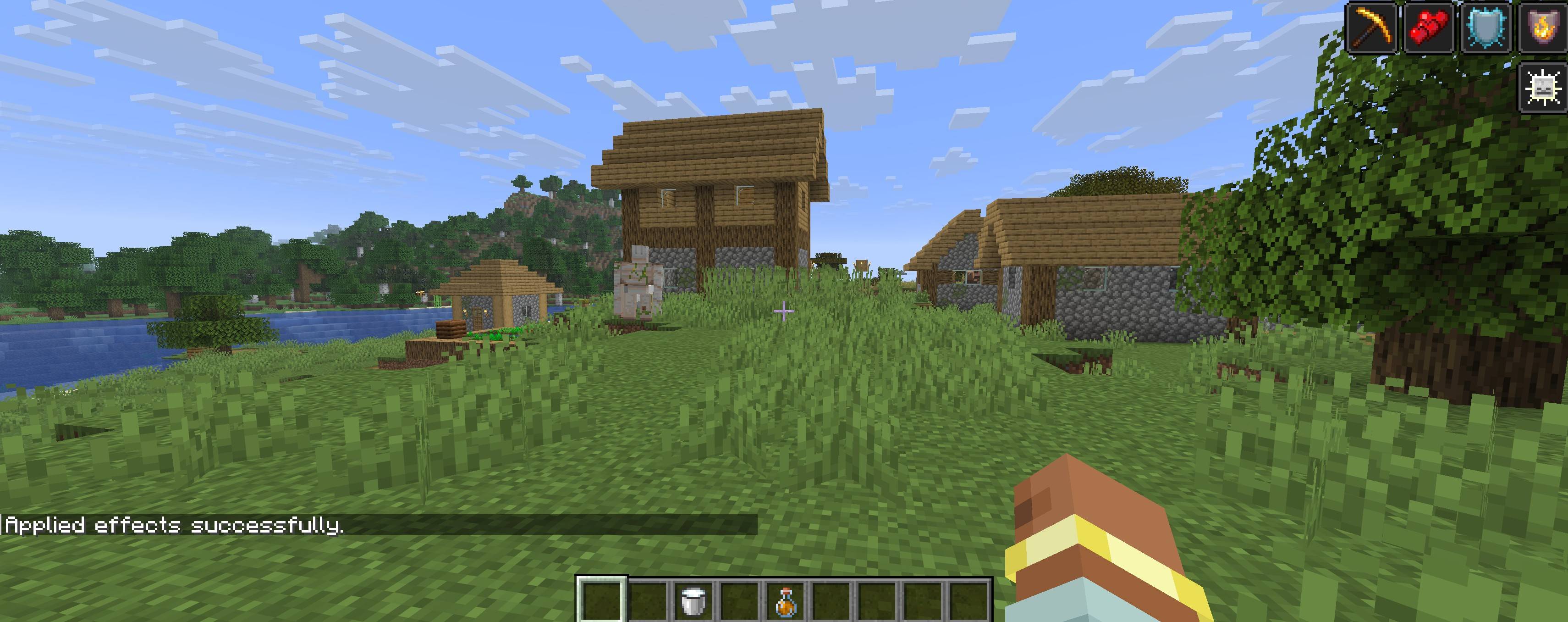
Press Apply to apply the selected configuration to your player.
Safe Effect Management
Intesa Effect Manager keeps track of the effects it applies.
This allows the mod to manage its own effects without interfering with unrelated effects.
- Remove removes one selected managed effect.
- Clear removes all effects managed by Intesa Effect Manager.
- Effects received from commands are left untouched.
- Effects received from potions are left untouched.
- Effects received from beacons are left untouched.
- Effects applied by other mods are left untouched.
This makes the mod safer to use alongside other gameplay systems and mods.
Built-in Presets
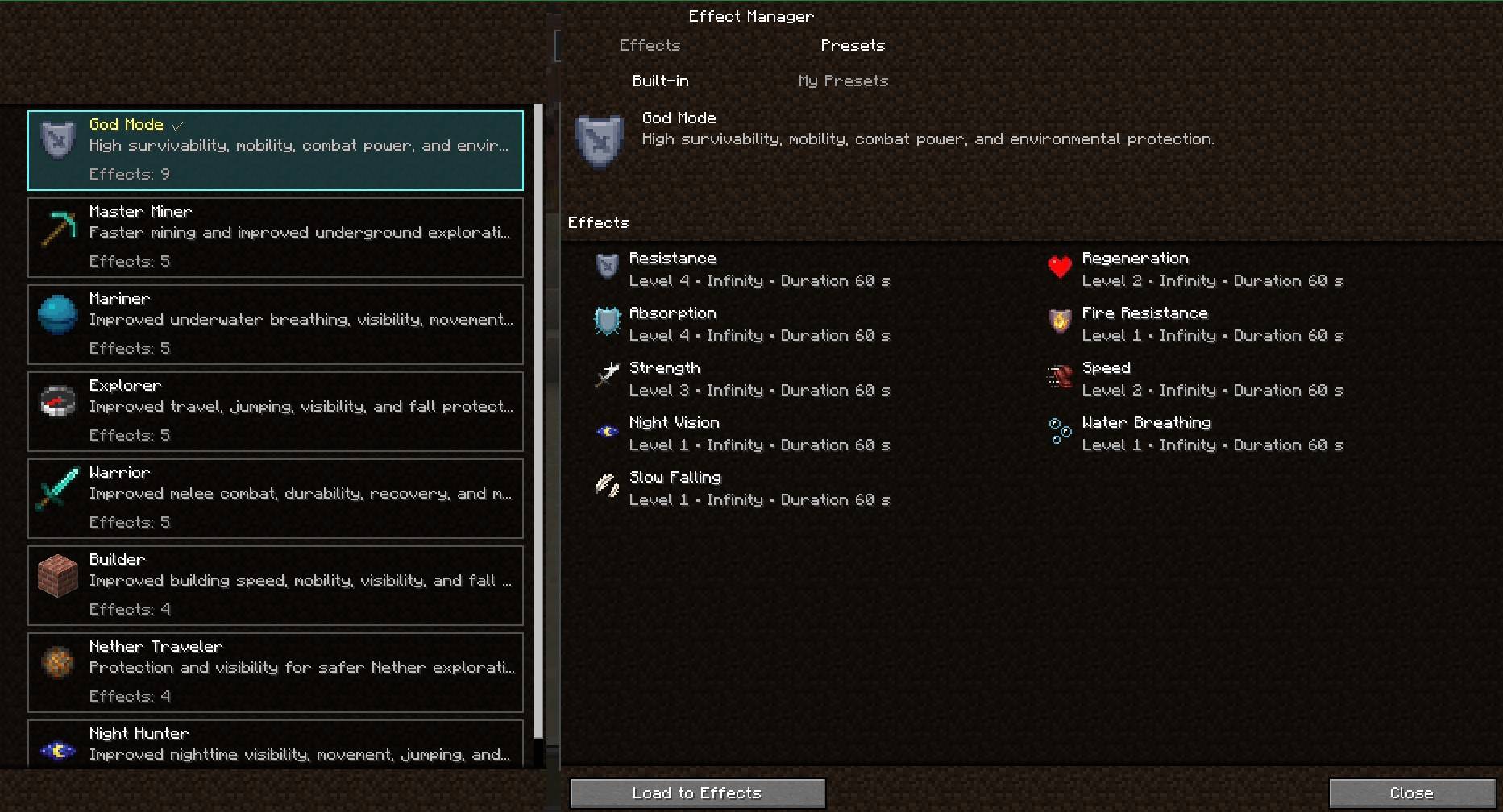
The mod includes ready-to-use presets designed for common activities and play styles.
Available built-in presets include:
- God Mode — High survivability, mobility, combat power, and environmental protection
- Master Miner — Faster mining and improved underground exploration
- Mariner — Improved underwater breathing, visibility, and movement
- Explorer — Improved travel, jumping, visibility, and fall protection
- Warrior — Improved combat power, durability, and recovery
- Builder — Improved building speed, mobility, visibility, and fall protection
- Nether Traveler — Protection and visibility for safer Nether exploration
- Night Hunter — Improved nighttime visibility, movement, and exploration
Selecting Load to Effects loads the preset into the Effects editor.
Loading a preset does not apply it immediately. You can review or adjust the effects before pressing Apply.
My Presets
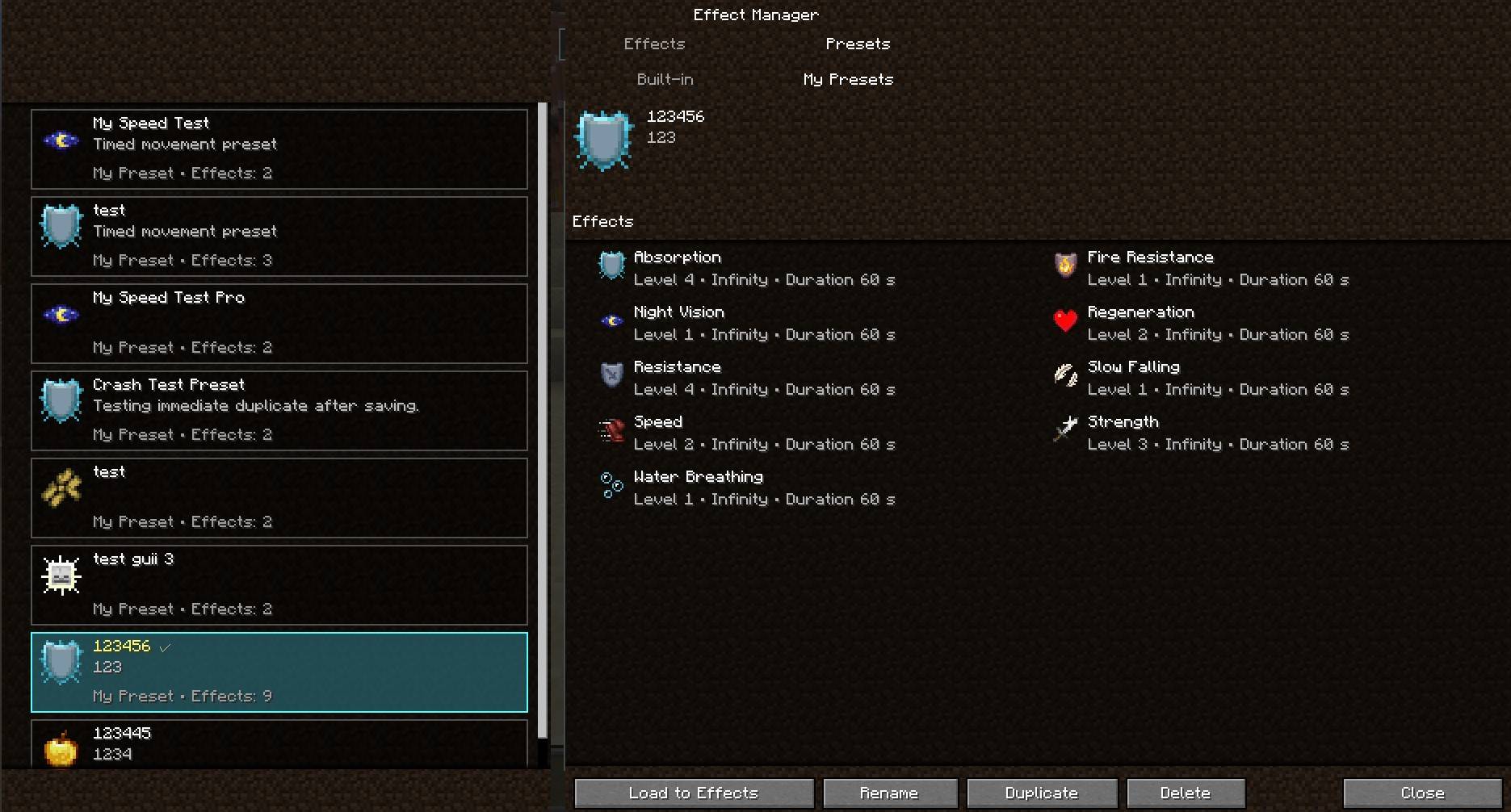
Create and manage your own reusable effect combinations with My Presets.
Available actions include:
- Save Current as Preset
- Update Existing
- Save as New
- Rename
- Duplicate
- Delete
- Load to Effects
Custom presets are stored locally in:
config/intesa_effect_manager/my_presets.json
My Presets belong to the current Minecraft installation or CurseForge profile.
They are not automatically synchronized between:
- Different Minecraft installations
- Different CurseForge profiles
- Different computers
- Different players
Loading a custom preset prepares the Effects editor but does not apply the effects immediately.
Effects After Death
For newly generated server configurations, effects managed by Intesa Effect Manager are restored automatically after the player dies and respawns.
The default setting is:
“`toml
keepManagedEffectsAfterDeath = true
常见问题
Intesa Effect Manager 支持哪些 Minecraft 版本?
Intesa Effect Manager 支持 Minecraft Java 版 1.20.1–26.2,共 2 个版本,可用的加载器:Forge。下载时注意选择和你游戏版本一致的文件。
Intesa Effect Manager 怎么安装?
先用 PCL2 或 HMCL 启动器安装对应版本的 Forge,再把下载的 .jar 文件放进游戏目录的 mods 文件夹,重新启动游戏即可。开启了版本隔离的,mods 文件夹在 versions/版本名 下面。

评论
登录后评论和评分