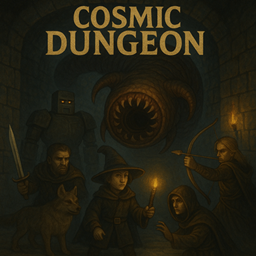
Cosmic Dungeon Loading Screen
The optional Cosmic Dungeon loading theme for NeoForge clients, with matching artwork included.
介绍
Cosmic Dungeon Loading Screen
An optional client-side loading theme for Cosmic Dungeon. It replaces the early NeoForge loading window with Cosmic Dungeon artwork and a matching progress bar. The theme and artwork are bundled in the JAR.
Requirements
- Minecraft 1.21.10
- NeoForge 21.10.64
- Java 21
- Client only: do not install this helper on a dedicated server.
Installation
Add this project to the same CurseForge client profile as Cosmic Dungeon, choosing the matching release version. Close Minecraft before updating. Enable Beta releases in the profile to receive beta versions.
In the profile’s config/fml.toml, set these existing options once:
earlyLoadingScreenTheme = "cosmicdungeon"
earlyWindowProvider = "cosmicdungeon"
The helper supplies its bundled theme assets during startup. Future matching releases are published here so CurseForge can manage the helper independently of the main gameplay mod.
This project changes the loading presentation only. It does not add gameplay content. The main Cosmic Dungeon mod remains a separate installation.
常见问题
Cosmic Dungeon Loading Screen 支持哪些 Minecraft 版本?
Cosmic Dungeon Loading Screen 支持 Minecraft Java 版 1.21.10,可用的加载器:NeoForge。下载时注意选择和你游戏版本一致的文件。
Cosmic Dungeon Loading Screen 怎么安装?
先用 PCL2 或 HMCL 启动器安装对应版本的 NeoForge,再把下载的 .jar 文件放进游戏目录的 mods 文件夹,重新启动游戏即可。开启了版本隔离的,mods 文件夹在 versions/版本名 下面。

评论
登录后评论和评分