
Maor And The Kingdom of Light
Embark on an epic journey through a realm of light, power, and ancient legends. Face powerful enemies, explore breathtaking kingdoms, and forge your own destiny in a world where hope shines brighter than darkness.
介绍
Step into a legendary world where courage, wisdom, and the power of light shape the fate of an entire kingdom. Maor and the Kingdom of Light delivers an epic fantasy experience filled with breathtaking landscapes, powerful battles, ancient mysteries, and unforgettable adventures.
Explore magnificent kingdoms, discover hidden treasures, and challenge dangerous enemies as you travel through a realm inspired by heroic legends. Every journey brings new discoveries, unique locations, and exciting encounters that reward those brave enough to continue forward.
This project combines a cinematic fantasy atmosphere with immersive exploration, creating a world that feels alive and full of wonder. Whether you’re searching for adventure, beautiful environments, or thrilling combat, Maor and the Kingdom of Light offers an unforgettable experience from beginning to end.
Features:
- ⚔️ Epic fantasy adventure
- 🌍 Beautiful handcrafted worlds to explore
- 💎 Hidden secrets and valuable treasures
- 👑 A legendary kingdom filled with ancient history
- ✨ A cinematic atmosphere inspired by heroes and myths
- ⚡ Powerful enemies and exciting battles
- 🏰 Stunning environments designed for exploration
常见问题
Maor And The Kingdom of Light 支持哪些 Minecraft 版本?
Maor And The Kingdom of Light 基于 Minecraft Java 版 1.20.1,使用 Fabric 加载器。
Maor And The Kingdom of Light 怎么安装?
点本页「前往下载」拿到整合包文件(Modrinth 的是 .mrpack,CurseForge 的是 .zip),在 PCL2 或 HMCL 启动器里选择「导入整合包」,启动器会自动装好 Minecraft、加载器和全部模组。建议在启动器里给游戏分配 4–6 GB 内存。
Maor And The Kingdom of Light 开服需要多大内存?
推荐服务器内存 12 GB。在线人数多、或者建了大量机器和区块加载器时,可以再加 2–4 GB。
怎么和朋友一起玩 Maor And The Kingdom of Light?
点本页的「一键开服」,选好配置后会自动安装 Maor And The Kingdom of Light 的服务端,几分钟就能开好。把服务器地址发给朋友,大家用同一个版本的整合包连进去就行。
Maor_Elohim_Yishmor 的其他作品
查看全部 →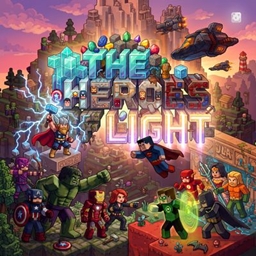
The Heroes of Light
一款史诗级暗黑风格的 1.20.1 Minecraft 整合包。通过 Palladium 加入漫威与 DC 英雄,带来高风险的超级英雄战斗,并针对高端 PC 进行优化。

Dragon Block To be the Ultra Instinct
龙块:成为极意功 一个精心策划的 122 模组整合包,带来终极 DBZ 体验。训练、战斗并突破你的极限以解锁极意功。高性能、史诗般的变身和 RPG progression。你准备好成为最强了吗?
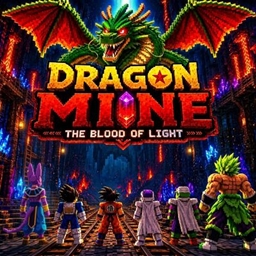
Dragon Mine The Blood of Light
以下是 DragonMineZ: The Blood of Light 的简要介绍:DragonMineZ: The Blood of Light 是一个 Minecraft 模组,传说中的赛亚战士将解锁黑暗的远古力量。玩家必须训练、掌握终极光之能量,并保卫宇宙。
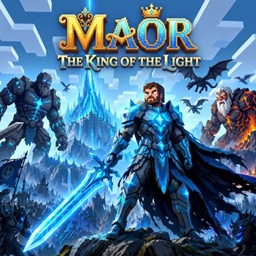
Maor The King Of The Light
知识共享署名 4.0 国际许可协议 (CC BY 4.0)。你可以自由分享、复制和改编此资源包,只需注明出处即可。我们相信开放的创造力,并邀请社区在此基础上继续创作。
评论
登录后评论和评分