ServerManager
This mod introduces several powerful commands to manage player ranks, permissions, and features. Below is a summary of the available commands:
介绍
Mod Commands Overview
This mod introduces several powerful commands to manage player ranks, permissions, and features. Below is a summary of the available commands:
Commands
-
Rank Management
/rank <set / remove> <player> <rank>- Assign or remove a rank from a specific player.
Example:/rank set <player_name> admin
- Assign or remove a rank from a specific player.
-
Permission Management
/permission <set / remove> <player> <permission>- Grant or revoke a specific permission from a player.
Example:
To give a player the highest command permission:/permission set <player_name> minecraft.commands.super
- Grant or revoke a specific permission from a player.
-
Special Weapon Control
/specialweapon <disable / enable / status>- Enable or disable special weapons, or check their current status.
-
Invisible Item Frame
/invisibleitemframe- Use this command to give an invisible item frame to sender.
Permission System Overview
This mod follows a specific permission format to manage player abilities and commands. The format is as follows:
- General Commands:
minecraft.commands.<command> - Block Permissions:
minecraft.blocks.<block>
Example:
- To manage the command block , the permission is:
minecraft.blocks.commandblock
常见问题
ServerManager 支持哪些 Minecraft 版本?
ServerManager 支持 Minecraft Java 版 1.20.1,可用的加载器:Forge。下载时注意选择和你游戏版本一致的文件。
ServerManager 怎么安装?
先用 PCL2 或 HMCL 启动器安装对应版本的 Forge,再把下载的 .jar 文件放进游戏目录的 mods 文件夹,重新启动游戏即可。开启了版本隔离的,mods 文件夹在 versions/版本名 下面。
BADlyAC 的其他作品
查看全部 →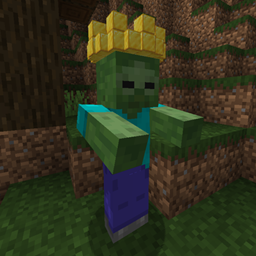
ZombieKing
Adds the rare Zombie King — crowned in gold, immune to sunlight, and able to summon 7-10 diamond-armored Zombie Soldiers when it spots player. Once they fall, TNT-helmeted Crazy Bombers rush in and self-destruct with real TNT blast force.
Flat Trans
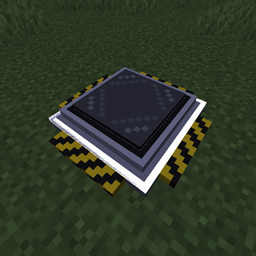
Turn a simple floor block into a teleporter network. Place Flat Trans blocks to form a rectangle and they merge into one nameable pad. Right-click to pick a destination, travel across dimensions, rename or remove pads, and see them on JourneyMap.
评论
登录后评论和评分