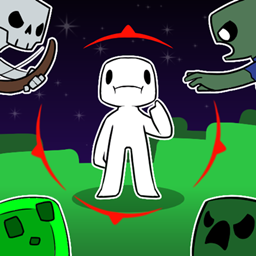
Hit Indication (Port)
Directional hit indicators, crit and kill markers. Fabric and NeoForge port of Hamester's Hit Indication.
介绍
Hit Indication (Port)
Unofficial port. Not affiliated with or endorsed by the original authors. This is a Fabric and NeoForge port of Hit Indication by Hamester and Axovoxel (original source). Please report issues with this port here, not to the original authors.
Shows where damage came from, the way shooters like Call of Duty and Halo do: a red marker around the crosshair points toward whatever hit you, then fades out.
Features
- Red indicators pointing toward whatever damaged you
- Blue indicators when you block with a shield, larger when the blow will disable it
- Optional crit and kill markers at the crosshair
- Optional indicators for non-damaging negative potions, and a circular indicator for damage with no direction (falling, etc.)
- Edge of Screen mode, distance scaling, damage scaling, custom colours, opacity, scale and fade time
- Keys to toggle hit indication (H), block indicators (B) and Edge of Screen mode (G)
Installation
- Install on the server (or in singleplayer) as well as on the client. Players without the mod can still join a server that has it.
- Fabric: requires Fabric API. Optional: Mod Menu + Cloth Config for an in-game config screen.
- NeoForge: no extra dependencies; the config screen is under Mods.
Configuration
- NeoForge:
config/hitindication-client.toml, or Mods → Hit Indication → Config. - Fabric:
config/hitindication-client.json, or the Mod Menu config button when Cloth Config is installed.
Credits and license
- Original mod: Hamester and Axovoxel — https://github.com/TheHamester/HitIndicator
- Translations: HaHaWTH (Chinese), Emik (Swedish, toki pona), Enitoni (Norwegian), Lily (German), Axovoxel (Pirate Speak)
- Port: Romoslayer — source at https://github.com/Romoslayer/Hit-Indication-Port
Licensed under CC BY-SA 4.0, the same license as the original. The changes made in this port are listed in NOTICE.md.
常见问题
Hit Indication (Port) 支持哪些 Minecraft 版本?
Hit Indication (Port) 支持 Minecraft Java 版 1.21.1–26.3,共 3 个版本,可用的加载器:Fabric / Forge / NeoForge。下载时注意选择和你游戏版本一致的文件。
Hit Indication (Port) 怎么安装?
先用 PCL2 或 HMCL 启动器安装对应版本的 Fabric / Forge / NeoForge,再把下载的 .jar 文件放进游戏目录的 mods 文件夹,重新启动游戏即可。开启了版本隔离的,mods 文件夹在 versions/版本名 下面。
Romoslayer 的其他作品
查看全部 →
Bosslike Ender Dragon
让末影龙成为真正的 Boss 战:加入多个阶段、俯冲轰炸、裂隙伏击和最终决战;仅需安装在服务端。
TerraForged Reimagined
TerraForged 的非官方移植版,以大尺度、经侵蚀塑造的地貌替换主世界:包括大陆、山脉、河流和气候型生物群系。
Progressive World Difficulty
随着世界存在时间变长、你的装备增强、Boss 倒下,以及你离出生点越来越远,敌对生物也会变得更强。
Fancy Block Particles – Reforged
适用于 Minecraft 26.2 和 26.3 的 3D 挖掘/方块粒子(Fabric、NeoForge 和 Forge)——Hantonik 与 TominoCZ 的 FBP Renewed 的社区移植版,最初由 MorphoxL 制作。
评论
登录后评论和评分