Cassonade
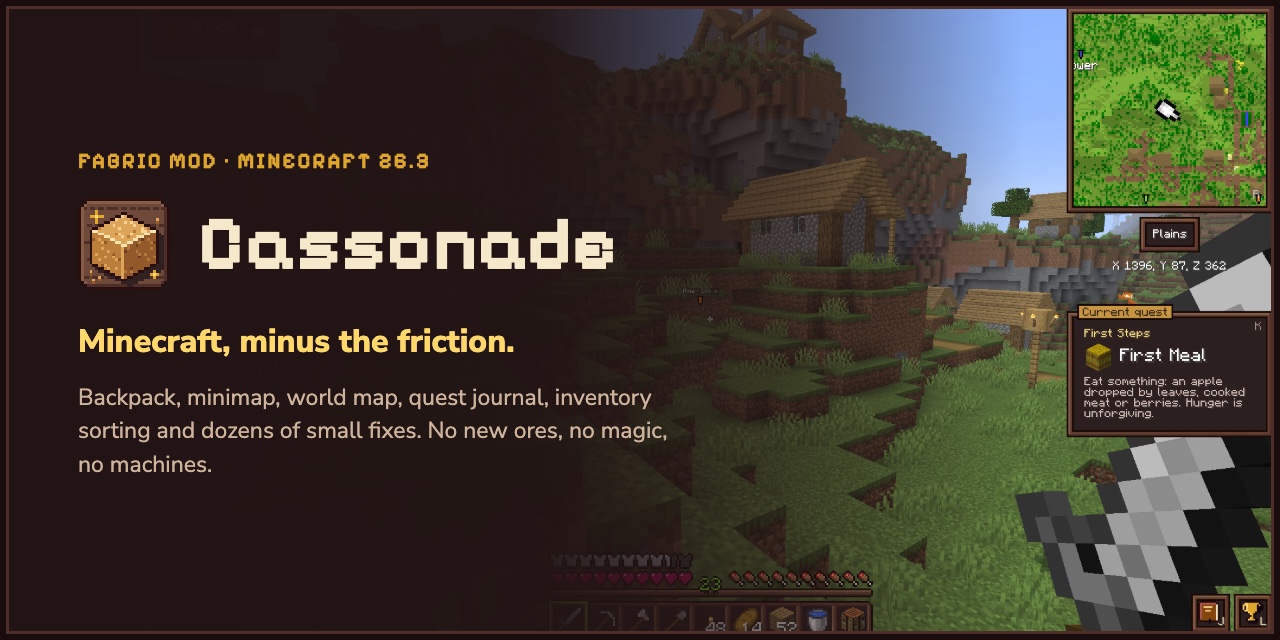
Less friction, more life. Fixes the hundred small annoyances of survival, brings the world to life and makes it worth exploring, with no new ores, magic or machines.
截图
介绍
Less friction, more life.
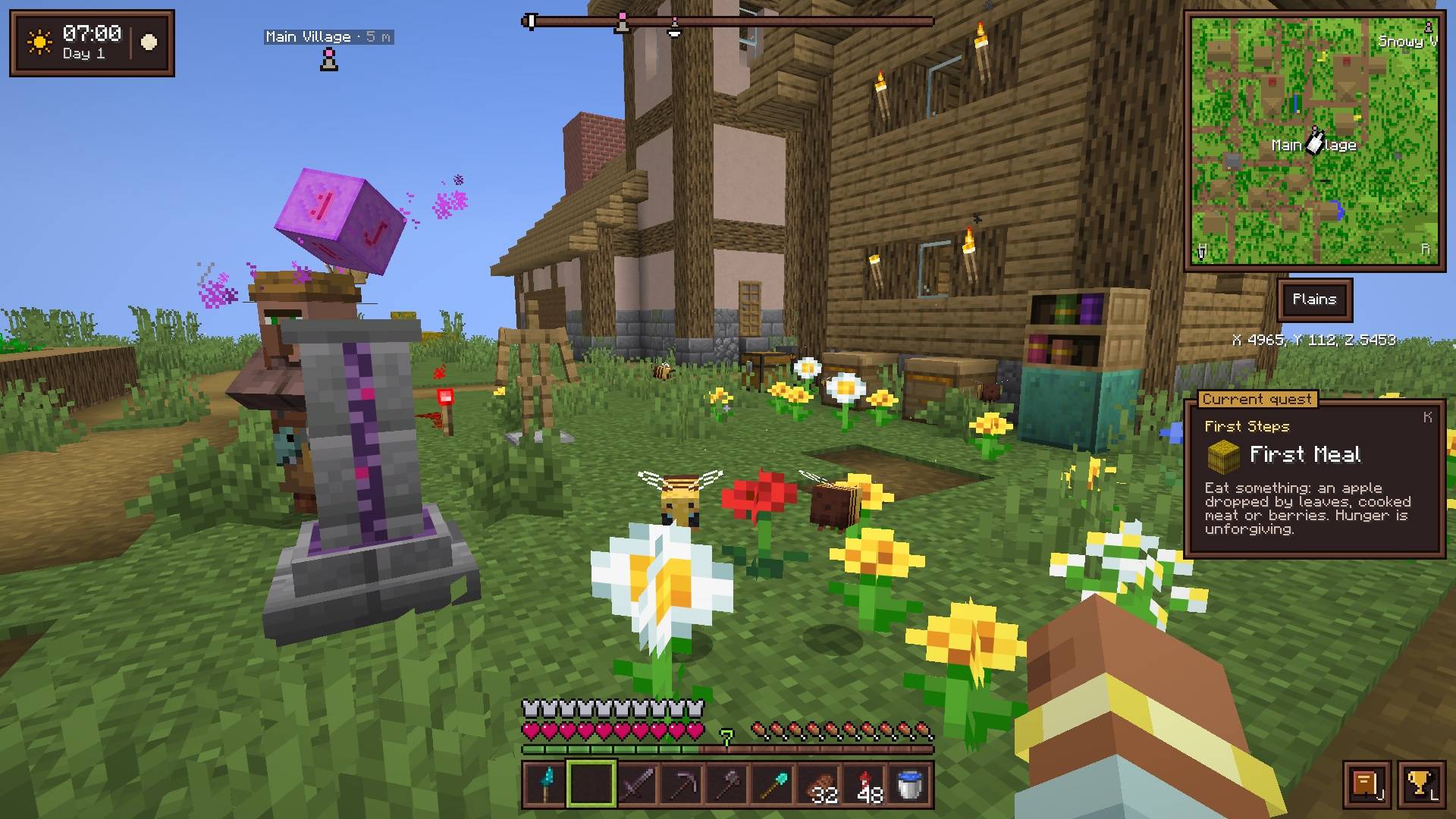
Cassonade is a vanilla+ quality-of-life mod for Minecraft 26.3 on Fabric. It fixes the hundred small annoyances of survival and makes the world feel alive, with birds, waves and starry nights, and towns and treasures worth the trip. No new ores, no magic, no machines: it’s the same game you know, just smoother and a lot less empty.
Website · Source code · Report a bug
The idea
I made this mod because even though I love Minecraft, I’m usually frustrated by it. The worlds feel empty and pointless, exploration is not really rewarded, some mechanics are really annoying, it feels punishing overall and I clearly don’t want to get a PhD to master redstone.
I’m also not a fan of modpacks because they add way too many settings everywhere, each with their own style and some mods just don’t “feel” like Minecraft to me making it a sort of weird chimera in my mind. I love coherence and simplicity, so it’s just not an option for me even though they add a lot of otherwise very good things.
In real life I’m a web designer, so I want stuff to be beautiful, coherent, logical and practical for the users, and recently I was invited to play on a server with a huge modpack and it just didn’t feel right. So I made the one I wanted to play:
- Same progression. I didn’t add any new resources, tiers or dimensions. Every new tool is unlocked by equipping an item you already know (a compass, a clock) or one crafted from vanilla items (a backpack, a world map, a barometer), in its own equipment slot.
- Every small annoyance, fixed. Leaves that take forever to decay, “Too Expensive!”, boats stuck on a pixel, the enchanting table’s “…?”: each fix is small, but together they really change how the game feels.
- Feels like it was always there. The interface keeps Minecraft’s pixel style and sounds, tools only show up once you equip their item, and you can remap every key.
- A world that feels alive. Flocks cross the sky, waves break on the shore, crickets sing through warm nights. Nothing to fight, collect or craft, just what makes a place feel inhabited.
- A world worth exploring. That’s my answer to “exploration is not really rewarded”: towns, taverns, furnished mansions, temples with real treasures, a pirate’s booty hidden in a lush cave. Going out there finally pays off. And less friction doesn’t mean less challenge: the sea is murky and dark now, so a dive is a real trip you get ready for.
- One style, no settings maze. That’s exactly my problem with modpacks: a dozen mods means a dozen visual styles and as many config screens. Cassonade looks the same everywhere and there’s nothing to configure, on purpose: each feature works one way, as close to vanilla as possible.
Features
Backpack
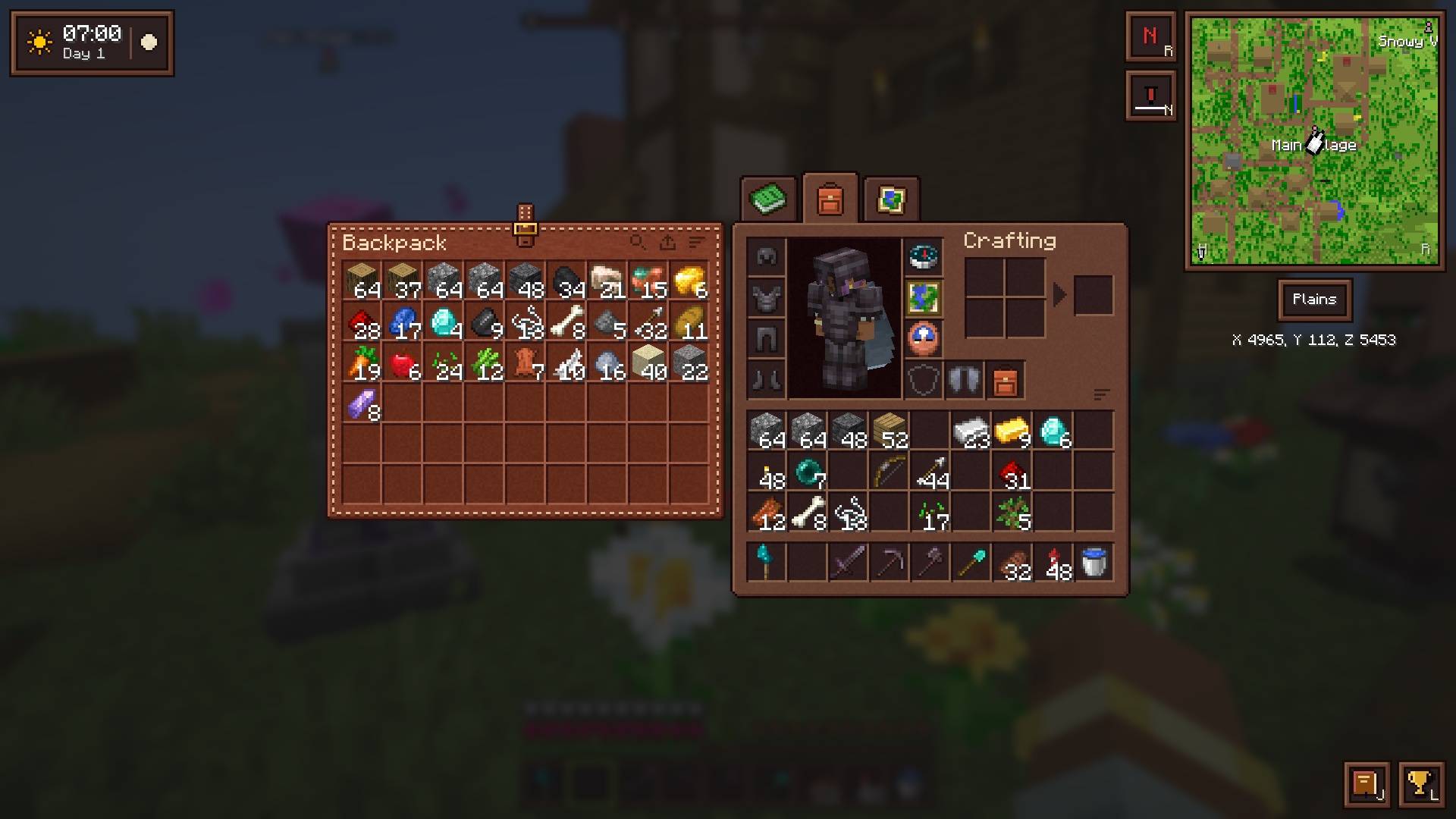
54 more slots, as much as a large chest, crafted from 4 leather, 4 string and a bundle.
- It goes in its own equipment slot, and you open it with
Bor from a tab at the top of the inventory, in a leather panel where the recipe book usually sits. - Shift-click sends items straight into the open backpack.
- Like a Shulker box, it keeps its contents when you place it in a chest or drop it.
- Organized backpack: a rare smithing template, found in ancient city, bastion treasure and end city chests, upgrades it with a hopper. Then it refills your hand, feeds the recipe book, and tops up its own stacks with what you pick up.
A living world
This is my answer to the empty worlds. It’s always there, there’s nothing to equip, and none of it changes the game.
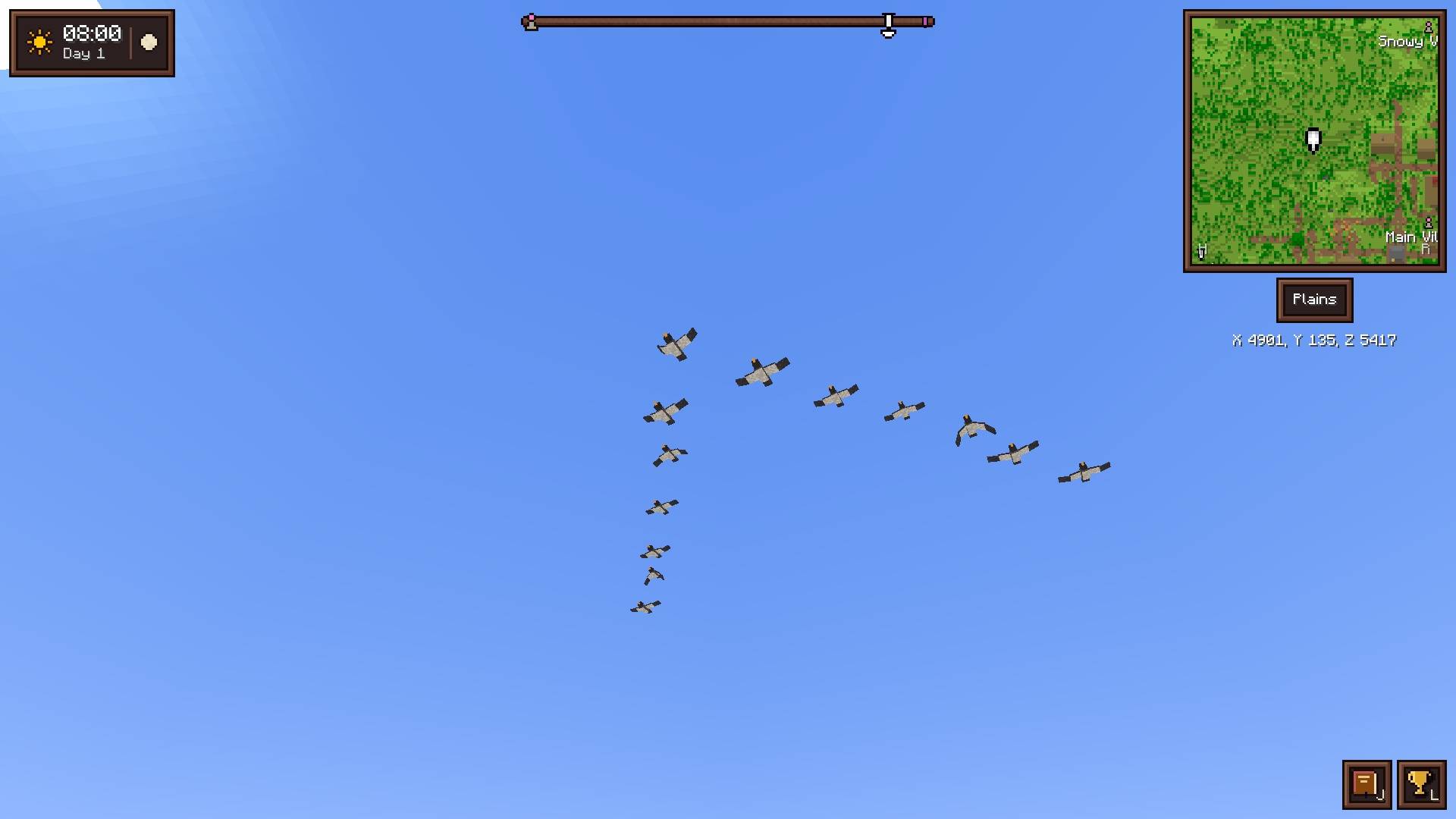
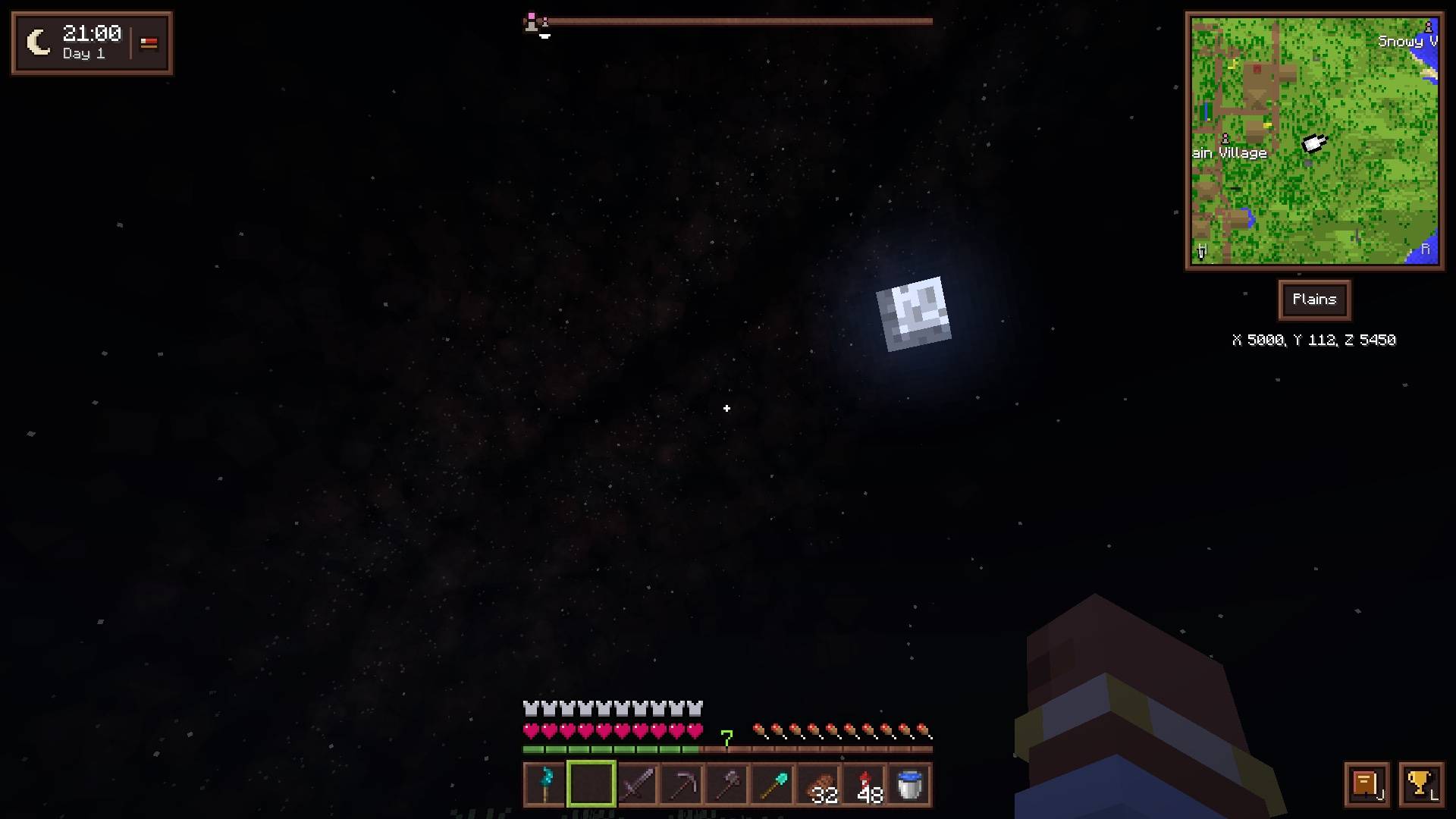
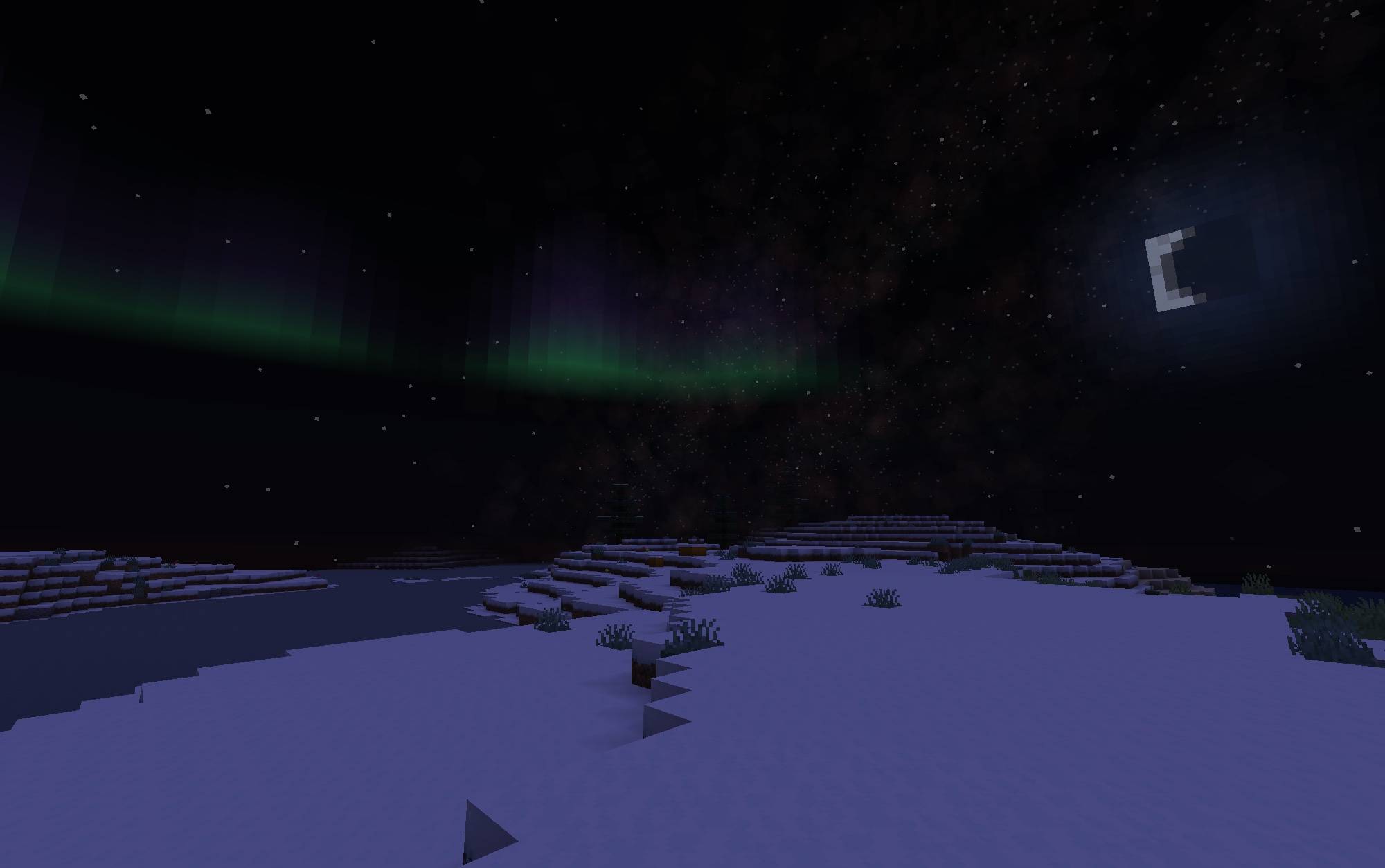
- In the sky: flocks of geese and crows, white gulls near the coast, rarely a great murmuration of starlings at dusk; a deeper blue by day, a faint Milky Way, shooting stars and auroras by night, silent heat lightning on warm evenings.
- In the air and on the water: rain the color of water, butterflies around flowers, drifting pollen, dust falling in caves, morning mist, your breath in the cold, fish leaping at dawn and dusk, a line of foam running up the shore, water splashing at the foot of falls.
- What you hear: the sea all around you as you near a shore, robins, cuckoos and owls in the trees, frogs in the swamps, crickets through warm nights, grasshoppers in savannas, and the world muffled under water.
Light and sky
The same blocks in a better light, and you don’t need a shader pack.
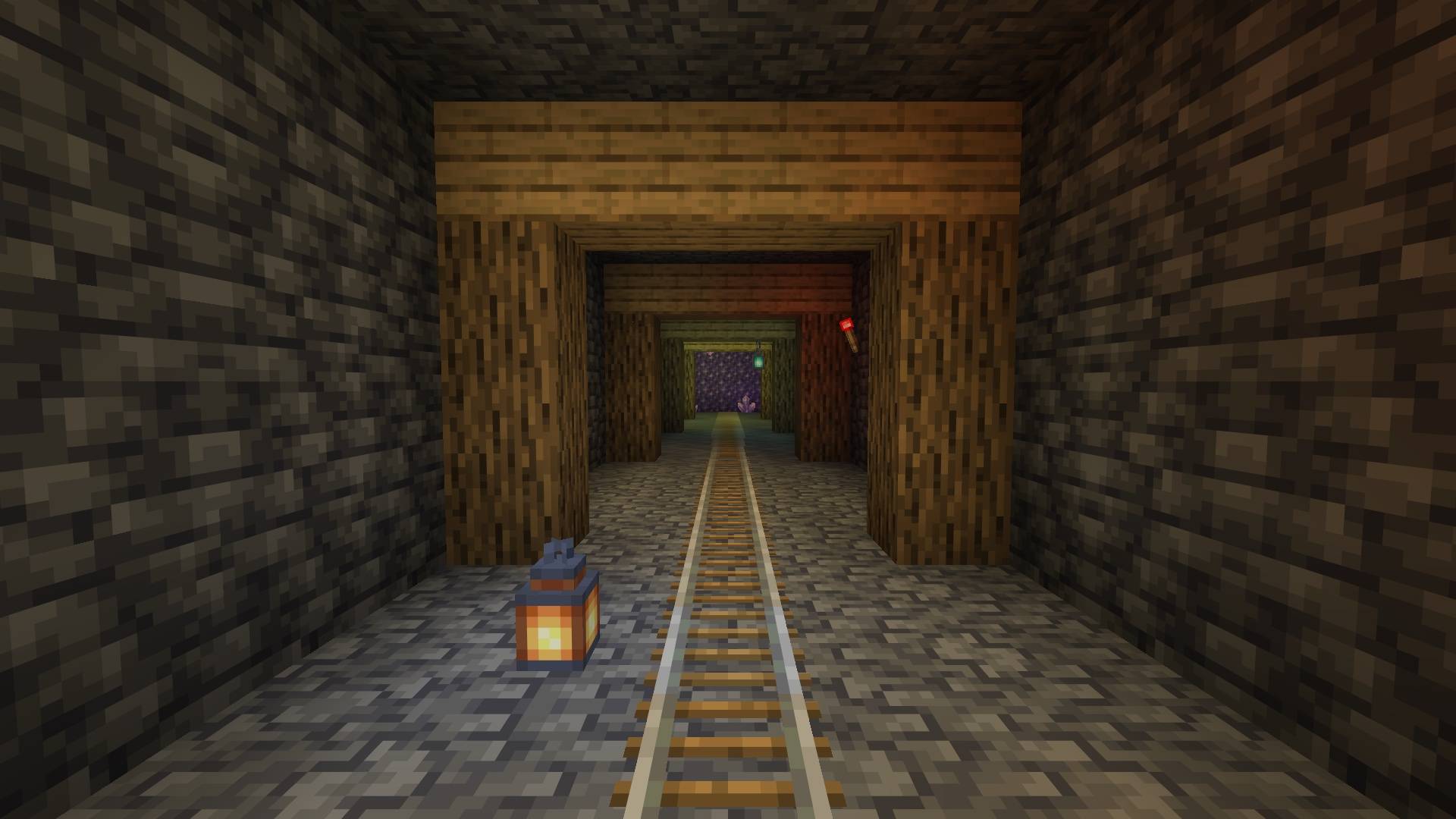
- Colored lights: each light tints what it lights with its own color, soul fire blue, redstone red, copper green, amethyst purple; the sun washes it out by day. A torch in hand lights up around you.
- The sky: a deep blue that pales towards the horizon, distant land melting into it rather than into white.
Compass minimap
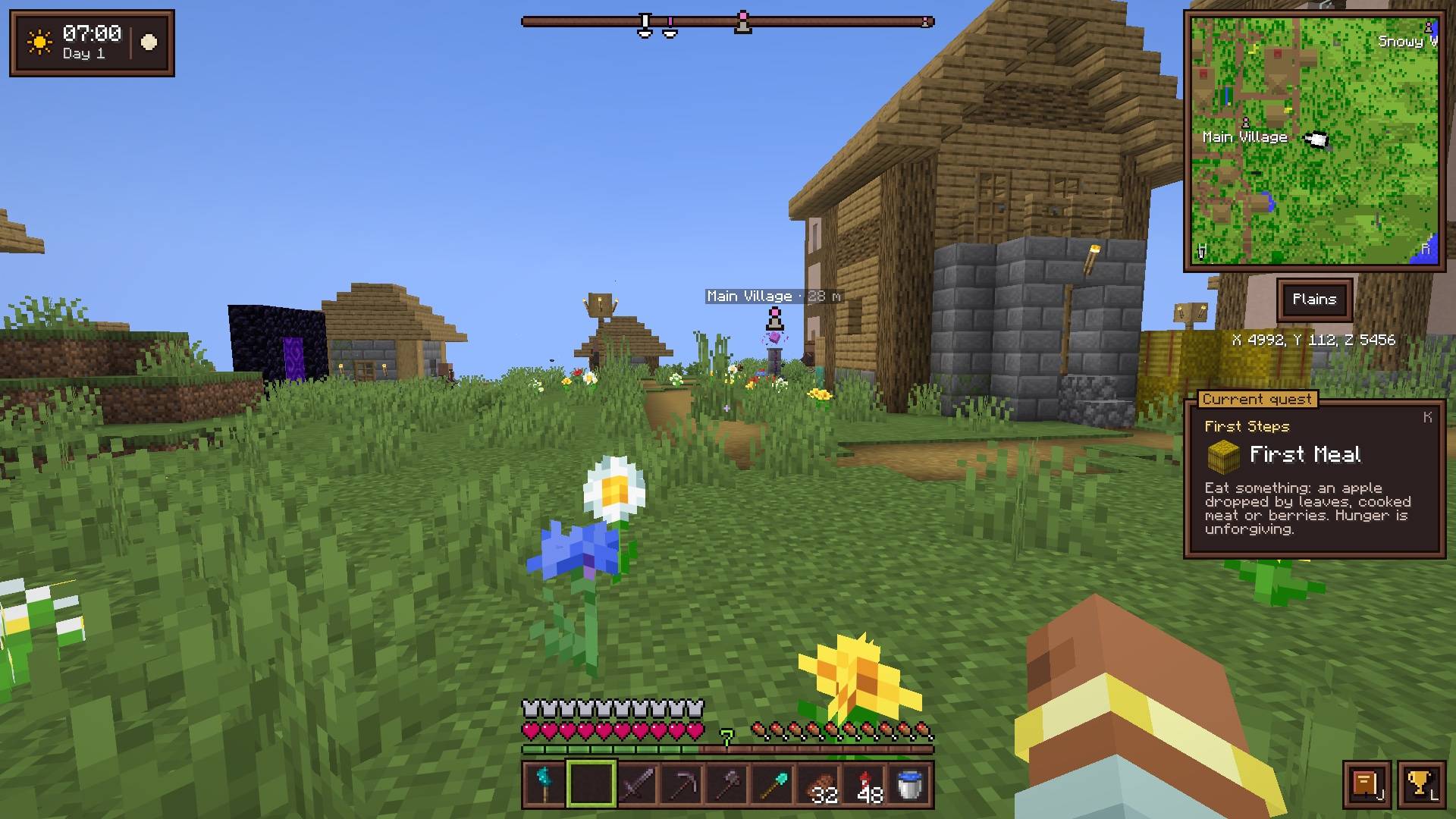
Equip a compass and you get a minimap in the top-right corner, drawn with the colors of vanilla maps.
- Zoom from 32 to 256 blocks across, north-up or turning with you.
- The biome and your coordinates right underneath.
- A direction bar that shows where your markers are and names the one you’re aiming at, and each marker in the world, through terrain, with its name and distance once you’re close.
- In the Nether, the map shows the floor you’re standing on, not the bedrock ceiling.
World map and markers
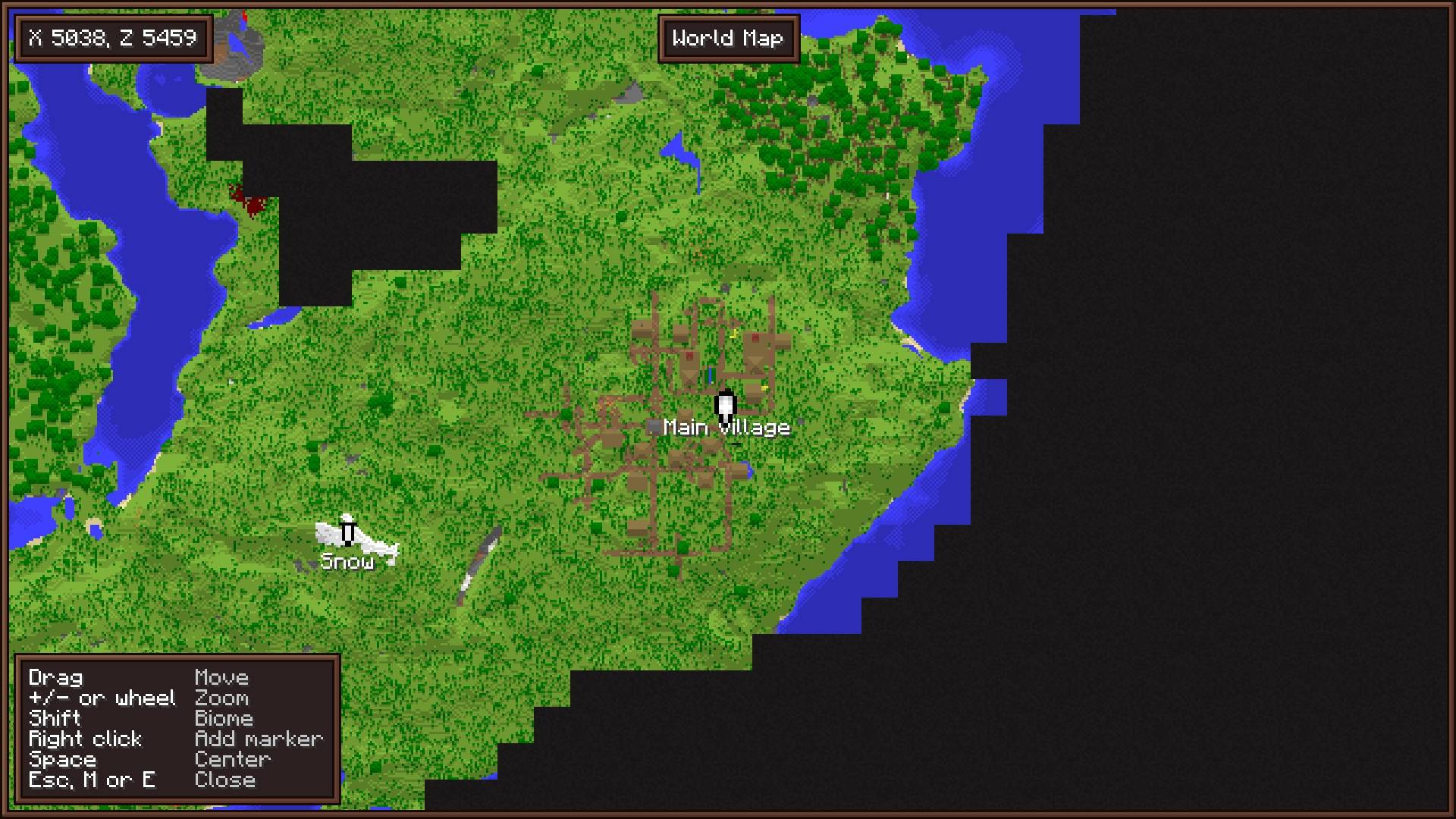
Craft a world map from an empty map and eight sticks, and you get a full-screen map of every chunk you’ve explored, under a fog of war.
- Right-click to place a named marker in any of the 16 dye colors. Markers show on the world map, the minimap and the direction bar.
- Hold
Shiftover a place to see its biome and, once you’ve been to the Nether, where that spot leads through a portal; a panel lists the map’s shortcuts. - A red X where you last died, until you get back there; the world’s spawn chunk outlined; the lodestones your lodestone compasses point to.
- Ping a spot or a mob with
Shift+ middle click: every player in the dimension sees it marked with your name for a few seconds. - Coordinates written in the chat become links that open the map there, ready to place a marker.
- Your exploration is recorded from the very first minute, even before you craft the map.
Clock and barometer
Equip a clock to see the time, the weather, the day count and the moon’s phase, with a small bed and a soft chime when you can sleep. Combine it with a lightning rod and you get a barometer: it also shows the next weather change, read straight from the server’s own weather timers.
Waystone
Fast travel, but only once you’ve “finished” the game, and only between waystones. You craft one from a world map on top of 5 chiseled stone bricks, under a chorus fruit, so it comes after reaching the End. Right-click it to list the other ones you placed or have been near, in every dimension, and click one to go there. You can name it in its screen or at an anvil. Waystones also show on the world map as landmarks, but you can only travel from the block itself. It needs the mod on the server.
An inventory that keeps up
There’s a lot here:
- Sort a chest, a barrel, an ender chest, a Shulker box, your backpack or your inventory in one click, or with a middle-click.
- Stash into the open chest the items it already holds.
- Search a chest, a Shulker box or your backpack with
Ctrl+F: names, enchantments and the contents of bundles and Shulker boxes. - Shift-drag across a row to move every stack you pass over.
- Scroll wheel: scroll down over a stack to move its items one at a time.
- Lock slots with
Alt-click: sorting, stashing and Shift-click leave them alone, andQwon’t throw them away. - Rotate your rows into the hotbar with
G, so each row can hold a set: tools, building blocks, food and torches. - Bundles: drag one over items to fill it, or right-drag over empty slots to empty it.
- Shulker boxes click like bundles: click stacks into a box, drag over several, or scroll over it to pick which stack comes out.
- Previews of bundles, Shulker boxes, backpacks and filled maps on hover, and the hunger and saturation food restores. With food in hand, what it would restore blinks on the hunger bar.
- Tooltips that tell more: what each enchantment does, the anvil penalty of a worked item, how many items a fuel smelts.
- Furnaces and brewing stands: the time left, how much more the fuel will do, and the experience a furnace holds.
- Picked up: what you pick up is listed on the right of the screen, and marked with a small golden dot in your inventory until you hover it.
- Hand refill when the stack in your hand runs out.
- Durability warning before an enchanted tool or armor piece breaks.
- Bulk crafting:
Ctrl-click a recipe to craft as many as your inventory allows. - Chain crafting: click a recipe missing something you could craft first, and the recipe book makes it from your inventory: logs into planks, planks into sticks.
Right-click harvest
Right-click a ripe crop to harvest and replant it: wheat, carrots, potatoes, beetroots, nether wart and cocoa. You get the same drops as breaking it, Fortune included, minus the seed that goes back in the ground.
Elytra slot
Elytra get their own slot, next to the offhand, so you can fly without taking your chestplate off. They fly, wear out and take Mending exactly like in vanilla.
Filtered hopper
Every hopper gets a filter slot: put one item in, and the hopper only accepts that item. Put a bundle or a Shulker box in the filter to let through every item it holds. A row of filtered hoppers makes a full item sorter, no redstone needed, so no PhD either.
Quest journal and advancements
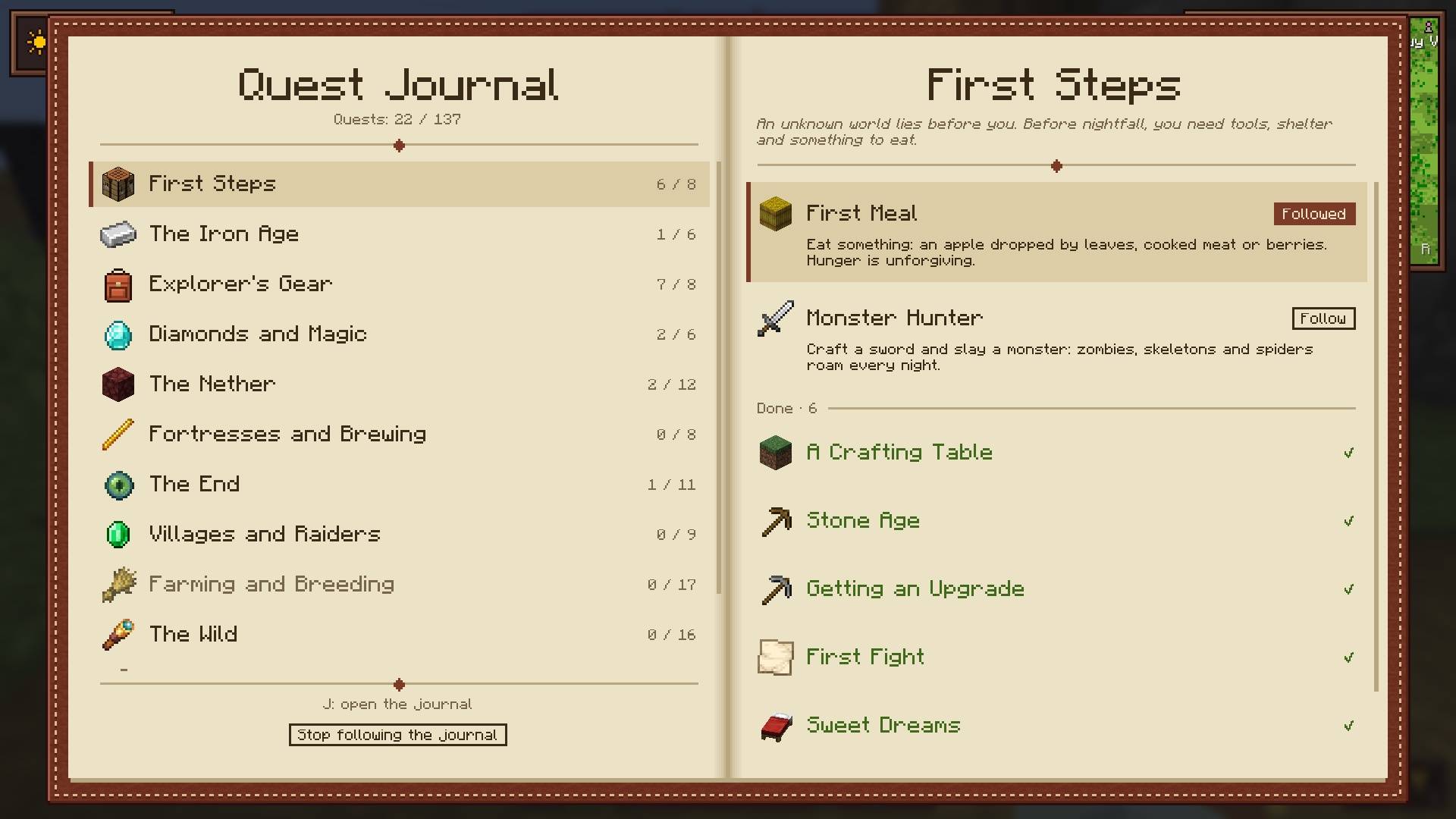
- A quest journal in twelve chapters walks you from your first night to the toughest challenges, following Minecraft’s own advancements.
- The current quest shows under the minimap, with its progress.
- A new advancements screen that actually tells you what’s left for each one (biomes to visit, mobs to kill…).
Combat awareness
Combine a compass with a sculk sensor and you get a sculk compass: health bars over the mobs you fight, a “!” when a mob starts chasing you, and an eye in the corner of the screen while anything is hunting you, even out of sight. The minimap shows where the mobs hunting you come from, and the other players around you.
Spyglasses
Every spyglass gets a round lens and a finer zoom with the scroll wheel. Combine one with a book and a sculk sensor to make a naturalist’s spyglass, which reads what you’re looking at: a horse’s speed, jump and health, when animals can breed or grow up, a villager’s level and sold-out trades, how far crops have grown, a beehive’s honey.
Sculk torch
Combine a torch with a sculk sensor and you get a sculk torch. Hold it in either hand: it lights up around you and shows every nearby block where monsters can spawn, at any time or only at night. Light those spots up and the marks go away.
The sea
In vanilla the sea is a clear blue pool. I wanted a real sea, one you’re a bit scared to dive into.
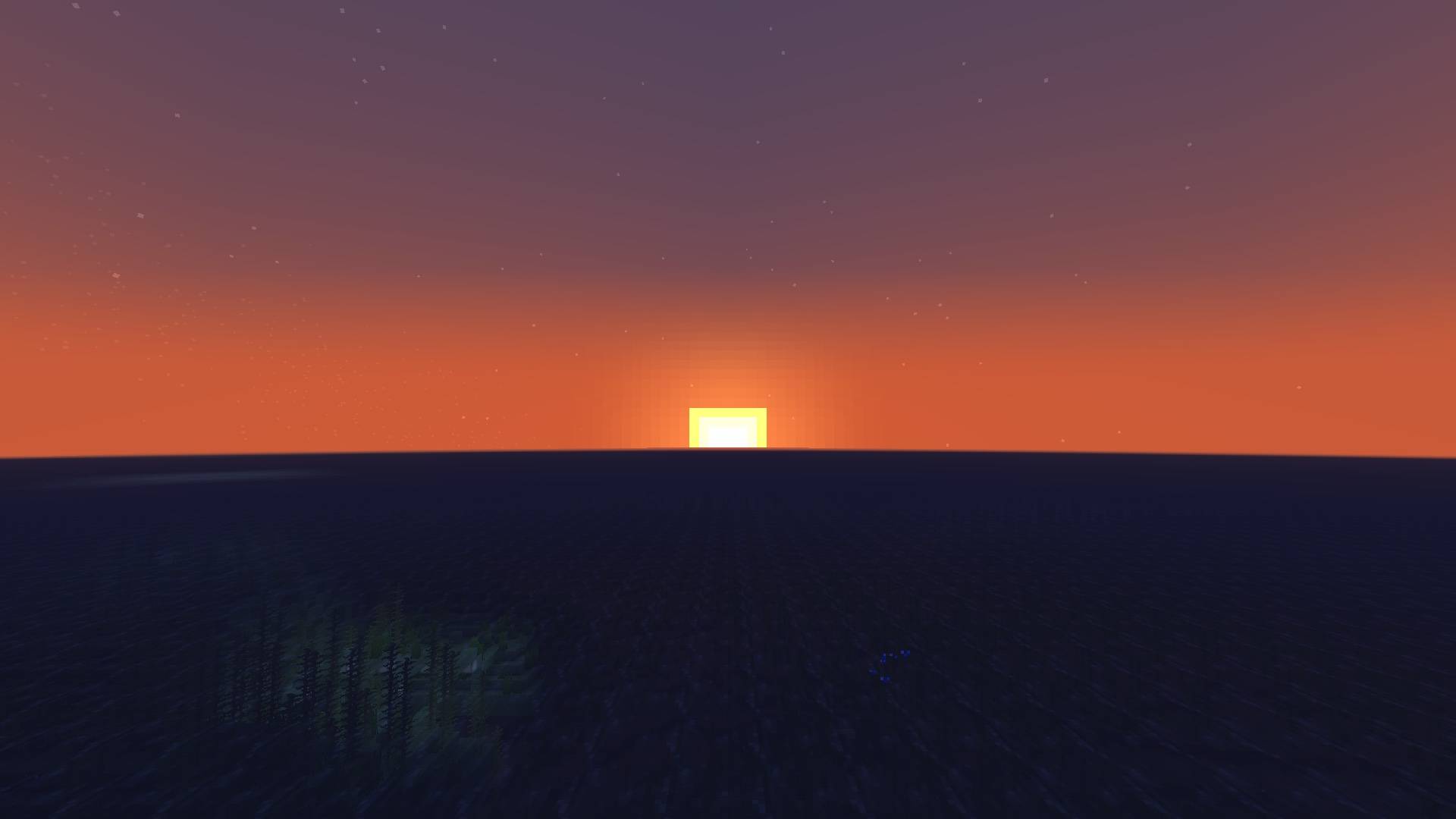
- From the shore: a clean horizon the sun sets behind, far water turned opaque, and a surface that no longer repeats block by block.
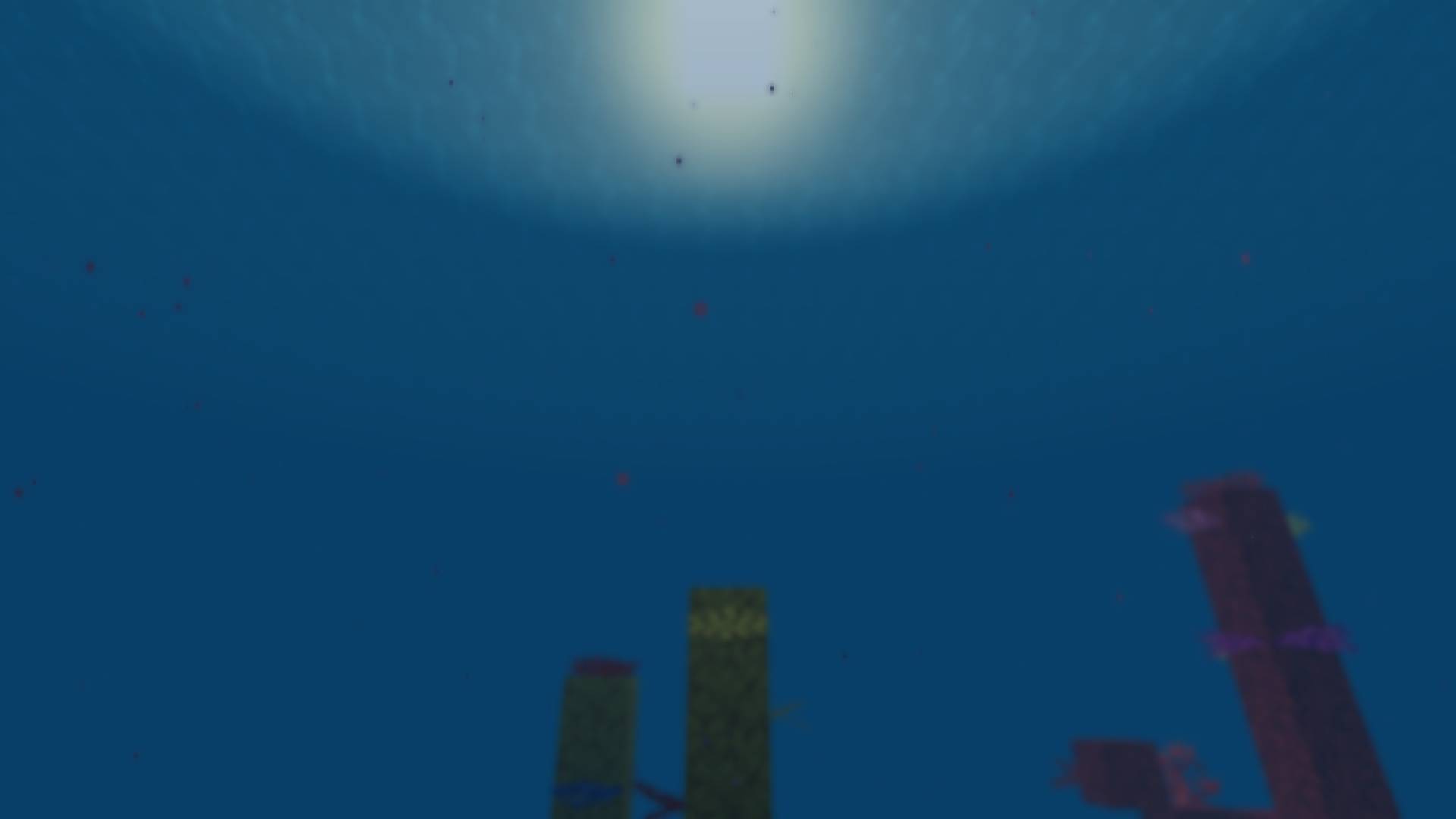
- Under water: the sky only overhead, dim and cloudy depths, and a short, blurred view, lost in the murk past about 30 blocks. It’s fair: monsters don’t see you any better through the water.
- Diving mask: five leather around a glass pane, shaped like a helmet, worn instead of your helmet. Your view stays sharp and reaches twice as far, and its snorkel lets you breathe with your head up to about 2 blocks under the surface. Dive deeper and your last breath lasts 5 seconds. It takes a helmet’s enchantments, Respiration and Aqua Affinity included.
Villages and treasures
Exploring in vanilla rarely pays off: villages all look the same, and most chests hold bones and rotten flesh. So:
- Towns: now and then, a village grown three times larger, its houses packed close along its streets.
- Taverns: churches become taverns or small inns, with a bar, kegs, a fireplace and a tavern keeper in waistcoat and apron.
- Stone bricks: village houses and woodland mansions built mostly of stone bricks, some mossy or cracked, instead of cobblestone.
- Treasures: furnished mansions with richer chests, jungle temples with two more treasures per chest, and very rarely, a pirate’s booty in a lush cave, a pile of barrels full of gold and gems.
All of it with vanilla blocks and vanilla loot, in new chunks.
Woodcutter
The stonecutter’s twin for wood, crafted from an iron ingot over three planks: put a plank in, pick stairs, slabs, fences, doors, trapdoors, signs, buttons or pressure plates of the same wood, and take them out without losing anything. Both cutters and the loom remember what you picked for the next stack.
A refined interface
This is the web designer in me: sepia wood panels, dark slots and cream text across the HUD, the chat, inventories and tooltips; windows that rise gently into place over a softly blurred world; status effects with their time left; a recipe book that looks like a book, and an enchanting table that shows every enchantment an option will give.
- A new title screen, with its buttons in a column over the panorama.
- World and server selection in two panels: your list on one side, and on the other the details of the one selected.
- While a world loads, your map draws itself: what you explored comes into color chunk by chunk, with a tip about the mod.
- Plain backgrounds for every other menu, small dialogs in framed panels, and a death screen with a skull above its panel.
Available in English, French, Spanish, Portuguese, German, Chinese, Russian and Japanese.
Small tweaks
All the little things that annoyed me, side by side:
| Vanilla | With Cassonade | |
|---|---|---|
| Cutting down a tree | Leaves decay one by one for minutes | Leaves fall right away, drops included |
| Walking under trees | Leaves at head height | Taller trunks, two blocks of air under the canopy |
| Repairing at the anvil | “Too Expensive!” | Any repair you can pay for |
| Renaming at the anvil | Costs levels | Free when renaming alone |
| Enchanting table | One enchantment, then “…?” | Every enchantment the option will give |
| Mending and Infinity | Incompatible on a bow | Work together |
| Enchantment levels | Some top out at II or IV | Every one tops out at I, III or V |
| Chiseled bookshelves | Take a book out to read its title | Look at its slot to see its title |
| Boats on land | Stuck on a 1-pixel step | Glide over paths, farmland, carpets, snow |
| Leaving a boat or minecart | You land anywhere | Beside it, on the free side closest to where you look |
| Double doors | Open each door separately | Both open together |
| Editing a book | Pages only added at the end | Insert a page anywhere, or delete one |
| Editing a sign | No mouse, copy line by line | The mouse places the cursor and selects; copy and paste the whole sign |
| Writing a long sign | Typing stops at the end of a line | The word carries over to the next line |
| A sign on a chest | Clicking it edits the sign | Clicking it opens the chest or barrel (sneak to edit the sign) |
| An item frame on a chest | Clicking it turns the item | Clicking it opens the chest or barrel (sneak to turn the item) |
| Named chests | The name only shows once opened | Look at a renamed chest, barrel or Shulker box to see its name |
| Wandering traders | Their departure time is hidden | Their trade screen shows how long they have left |
| Composter | 1 bone meal, after a delay | 8 bone meal, right away |
| Bone meal | Does nothing on sugar cane and cactus | Grows them by one block |
| Daytime | 10 minutes, then night falls | 20 minutes, the night is unchanged |
| Going to bed | 5 seconds to skip the night | 2.5 seconds |
| Death screen | Buttons locked for a second | Respawn immediately |
| Nether portal | 4 seconds of warping and noise | Step in, you’re through |
| Building a Nether portal | Obsidian only | Crying obsidian works too |
| Cobwebs | Slow to break, nothing without a sword | Break at once by hand, and give their string |
| Burning | Flames rise past the crosshair | Flames stay low on the screen |
| Raising a shield | It hides the middle of the screen | It stays lower, out of the way |
| Poison | One potion leaves you at half a heart | Half as long, half as often |
| Netherite sword | Three hits for most monsters | Two hits |
| Netherite pickaxe on deepslate | Slower than on stone | As fast as on stone, at once with Efficiency V and Haste II |
| Moving villagers | Boats, rails, trapping | Put them on a lead |
| A villager’s workstation | Watch where it goes | A button beside its trades points it out |
| Noisy mobs | Only with commands | A blank name tag silences a mob |
| Getting hit | The screen flashes red | A red arc points where the hit came from |
| A mob in tall grass | The hit cuts the grass | The hit goes through grass, flowers and crops to the mob |
| Sweeping a sword | Also hits your own wolf or horse | Spares the animals you tamed |
| A swing that misses | Hits your own wolf or horse in the way | Passes through your animals to what is behind them |
| Torch in hand | Lights nothing until placed | Lights up around you, as do torches dropped, held by others or burning mobs |
| Colored lights | Every light gives the same warm glow | Soul fire lights blue, redstone red, copper green, amethyst purple… |
| Mushroom fields | Bare mycelium and giant mushrooms | Strange plants of their own, glowing caps, fairy rings and spores |
| Flower pots | Empty the pot before planting another | Right-click with another flower or sapling: they swap |
| Item frames | Always show their frame | Shears hide the frame, the item stays on the wall |
| Ladders | Placed one by one, from the bottom | Right-click a ladder with one: it extends up, or down when looking down |
| Farmland | Turns back to dirt when you jump on it | Only mobs trample it, never players |
| Furnaces | Watch the arrow fill | How long until everything is cooked, and how much more the fuel cooks |
| Grindstone | The experience is a surprise | Shown before you take the item |
| Note blocks | Count the clicks to know the note | Look at one to see its note |
| Jukebox | Its song only shows when it starts | Look at a playing jukebox to see the song’s name |
| Redstone | Guess a wire’s power from its glow | With redstone dust in hand, look at a wire to see its power |
| Placing a piston, hopper… | Which way it will face is a surprise | A small mark previews the working face of the block to come |
| Waxed copper | Looks the same as unwaxed | With a honeycomb or an axe in hand, look at it: waxed or not |
| Armor stands | Take each piece off, one by one | Alt and right-click with an empty hand: your whole armor swaps |
| Armor stand poses and arms | Only with commands | Sneak and right-click for Bedrock’s 13 poses; placed with arms |
| Dyed wool, carpets, beds, glass | Stay dyed for good | Right-click a water cauldron: the whole stack goes back to plain |
| Concrete powder | Place it by water, block by block | Right-click a water cauldron: the whole stack hardens |
| Filled maps | Stay drawn for good | Right-click a water cauldron: blank again |
| Paintings | A random one, the largest that fits | Sneak and scroll to go through all that fit |
| Bridging | Lean over the edge | Sneak and aim at the far side of your block: a block goes in front of it |
| Snow | Break it, all layers at once | Right-click with a shovel: one layer comes off |
| Ender chests | Silk Touch, or 8 obsidian | Drop themselves with any pickaxe |
| Mobs behind terrain | Drawn in full, even inside a mountain | Not drawn until they can be seen, for a smoother game |
| Menus | Only Esc goes back |
Mouse button 4 does too |
| Your name in the chat | Easy to miss | A soft bell, and your name in gold |
Fair recipes
Some vanilla recipes eat a whole block for a single button, which always felt wrong to me. I only changed how many items a recipe gives, never its shape or when you unlock it: 16 buttons or pressure plates, 24 wooden trapdoors, 32 sticks from 2 planks, 8 ladders, 8 stairs, 12 signs, doors or bowls, 8 chests or barrels, 6 paper from 3 sugar cane. Stairs and slabs craft back into full blocks without loss, wool back into its 4 string, a nether wart block into its 9 nether wart, and packed ice into its 9 ice.
What Cassonade will never add
New ores, metals or gear tiers; magic, machines or tech trees; new mobs, biomes or dimensions; anything that makes the game easier to beat rather than nicer to play (a better reward late in the game, yes; a shortcut early on, no). Other mods do that very well, it’s just not what this one is about.
Requirements
- Minecraft 26.3
- Fabric Loader 0.20.1 or later
- Fabric API
- Java 25
Multiplayer: install the mod on the server and on every player’s game. In singleplayer, there’s nothing else to do. On a server without the mod, the game stays playable and everything that happens on your screen still works (the living world, lights, the interface, inventory tooltips and conveniences), but the equipment slots are not offered, so nothing worn works (backpack, minimap, world map, clock, elytra slot, combat awareness), and the mod’s items, recipes, structures and rules are not there. The full list.
Modpacks
Yes, you can include Cassonade in your modpack (I know, I know). It’s released under the GPL-3.0: you can also change it or reuse its code, as long as your version stays under the GPL-3.0, credits me and publishes its source.
If Cassonade makes your worlds a little nicer, you can support its development with a coffee on Ko-fi. And if you enjoy the mod, sharing it with your friends or on social media is the best way to help me keep going.
Not an official Minecraft product. Not approved by or associated with Mojang or Microsoft.
常见问题
Cassonade 支持哪些 Minecraft 版本?
Cassonade 支持 Minecraft Java 版 26.3,可用的加载器:Fabric。下载时注意选择和你游戏版本一致的文件。
Cassonade 怎么安装?
先用 PCL2 或 HMCL 启动器安装对应版本的 Fabric,再把下载的 .jar 文件放进游戏目录的 mods 文件夹,重新启动游戏即可。开启了版本隔离的,mods 文件夹在 versions/版本名 下面。
评论
登录后评论和评分