
截图
介绍
中文介绍正在准备中,下面暂时显示原文。
Usage
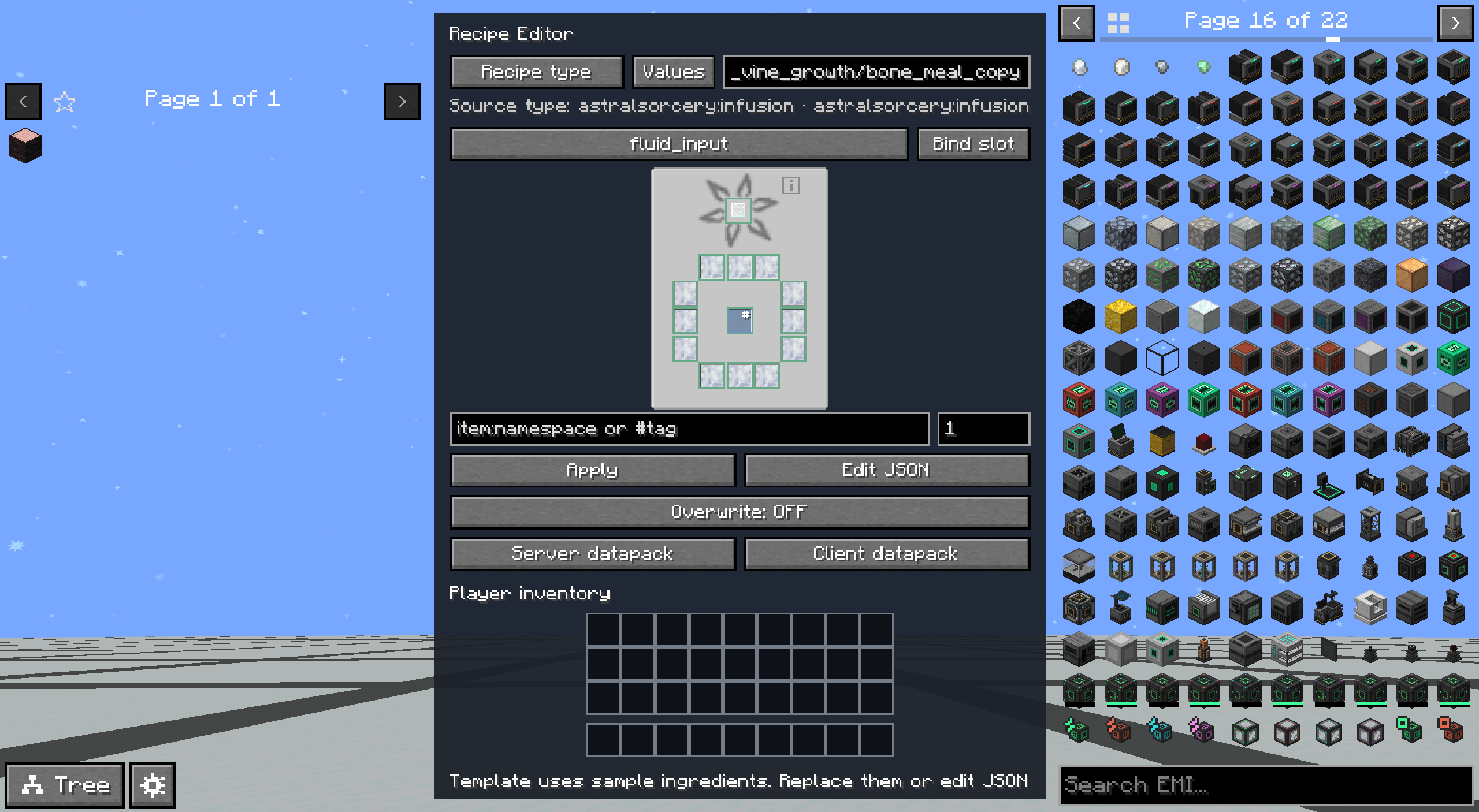
- After entering a world, press F8 to open the editor. You can change the key in the game controls settings.
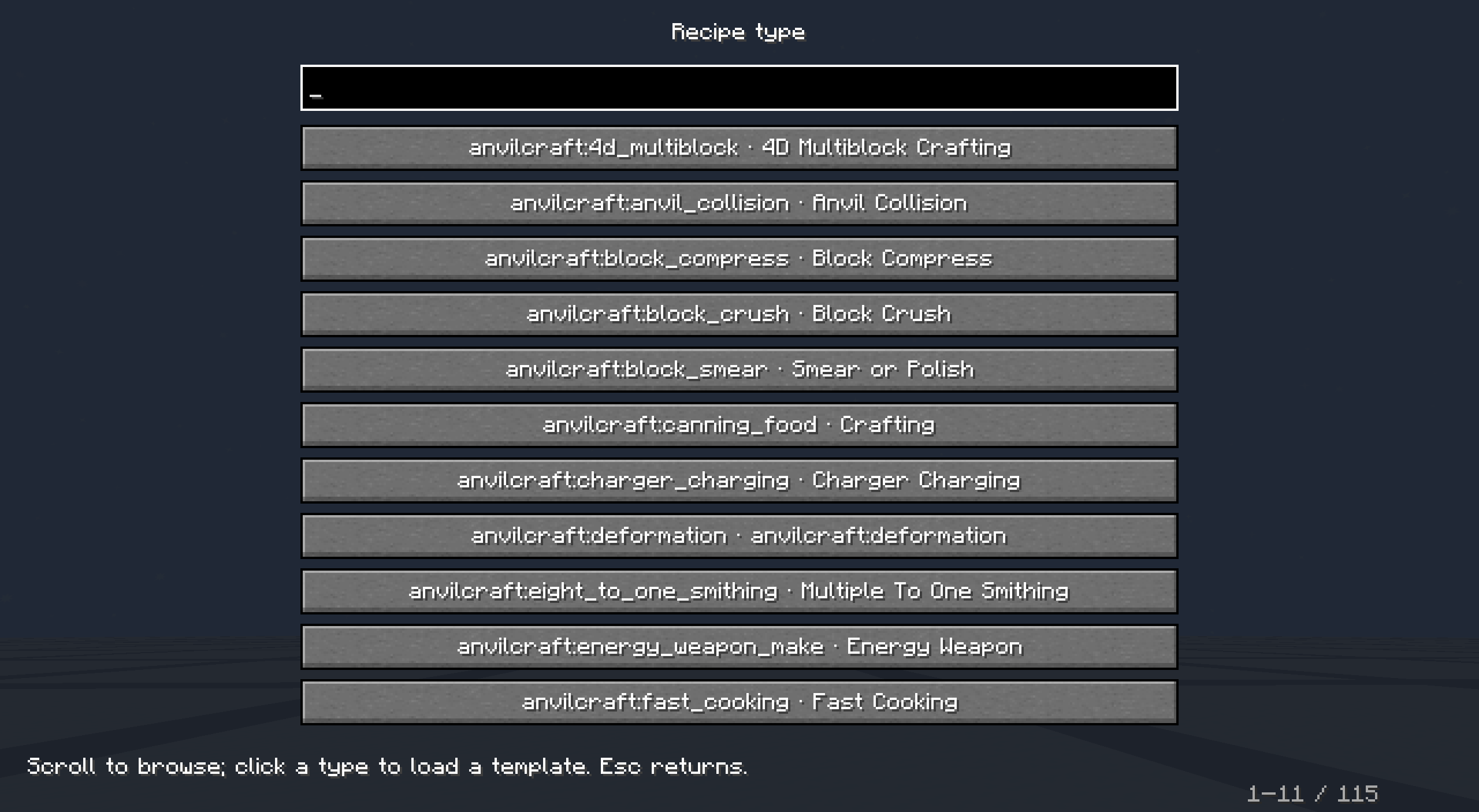
- Click Recipe Type and select a template from the searchable, scrollable list. The list includes vanilla templates and recognizable third-party datapack recipe types; third-party types use existing recipes as templates and preserve their original fields.
- The Copy to VJRM Editor book button on EMI recipe pages is shown by default. The JEI button follows the existing configuration and is hidden by default on first install. Bind Show/Hide JEI/EMI Recipe Copy Button under the Visual JEI Recipe Maker category in controls settings (unbound by default) to toggle visibility. The toggle is saved in
config/vjrm-client.tomland persists after restart; EMI usesshowEmiCopyButton, JEI usesshowJeiCopyButton. - Drag items or fluids from the JEI/EMI sidebar into bound recipe slots. The player’s main inventory and hotbar are shown below; you can only fill slots by dragging, clicking an inventory item will not fill the recipe.
- Drag-replacing preserves the slot’s original count; merging ingredient slots replaces the entire duplicate ingredient group. After clicking a recipe slot, you can enter an item/fluid ID and count, then click Apply Changes. Entering tags such as
#minecraft:logscan modify input tags. - Right-click to clear and remove crafting inputs; empty crafting slots can be filled again by dragging. Required fields and the last input are protected by serializer validation. Press Esc to return.
- Slots that cannot automatically map to JSON fields show a yellow border. First click the slot, select the JSON field, then click Bind Slot. Fuel, catalyst, and display-only slots are not exportable ingredients.
- Click Values at the top to search and modify existing numeric fields, including runtime, mana, energy, experience, probability, count, and nested parameters. Big integers, decimals, and scientific notation are supported; common numeric strings such as energy preserve the string type. The entire draft is validated together; Cancel discards changes.
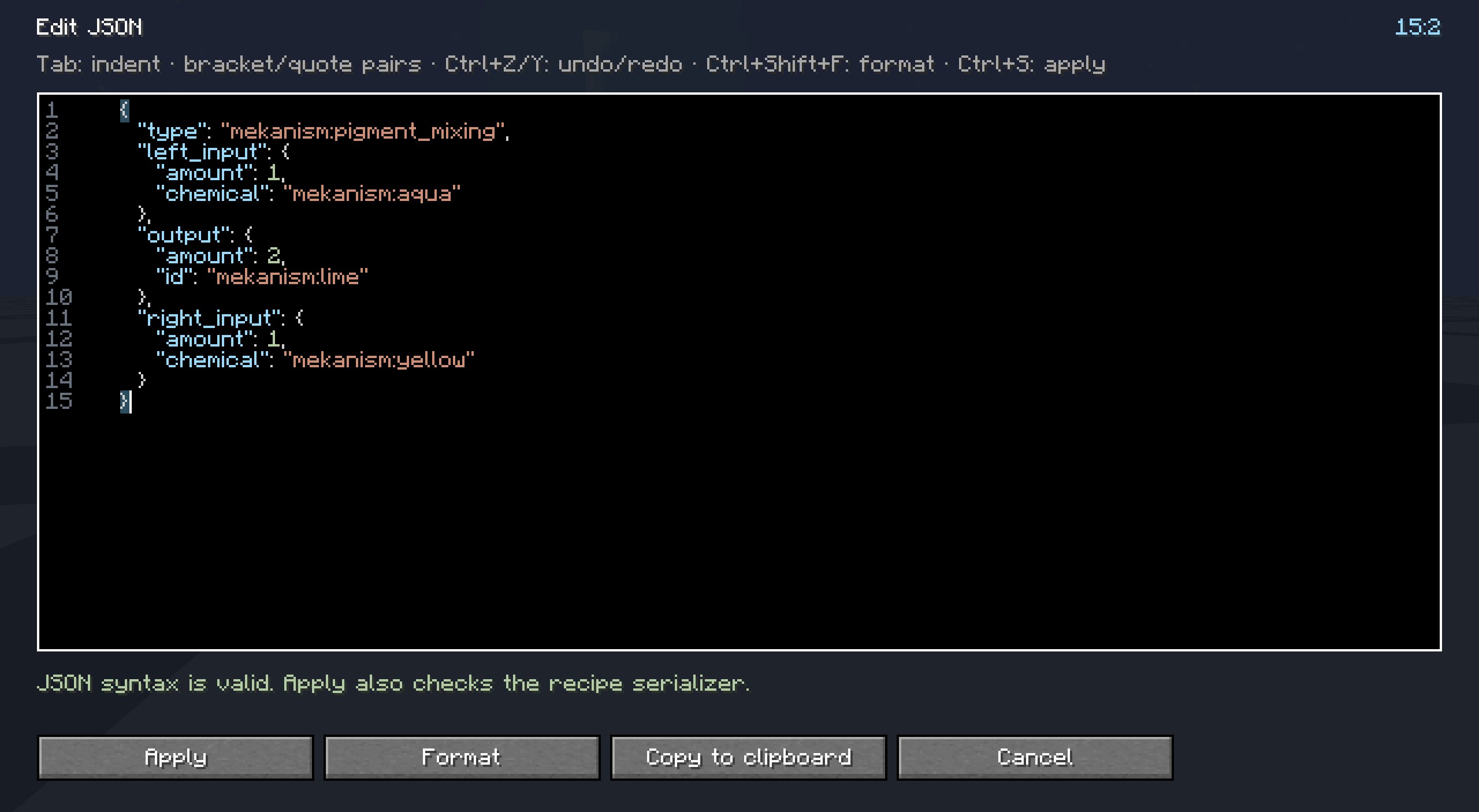
- Copy to Clipboard in Edit JSON copies the current draft as-is. The editor provides key, string, number, boolean/null, and error highlighting; line numbers, line/column position, matching bracket highlighting, bracket/quote completion, auto-indent on Enter, Tab indentation, Ctrl+Z/Y undo/redo, formatting, and live syntax error indications. Ctrl+Shift+F formats, Ctrl+S applies; Ctrl+A/C/V/X are supported. Before applying, the actual serializer validation is called.
- Enter a new recipe ID, for example
vjrm:my_recipe, and choose client-side or server-side export. Overwriting is refused by default and can be explicitly enabled.
Export
- Client:
<game directory>/vjrm_exports/vjrm_generated/data/<namespace>/recipe/<path>.json. - Server:
<world directory>/datapacks/vjrm_generated/data/<namespace>/recipe/<path>.json. - Both export methods create a complete datapack and
pack.mcmeta(Minecraft 1.21.1 datapack version 48). - After exporting, manually run
/reload; client-exported directories must first be copied to the world’sdatapacks. - Server export permission is controlled by
exportPermissionLevelinserverconfig/vjrm-server.toml, defaulting to OP level 2 and configurable from 0–4. - Original JSON reading is limited to 240000 characters; server export is limited to 24000 characters. If exceeded, use client-side export.
常见问题
Visual JEI Recipe Maker 支持哪些 Minecraft 版本?
Visual JEI Recipe Maker 支持 Minecraft Java 版 1.20.1–26.1.2,共 3 个版本,可用的加载器:Fabric / Forge / NeoForge。下载时注意选择和你游戏版本一致的文件。
Visual JEI Recipe Maker 怎么安装?
先用 PCL2 或 HMCL 启动器安装对应版本的 Fabric / Forge / NeoForge,再把下载的 .jar 文件放进游戏目录的 mods 文件夹,重新启动游戏即可。开启了版本隔离的,mods 文件夹在 versions/版本名 下面。
PureNeko 的其他作品
查看全部 →
Conveyor Belt Plus
by PureNeko, SoraHina309
A spline-based item logistics mod: belts that bend, logistical chutes that install themselves, and a splitter that shares the load.
535
今天
CurseForge

MCPhone Apps Extension
by PureNeko
Create MCPhone apps directly in game, organize them into home screen folders, and control access with per-player unlocks and item purchases.
396
15 天前
CurseForge
评论
登录后评论和评分