
Farm Shop + GUI
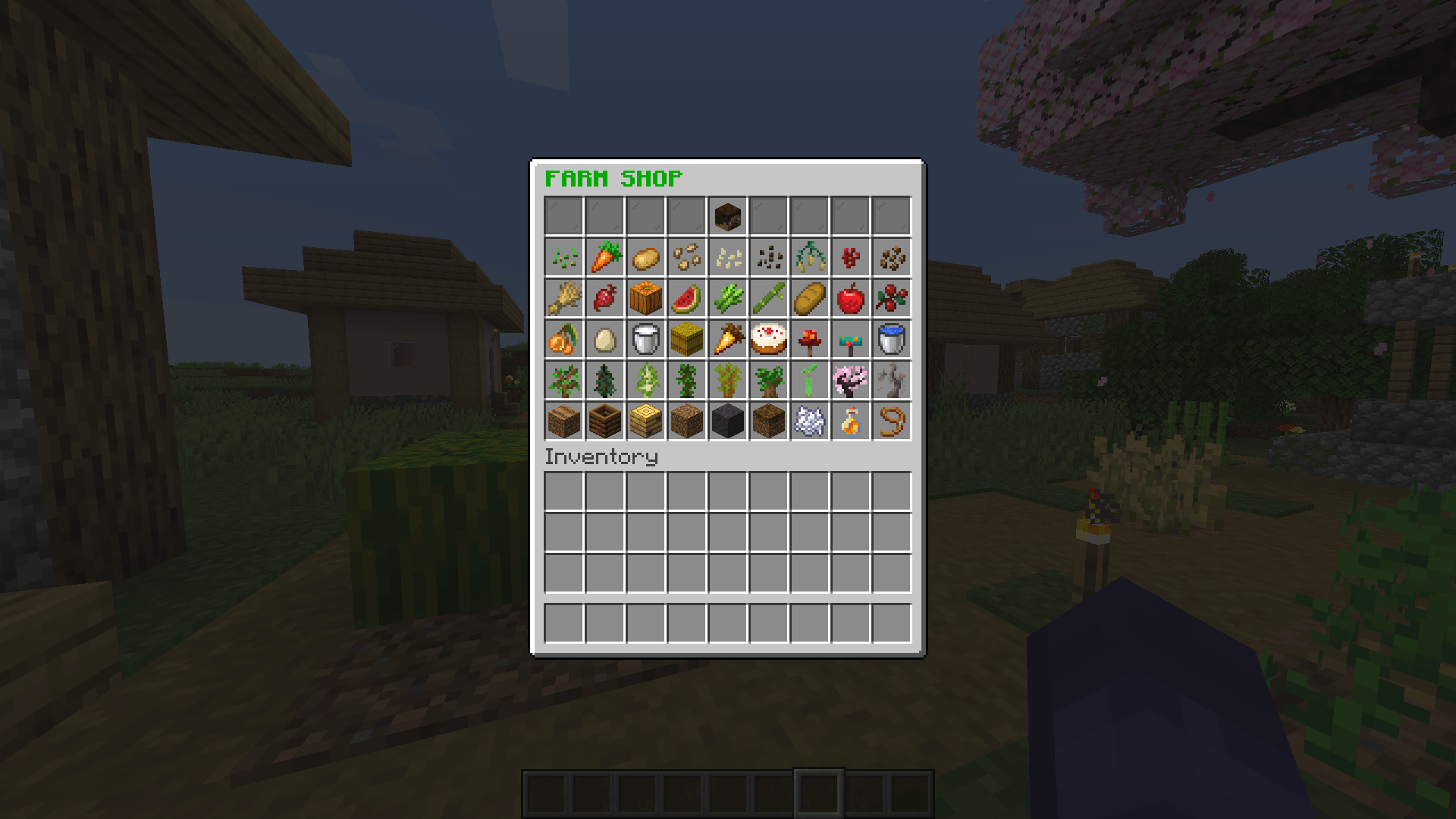
A lightweight farming shop system using a custom chest GUI to buy and sell crops, seeds, and farming utilities with emeralds.
截图
介绍
🌾 FARM SHOP GUI
FARM SHOP GUI is a lightweight, fully functional chest GUI shop system for Minecraft built using Scarpet. Designed for survival servers, farming worlds, and multiplayer SMPs, it provides players with an intuitive interface to buy and sell crops, seeds, and agriculture supplies directly using emeralds.
🔥 Key Features
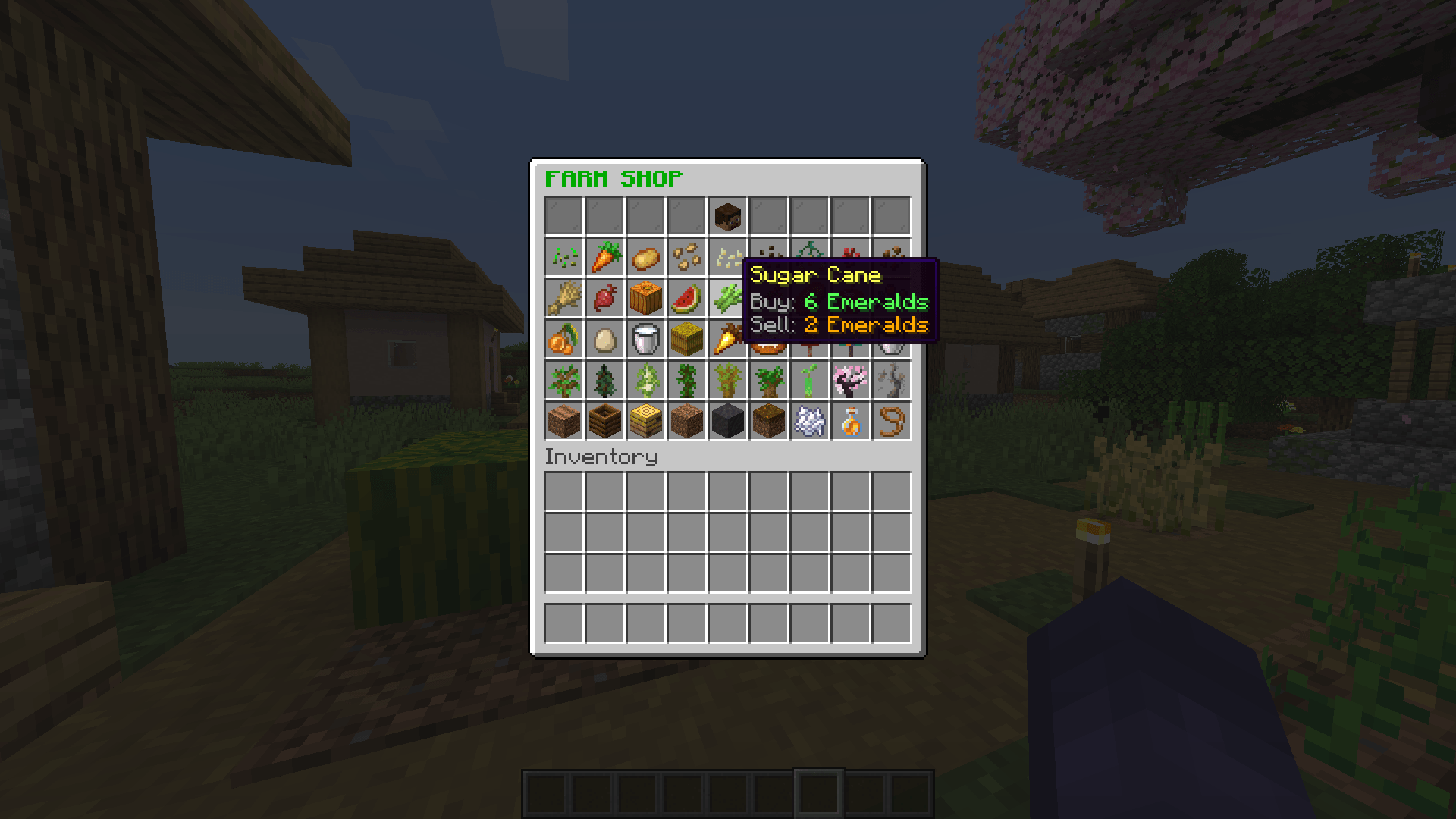
- 📜 Interactive Chest GUI: Opens a clean 54-slot chest interface with custom item names, detailed price lore, and themed visual slot fillers.
- 🪙 Balanced Economy System: Integrated emerald economy supporting both buying and instant selling of items:
- Buying: Left-click any catalog item to purchase using emeralds from your inventory.
- Selling: Right-click catalog items to sell harvested goods back for emeralds.
- 🌽 Extensive Farming Catalog: Pre-configured catalog featuring 24 distinct items spanning multiple farming tiers:
- Seeds & Crops: Seeds, Wheat, Potatoes, Carrots, Beetroots, Pumpkin, Melon, Nether Wart.
- Farm Goods & Food: Bread, Golden Carrots, Cakes, Honey/Milk Buckets, Berries, Hay Bales.
- Utilities & Blocks: Farmland, Water Buckets, Composters, Bee Nests, Soil Blocks.
- 🔊 Audio Feedback: Custom sound cues for opening shops, purchasing items, selling goods, or failed transactions.
🛠️ How to Use
- Type
/shopin-game to open the Farm Shop GUI. - Left-Click an item slot to buy 1x item with emeralds.
- Right-Click an item slot to sell 1x item for emeralds.
📌 Requirements
- Carpet Mod: Required to execute the
.scscript.
常见问题
Farm Shop + GUI 支持哪些 Minecraft 版本?
Farm Shop + GUI 支持 Minecraft Java 版 26.1.2–26.2,共 2 个版本,可用的加载器:Fabric。下载时注意选择和你游戏版本一致的文件。
Farm Shop + GUI 怎么安装?
先用 PCL2 或 HMCL 启动器安装对应版本的 Fabric,再把下载的 .jar 文件放进游戏目录的 mods 文件夹,重新启动游戏即可。开启了版本隔离的,mods 文件夹在 versions/版本名 下面。
MXRALITY 的其他作品
查看全部 →
MACE PRACTICE BOT
An advanced Mace PvP practice bot mod designed to spawn AI practice opponents and allies for combat drills.

UHC PRACTICE BOT
An advanced Fabric mod adding customizable PvP bots, automated terrain scanning, and UHC arena management to practice and refine combat mechanics.

Farmer NPC
Adds customizable Farmer NPCs that wander, follow players, and automatically farm, harvest, replant crops, and deposit excess loot into nearby barrels.

Customers NPC
Spawns dynamic NPC customers on lime wool that automatically buy items from players in exchange for emeralds.
评论
登录后评论和评分