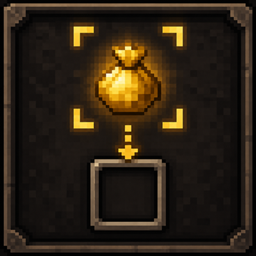
Tactical Loot
A tactical and customizable looting interface that makes item collection and inventory management more immersive and intuitive.
介绍
Tactical Loot
Tactical Loot redesigns the way you collect and manage loot in Minecraft.
Instead of immediately sending every picked-up item into your inventory, Tactical Loot provides a dedicated loot interface, allowing you to quickly inspect, select, move, or discard items before deciding what to keep.
The goal is to make looting feel cleaner, more deliberate, and more immersive without changing Minecraft’s core inventory system.
✨ Features
Dedicated Loot Interface
Nearby loot can be displayed in a separate interface instead of being instantly mixed into your inventory.
This makes it much easier to check what you actually picked up, especially after combat or when many items are dropped at once.
Quick Item Transfer
Use Shift + Right Click to quickly move items between the loot container and your inventory.
Useful when you already know exactly what you want to take.
Manual Drag & Drop
Items can be dragged directly into the inventory slot you want.
Tactical Loot does not force items into the next available slot, giving you full control over inventory organization.
Move Items Back
The interface works both ways.
You can move unwanted items from your inventory back into the loot area, making it easier to reorganize your inventory without constantly opening and closing different screens.
Customizable UI
The loot interface can be adjusted to suit different screen sizes and layouts.
You can customize:
-
UI position
-
UI scale
-
Interface layout
This allows Tactical Loot to work comfortably with different resolutions, GUI scales, and personal preferences.
Smooth UI Animations
The interface uses smooth transition animations to make opening, closing, and interacting with the loot screen feel more natural while keeping the visual style close to Minecraft.
🎯 Why Tactical Loot?
Minecraft’s default item pickup system is fast, but it can become messy when dozens of items are scattered across the ground.
Tactical Loot gives you more control over that process.
Instead of:
Pick up everything → Inventory gets filled → Open inventory → Sort everything manually
You can simply:
Inspect → Choose → Organize → Continue
It is designed to improve inventory management without turning the game into a completely different experience.
🛠 Compatibility
Tactical Loot is designed to work alongside most inventory, performance, and quality-of-life mods.
If you encounter compatibility problems or unexpected behavior, please report them through the project’s issue tracker.
💬 Feedback
Bug reports, compatibility reports, and feature suggestions are welcome.
If you find an issue, please include your:
-
Minecraft version
-
Mod loader version
-
Tactical Loot version
-
Installed related mods
-
Relevant logs, if available
Enjoy a cleaner and more controlled way to loot.
Tactical Loot — Take what you need. Leave what you don’t.
常见问题
Tactical Loot 支持哪些 Minecraft 版本?
Tactical Loot 支持 Minecraft Java 版 1.20.1–1.21.1,共 2 个版本,可用的加载器:Fabric / Forge / NeoForge。下载时注意选择和你游戏版本一致的文件。
Tactical Loot 怎么安装?
先用 PCL2 或 HMCL 启动器安装对应版本的 Fabric / Forge / NeoForge,再把下载的 .jar 文件放进游戏目录的 mods 文件夹,重新启动游戏即可。开启了版本隔离的,mods 文件夹在 versions/版本名 下面。
shouyun 的其他作品
查看全部 →
Chat Canvas
A client-side visual chat HUD editor with customizable layouts, text styles, player colors, mentions, notifications, and a persistent command clipboard.

Smoking Warning
Smoking Warning Mod is a Minecraft 1.21.1 + NeoForge survival expansion mod.

Betel Nut
First official release, featuring betel nut trees, flavored betel nuts, the addiction and withdrawal system, Farmer's Delight Refabricated integration, and farmer villager trades.
评论
登录后评论和评分