
截图
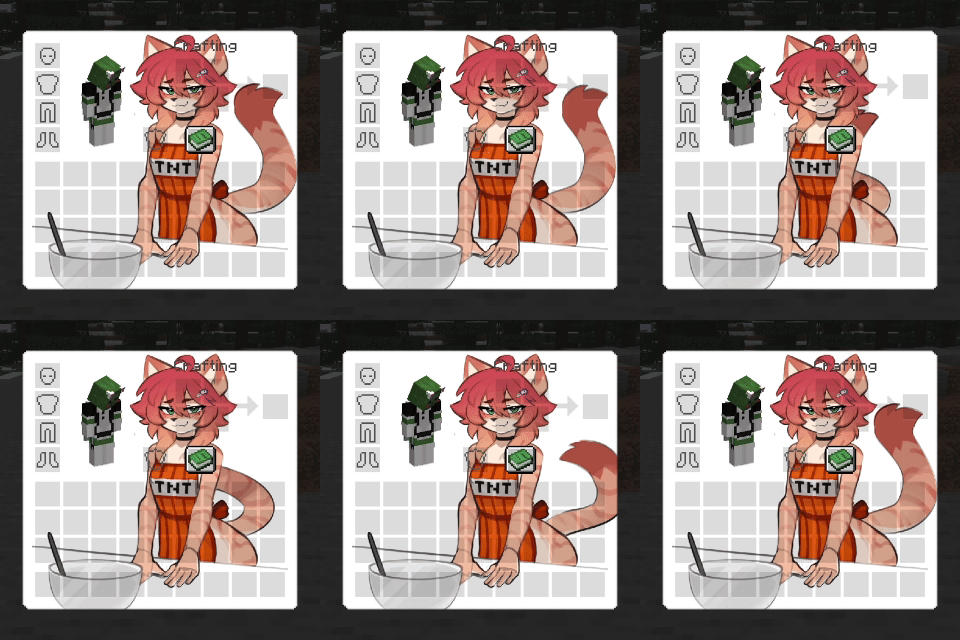
介绍
✨ Bring Minecraft’s textures to life! ✨
🟥🟧🟨🟩🟦🟪🟥🟧🟨🟩🟦🟪🟥🟧🟨🟩🟦🟪
Vanilla only animates a handful of blocks and items. Animatica lets resource packs animate almost everything else. 🎨
🟥🟧🟨🟩🟦🟪🟥🟧🟨🟩🟦🟪🟥🟧🟨🟩🟦🟪
🌟 What’s inside
- 📦 Drop-in compatible: loads animations from resource packs in the OptiFine / MCPatcher format (
optifine/anim/*.properties) - 🖼️ Animate what vanilla can’t: entity skins, GUI backgrounds, armor layers and other textures
- ⏱️ Full control: custom frame order and frame durations
- 🌊 Smooth transitions: optional frame interpolation
- 🔘 One-click toggle: “Animated textures” button in Options → Video Settings, saved between launches
- 🖥️ Client-side only: nothing to install on the server
🟥🟧🟨🟩🟦🟪🟥🟧🟨🟩🟦🟪🟥🟧🟨🟩🟦🟪
💛 Credits
This project is a port of Animatica by FoundationGames, the original author of the mod.
Original project: https://github.com/FoundationGames/Animatica
Licensed under LGPL-3.0, the same license as the original. Source code of this port: https://github.com/zooblades/another-animatica-port
🔄 How this port differs from the original
The features are the same as in the original mod: this port adds no new gameplay features. What is different:
- More versions and loaders. The original is a Fabric mod for Minecraft 1.20 (it also happens to run on 1.19.4). This port is built for Fabric 1.21.11, 26.1, 26.2 and 26.3, and for NeoForge 1.21.1, 26.1, 26.2 and 26.3, a separate build for each version.
- Reworked rendering hooks. Since Minecraft 1.21.5 the rendering code has changed, so the way textures are swapped for animated ones and the way frames are uploaded and blended (colors) were rewritten for the new versions.
- Video settings button adapted to the redesigned video settings screen.
- Updated project metadata: new icon and authorship info; the original author is credited as above.
常见问题
Another Animatica Port 支持哪些 Minecraft 版本?
Another Animatica Port 支持 Minecraft Java 版 1.21.1–26.3,共 6 个版本,可用的加载器:Fabric / NeoForge。下载时注意选择和你游戏版本一致的文件。
Another Animatica Port 怎么安装?
先用 PCL2 或 HMCL 启动器安装对应版本的 Fabric / NeoForge,再把下载的 .jar 文件放进游戏目录的 mods 文件夹,重新启动游戏即可。开启了版本隔离的,mods 文件夹在 versions/版本名 下面。
nazarbatrider 的其他作品
查看全部 →
Action And Stuff Tools
1.0 版本《Action And Stuff》中工具的原版风格材质翻译

Action Stuff Tools (batrider’s Better Tools)
为工具带来原版风格的材质,适用于 1.0 版 Action And Stuff。

Pusheen GUI Java
添加 Pusheen 主题 GUI

Classic Look – Programmer Art
以 1.0-1.8 风格修复程序员艺术
评论
登录后评论和评分