
介绍
LingGemShop (FTB Quest Shop & Economy System)
LingGemShop is a modern, fully customizable in-game shop and Primogem economy mod designed for Minecraft NeoForge 1.21.1. Built for progression modpacks, skyblocks, and industrial airship adventures.
You are free to include this mod in your modpacks
1. Custom Shop GUI & Smart Searching
Sidebar Category Tabs: Instantly switch between mod categories on the left panel.
Real-time Search Bar**: Type item names or mod IDs (e.g. create: aeronautics:) to filter items instantly.
Bulk Quantity Selector: Easily purchase items in bulk using custom numeric input, quick multiplier buttons ( – + x 64, MAX), and dynamic cost calculations.
Keyboard Focus Protection: Intercepts typing inside text inputs so pressing keys like E ,Q or numbers will not close the GUI or drop items.
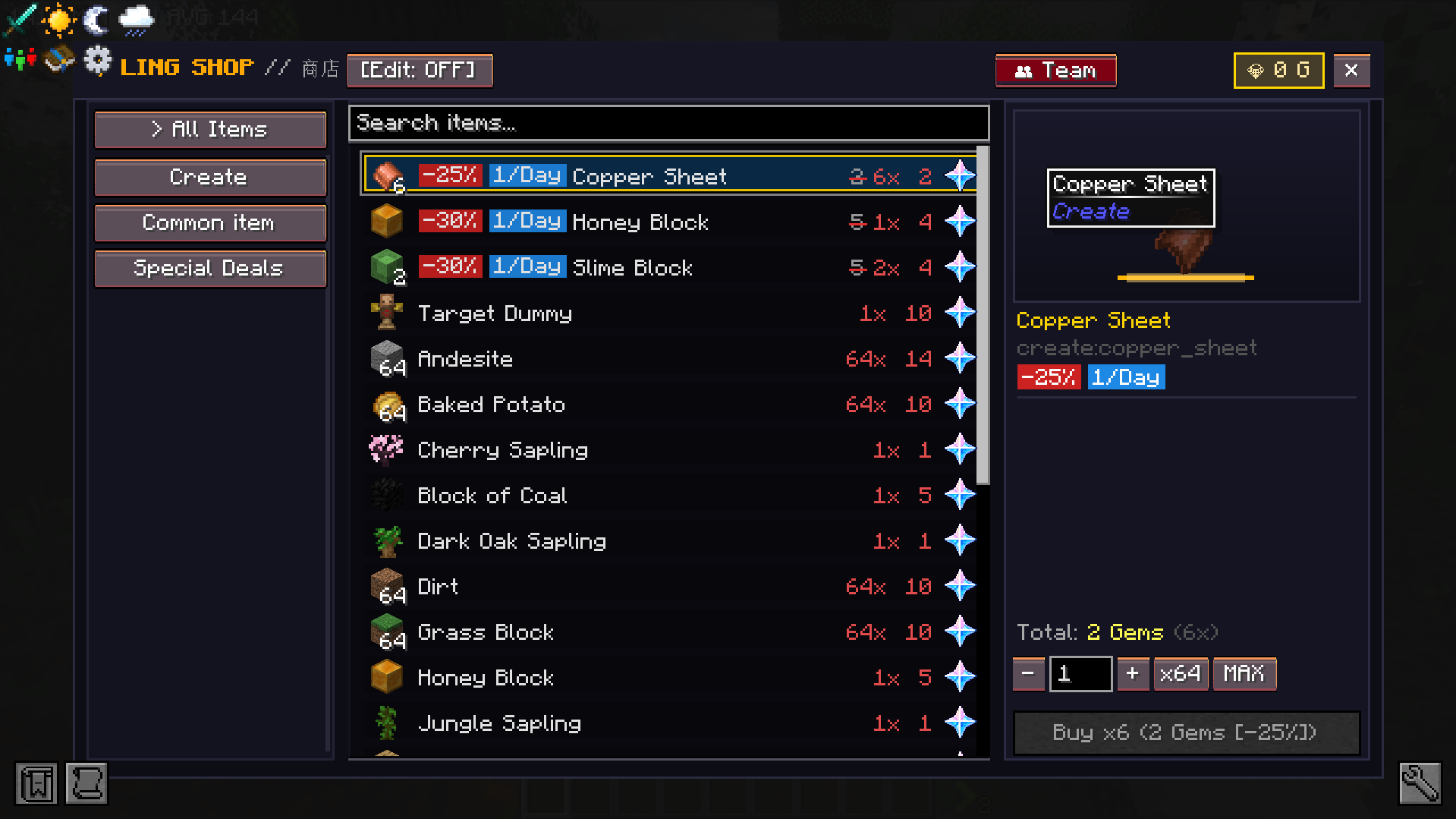
2. Multi-Access System
Inventory GUI Button: Automatic Shop button integrated directly inside player inventory (E key).
HotkeysPress B to open the shop anywhere.
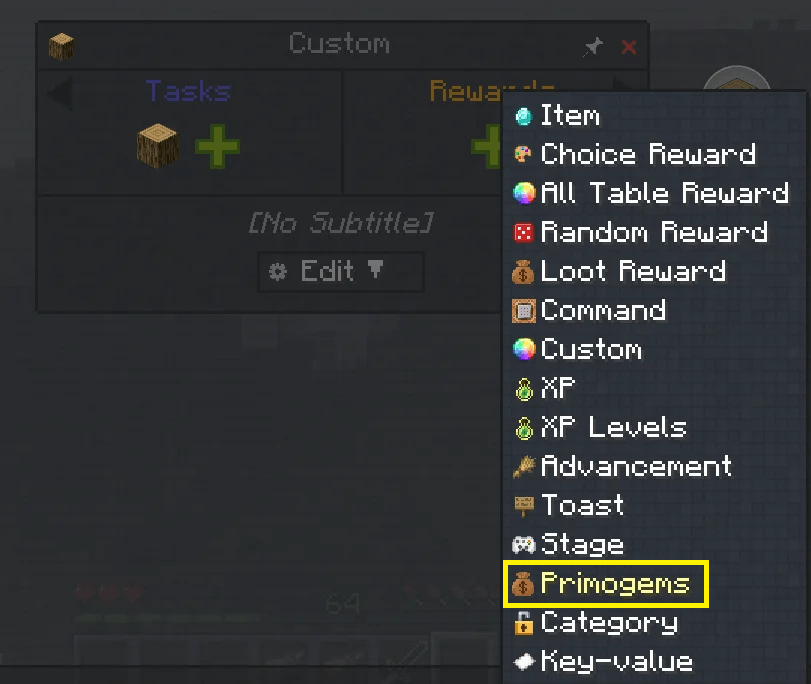
FTB Quests Integration: Access shop directly from the FTB Quests book header icon.
In-Game Commands: Use /shop or /hqs shop at any time.
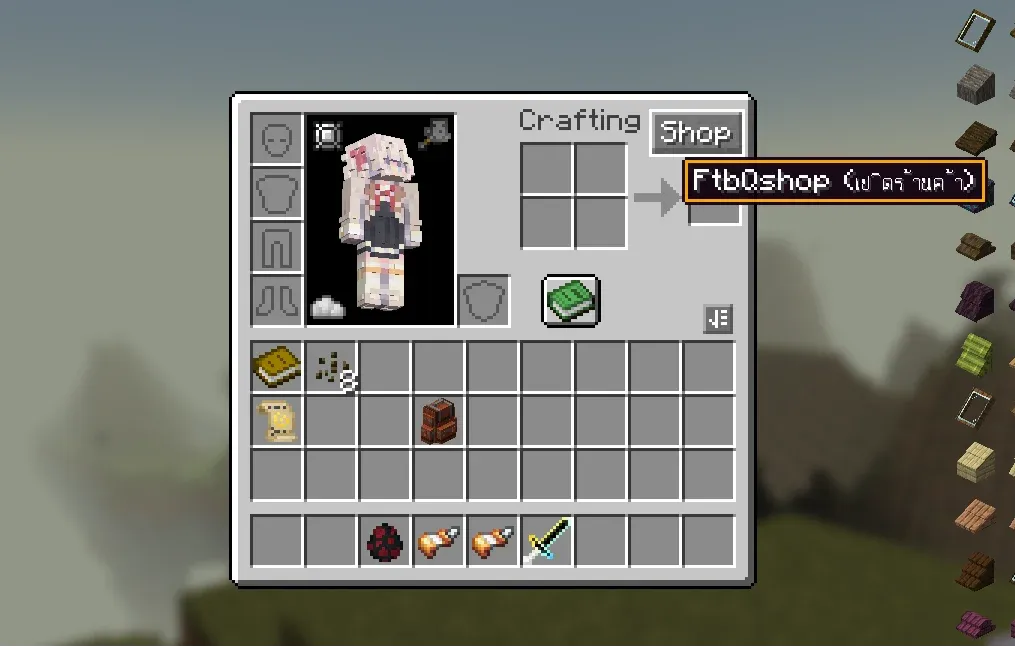
3. Built-in Mod Support & Rarity Pricing
Pre-configured shop catalogs with multi-tiered Rarity pricing for:
- Create Mod (Kinetic machines, gears, casings, and logistics)
- Create Aeronautics (Propellers, airship hulls, thrusters, and physics tools)
- Ars Nouveau (Spellbooks, archmage robes, and source gems)
- Iron’s Spells ‘n Spellbooks (Scrolls, spellbooks, and wizardry gear)
- L_Ender’s Cataclysm (Boss relics and legendary weapons)
- Pioneer Supplies & Industrial Tools (Survival gear and tools)
- Mineral Exchange (Sell raw ores and surplus materials for Primogems)
4. Fully Customizable
You can configure and customize shop entries and categories in 3 easy ways:
-
In-Game Creative Mode UI: Toggle
[Edit: ON]inside the shop GUI to add/modify items and categories directly. -
Config Directory: Files located in
config/ling_q_shop/shop_categories/*.jsonandconfig/ling_q_shop/shop_entries/*.json. -
Datapack Support: Override or add items via Datapacks.
Commands & Permissions
Command Permission Description
/hqs shop | All Players | Opens the FtbQshop GUI
/hqs balance | All Players | Checks your Primogem balance
/hqs addcoins <player> <amount> | Admin (OP level 2) | Adds Primogems to a player
/hqs removecoins <player> <amount> | Admin (OP level 2) | Removes Primogems from a player
/hqs setcoins <player> <amount> | Admin (OP level 2) | Sets exact Primogem balance for a player
Datapack Configuration
https://www.curseforge.com/minecraft/data-packs/questshop-examples
Datapacks are loaded from `data/questshop/questshop/`:
Folder Structuredata/
└── questshop/
└── questshop/
├── shop_categories/
│ └── example_category.json
└── shop_entries/
└── example_entries.json
常见问题
LingGemShop 支持哪些 Minecraft 版本?
LingGemShop 支持 Minecraft Java 版 1.21.1,可用的加载器:NeoForge。下载时注意选择和你游戏版本一致的文件。
LingGemShop 怎么安装?
先用 PCL2 或 HMCL 启动器安装对应版本的 NeoForge,再把下载的 .jar 文件放进游戏目录的 mods 文件夹,重新启动游戏即可。开启了版本隔离的,mods 文件夹在 versions/版本名 下面。
LINGling01 的其他作品
查看全部 →
Frieren Flight – Iron’s Spells
Iron的法术与魔法书的沉浸式魔法扩展,灵感来自《葬送的芙莉莲》,并加入了《为美好的世界献上祝福!》中的经典魔法!
FIX UI nightfall
Fixed dedicated server crashes and GUI rendering crashes.
Iron’s Spell Tweaker GUI
allows players and modpack creators to freely tweak, balance, and customize all spells from Iron's Spells 'n Spellbooksand various Addons

Garden Of Dreams
Build a massive factory. Create magic. Iron's Spells 'n Spellbooks. Ars Nouveau. Journey to new dimensions: Twilight Forest, The Aether, Everbright, and The Otherside. Confront bosses: Ignis, Netherite Monstrosity. FTB Quests system.
评论
登录后评论和评分