介绍
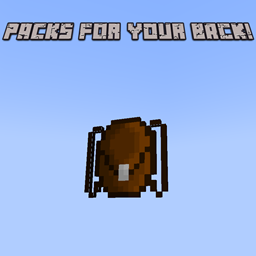
This is a backpack mod that adds a variety of new backpacks, some new ingredients and a new workstation.
The new crafting ingredients are:
-Cobblestone nugget: Crafted from a piece of cobblestone, can be crafted back into cobblestone.
-Decomposing plant matter: Made from 1 bonemeal in the center, 4 leaves around it and 4 wheat seeds in the corner.
-Tanned leather: Made from leather and decomposing plant matter in the tanner.
The new workstation is:
-Tanner: Crafted with 3 smooth stone slabs on the bottom row, 1 barrel in the middle and 5 cobblestone nuggets on the rest of the slots. On redstone activation it will produce 1 tanned leather if it has leather in the first slot and decomposing plant matter in the second. Its cooldown is 1 second.
The new backpacks are:
-Crude backpack: Crafted with a cobblestone nugget in the middle and 4 leather surrounding it. It has 3 slots.
-Miner’s Backpack: Made with a gold block in the middle, a coal block in the top center, an iron block in the top left, a lapis block in the top right and 5 tanned leather filling out the rest of the slots. Has 12 slots for storage and 1 slot for fuel where you can put a lava bucket and receive five minutes of haste 2.
-Standard backpack: Made with a tripwire hook surrounded by 8 tanned leather. Has as many slots as a chest.
-Large backpack: Made with a standard backpack and 6 tanned leather, 3 in the bottom row, 2 in either side of the standard backpack and 1 in the top center slot. Has as many slots as a double chest.
-Freezing backpack: Made with a standard backpack surrounded by blue ice. Only has 1 input slot, where you can put your water bucket to freeze it to 1-10 packed ice and 1-10 snow blocks. Is also used for a secret achievement, have fun finding it!
常见问题
Packs for your back! 支持哪些 Minecraft 版本?
Packs for your back! 支持 Minecraft Java 版 1.20.1,可用的加载器:Forge。下载时注意选择和你游戏版本一致的文件。
Packs for your back! 怎么安装?
先用 PCL2 或 HMCL 启动器安装对应版本的 Forge,再把下载的 .jar 文件放进游戏目录的 mods 文件夹,重新启动游戏即可。开启了版本隔离的,mods 文件夹在 versions/版本名 下面。

评论
登录后评论和评分