
截图
介绍
MCRadio
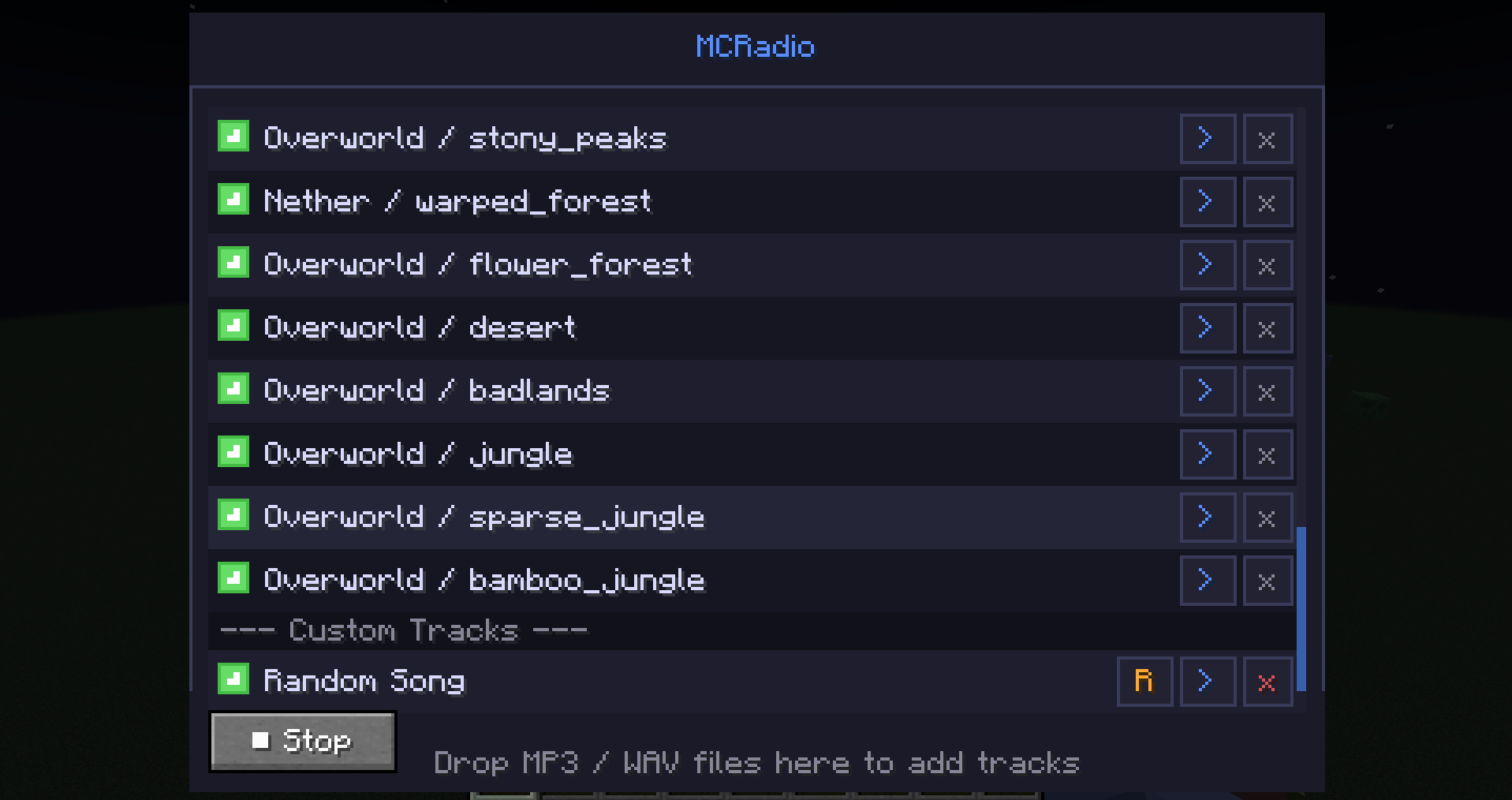
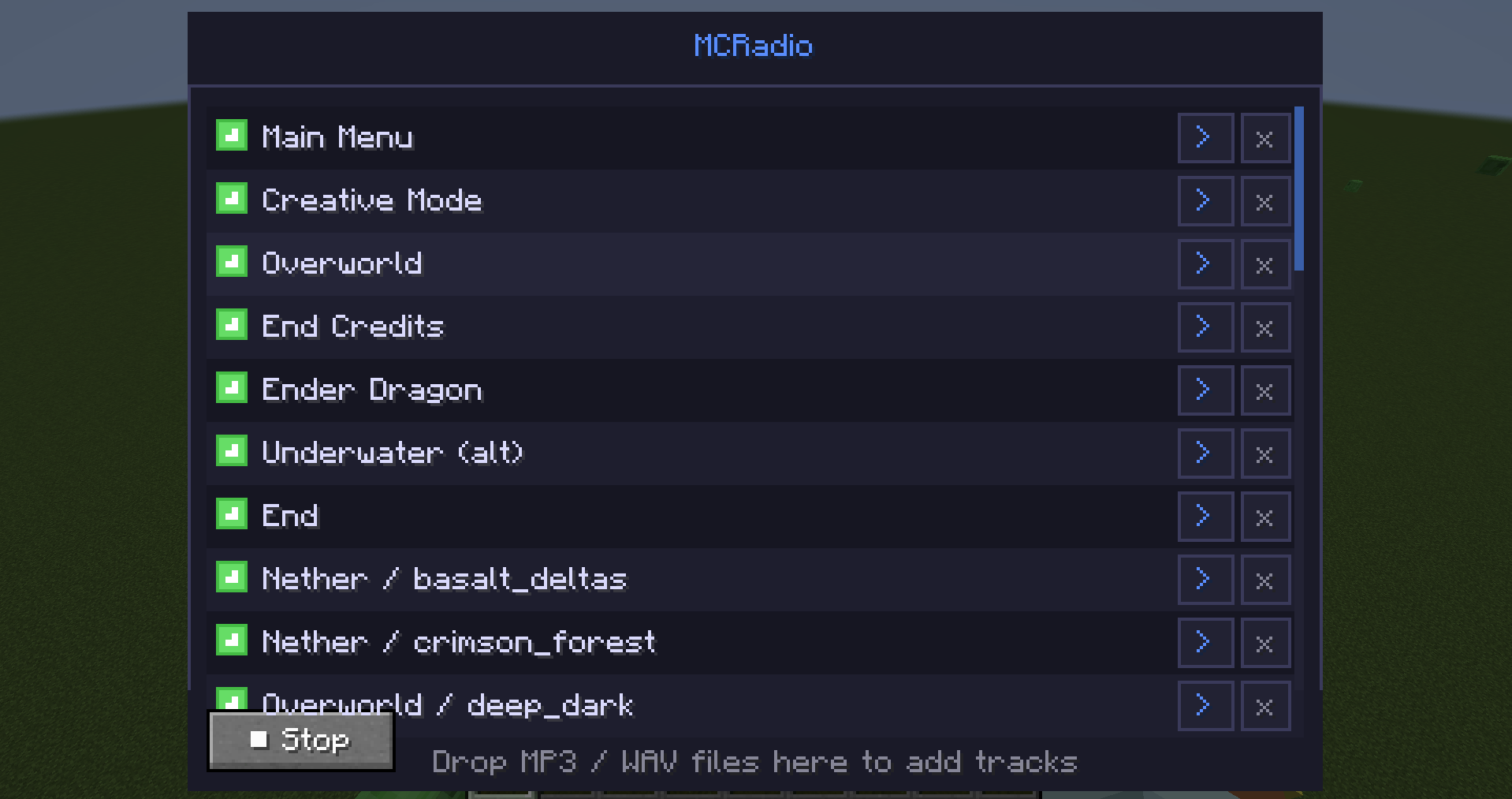
Take full control of Minecraft’s music. MCRadio adds an in-game GUI that lets you manage, play, and customize every music track — vanilla, modded, and your own files.
Opening the GUI
Press P (rebindable in Controls → MCRadio) to open the MCRadio panel at any time while in-game.
Features
All music in one place
Every vanilla Minecraft music track is listed automatically — overworld, nether biomes, the end, menus, and more. Music added by other mods is also detected and shown automatically.
Enable / Disable tracks
Each track has a checkbox. Uncheck a track to prevent it from ever playing naturally in-game. Re-check it to allow it again. Your choices are saved between sessions.
Play any track on demand
Every track has a play button. Click it to start that track immediately. Click again (or press Stop) to stop it. Only one track plays at a time.
Block music overlap
While MCRadio is playing a track, the game’s music system is suppressed — no other music will start on top of it.
Custom tracks (MP3 & WAV)
Drag and drop .mp3 or .wav files directly onto the MCRadio panel to add your own music. Custom tracks appear in a separate section of the list and can be played, enabled/disabled, renamed, or removed.
Rename custom tracks
Custom tracks can be renamed to anything you like using the rename button on each row.
Persistent settings
All enabled/disabled states, custom track names, and custom file paths are saved to <game directory>/mcradio/data.json and restored every time you launch.
Compatibility
- Works alongside other mods — music added by other mods is automatically picked up
- Client-side only — does not need to be installed on servers
常见问题
MCRadio 支持哪些 Minecraft 版本?
MCRadio 支持 Minecraft Java 版 1.20.1–26.1.2,共 2 个版本,可用的加载器:Fabric / Forge。下载时注意选择和你游戏版本一致的文件。
MCRadio 怎么安装?
先用 PCL2 或 HMCL 启动器安装对应版本的 Fabric / Forge,再把下载的 .jar 文件放进游戏目录的 mods 文件夹,重新启动游戏即可。开启了版本隔离的,mods 文件夹在 versions/版本名 下面。
RoboDor 的其他作品
查看全部 →
TensuraMorph
通过 Remorphed 将拟态能力加入游戏

Leveled Drops
该模组是 bittu5134 的数据包“minecraft but your xp = your multiplier”的重制版

TitleHook
Complete Quests and earn Titles that you can show off to your friends
评论
登录后评论和评分