截图
介绍
QuickStack & Craft — 1.21.1 Fork (NeoForge + Fabric)
Terraria-style inventory management for Minecraft: quick-stack items into nearby containers, dump your inventory in one click, protect favorited slots, and craft using items pulled straight from nearby storage.
This began as a 1.21.1 compatibility/crash fix for the original mod and grew into a full fork with new features, safety fixes, and mod integrations — now on both NeoForge and Fabric.
✨ Features
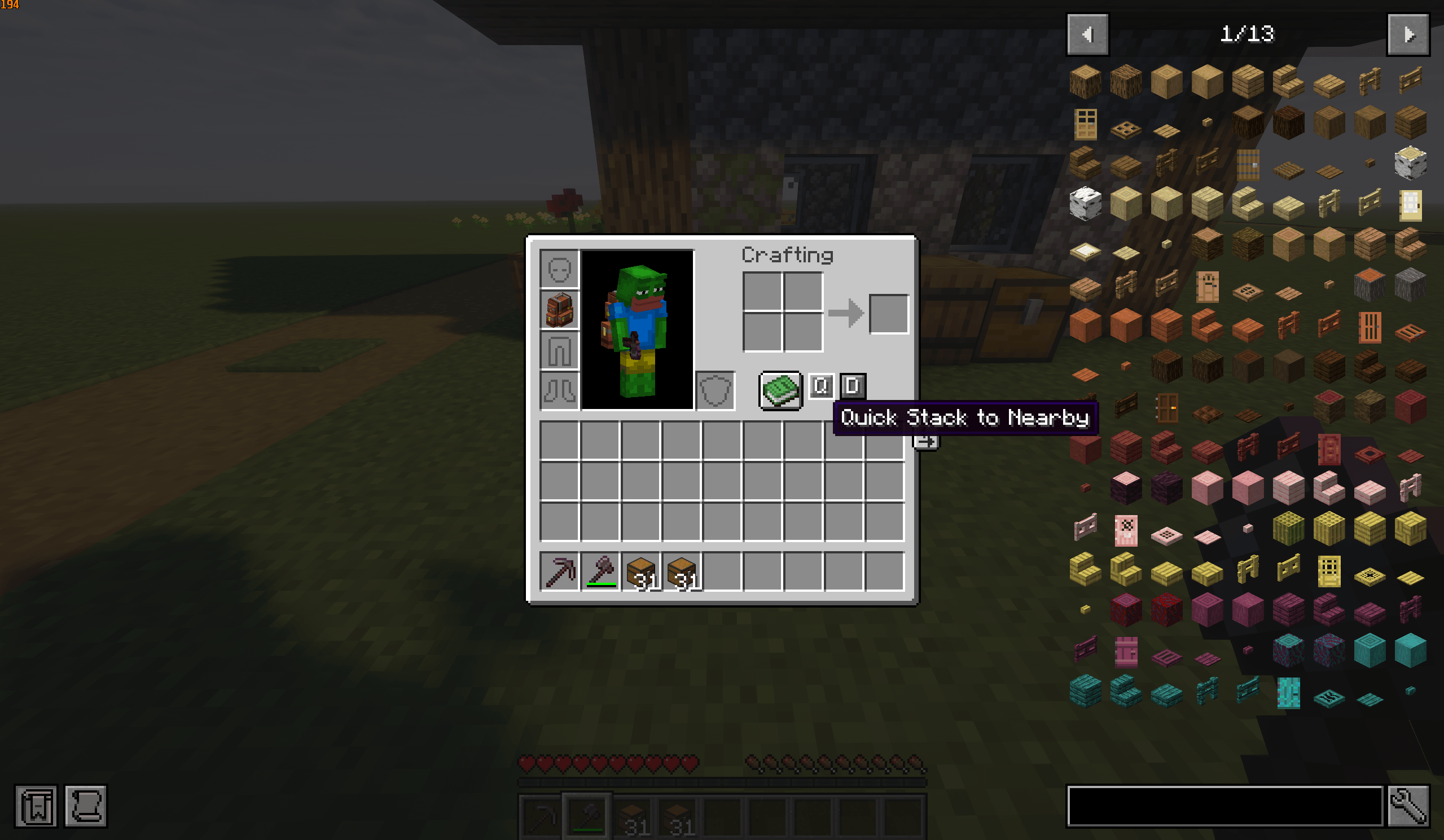
- Quick Stack — instantly send items into nearby chests/barrels that already hold matching items.
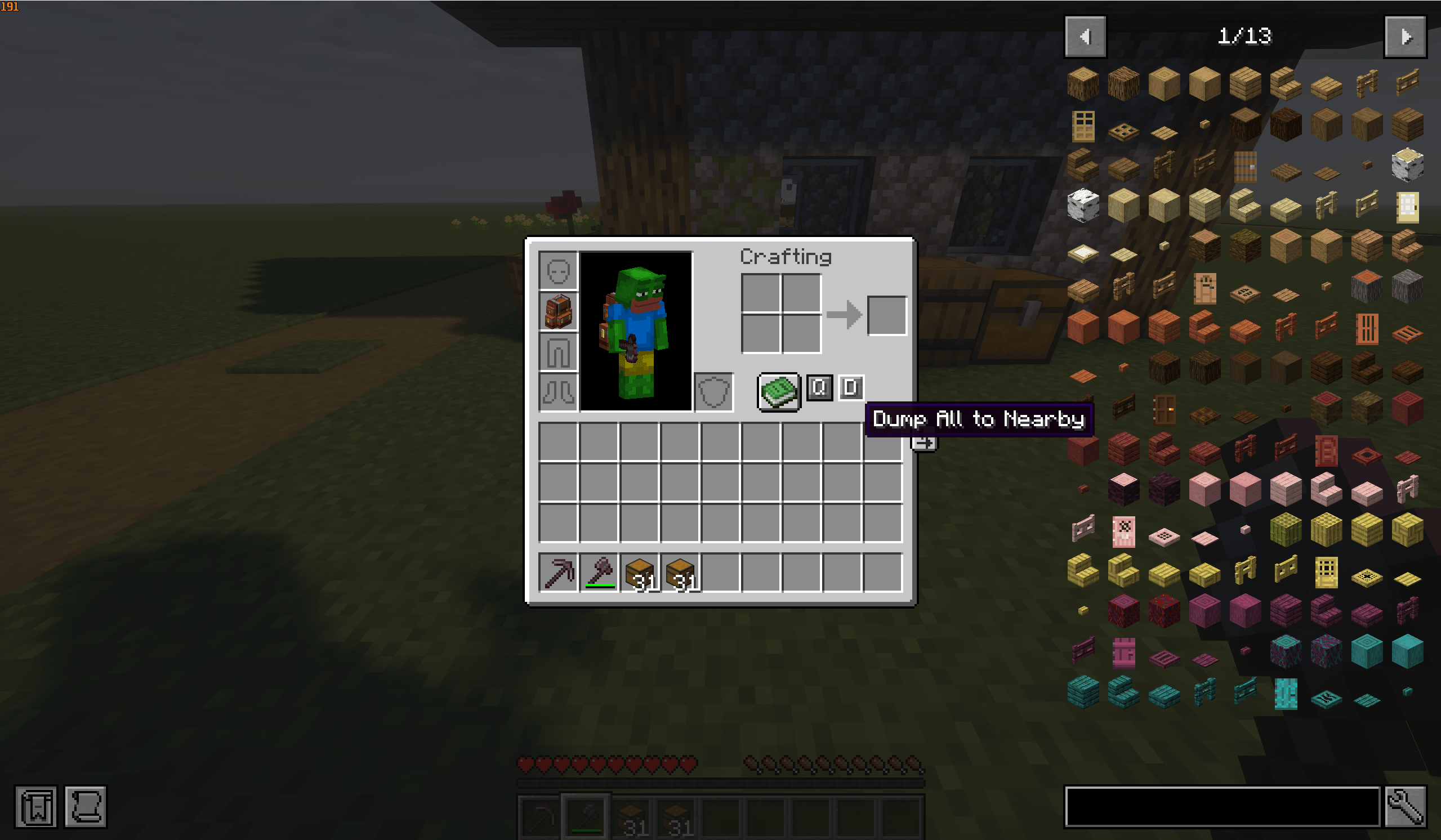
- Dump All — empty your inventory into nearby storage in a single click.
- Favorite Protection — Alt-click a slot to mark it a favorite; favorited slots are never moved. Works (highlight and toggle) in your inventory and any container screen — chests, backpacks, etc.
- Craft from Nearby (JEI) — the
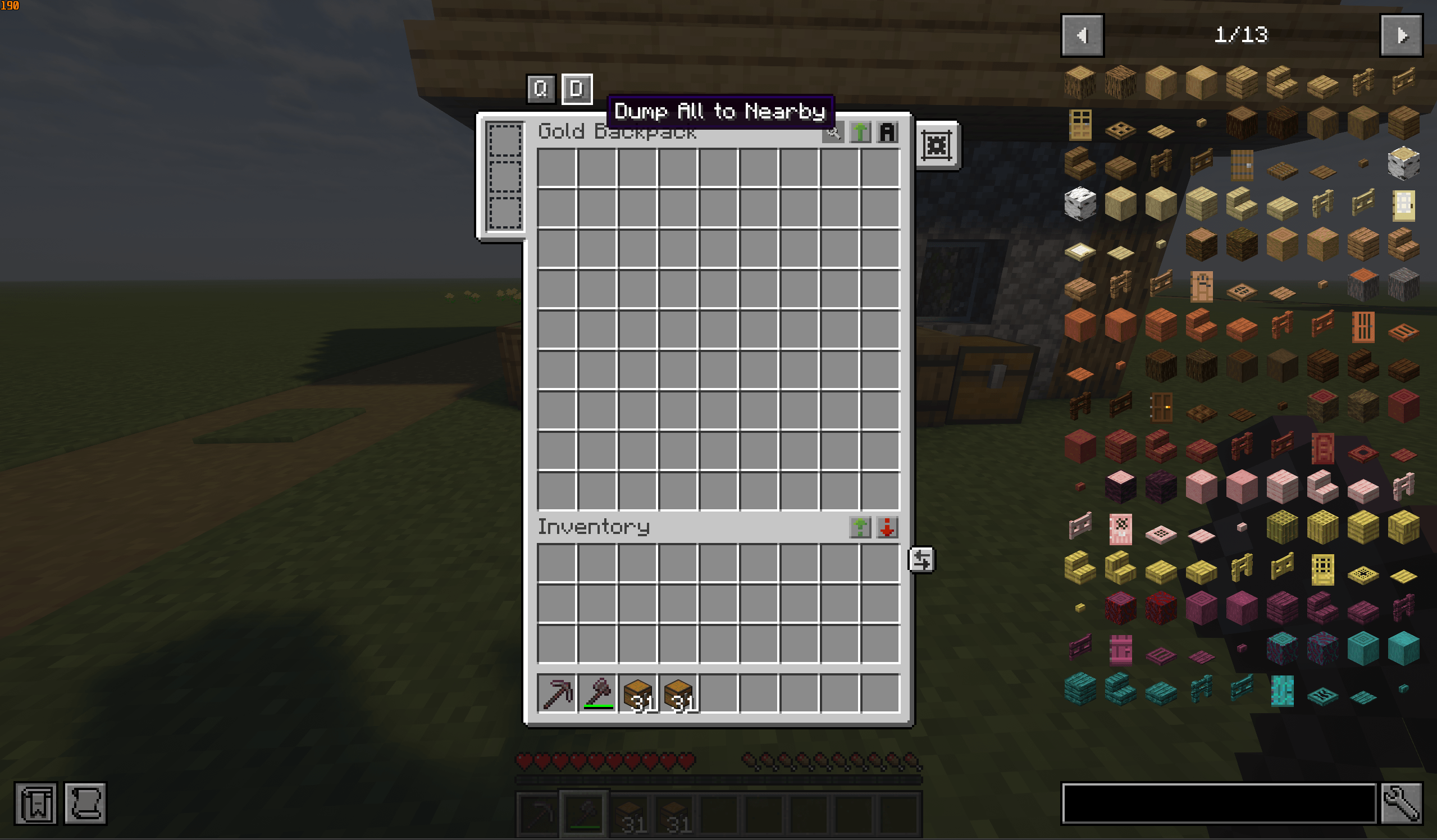
[+]button pulls ingredients from your inventory and nearby containers. It matches any valid variant of a recipe, so it fires instantly instead of waiting for JEI to cycle to an item you happen to own. - Sophisticated Backpacks integration — Quick Stack / Dump buttons right on the backpack screen, moving the backpack’s contents into nearby storage without shuffling them through your inventory first.
- Storage-safe targeting — deposits into real storage only (chests, barrels, shulkers, drawers, and other recognized modded storage). Machines, generators, furnaces, and trash cans are excluded, so your items can’t be consumed or lost.
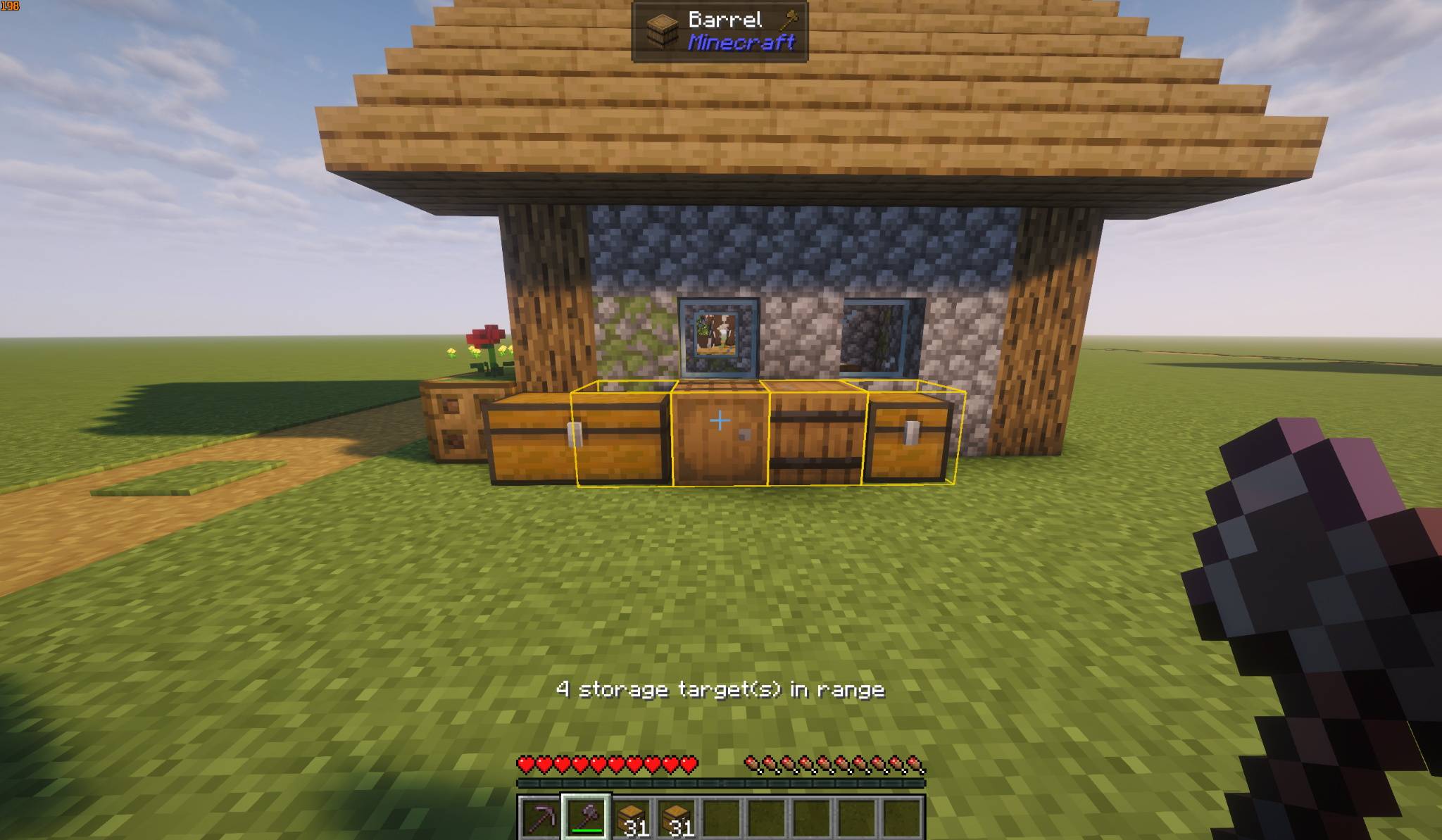
- Preview where loot goes — a keybind highlights every eligible container in range before you commit.
- Easy list editing — look at any block and press a keybind (or use
/quickstackcraft whitelist add) to include/exclude it as a target. No config editing required. - Configurable — targeting mode, scan radius, highlight color/opacity/duration, and per-block blacklist/whitelist.
🤝 Mod compatibility
- ItemLocks — slots you lock with ItemLocks are never quick-stacked or dumped. ItemLocks is the shared “lock layer,” so this also lines up with ClientSort.
- Sophisticated Storage / Backpacks — full support on both loaders (official mods on NeoForge, community Fabric ports on Fabric).
- Modded storage in general — works with anything exposing standard item storage (NeoForge capabilities / the Fabric Transfer API): drawers, Ender Storage, and more.
🔧 What this fork changes vs. the original
- Fixes the mixin crash that stopped the original from loading on Minecraft 1.21.1.
- Adds a storage-only safety filter — no more items vanishing into machine input slots.
- Reworks JEI craft-from-nearby to use any recipe variant you own.
- Adds Sophisticated Backpacks support, an in-game target preview, easy keybind/command list editing, and favorites in every container screen.
- Fabric support with full feature parity.
⚙️ Configuration
- NeoForge:
config/quickstackcraft-common.toml - Fabric:
config/quickstackcraft-fabric.json— plus an in-game config screen if Cloth Config + Mod Menu are installed (Mod Menu → QuickStack & Craft → Config).
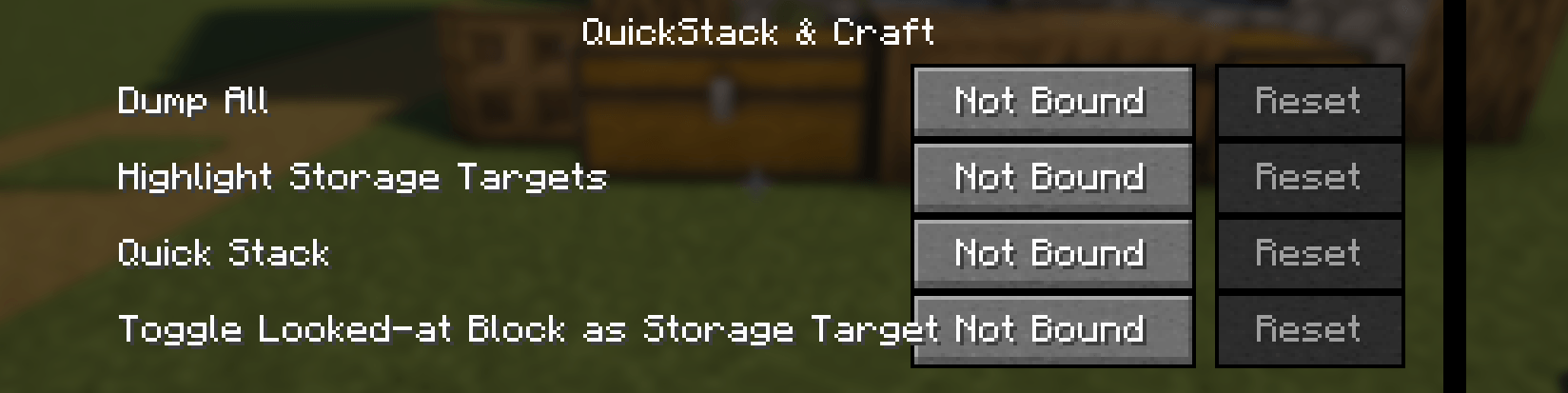
All keybinds are unbound by default — set them in Options → Controls → QuickStack & Craft.
📦 Requirements
- Both loaders: Architectury API (required)
- Fabric: Fabric API (required)
- Optional (both): JEI (craft-from-nearby) · ItemLocks · ClientSort · Sophisticated Backpacks (backpack buttons)
- Optional (Fabric): Cloth Config + Mod Menu (in-game config screen)
🐛 Links
- Bug reports / feature requests: https://github.com/SadBazooka/QuickStackCraft/issues
- Source: https://github.com/SadBazooka/QuickStackCraft
🙏 Credits
Original QuickStack & Craft by ZeroTheAbsolute — https://www.curseforge.com/minecraft/mc-mods/quickstack-craft
常见问题
QuickStack & Craft -Fork- 支持哪些 Minecraft 版本?
QuickStack & Craft -Fork- 支持 Minecraft Java 版 1.21.1,可用的加载器:Fabric / NeoForge。下载时注意选择和你游戏版本一致的文件。
QuickStack & Craft -Fork- 怎么安装?
先用 PCL2 或 HMCL 启动器安装对应版本的 Fabric / NeoForge,再把下载的 .jar 文件放进游戏目录的 mods 文件夹,重新启动游戏即可。开启了版本隔离的,mods 文件夹在 versions/版本名 下面。
评论
登录后评论和评分