
Common Trades
Adds missing modded plants, seeds, saplings, flowers, and other crop starters to Wandering Trader trades with automatic duplicate protection.
截图
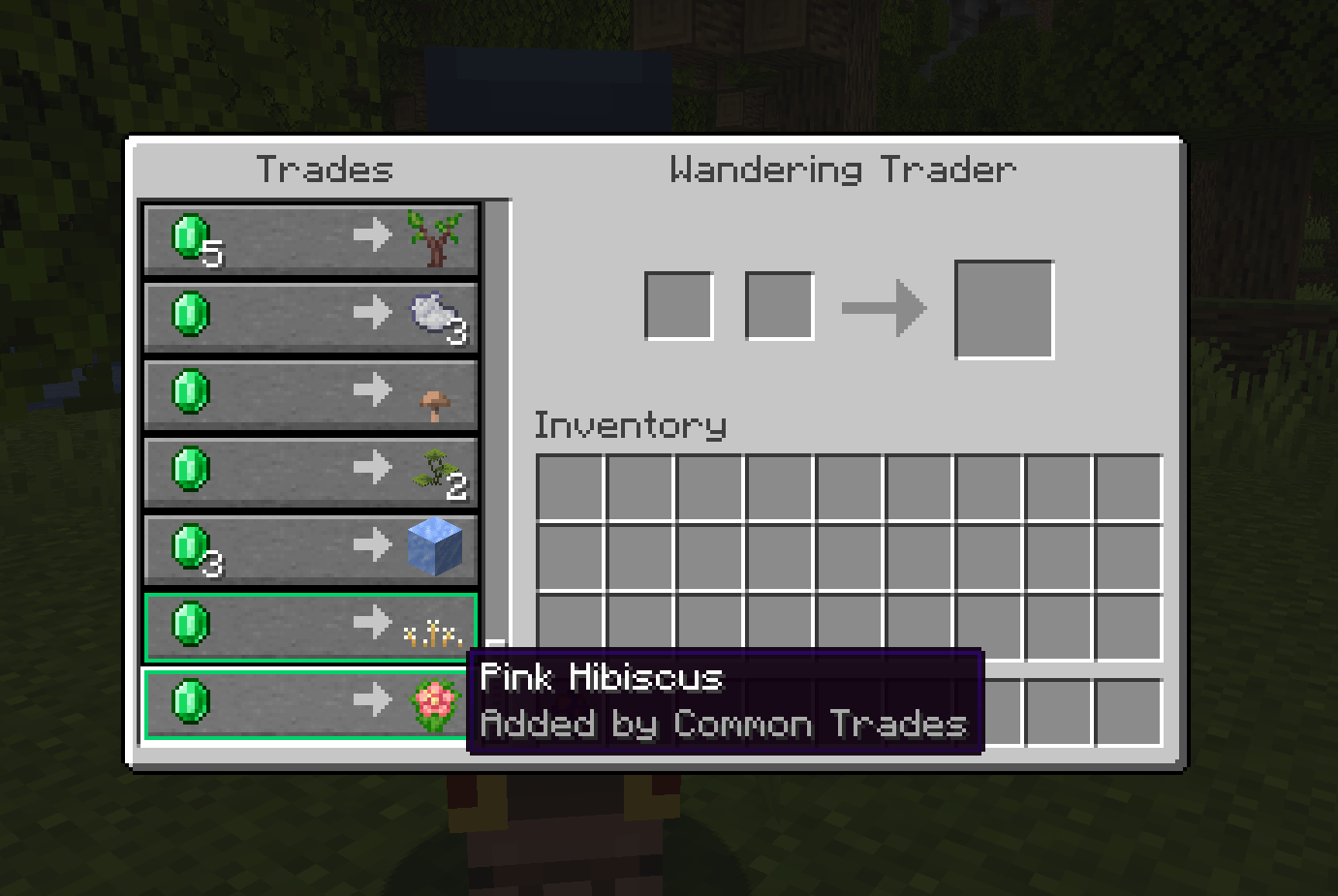
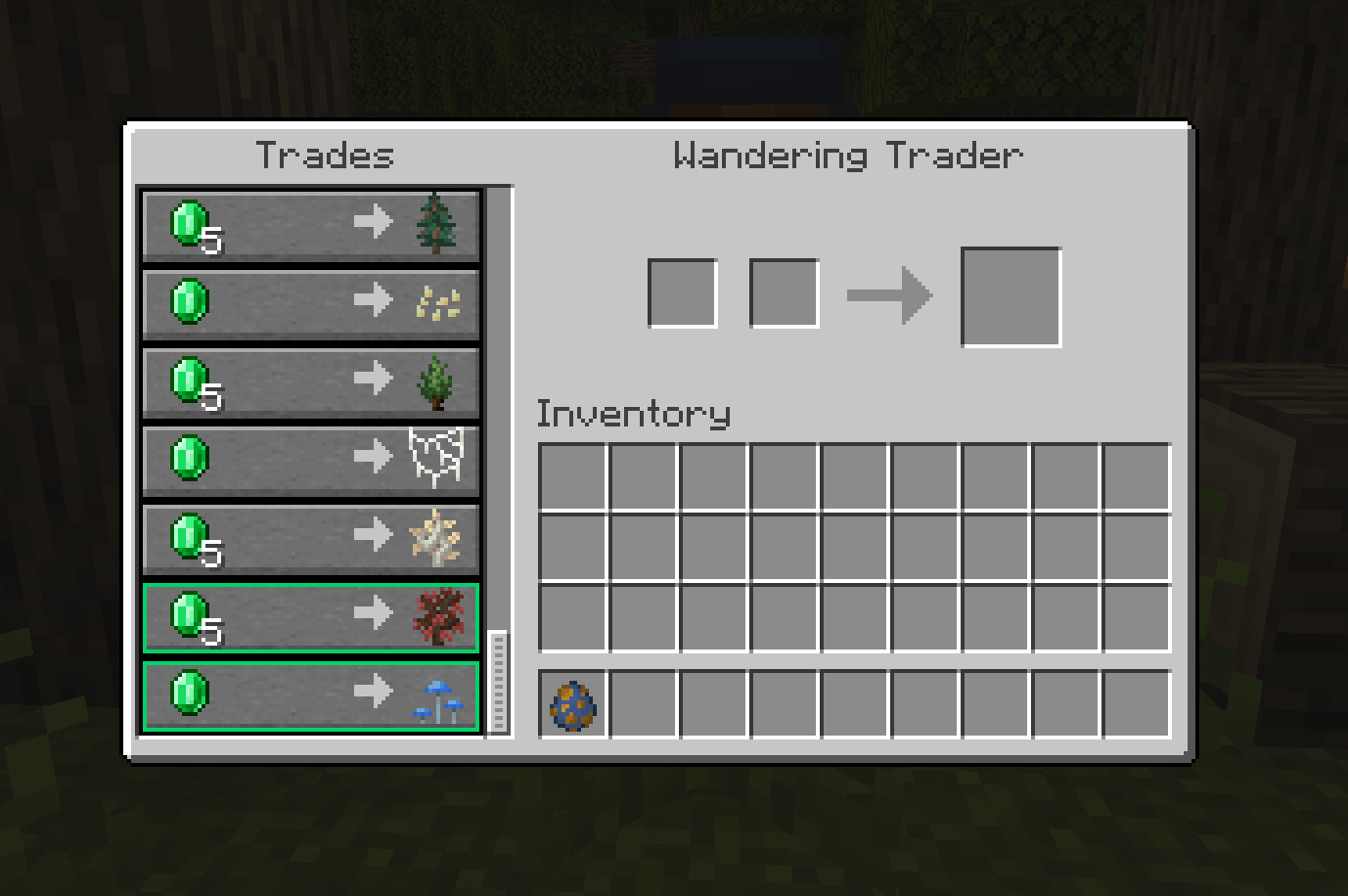
介绍

Common Trades adds missing modded plants and crop starters to Wandering Trader trades.
Saplings, flowers, mushrooms, seeds, and other small plants can automatically become trader offers when they are not already provided by vanilla or another mod.

Common Trades is designed to work automatically with modded content without requiring individual integrations for every supported mod.
Compatible items are discovered through item tags, allowing new mods to work with the system automatically as long as their items use the appropriate tags.
Common Trades is server-authoritative. Trade generation, prices, categories, and blacklists are controlled by the server.

Automatic Modded Trades
Automatically discovers suitable modded saplings, flowers, mushrooms, seeds, and other plant starters through item tags.
Duplicate Protection
Existing Wandering Trader trades are checked before new offers are added, helping prevent duplicate trades from vanilla or other mods.
Configurable
Configure offer counts, categories, emerald prices, blacklists, and pack-specific additions or exclusions through config files and datapack tags.
Trade Markers
Common Trades-generated offers can optionally be marked in the Wandering Trader interface so they are easy to identify.
Debug Command
An operator-only command can display existing Wandering Trader trades and separate vanilla, mod-added, and Common Trades-generated offers.

Join the “Intelligence” community for updates, support, and future projects.



常见问题
Common Trades 支持哪些 Minecraft 版本?
Common Trades 支持 Minecraft Java 版 1.16.5–26.3,共 20 个版本,可用的加载器:Fabric / Forge / NeoForge。下载时注意选择和你游戏版本一致的文件。
Common Trades 怎么安装?
先用 PCL2 或 HMCL 启动器安装对应版本的 Fabric / Forge / NeoForge,再把下载的 .jar 文件放进游戏目录的 mods 文件夹,重新启动游戏即可。开启了版本隔离的,mods 文件夹在 versions/版本名 下面。
Doomed_Artemis 的其他作品
查看全部 →
Artemis’ Laboratory Blocks
经典实验室方块焕新登场:现代材质、动态细节,连接效果也更加流畅。

Better Carpets
更好的地毯为羊毛、苔藓和苍白苔藓地毯添加了细微的3D悬垂边缘和多样的边缘细节。

Alternative Nether Portal Color
将下界传送门的紫色替换为红色

Swords to Lightsabers
将所有剑替换为不同款式的光剑
评论
登录后评论和评分