Local Multi Player
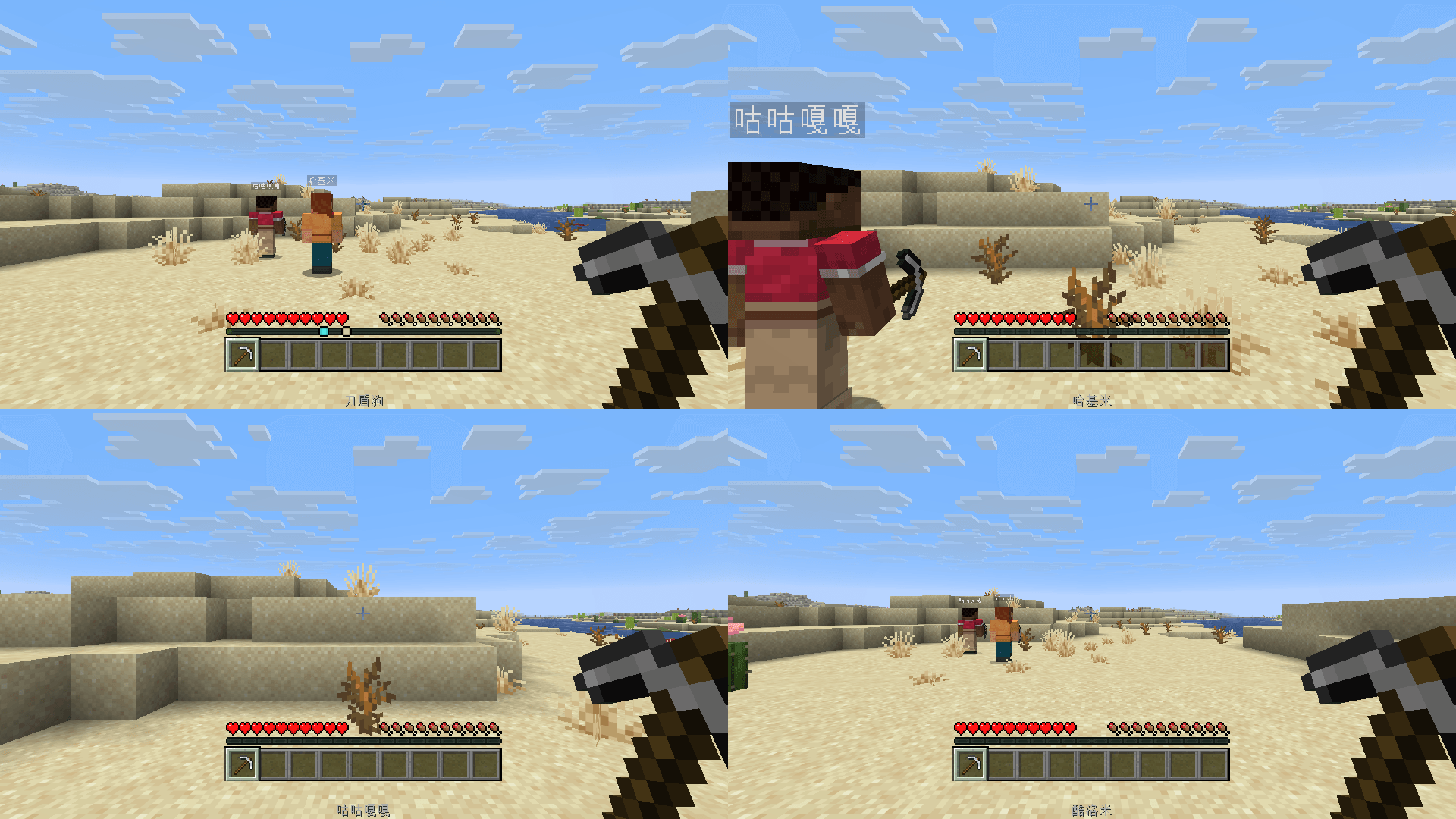
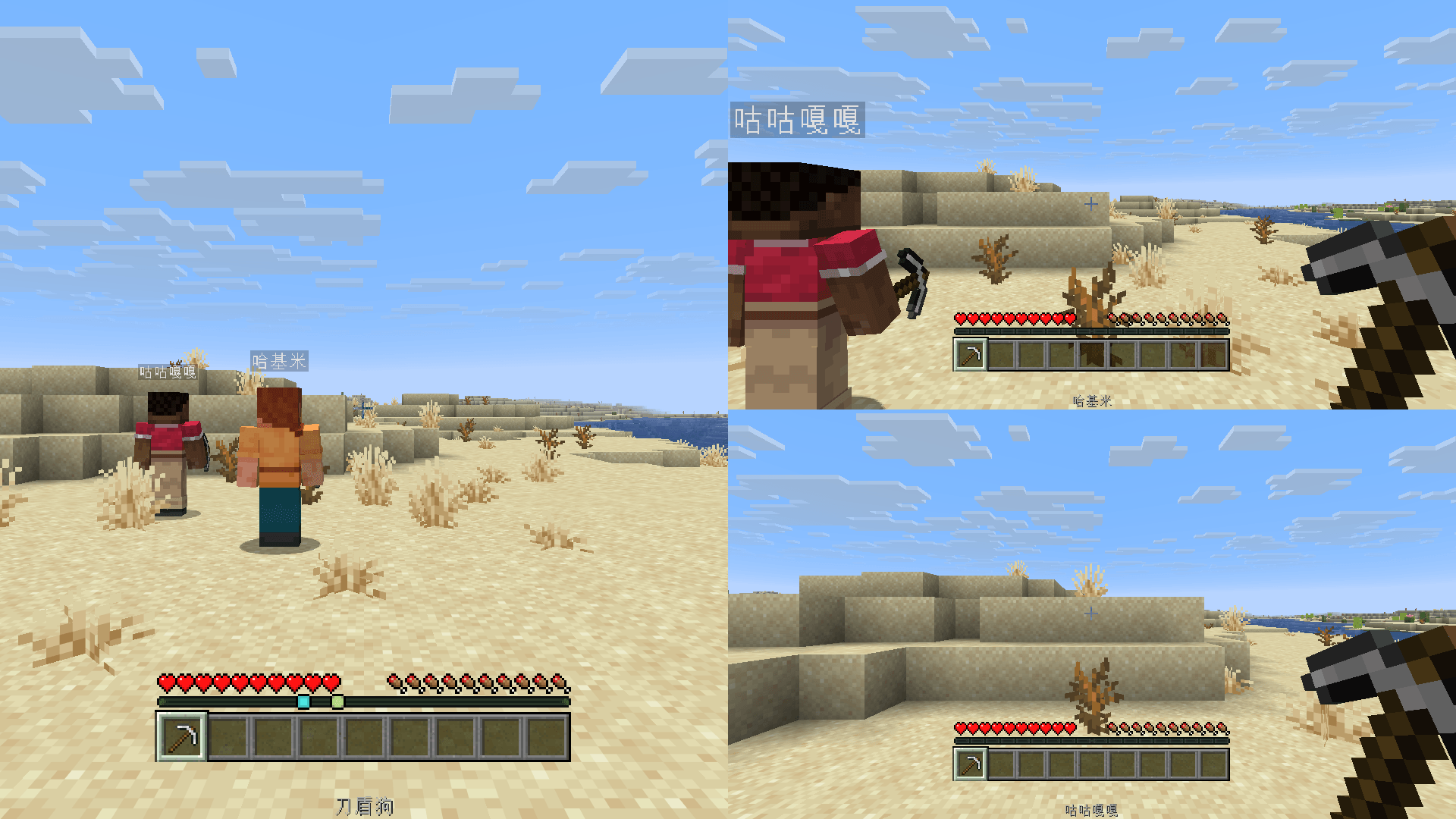
Local split-screen multiplayer for 2–4 players on one PC, with separate characters, views, inventories and controls in a shared world. No extra PCs needed—connect to a big-screen TV for couch co-op fun with friends in your living room.
截图
介绍
local-multiplayer
Play Minecraft Java Edition together on one PC with local split-screen multiplayer for 2–4 players. Share one window and world, with separate characters, views, inventories and controls—no extra computers needed. Connect your PC to a big-screen TV and enjoy couch co-op with friends in your living room. Built for NeoForge.
Features
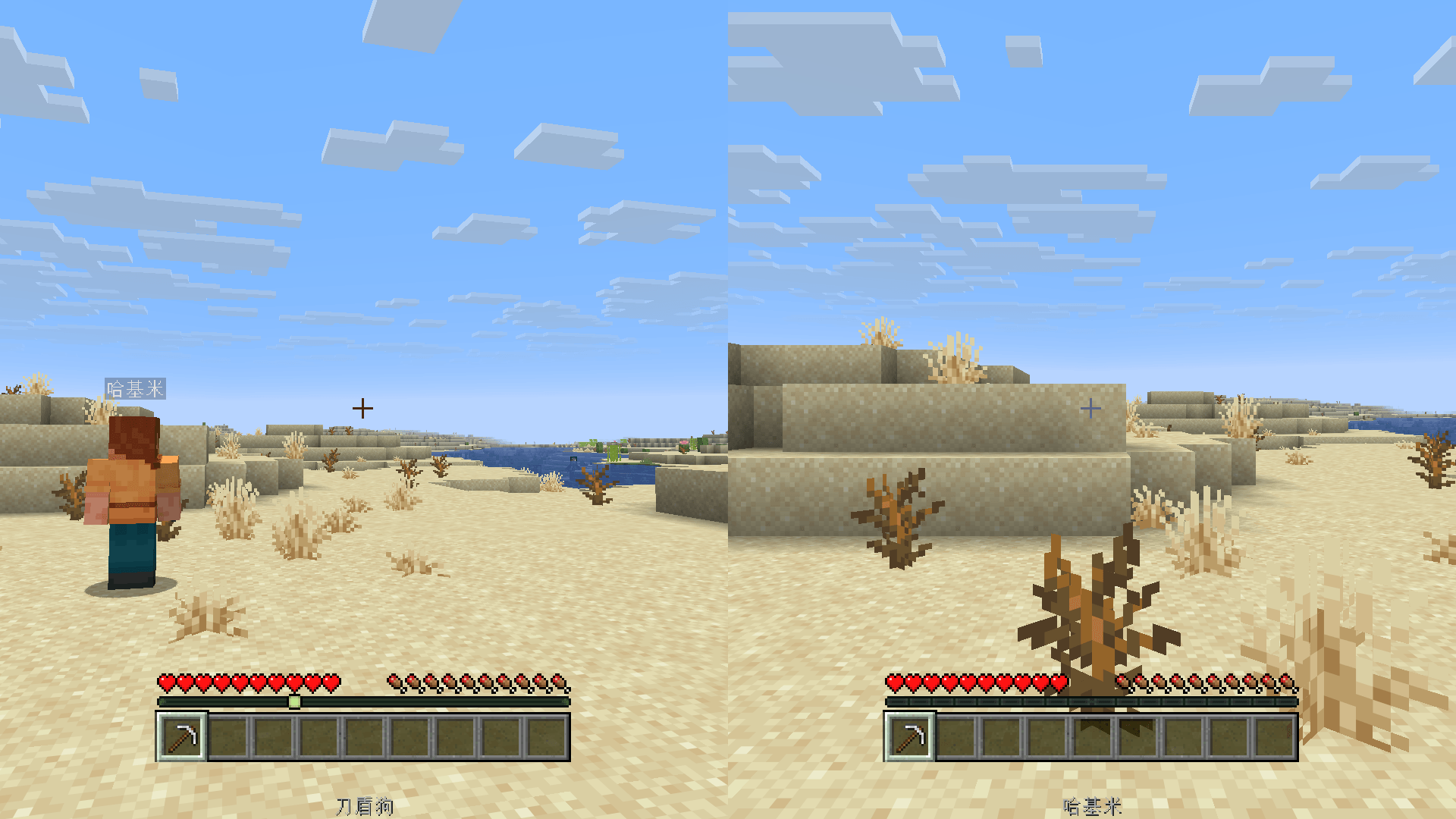
- Two players: side-by-side or top-and-bottom. Three players: one large view on the left and two on the right. Four players: a 2×2 grid.
- Independent cameras, first-person hands, crosshairs, basic health/hunger/hotbar/experience HUD and player names.
- Personal inventories, vanilla item interfaces, respawn and wake-up panels in each player’s viewport.
- Persistent local identities and selectable vanilla default skins.
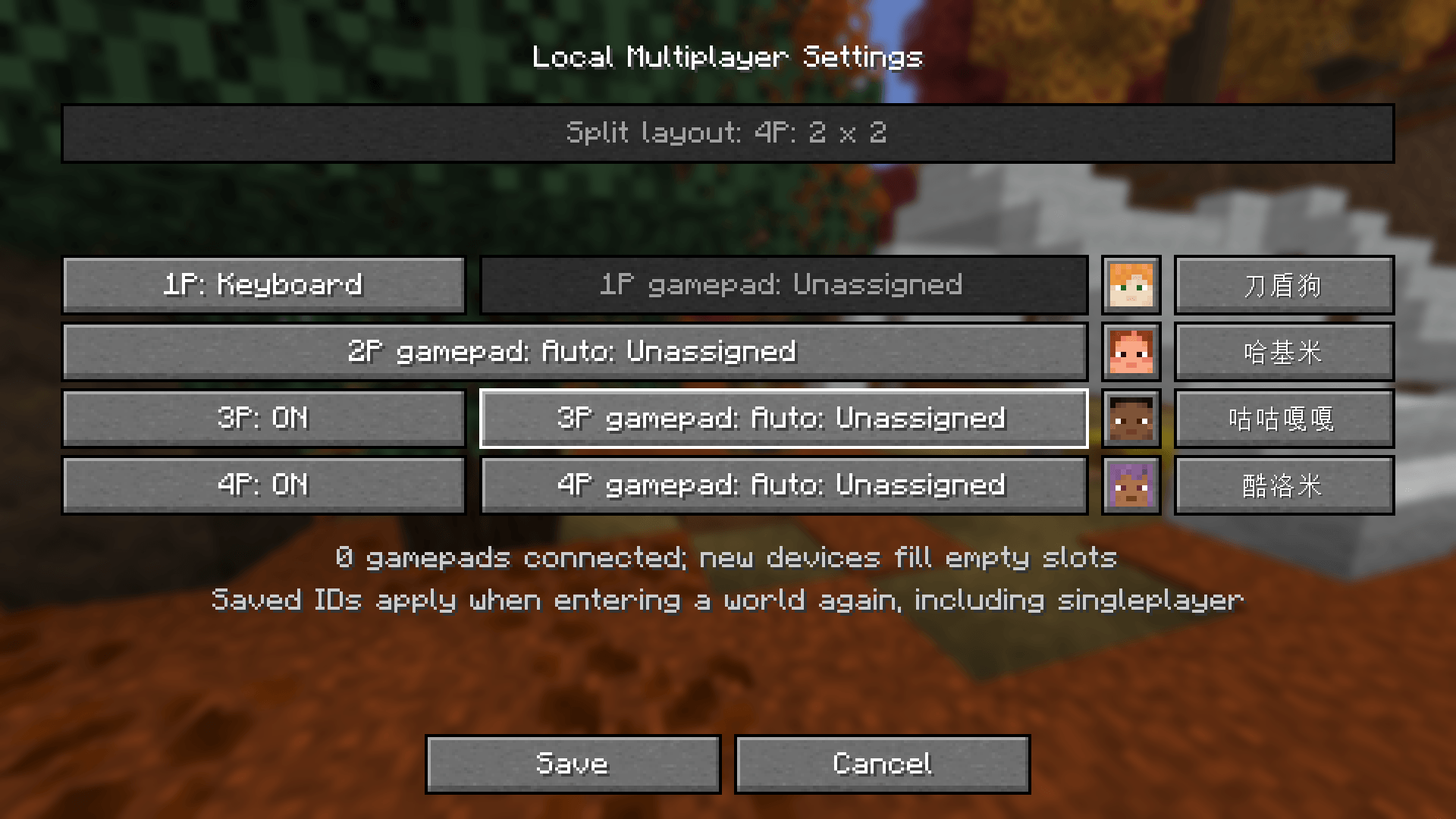
- Configure identities, skins, controller assignments and layouts from the title screen or pause menu.
Requirements
Verified setup: Minecraft Java Edition 26.3, NeoForge 26.3.0.77 and Java 25. The mod declares Minecraft and NeoForge version ranges of [26,27); compatibility with other 26.x combinations is unverified.
For controller play, install the matching NeoForge builds of Controllable (verified: 0.26.2) and its dependency Framework (verified: 0.13.27). These mods are not bundled.
Player 1 uses keyboard/mouse or keyboard/mouse plus a controller. Each additional player needs an exclusively assigned controller. Multiple physical keyboard/mouse sets are not supported.
Getting started
- Install the verified Minecraft/NeoForge setup and Java 25.
- Put local-multiplayer-1.0.0.jar, Controllable and Framework in the instance’s mods folder. Remove older Local Split / localsplit builds to avoid duplicates.
- Connect controllers, open the configuration button beside Local Multiplayer on the title screen, assign devices and identities, enable player 3/4 as needed, then save.
- Choose Local Multiplayer and open a local world. Identity and skin changes take effect the next time you enter a world.
Controls follow your current Controllable bindings. Player 1 can use the normal keyboard bindings. In a local session, opening a personal inventory allows other players to keep playing.
Current limitations
This version is an experimental local integrated-server implementation. Guest views currently share the host’s client world data. Independent distant world state, full cross-dimension play, complete item-use and HUD synchronization, third-party menus/rendering mods and shaders remain unverified or incomplete. Public servers and Realms are outside the verified scope. Simultaneous play with multiple physical controllers and a complete multiplayer gameplay acceptance pass are still pending. Gallery images demonstrate actual layouts; they do not certify those pending tests.
No new blocks, items or dimensions are added. Back up your worlds and config/localsplit-client.properties before changing installations; the configuration contains your persistent local identities. Do not distribute personal configs or saves with the mod.
常见问题
Local Multi Player 支持哪些 Minecraft 版本?
Local Multi Player 支持 Minecraft Java 版 1.21.11–26.3,共 2 个版本,可用的加载器:NeoForge。下载时注意选择和你游戏版本一致的文件。
Local Multi Player 怎么安装?
先用 PCL2 或 HMCL 启动器安装对应版本的 NeoForge,再把下载的 .jar 文件放进游戏目录的 mods 文件夹,重新启动游戏即可。开启了版本隔离的,mods 文件夹在 versions/版本名 下面。
评论
登录后评论和评分