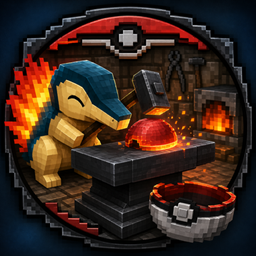
Cobblemon Ballworks
Brings the old pokeball crafting mechanic from Pixelmon to Cobblemon
介绍
Cobblemon Ballworks
Poké Balls aren’t instant crafts anymore.
Cobblemon Ballworks rebuilds the Poké Ball crafting experience into a proper parts-based manufacturing chain. Shape lids and bases from blanks, assemble them into finished balls, and scale your production from manual hammering all the way to full industrial automation.
Built For
- Minecraft 1.20.1
- Forge 47.2.8+
- Kotlin (Kotlin for Forge required)
- Cobblemon 1.4.0+
What It Does
Every Cobblemon Poké Ball now has a real production pipeline:
-
Create blanks
Smash apricorns and metals into lid and base blanks in a crafting table. -
Form the parts
Turn blanks into finished lids and bases using one of several methods:- Ball Anvil (manual hammering, 3 hits per part)
- Mekanism Crusher / Crushing Factory
- Create Mechanical Press (Depot or belt)
- Mekanism: More Machine Stamper (requires a mold)
-
Assemble the ball
Combine:- lid + base + button + core material
→ into a finished Cobblemon Poké Ball
- lid + base + button + core material
All 31 Cobblemon ball types are fully supported, each with its own complete crafting chain.
The Ball Anvil
A fully interactive workstation:
- Place it facing any direction
- Insert a blank with right-click
- Use a hammer to shape it (3 hits per part)
- See real-time progress rendered on the anvil
- Retrieve finished or partial workpieces
Features:
- Block entity with stored item + progress tracking
- Actionbar feedback (
Hammering… N/3) - Safe item drops when broken
- Works in both survival and creative
Hammer System
18 different hammer tiers:
Primary Progression
- Wood → Stone → Iron → Gold → Diamond
Side Materials (Iron-tier durability)
- Aluminium, Amethyst, Ruby, Sapphire
Evolution Stone Variants
- Dawn, Dusk, Fire, Leaf, Moon, Sun, Thunder, Water
All hammers:
- Craft using standard hammer shape
- Differ only by durability
- Work in both the anvil and crafting recipes
Automation Paths
Cobblemon Ballworks is designed for modpacks and scales with your tech stack.
All integrations are optional and data-driven.
Mekanism (Crusher / Factory)
- 32 crushing recipes
- Every blank → its formed part (1:1)
Create (Mechanical Press)
- 32 pressing recipes
- ~15 second processing time per part
- Works on belts or depots
Mekanism: More Machine (Stamping Factory)
Industrial automation path:
- Create a Ball Mold using Tinkers’ Construct
- Insert mold + blank into Stamper
- Output: finished lid/base
- Mold remains in the machine
Tinkers’ Construct
- Casting table recipe:
- Any formed part + molten steel → Ball Mold
- Mold is reusable and used for stamping
Art & Assets
- All textures are custom 16×16 assets
- Clean custom anvil model built for 1.20.1
- Consistent visual progression:
- blank → formed part → final ball
Requirements
Required
- Minecraft 1.20.1
- Forge 47.2.8+
- Kotlin for Forge 4.10.0+
- Cobblemon 1.4.0+
Optional Integrations
- Mekanism 10.4.x
- Mekanism: More Machine
- Create 0.5.1.f
- Tinkers’ Construct 3.11.x
- Mantle
JEI is optional but highly recommended.
Compatibility Notes
- All crafting paths are additive
- Cobblemon’s default recipes remain intact
- You can disable vanilla recipes using datapacks or CraftTweaker if desired
Roadmap
- Create Sequenced Assembly (multi-step pressing)
- Improved on-anvil visual progression models
- Additional Mekanism processing paths
- JEI integration for hammering workflows
Development Notes
Cobblemon Ballworks was developed with assistance from AI tools for code generation, iteration, and debugging.
All gameplay systems, balancing, and final implementation were designed and reviewed by the developer.
License
MIT License
Built for players and modpacks that want Poké Ball crafting to feel like a real process.
常见问题
Cobblemon Ballworks 支持哪些 Minecraft 版本?
Cobblemon Ballworks 支持 Minecraft Java 版 1.20.1,可用的加载器:Forge。下载时注意选择和你游戏版本一致的文件。
Cobblemon Ballworks 怎么安装?
先用 PCL2 或 HMCL 启动器安装对应版本的 Forge,再把下载的 .jar 文件放进游戏目录的 mods 文件夹,重新启动游戏即可。开启了版本隔离的,mods 文件夹在 versions/版本名 下面。
评论
登录后评论和评分