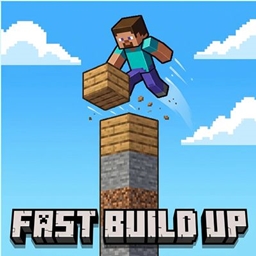
fast build up
**Fast Build Up** makes pillar building faster by letting you build upward without timing every jump and block placement.
介绍
Fast Build Up
Fast Build Up makes pillar building faster by letting you build upward without timing every jump and block placement.
Hold Space + Right Click while holding blocks, and the mod automatically places blocks under you as you rise.
How It Works
In vanilla Minecraft, building straight up usually means repeating the same slow rhythm:
jump → place → wait → jump → place → wait
Fast Build Up makes that smoother.
With this mod, you just hold the controls and keep going upward.
hold Space + Right Click = build upward fast
Features
- Fast vertical pillar building
- Automatic block placement under the player
- Smooth upward movement while building
- No jump timing needed
- Uses blocks from your inventory
- No new blocks
- No new items
- No GUI
- Simple and lightweight
Controls
Hold Space + Right Click = activate Fast Build Up
Release Space or Right Click = stop
Sneak = temporarily disable
Why Use It?
Pillar building is useful, but the vanilla timing can feel clunky.
Fast Build Up keeps the same basic Minecraft idea, but removes the awkward delay. It is made for players who want vertical building to feel quicker, cleaner, and more comfortable.
Notes
Fast Build Up is mainly made for singleplayer, LAN worlds, and servers that allow this type of quality-of-life mod.
It does not add complicated systems or overpowered items. It only improves one thing: building upward faster.
常见问题
fast build up 支持哪些 Minecraft 版本?
fast build up 支持 Minecraft Java 版 26.1.2,可用的加载器:Fabric / Forge。下载时注意选择和你游戏版本一致的文件。
fast build up 怎么安装?
先用 PCL2 或 HMCL 启动器安装对应版本的 Fabric / Forge,再把下载的 .jar 文件放进游戏目录的 mods 文件夹,重新启动游戏即可。开启了版本隔离的,mods 文件夹在 versions/版本名 下面。

评论
登录后评论和评分