
截图
介绍
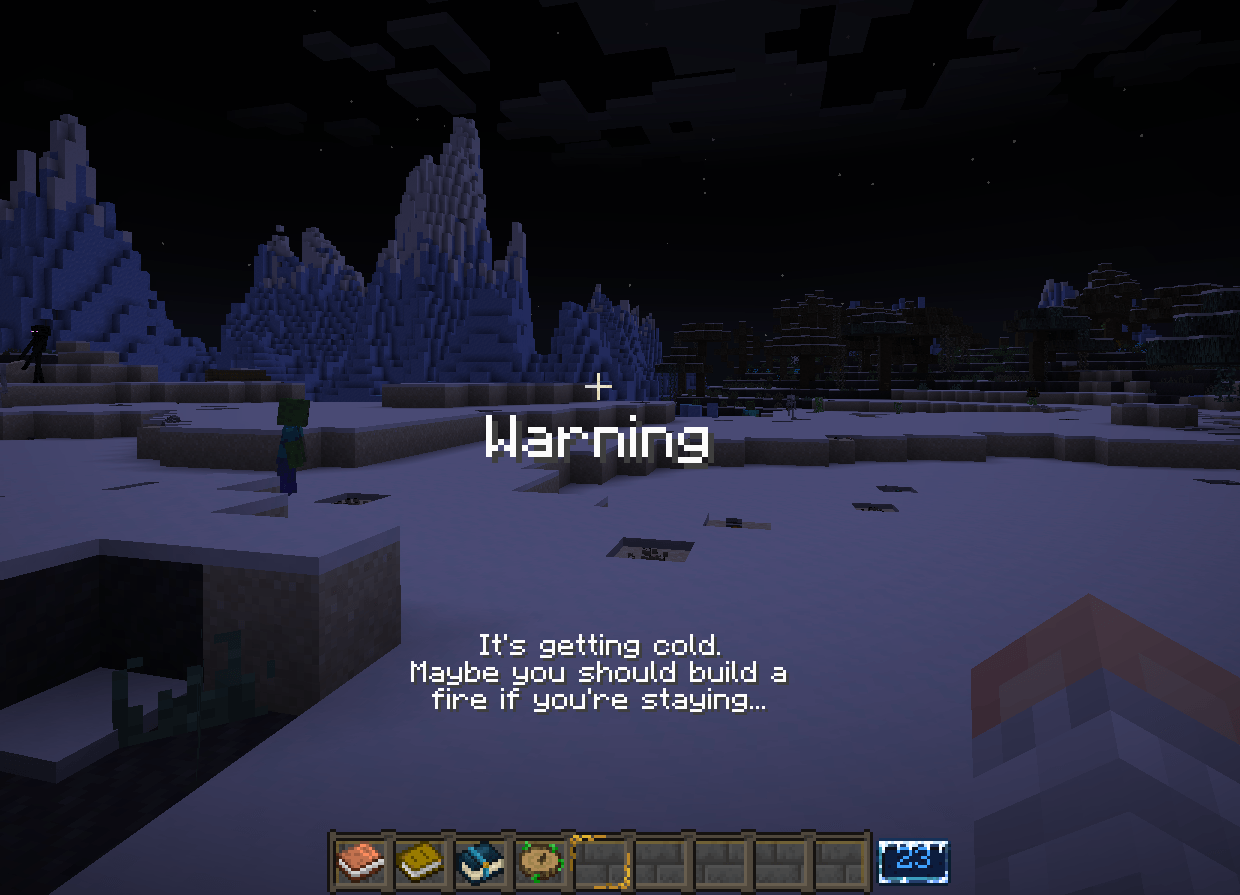
Use commands to create multi-layered messages in Minecraft! Check screenshots for examples.
Command Examples:
/prettymsg create advancement minecraft:adventure/sleep_in_bed “Header” “First line” “Second Line” “Third Line”
/prettymsg create biome minecraft:snowy_taiga “Header” “First line” “Second Line” “Third Line”
/prettymsg create quest (FTB Quest UUID) “Header” “First line” “Second Line” “Third Line”
Each Peice of text REQUIRES the use of “quotation” marks before and after each line in the message.
Please be sure to do the proper research to use the FTB Quests message system.
Requires:
Nothing. Just install and go.
Discord:
https://discord.com/invite/wuqqZbDdkh
Development managed by:
Author: Skeletor Divinious Maximus
Discord: SkelMaxim
Coding/Bug Fixes: tfarecnim
Discord: IItemstack
常见问题
Fancy Messages 支持哪些 Minecraft 版本?
Fancy Messages 支持 Minecraft Java 版 1.21.1,可用的加载器:NeoForge。下载时注意选择和你游戏版本一致的文件。
Fancy Messages 怎么安装?
先用 PCL2 或 HMCL 启动器安装对应版本的 NeoForge,再把下载的 .jar 文件放进游戏目录的 mods 文件夹,重新启动游戏即可。开启了版本隔离的,mods 文件夹在 versions/版本名 下面。


评论
登录后评论和评分