Libarian Trade Enchantment Display
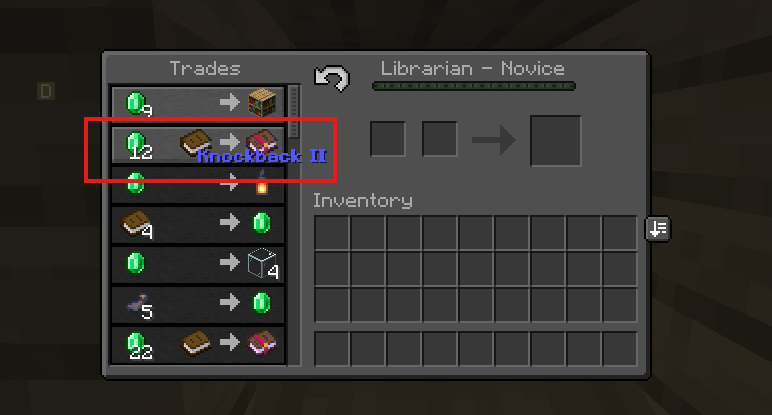
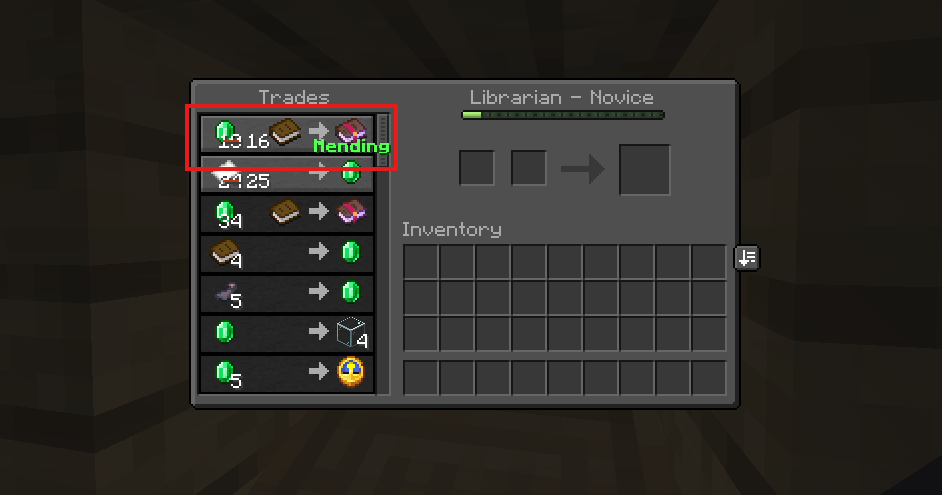
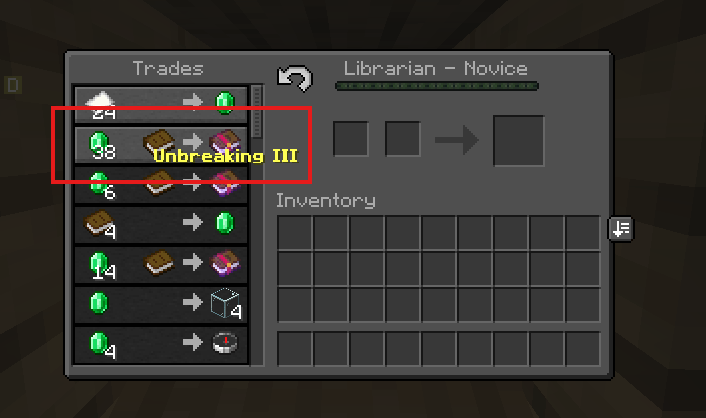
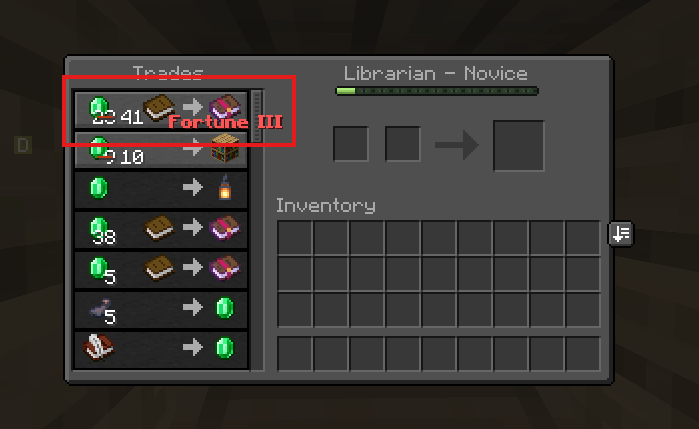
Displays each enchanted book's name directly in the villager trade screen (no hovering needed), with max-level books color-coded by emerald price — blue for the best deals down to red for the worst.
截图
介绍
📖 Libarian Trade Enchantment Display
See what a librarian is selling at a glance — no hovering required.
When you open a villager trade screen, the enchantment name is printed right next to each enchanted book in the trade list, so you can read every offer instantly. The text refreshes automatically every time the trades reroll.
💰 Price-based coloring
Max-level enchanted books are tinted by how good the emerald price is, so the best deals jump out immediately:
- 🔵 Blue — best possible price
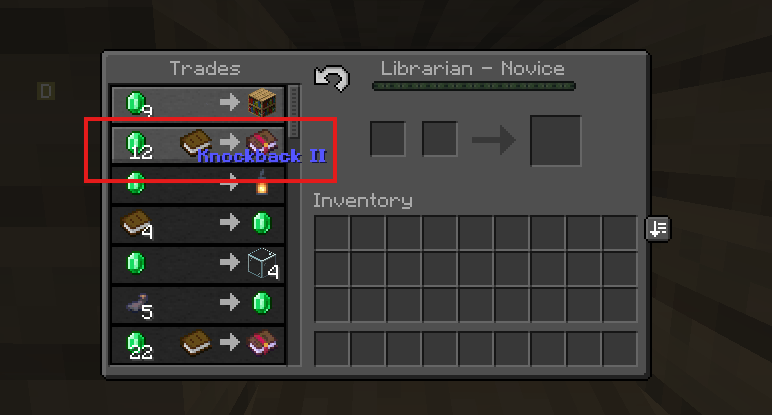
- 🟢 Green — good price
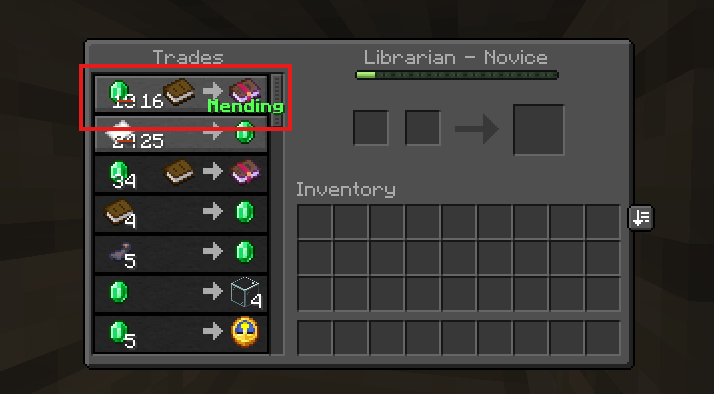
- 🟡 Yellow — medium price
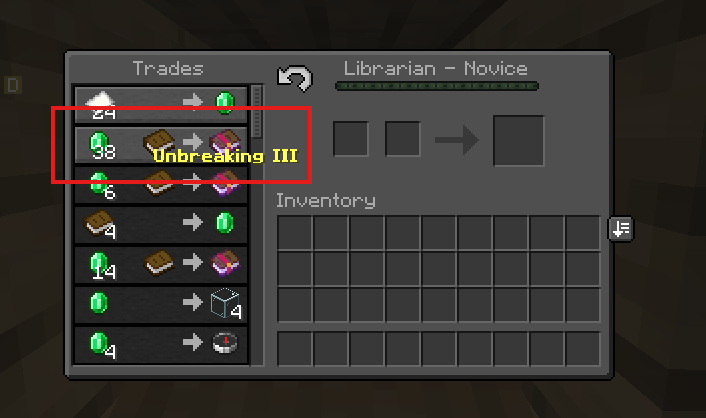
- 🔴 Red — bad price
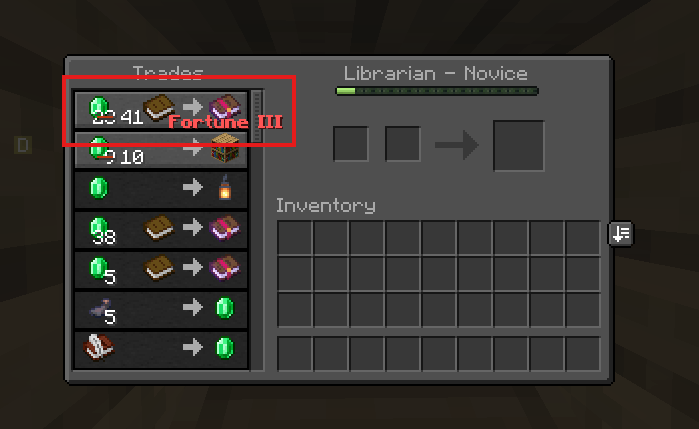
Books below their maximum level stay plain white.
⚙️ Configurable
Everything is adjustable in-game via Mod Menu, the J keybind, or trade-display settings:
- Emerald price thresholds
- All four colors
- Bold italic underline
- Whether single-level enchantments (like Mending) are included
📦 Requirements
- Fabric Loader & Fabric API
- Cloth Config
🙏 Credits
Unofficial Minecraft 26.2 port of **iMoonDay’s Trade Enchantment Display** (MIT License).
Original mod by **iMoonDay** · 26.2 port by **xertyjmn**.
常见问题
Libarian Trade Enchantment Display 支持哪些 Minecraft 版本?
Libarian Trade Enchantment Display 支持 Minecraft Java 版 26.2,可用的加载器:Fabric。下载时注意选择和你游戏版本一致的文件。
Libarian Trade Enchantment Display 怎么安装?
先用 PCL2 或 HMCL 启动器安装对应版本的 Fabric,再把下载的 .jar 文件放进游戏目录的 mods 文件夹,重新启动游戏即可。开启了版本隔离的,mods 文件夹在 versions/版本名 下面。
评论
登录后评论和评分