截图


介绍
Personnal World [Fabric]
A Fabric mod for Minecraft 1.21.1 — private islands, invites, and an adventure journal
🌎 What is Personnal World?
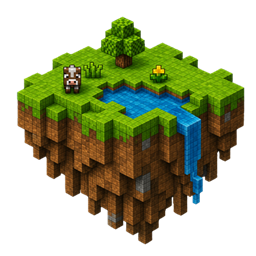
Personnal World gives every player one or more private floating islands.
Build, experiment, invite friends, and manage who can visit or build — all from a 3D adventure journal.
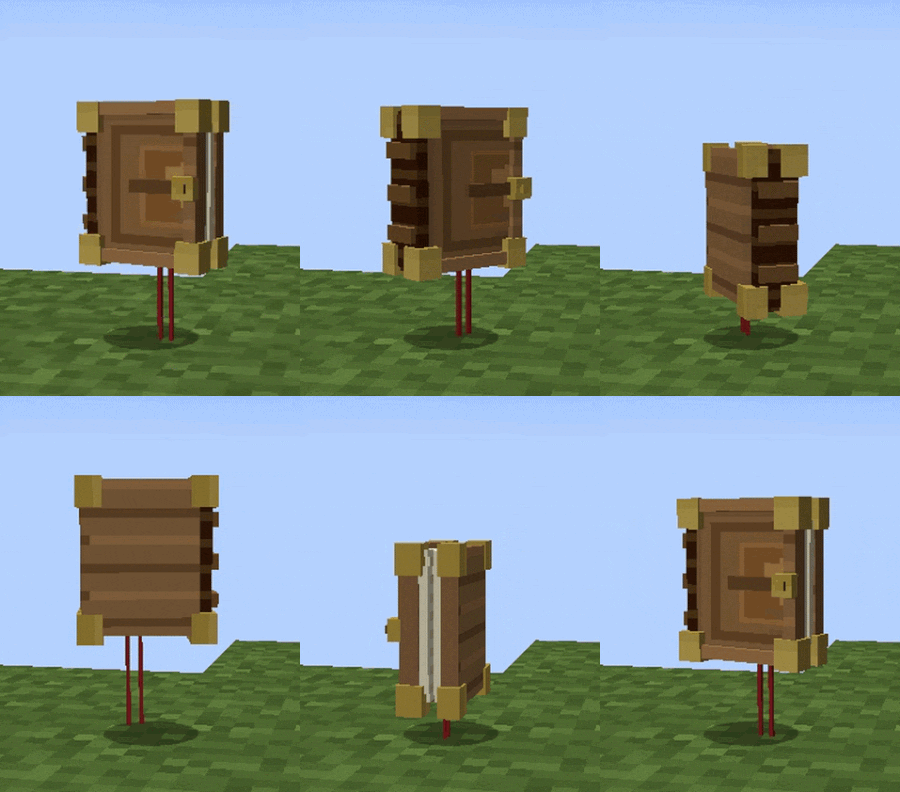
Teleport with the staff. Organize everything with the book.
⚙️ Requirements


Required
- Minecraft 1.21.1
- Fabric Loader ≥ 0.18.4
- Fabric API ≥ 0.116.0 (recommended
0.116.0+1.21.1) - Architectury API ≥ 13.0.8
- DimensionArchitect 0.1.2 or newer (required for island access / roles)
Optional
- GeckoLib 4.7.5.1 — animated staff and adventure book (static 3D models still work without it)
✨ Features
- One or more private islands per player
Each island is a personal dimension, created on demand. Cap:maxIslandsPerPlayerinconfig/personnalworld.toml(default 3). - Adventure journal (GUI)
Right-click the book to open a parchment UI. Two tabs: My islands and Invited islands. Create, rename, join, invite, and tweak settings without commands. - Island presets
Classic, Forest, or Rock when you create a new island. Server owners can add more underconfig/personnalworld/island_presets/. - Invite friends & roles
Owner, Co-creator, Builder, Visitor. Invite from the book or with/pw. Targets work online or offline (name or UUID). - Safe visitors
Visitors can enter but cannot break/place blocks, open chests / barrels / shulkers / ender chests, or hurt entities on the island. - Seamless teleportation (staff)
Right-click the staff to travel to your active island. Use it again to return to your exact previous location. On someone else’s island, the staff brings you home without saving that island as a return point. - Builds are persistent
Islands and builds are saved — even after disconnecting or restarting. - Island settings
Rename, move the spawn cube, toggle terrain griefing, fire tick, and island PvP. Weather control is coming later. - Safety command
/returnworldreturns you to your last saved position if you get stuck (from your personal island). - Custom 3D items
Unique staff and adventure book models (animated with GeckoLib).
🪄 How to Use
➢ Get the Personnal World Staff
Survival: 4 sticks + 1 grass block

Creative: /give <player> personnalworld:personnal_world_item

➢ Get the Adventure Journal
Creative / Tools tab, or:
/give <player> personnalworld:adventure_book
(No survival craft recipe yet. Planned for the next release)
Right-click to open the book. Closing the screen closes the book animation.
➢ Teleport to your private world
Right-click the staff from any allowed dimension (Overworld, Nether, End, and others unless blocked in config).

The staff always targets your active island. With no island yet, the first use creates World 1.
➢ Return to your previous spot
Right-click the staff in your private world to return.

➢ Manage islands in the journal
- Open the adventure book.
- My islands — create (Classic / Forest / Rock), open settings, set the active island, invite people.
- Invited islands — see islands you were invited to (name, owner, role) and Join when allowed.
- Settings (owner) — rename, move the spawn cube (while standing on that island), terrain / fire / PvP.
- Invitations — add players (online list or typed name), change roles, remove access. Co-creators can manage invites too.
➢ Invite someone (commands)
| Command | Who | Effect |
|---|---|---|
/pw invite <player> <co_creator|builder|visitor> |
Owner / co-creator | Permanent invite |
/pw kick <player> |
Owner / co-creator | Remove access |
/pw role <player> <role> |
Owner / co-creator | Change role |
/pw list |
Player | Member list |
/pw visit <player> [islandName] |
Player | Visit (only if invited & island exists) |
/pw leave |
Visitor / member | Leave current island |
/returnworld |
On your island | Safety return |
➢ Stuck?
Run /returnworld to safely return to your last saved position.

⚒️ Items
- Personnal World Staff — teleport to / from your active island

- Adventure Journal — manage islands, invites, and settings (3D book + parchment UI)
🖥️ For server owners
- Update DimensionArchitect to 0.1.2+ before installing this jar, then restart once.
- Config:
config/personnalworld.toml
Useful keys:maxIslandsPerPlayer,staffCooldownTicks,shareInventory,noDimensionSavePosition,noDimensionTeleport,actionBarMessages,syncDarchitectMaxSimultaneous. - On start, PersonnalWorld can set DimensionArchitect
max_simultaneousto 64 (disable withsyncDarchitectMaxSimultaneous = false). - Extra presets:
config/personnalworld/island_presets/*.json. - Debug ops (
/pw debug …) stay off unlessenableDebugCommandsis true.
🚧 Future Plans
- Weather control from the journal
- Ban / unban for islands
- Visual redesign of the book UI
- More island presets and biomes
- Survival craft recipe for the adventure journal
Enjoy your very own world in Minecraft!
Questions or suggestions? Open an issue or leave a comment!
常见问题
Personnal World 支持哪些 Minecraft 版本?
Personnal World 支持 Minecraft Java 版 1.21.1,可用的加载器:Fabric。下载时注意选择和你游戏版本一致的文件。
Personnal World 怎么安装?
先用 PCL2 或 HMCL 启动器安装对应版本的 Fabric,再把下载的 .jar 文件放进游戏目录的 mods 文件夹,重新启动游戏即可。开启了版本隔离的,mods 文件夹在 versions/版本名 下面。
评论
登录后评论和评分