
The Entity – An AI-based presence in your game
A mysterious AI-powered presence that watches over your Minecraft world, reacting to player behavior using an LLM.
截图
介绍
The Entity
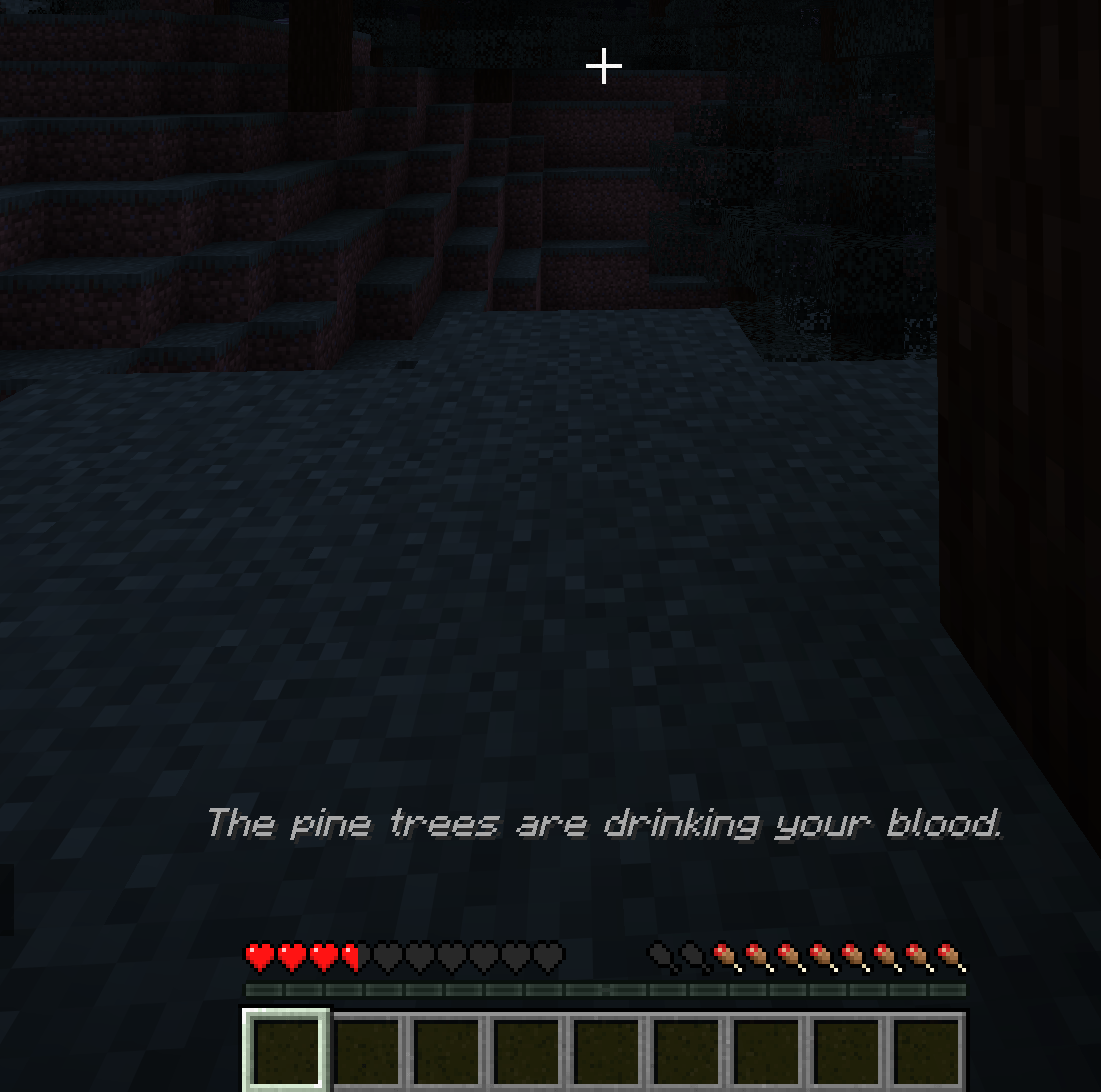
The Entity turns your singleplayer Minecraft world into a reactive, AI-driven sandbox. Instead of being another helpful chatbot, this mod actively watches your gameplay and acts as a dynamic Dungeon Master.
It reads your health, inventory, location, and recent actions, and responds in real-time. Depending on its configured personality, it might quietly guide you to safety, gaslight you with phantom sounds, or actively try to kill you.
Features
- Active Surveillance: The mod constantly monitors your state. It knows if you are bleeding out, holding a raw porkchop, sprinting through a forest, or drowning in a river.
- Dynamic World Control: The AI can execute commands to spawn mobs, change the weather, alter the time of day, play sounds, drop items, and speak to you in chat or via action bars.
- Infinite Customization: The Entity’s brain is entirely controlled by simple YAML files. You can rewrite its system prompt by editing or creating new configurations in
.minecraft/config/the-entity/prompts. Turn it into a benevolent nature spirit, a cryptic cosmic horror, or an unhinged manager roasting your terrible survival skills, the limit is only your imagination.
Setup Guide (Local LLM)
This mod requires an LLM to function. While you can use paid APIs, polling the game state gets expensive quickly. Running a local model or using a free API like Groq is highly recommended.
Here is the beginner-friendly setup using llama.cpp:
1. Download llama.cpp
Grab the latest release for your OS from the official repository: ggml-org/llama.cpp.
2. Get a Model
For the best balance of logic and hardware performance, Qwen 3.5 models are recommended. You can find several versions in the Qwen 3.5 unsloth Collection on Hugging Face.
- Minimum requirement: An 8B model.
- Recommended: 27B or 35B (if you have the VRAM for it) for the best situational awareness.
3. Start the Server
Open your terminal and boot up the llama.cpp server. You must include specific flags for the mod to work correctly. For example, using the 27B model:
llama-server -hf unsloth/Qwen3.5-27B-GGUF:UD-Q4_K_XL --reasoning off -c 16384
--reasoning off: Prevents the model from getting stuck in internal thinking loops.-c 16384: Sets the context window high enough so the AI can remember your recent game history and inventory state.
4. Connect the Mod
Boot up Minecraft, load into your world, and open The Entity’s config screen from Mod Menu. Point the endpoint to your local server (usually http://127.0.0.1:8080), tune the rest of the configuration values to your taste, save, and see how long you survive.
Note: This mod is heavily resource-intensive depending on the local model you choose to run. It is currently designed for Singleplayer only.
常见问题
The Entity – An AI-based presence in your game 支持哪些 Minecraft 版本?
The Entity – An AI-based presence in your game 支持 Minecraft Java 版 1.21.11,可用的加载器:Fabric。下载时注意选择和你游戏版本一致的文件。
The Entity – An AI-based presence in your game 怎么安装?
先用 PCL2 或 HMCL 启动器安装对应版本的 Fabric,再把下载的 .jar 文件放进游戏目录的 mods 文件夹,重新启动游戏即可。开启了版本隔离的,mods 文件夹在 versions/版本名 下面。
UDPSendToFailed 的其他作品
查看全部 →
Mod Menu Updater
Mod Menu 的附属模组,支持在游戏内更新模组
Mod Menu Updater
Mod Menu 的附属模组,支持在游戏内更新模组

Our Inventory
这不是你的钻石,这是我们的钻石。此模组取消了私人物品栏的特权。你物品栏中的每一件物品现在都会在服务器所有玩家之间共享。

Slot Lock
锁定物品栏槽位,防止意外丢弃、移动和交换。
评论
登录后评论和评分