
SoundboardClient
Assign hotkeys to MP3 sounds, play them in-game and broadcast them to nearby players.
介绍
Soundboard – MP3 Hotkeys & Multiplayer Broadcast
A soundboard mod for Minecraft: assign hotkeys to any MP3 files and play them in-game – perfect for meme sounds, custom sound effects, music and more. Supports Fabric and NeoForge.
✨ Features
- Hotkeys for MP3 files – any key works, ESC cancels the assignment
- Small GUI – open with K (configurable): add, select, adjust volume and delete sounds
- Add MP3s – via file dialog (1.21.1), drag & drop (1.21.11), by path, or straight into the sounds folder
- Overlapping playback – multiple sounds can play at once
- Per-sound volume (0.0 – 2.0) and a "Stop all sounds" button
- Multiplayer broadcast – send sounds to players within a radius (default: 48 blocks, configurable)
📦 Installation
- Fabric: Fabric Loader ≥ 0.19.x + Fabric API, put the jar into
mods - NeoForge: NeoForge 21.11.x (MC 1.21.11) / 21.1.x (MC 1.21.1), put the jar into
mods
Broadcast: The mod is not purely client-side – for the broadcast to work it must also be installed on the server. Sound files stay local on each client; only the sound ID travels over the network. Players without the mod hear nothing. On a vanilla server the mod works locally, only the broadcast stays silent.
🎮 Usage
- Press K to open the soundboard
- Add an MP3 – it is copied to
config/soundboard/sounds/ - Click a sound in the list → Change key… → press a key
- Press the key in-game to play the sound
⚙️ Configuration
All settings live in config/soundboard/config.json: broadcast radius, broadcast on/off, GUI key, stop-all key, and per-sound key & volume (GLFW key codes). Values are written automatically when you assign keys.
常见问题
SoundboardClient 支持哪些 Minecraft 版本?
SoundboardClient 支持 Minecraft Java 版 1.21.1–1.21.11,共 2 个版本,可用的加载器:Fabric / NeoForge。下载时注意选择和你游戏版本一致的文件。
SoundboardClient 怎么安装?
先用 PCL2 或 HMCL 启动器安装对应版本的 Fabric / NeoForge,再把下载的 .jar 文件放进游戏目录的 mods 文件夹,重新启动游戏即可。开启了版本隔离的,mods 文件夹在 versions/版本名 下面。
BioBauerHartmut 的其他作品
查看全部 →
Shelf Backport [NeoForge]
将 Minecraft 1.21.9(铜器时代)的新书架方块移植到 Minecraft 1.21.1 NeoForge。

Screaming Chests
Screaming Chest Boat Replacer — every vanilla chest boat becomes an animated screaming chest. Drop one on water to spawn a vanilla chest boat, or hold one while falling to hear the scream.
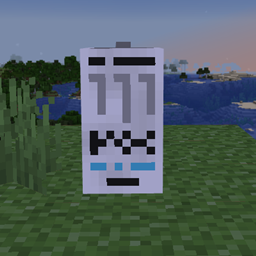
Monster Energy and Caffeine
The White Monster Mod adds Monster Energy drinks and guarana plants. Drinking them gives a caffeine boost, increasing speed and damage. Players can grow guarana and craft energy drinks. All items appear in a “Monster Energy” creative tab.
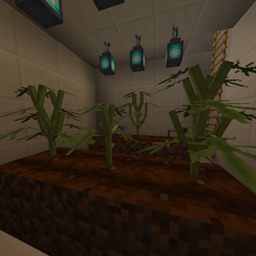
Herbcraft
Adds a new magical herb seed to the game. Seeds can be found by breaking grass. Grow the plant on farmland through different stages. Harvest it to collect special herbs. Craft herbs into magical items. Trade with villagers for emeralds.
评论
登录后评论和评分