
截图

介绍
中文介绍正在准备中,下面暂时显示原文。
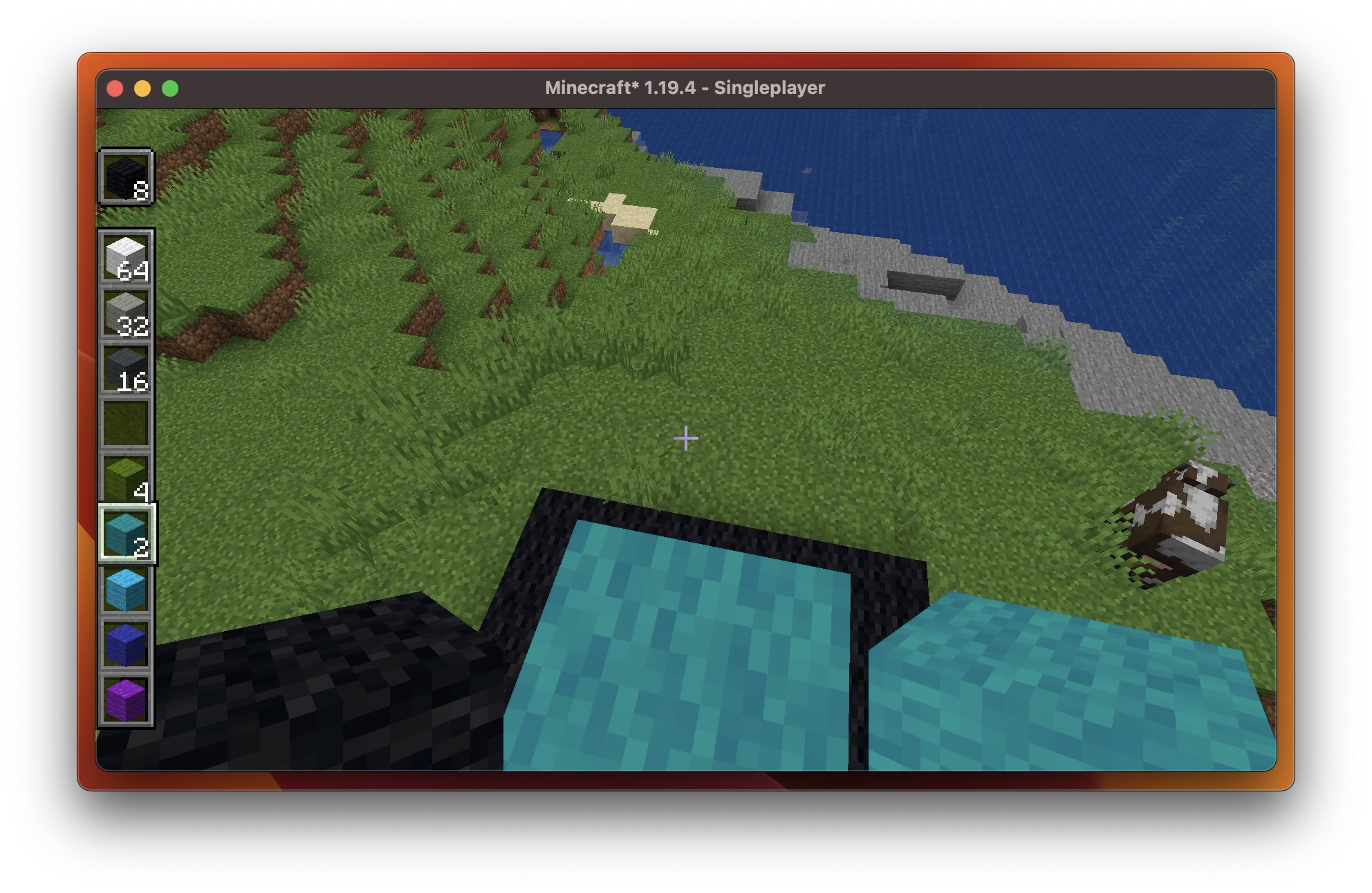
Verticality
Verticality verticals your hotbar. Simple enough? Fascinating enough!
To toggle the feature, just press <kbd>Escape</kbd> to access the game menu, then you’shall see arrows on the hotbar area. Click them to see what happens!
Hotbar Styles
Verticality provides the following hotbar styles:
 Horizontal (Vanilla) |
 Vertical |
|---|---|
 Horizontal <sub>Alternative Layout</sub> |
 Vertical <sub>Alternative Layout</sub> |
 Also works in Spectator Mode. |
Compatibility
Verticality has good compatibility with:
Feel free to open a new issue if you find an incompatibility.
User Interface
This video demonstrates how you can play around with Verticality.
常见问题
Verticality & Hotbar! 支持哪些 Minecraft 版本?
Verticality & Hotbar! 支持 Minecraft Java 版 1.20.2–1.20.4,共 3 个版本,可用的加载器:Fabric / Quilt。下载时注意选择和你游戏版本一致的文件。
Verticality & Hotbar! 怎么安装?
先用 PCL2 或 HMCL 启动器安装对应版本的 Fabric / Quilt,再把下载的 .jar 文件放进游戏目录的 mods 文件夹,重新启动游戏即可。开启了版本隔离的,mods 文件夹在 versions/版本名 下面。
KrLite 的其他作品
查看全部 →
Bounced
by Kessoku Tea Time
让你的《Minecraft》嗨起来!
485.5万
3 个月前
Modrinth · CurseForge
CreatePlus
by DM Earth
Create Fabric 兼容附魔。
68.7万
4 年前
Modrinth · CurseForge

Night Auto Config
by KrLite
全部序列化!Auto Config 的 Night Config 集成。
21.5万
11 个月前
Modrinth · CurseForge

Edgeless Chat Screen
by Kessoku Tea Time
为什么不做一个无边框的聊天界面呢?
14.8万
2 年前
Modrinth · CurseForge
评论
登录后评论和评分