Entity Library – Mob Preview Browser
Browse and 3D-preview all living entities in your modpack without summoning them.
截图
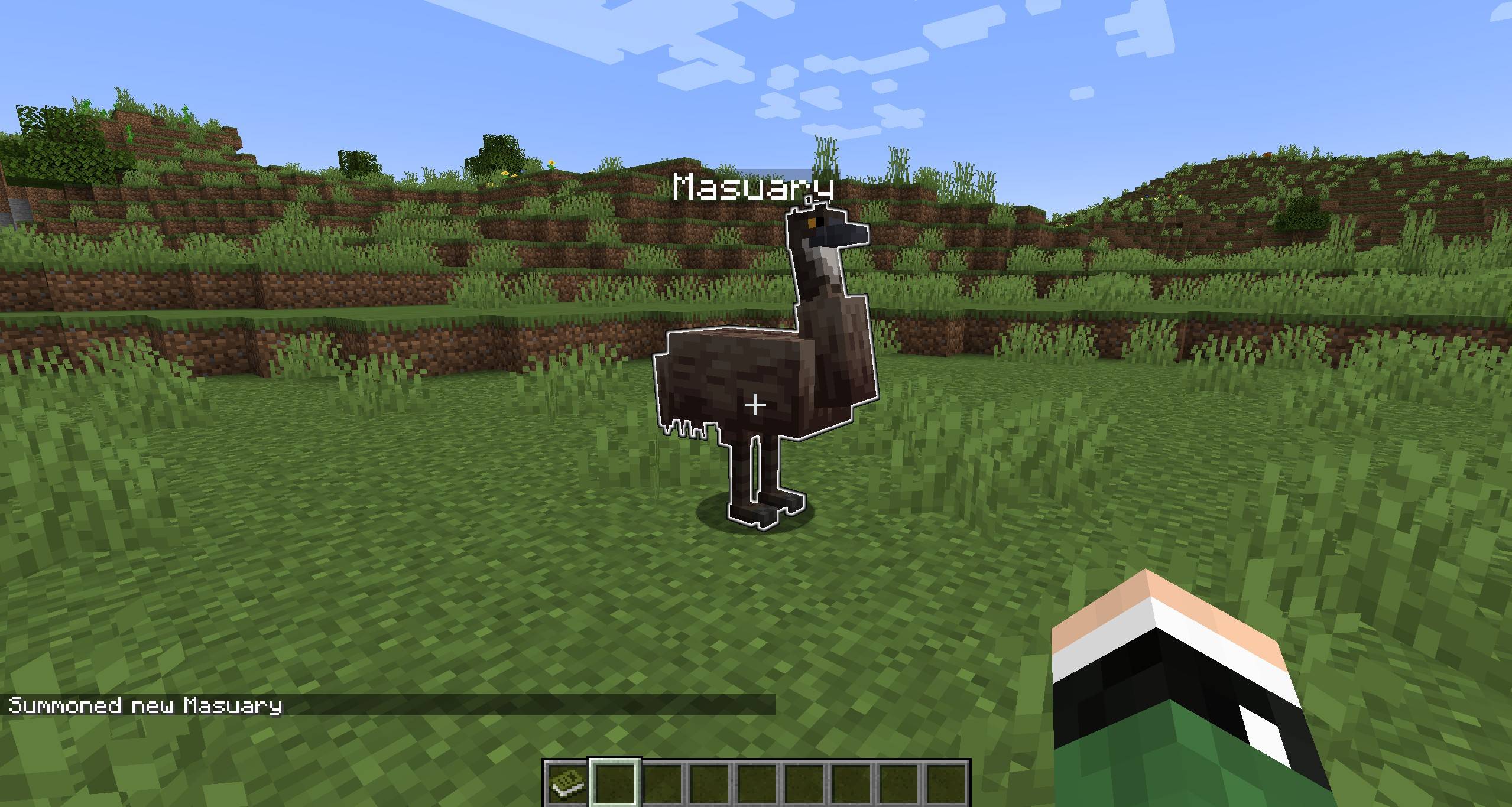
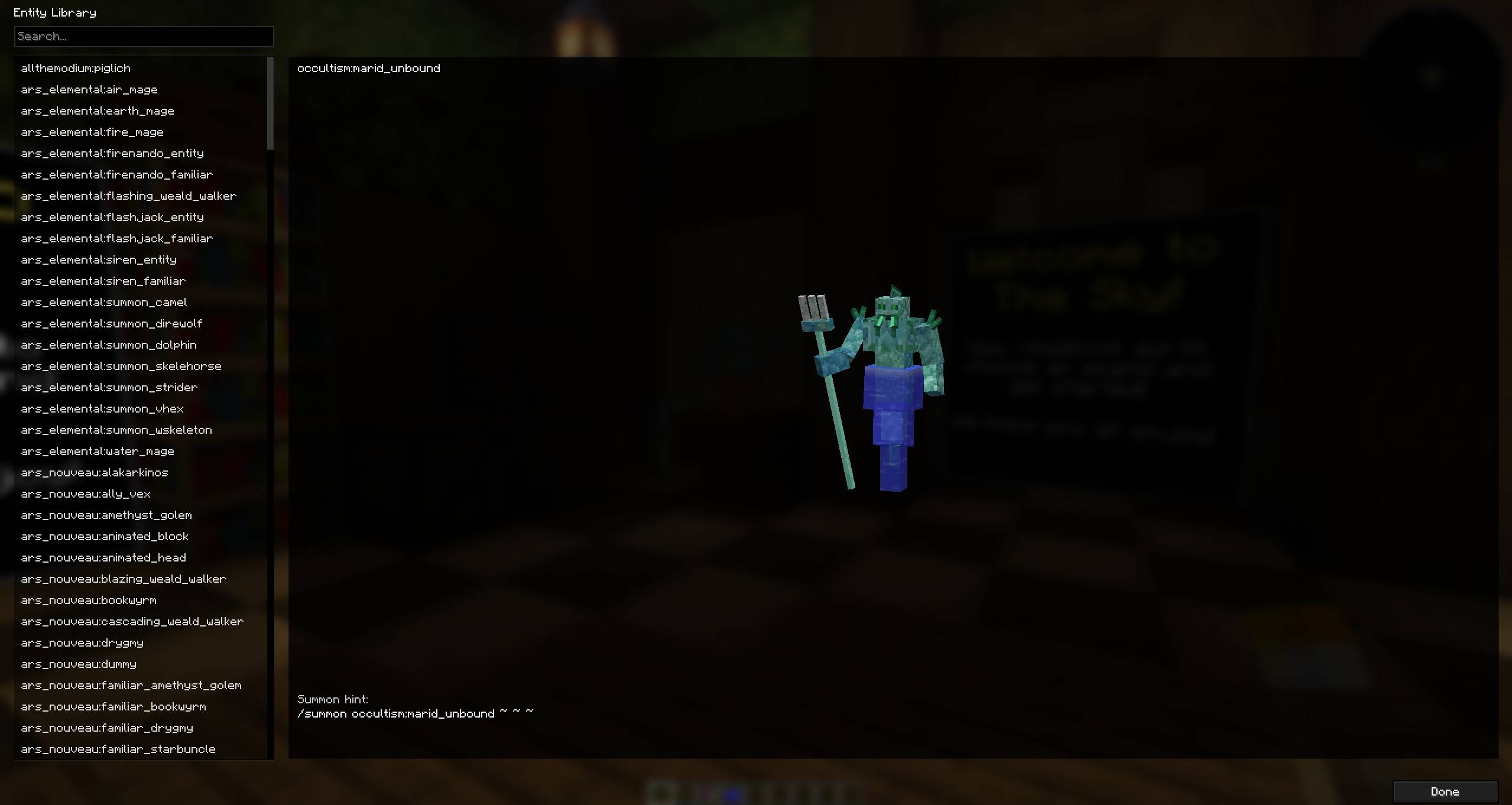
介绍
Entity Library adds a simple in-game “library” screen that lets you browse and preview entities in 3D without actually summoning them into the world.
Built for modpacks where you want a quick way to check what mobs exist (including modded mobs) and what they look like, without spawning, ticking, or affecting gameplay.
Features
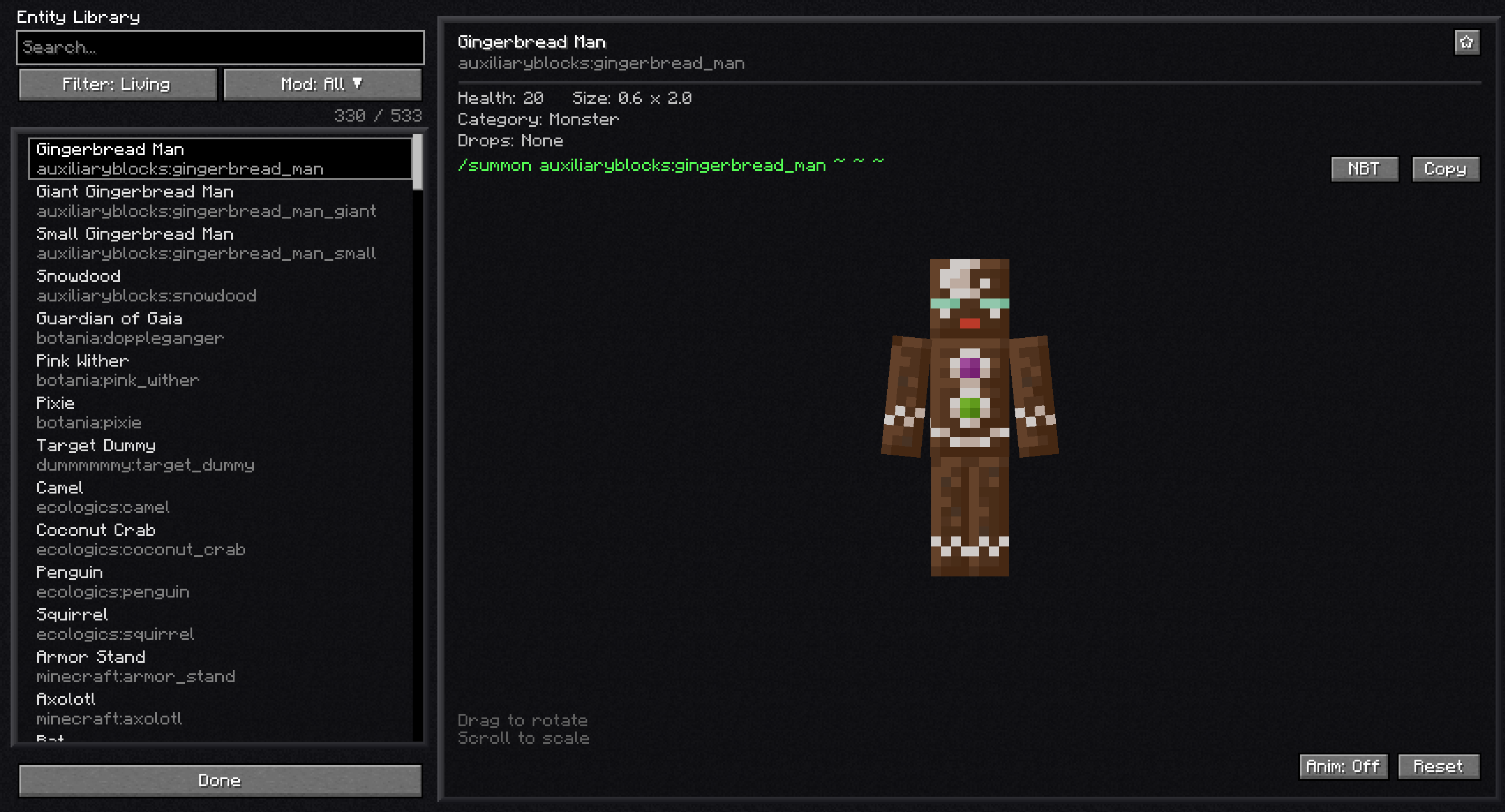
- Browse a searchable list of LivingEntity types registered by Minecraft and your mods
- 3D preview panel (no entity is spawned into the world)
- Shows the entity registry ID and a
/summon <id> ~ ~ ~hint for reference - Mouse wheel zoom (preview scale)
- Drag to rotate the preview
- Optional walk/idle animation toggle
- Favorites: star entities and filter to show only favorites (saved across sessions)
- Filters: All, Living, Hostile, Passive, Favorites
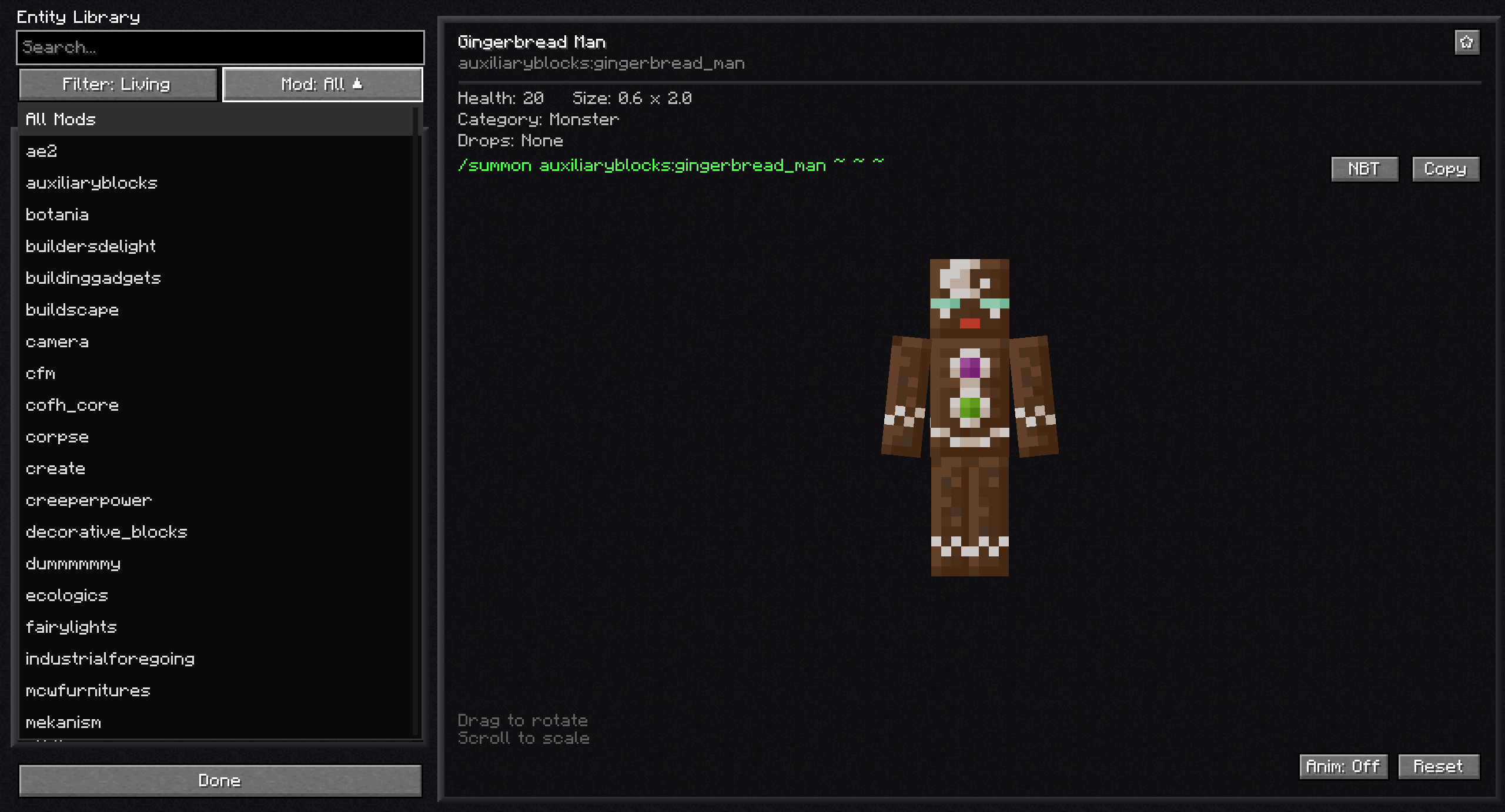
- Namespace/mod filter to show entities from a specific mod/namespace
- Detail panel with: display name, registry ID, max health, dimensions, mob category, and
/summoncommand with copy button - Dark/Light theme toggle (saved to config)
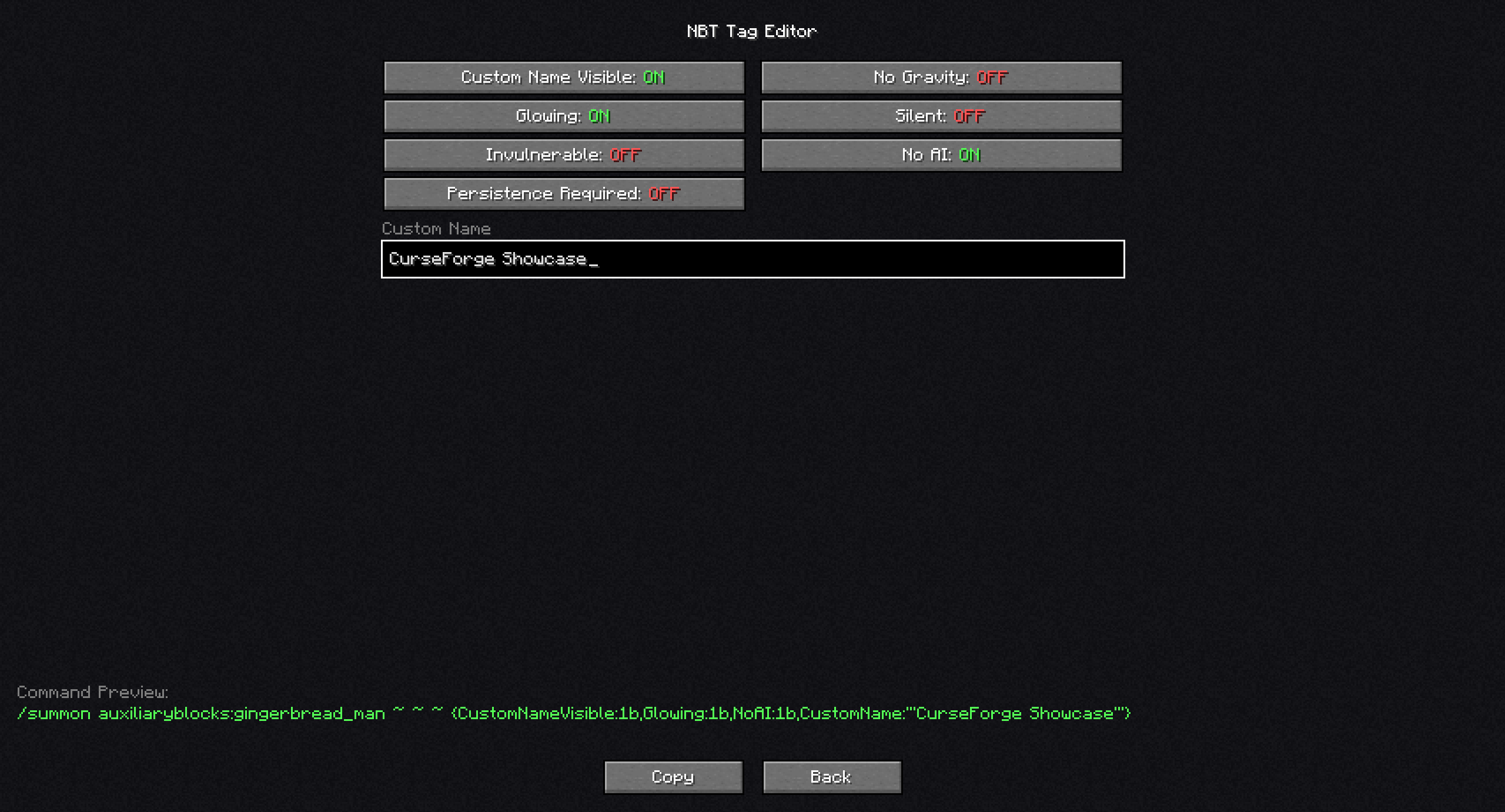
- Optional NBT editor for common tags (NoAI, Glowing, Invulnerable, Silent, NoGravity, PersistenceRequired, CustomNameVisible) plus Custom Name, with live
/summonpreview + copy - Loot table / drops display (singleplayer only)
Controls
- Open the library: O (configurable in Minecraft Controls)
Compatibility
- Minecraft: 1.18.2
- Forge: 40.3.11+
- Client-side mod. Intended to be safe to use on servers (it does not summon anything), but servers may still require clients to follow their mod rules.
Notes / Limitations
- The list intentionally hides non-living entity types (projectiles, boats, minecarts, etc.).
- Some modded entities may fail to preview if they require server-only initialization or special spawn data; these will show a preview error instead of crashing the game.
- Loot table / drops display works in singleplayer only.
Modpack Permissions
- You may include this mod in modpacks.
常见问题
Entity Library – Mob Preview Browser 支持哪些 Minecraft 版本?
Entity Library – Mob Preview Browser 支持 Minecraft Java 版 1.18.2–1.21.1,共 3 个版本,可用的加载器:Forge / NeoForge。下载时注意选择和你游戏版本一致的文件。
Entity Library – Mob Preview Browser 怎么安装?
先用 PCL2 或 HMCL 启动器安装对应版本的 Forge / NeoForge,再把下载的 .jar 文件放进游戏目录的 mods 文件夹,重新启动游戏即可。开启了版本隔离的,mods 文件夹在 versions/版本名 下面。
Masuary 的其他作品
查看全部 →
MasuPlots
MasuPlots 可在大厅地图中添加由管理员定义的多边形地块。玩家可以购买地块、建造建筑并经营商店。支持自动保护、游戏模式切换、维护费收取和地块收回。兼容 Lightman's Currency 和 Vault Hunters。

Create Walkable Tracks
为机械动力的弯曲和斜向铁轨添加碰撞箱,让你可以在轨道上行走。列车仍可正常通过。

MasuGUI
数据驱动的服务端 GUI 前置库,提供丰富的客户端渲染,并为未安装模组的玩家自动回退到原版箱子界面。

MasuTab
为 Wolds Nexus SMP 提供的高级原版玩家列表替代方案,支持搜索、按服务器切换标签页、折叠分组、实时延迟和 TPS 显示,以及一键使用 /msg、/tpa 和 /travel 指令。
评论
登录后评论和评分