截图
介绍
You are playing on a server, having a plan to do but can’t remember the progress? You are playing Survival and want to see how many ores you have mined? Then this mod is for you!
What it can do
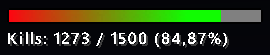
It can track your own set goals and you can increase/decrase the progress in just one key press. For example you want to kill 50 players in a PvP game, you can set it up to display on the HUD and when you killed someone, you simply press the ‘+’ key.
Commands
The mod has its own commands, and can be used both in Singleplayer or Multiplayer.
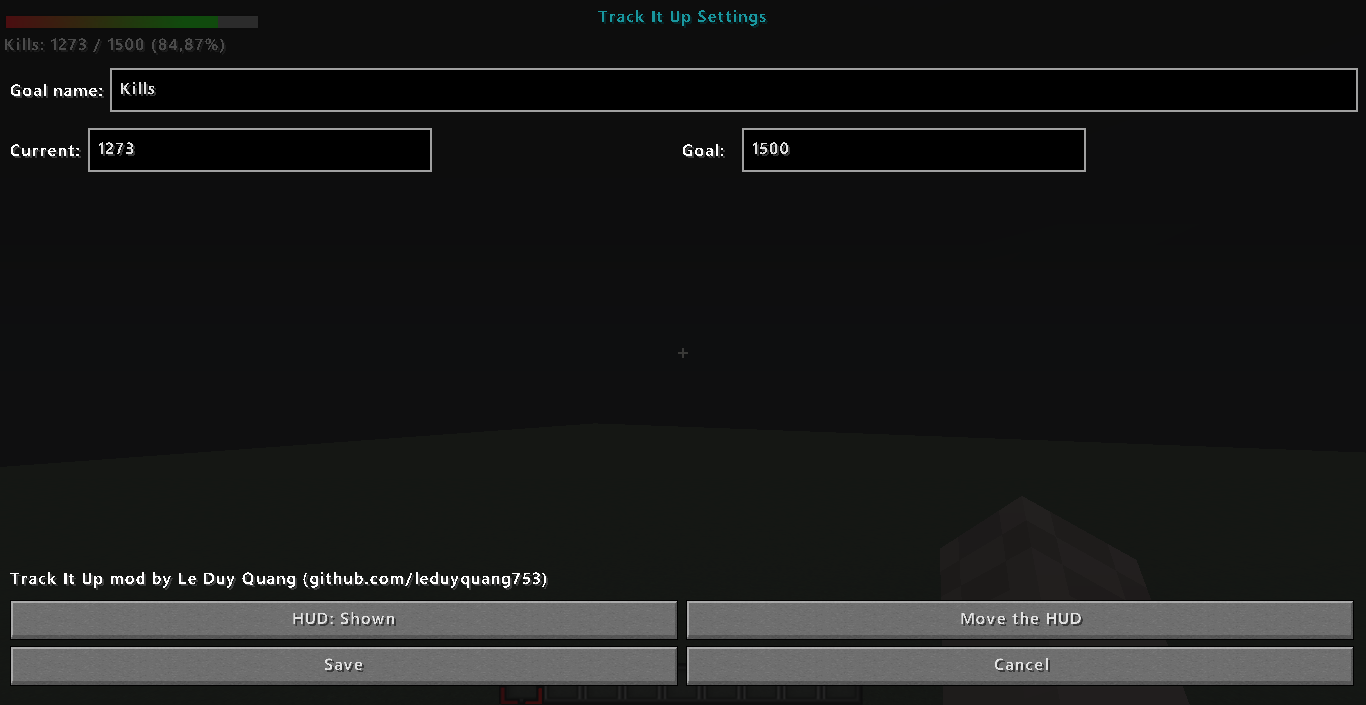
/TrackItUp: Opens the mod’s settings GUI.
/makegoal <name> <goal> <currnet>: Makes a new goal, overriding the old goal.
/progress <number>: Adds the number into the current progress. Typing a negative number will decrase it.
/set <name | goal | progress> <argument>: Sets the specified goal’s arguments.
/setXY <X> <Y>: Sets the position of the mod’s HUD on the screen.
/toggle: Toggles whether the mod’s HUD is displayed on the screen.
Key bindings
The mod also uses some key bindings for the convenience of controlling the mod. Below lists the default key bindings and their uses. They are all customizable via the Controls menu.
+ on numpad: Increases the progress by 1.
– on numpad: Decrases the progress by 1.
Enter on numpad: Toggles the mod’s HUD’s visibility.
* on numpad: Opens the mod’s settings GUI.
常见问题
Track It Up 支持哪些 Minecraft 版本?
Track It Up 支持 Minecraft Java 版 1.8.9,可用的加载器:Forge。下载时注意选择和你游戏版本一致的文件。
Track It Up 怎么安装?
先用 PCL2 或 HMCL 启动器安装对应版本的 Forge,再把下载的 .jar 文件放进游戏目录的 mods 文件夹,重新启动游戏即可。开启了版本隔离的,mods 文件夹在 versions/版本名 下面。
评论
登录后评论和评分