Casual Chaos: Additions
The custom companion mod of the **Casual Chaos: Cobble & Cloud** modpack. A Pokébelt, Pokéstops, battle intros
and music for your Cobblemon adventures, plus a Discord bridge with a personality.
—
## 🎒 Pokébelt
A belt for your Poké Balls, worn in an accessory slot.
– Open the belt and throw the selected ball straight from it, without filling up your hotbar.
– Three tiers: **Base**, **Great** and **Ultra**. Upgrade and dye them to your taste.
– The belt **grows with you**: every catch milestone unlocks an extra slot, and catching more slowly raises your
catch rate.
– A catch card pops up for every new catch, with level, form and your Pokédex progress.
– **Shiny Charm**: triples your shiny odds and stays with you when you die.
– Belt advancements to collect.
## 📍 Pokéstops
Pokéstops, Winged stops, Poké Ball stops and Healing stops to place around your world. Each has its own cooldown
and beacon beam, plus trophies to show off.
## ⚔️ Battle Intros
A VS screen with portraits and sound before your battles, for wild, trainer and PvP battles. You can skip it with a
key you choose yourself.
## 🎵 Music
Music that follows what you’re doing:
– Battle music that changes with the kind of opponent, including Radical Cobblemon Trainers ranks.
– Victory themes and evolution music.
– Ambience that changes as you explore, plus optional menu music.
– Smooth crossfades and adjustable pauses between tracks.
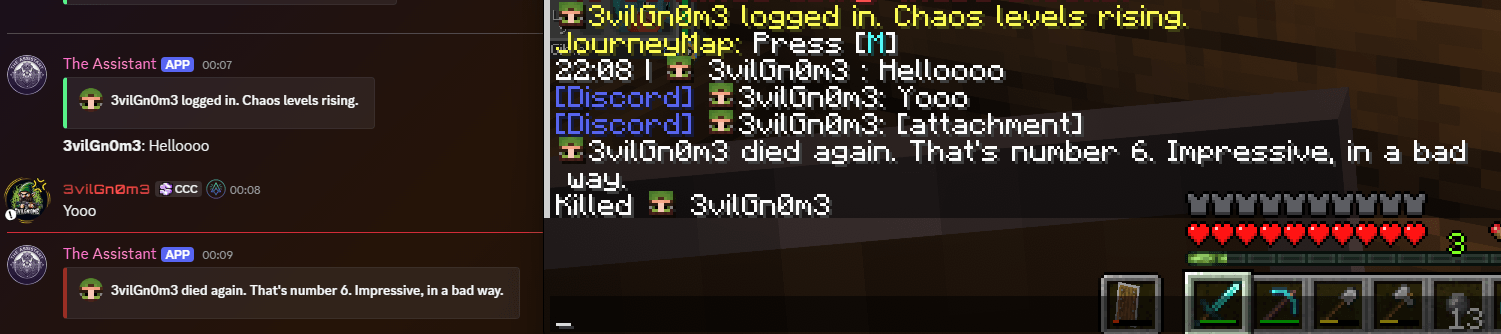
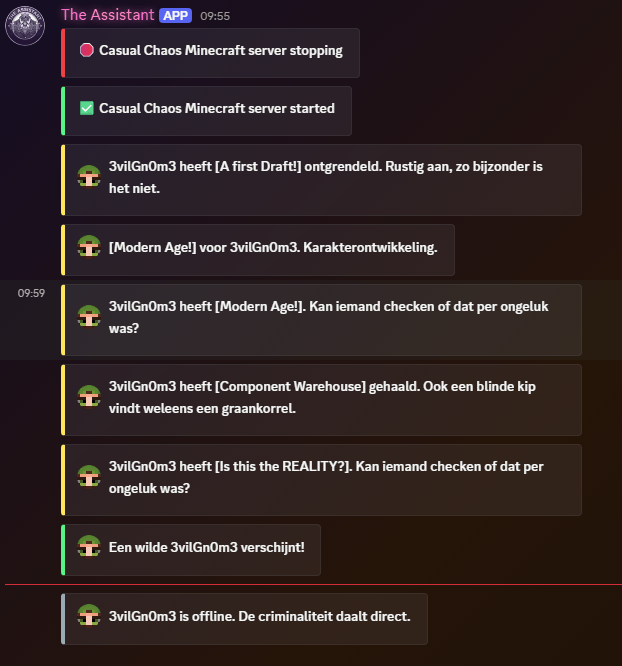
## 💬 Discord Bridge (dedicated servers)
Link your server chat to a Discord channel with your own bot.
– **Chat both ways**, with player heads as avatars (via webhook).
– **Joins, leaves, deaths, advancements, kicks and bans** posted as small cards.
– Slash commands: `/online`, `/mc-status` (TPS, players, uptime) and `/whitelist`.
– **Self-service whitelist**: players whitelist themselves, one Minecraft account per Discord user.
– Optional staff channel with an audit log and server warnings.
– No mass pings: `@everyone`, `@here` and role mentions are stripped in both directions.
– Your token stays on the server and is never sent to players.
## 😈 Message Styles: Normal or Chaos (dedicated servers)
Choose how your server talks:
– **Normal**: short and clean. *”Steve died to a Zombie.”*
– **Chaos**: dry roasts, never mean. *”Steve tried lava. Lava won.”* or *”Steve died again. That’s number 6. Impressive, in a bad way.”*
– Available in **English and Dutch**.
– Over 150 lines, picked at random and never the same one twice in a row.
– All lines live in an editable file. Add your own without touching the mod.
– Every event can be switched on or off separately for Discord and for in-game chat.
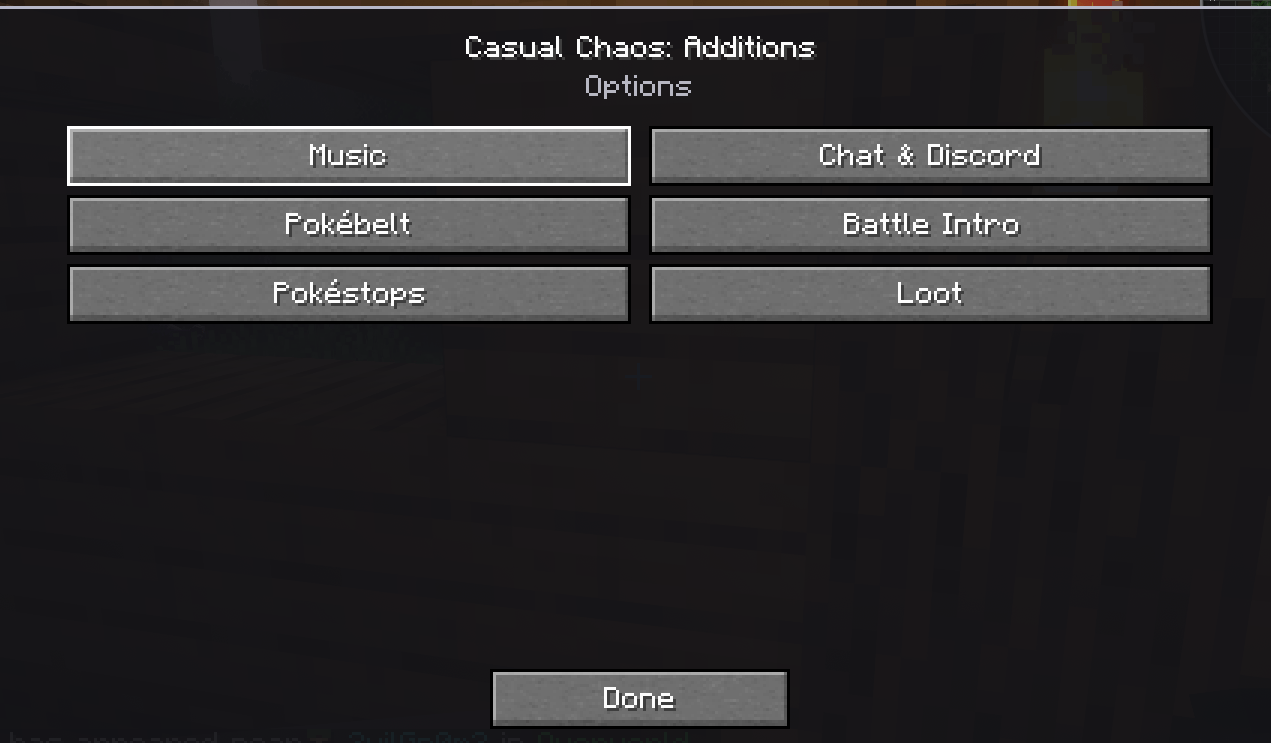
## ⚙️ Options Menu
One menu for everything, in the mod’s config button:
– **Music, Chat & Discord, Pokébelt, Battle Intro, Pokéstops and Loot**.
– Change your own settings: chat filters, HUD position and size, fade, timings, intro and beacons.
– See the server’s settings when connected, read-only.
– **Chat filters**: hide Discord chat, join/leave or death messages, just for yourself.
## 🛠️ For Server Admins
– `/casualchaos config …` changes styles, events and the rules of every feature live, with tab completion. No
restart needed.
– `/casualchaos reload` reloads all config files and message lines.
– Loot tweaks: mod items in loot tables, plus a loot roll multiplier.
## ✨ Small Extras
– **Narrator toggle** on a key you can rebind (Alt+K by default), so you don’t trigger it by accident.
– All keybinds live under **CC Additions** in Controls.
—
## Requirements
– Minecraft **1.21.1** with **NeoForge**
– Cobblemon 1.8.1+
– CobbleDollars
– Kotlin for Forge
– Accessories
– GeckoLib
– CasualChaos-Core
**Optional:** Jade, Radical Cobblemon Trainers, Cobblemon Raid Dens, FancyMenu, Sophisticated Backpacks,
Traveler’s Backpack.
*note; we’ve used some parts of open source mods in this pack



评论
登录后评论和评分