EmoteStage
A multiplayer Emotecraft addon that synchronizes dances, supports paired emote roles, and adds customizable in-game music.
截图
介绍
EmoteStage
EmoteStage is a multiplayer addon for Emotecraft that lets players create synchronized dances and choreographies in Minecraft.
Invite another player, assign an emote to each participant, and let the server schedule both performances using the same game clock. The two players can use either the same emote or completely different emotes, making EmoteStage perfect for duets, dances, role-based animations, waltzes, performances, and SMP events.
Features
- Multiplayer synchronization: performances are scheduled using the server clock and begin after a synchronized countdown.
- Different emote roles: assign one emote to yourself and another to your partner.
- Searchable emote picker: search thousands of emotes by name or UUID.
- Favorites and recent emotes: quickly access the animations you use most.
- Large catalog support: handles up to 4,096 emotes per player, with remote catalogs loaded only when needed.
- In-game music library: import OGG/Vorbis files without manually creating a resource pack.
- Music bindings: connect an imported song to any emote.
- Audio controls: configure global volume and individual track volume from 0% to 200%.
- Looping and previews: preview tracks and enable continuous playback for looping performances.
- Automatic local resource pack: imported music is placed into a resource pack generated and managed by EmoteStage.
- Positional stage audio: sounds follow the performers and are centered between them.
- Stage effects: optional particles, countdown messages, invitation sounds, distance limits, cooldowns, and invitation expiration.
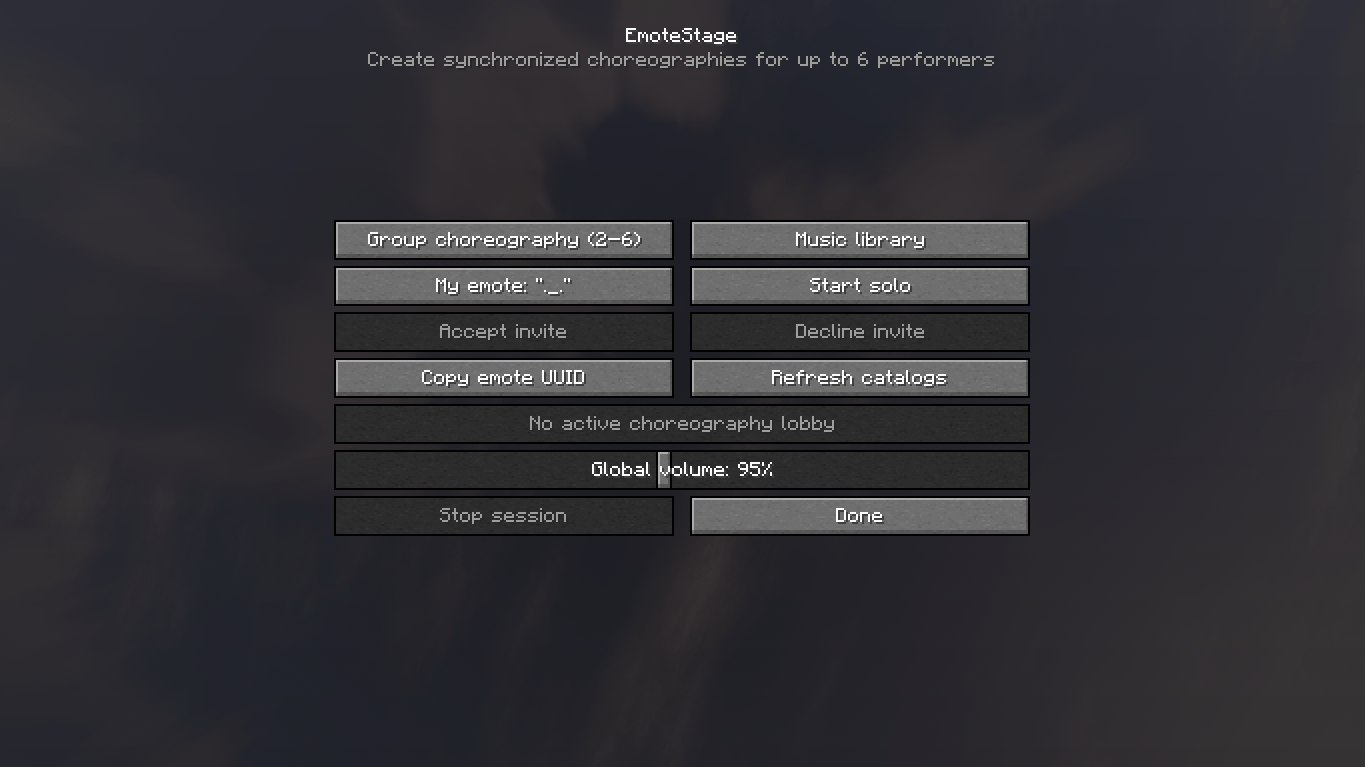
- Solo mode: start a synchronized stage presentation without inviting another player.
- Server music support: traditional resource packs and
tracks.jsonconfigurations remain available for server administrators.
How to Use
- Press J to open the EmoteStage menu.
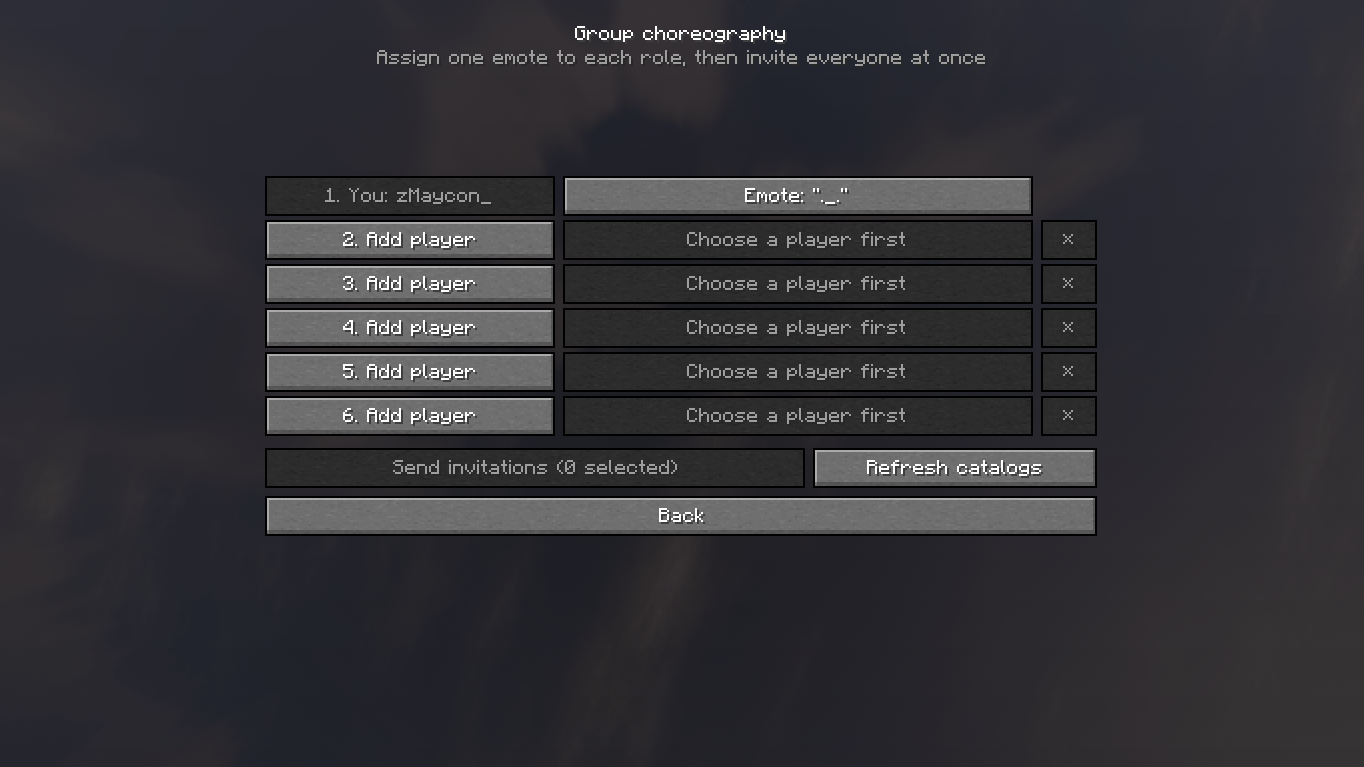
- Select another player.
- Choose the emote you want to perform.
- Choose the emote your partner should perform.
- Send the invitation.
- Once accepted, both emotes will begin after the synchronized countdown.
The two selected emotes do not need to be identical. Each player only needs to have the emote assigned to their role.
Adding Music
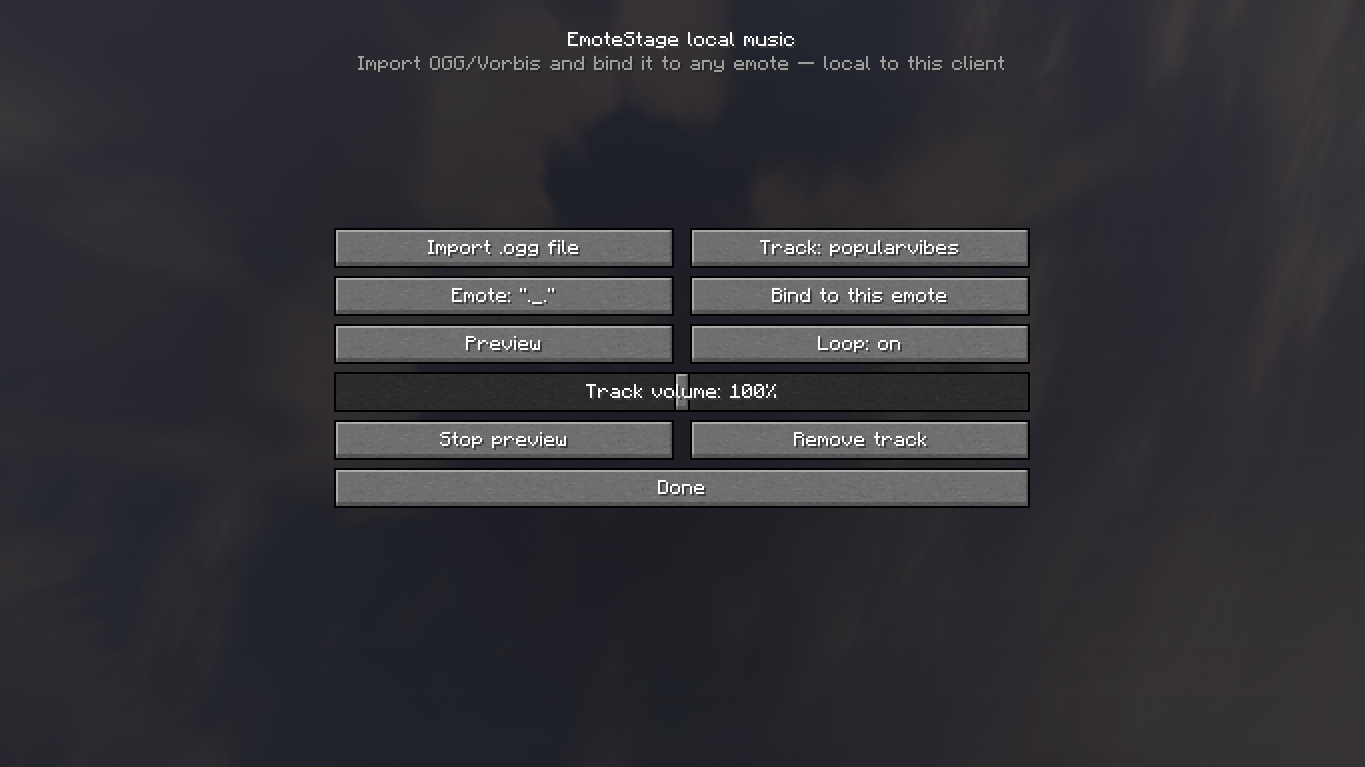
- Press J and open Music Library.
- Select Import .ogg File.
- Choose an OGG/Vorbis audio file.
- Select an emote.
- Bind the imported track to that emote.
- Configure its volume and looping behavior.
Imported music is stored locally and is not uploaded to the server or transferred to other players. If everyone should hear the same song, each client must import and bind the same audio file, or the server must provide a shared resource pack.
Please only use audio that you have permission to use or distribute.
Requirements
EmoteStage must be installed on the server and on every participating client.
- Minecraft
1.20.1 - Forge
47.4.6or newer within the 1.20.1 branch - Emotecraft
2.2.7-b.build.50 - PlayerAnimator
1.0.2-rc1+1.20 - EmoteStage
1.1.0
Clients and servers should use the same EmoteStage version.
Commands
/emotestage status— displays your catalog and session status./emotestage stop— stops your current performance./emotestage reloadtracks— reloads server music configuration; operator permission required.
Multiplayer and SMP Support
EmoteStage was designed for dedicated servers, private servers, and SMPs. Emote catalogs, invitations, role assignments, countdowns, session state, and stopping behavior are handled through the server.
Create synchronized performances with your friends and turn any location into a stage!
常见问题
EmoteStage 支持哪些 Minecraft 版本?
EmoteStage 支持 Minecraft Java 版 1.20.1,可用的加载器:Forge。下载时注意选择和你游戏版本一致的文件。
EmoteStage 怎么安装?
先用 PCL2 或 HMCL 启动器安装对应版本的 Forge,再把下载的 .jar 文件放进游戏目录的 mods 文件夹,重新启动游戏即可。开启了版本隔离的,mods 文件夹在 versions/版本名 下面。
评论
登录后评论和评分