
Better Claim
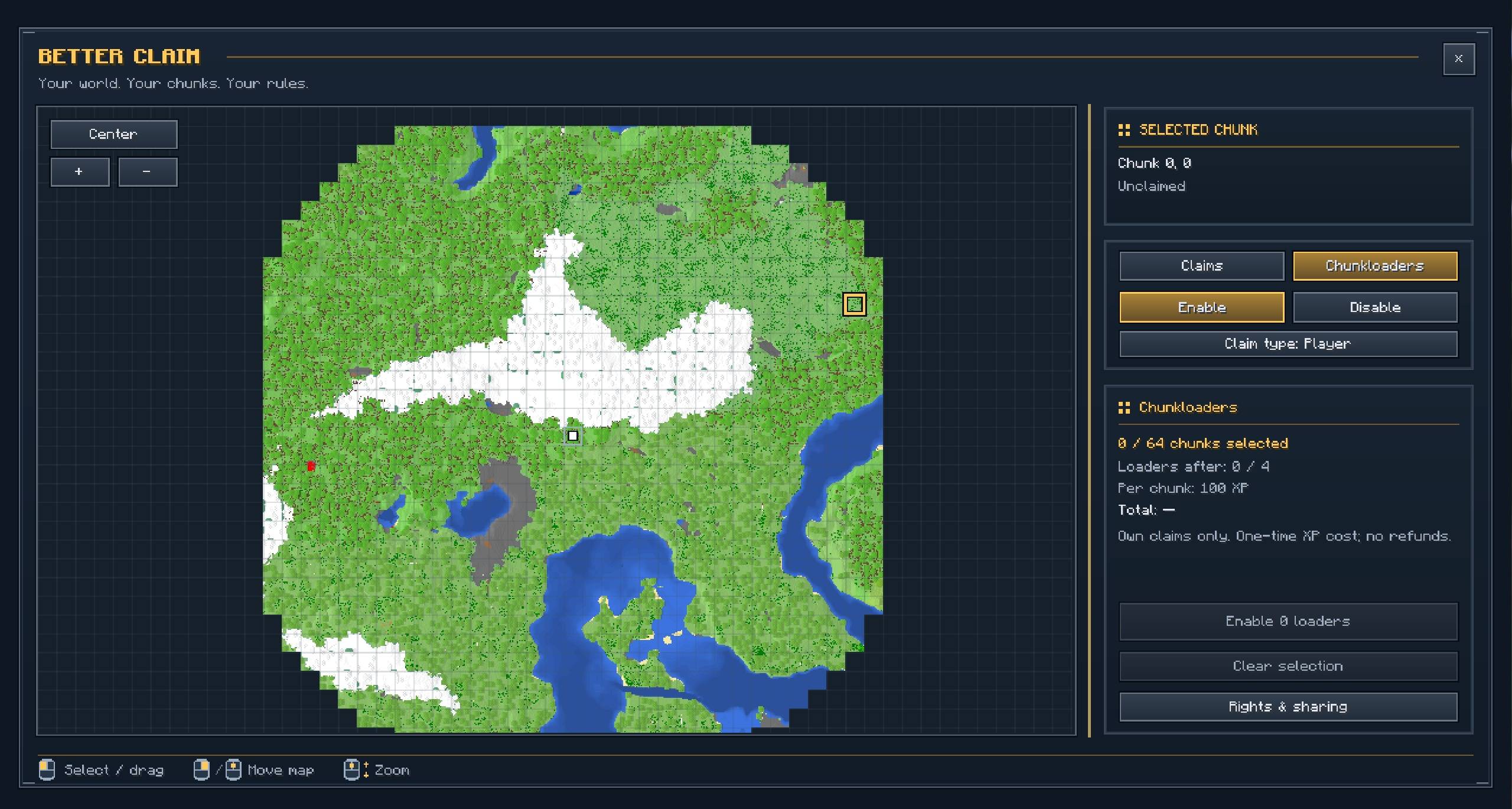
Better Claim protects your bases through an interactive world map. Claim chunks, manage detailed permissions, groups and rules, share areas with other players, and configure chunk loaders, pricing, server policies and combat protection.
截图
介绍
Better Claim
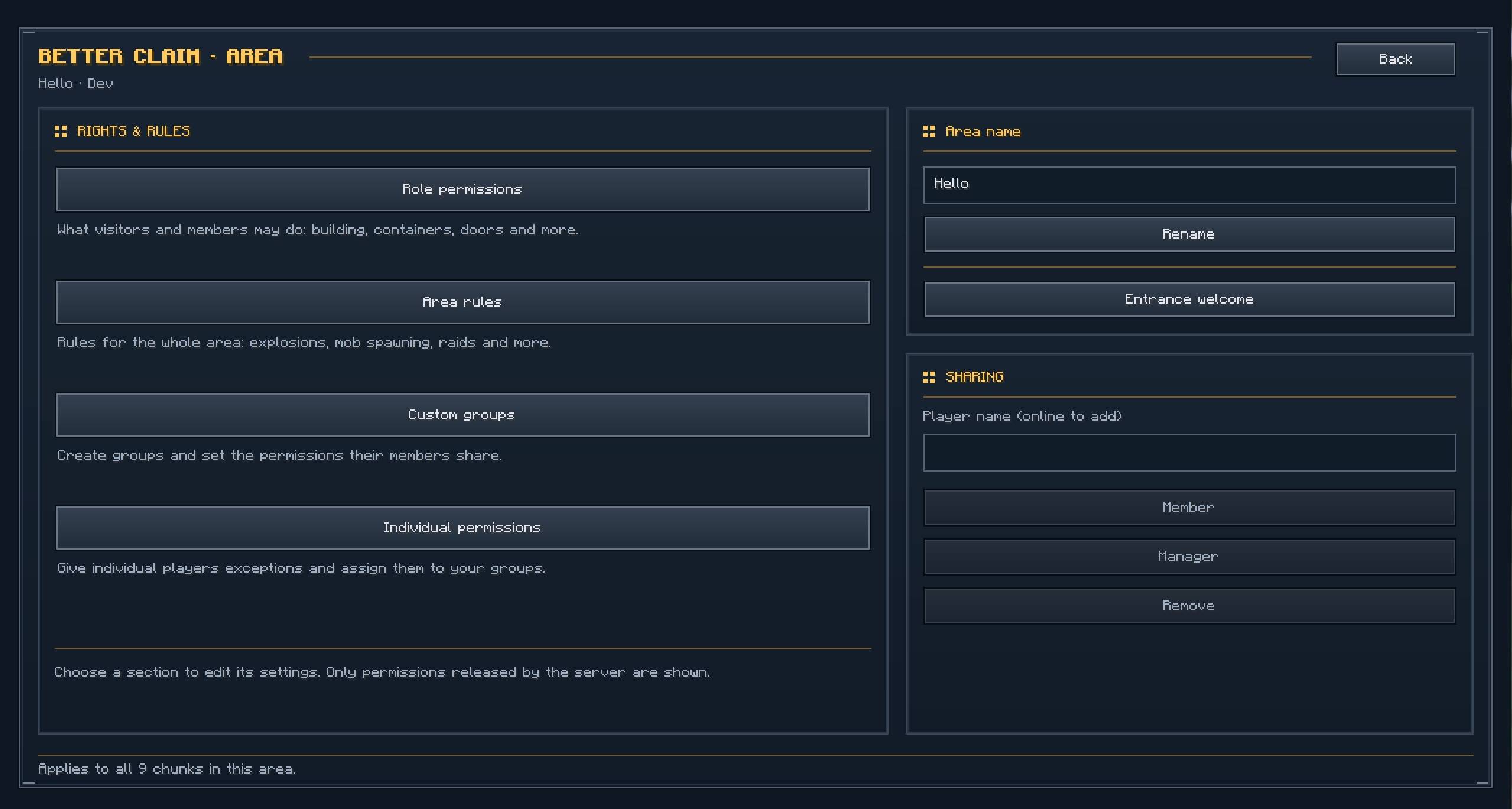
Better Claim adds chunk-based land protection, configurable permissions and optional chunk loading to Minecraft. Claim a place for your base, invite friends and decide what visitors can do. Separate areas can have their own names, members, permissions and welcome messages.
The mod works for personal bases, shared building projects and server-owned locations such as spawn areas or public facilities. Server admins can configure costs, limits, protection rules and optional recurring rent.
The client mod is optional. Players can access every gameplay feature through commands and built-in Minecraft menus. Installing Better Claim on the client adds an interactive claim map and custom interfaces.
Claiming your first area
Open the menu with /betterclaim.
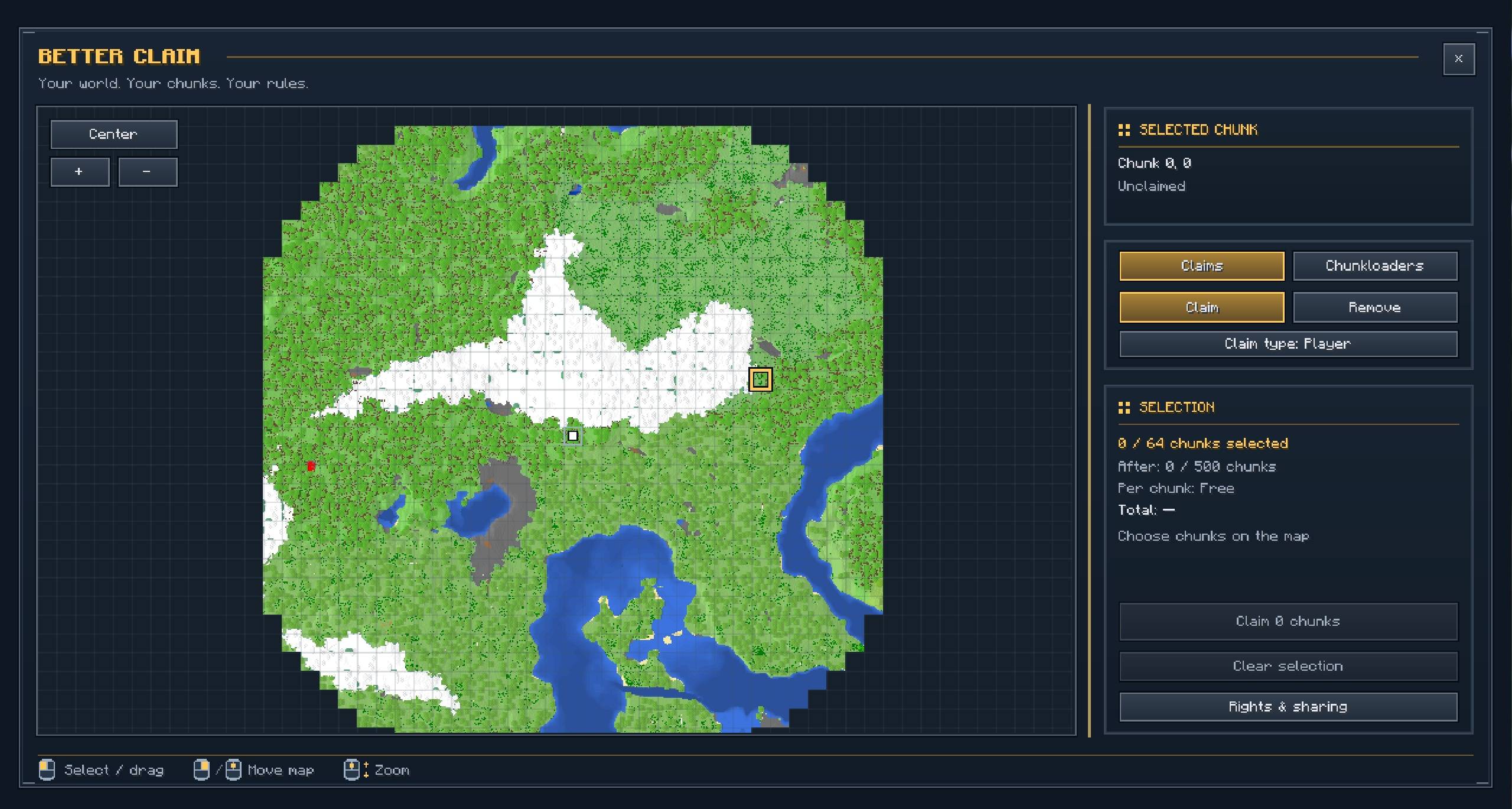
With a compatible Better Claim client installed, this opens the interactive map. Without the client mod, it opens the built-in Minecraft menu.
Choose the chunk you are standing in or select several chunks, review the displayed cost and confirm your selection. Each claimed chunk protects a 16 × 16 block area across the dimension’s full height.
With the optional client mod, you can also press U by default to open the map:
- Left-click or drag to select chunks.
- Right-click or middle-click and drag to move the map.
- Scroll to zoom.
- Review your selection and confirm the action.
Up to 64 chunks can be selected in one action. The server controls your total claim limit, allowed distance and any payment requirements.
Claiming land protects it. Chunk loading is enabled separately.
Separate bases with their own settings
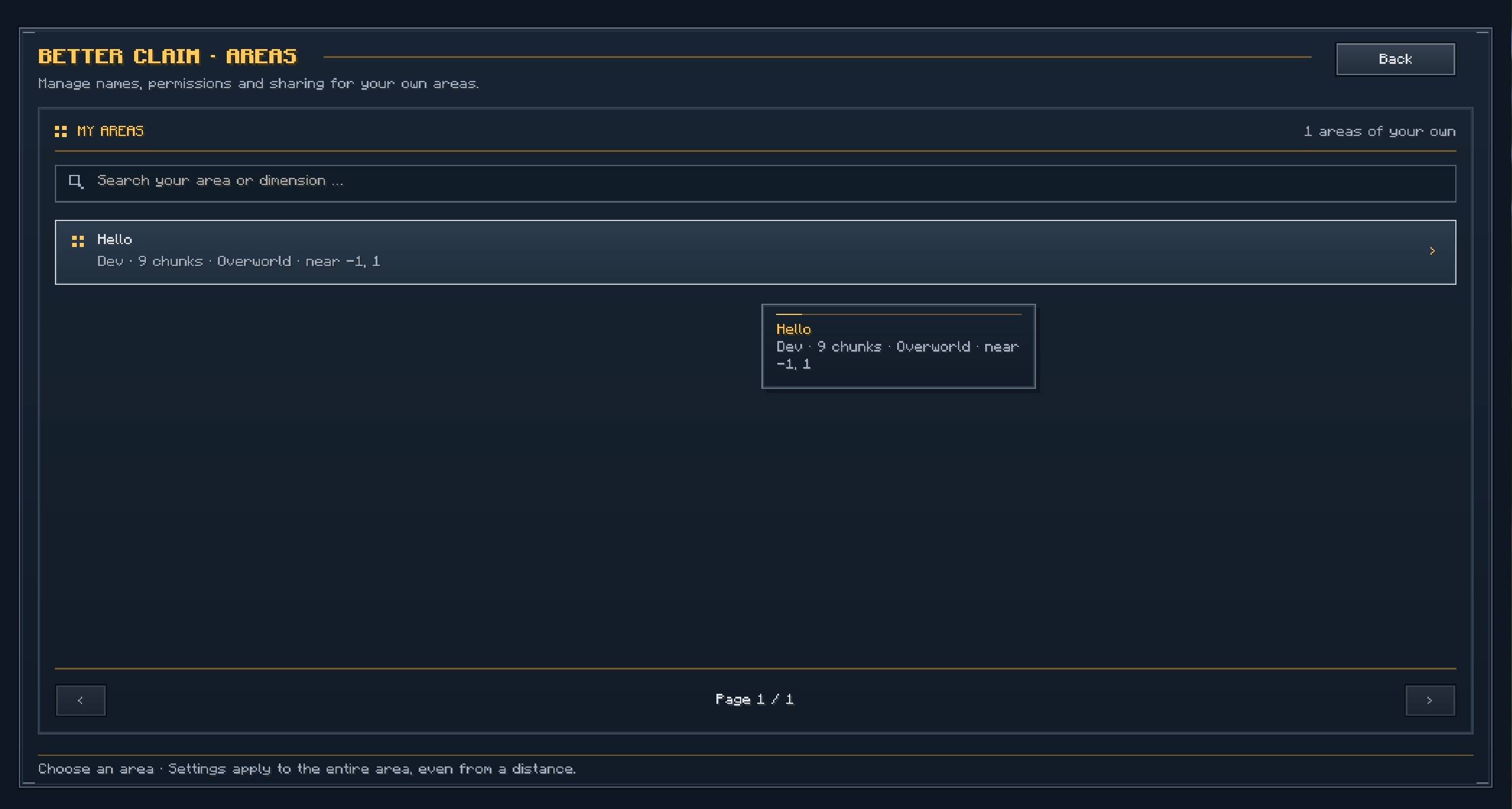
You can own several separate areas without connecting them, unless the server requires adjacent claims.
For example, you could protect your main house, an industrial base and a building project in another dimension. Each separate area can have its own:
- Name.
- Members and managers.
- Visitor and member permissions.
- Custom groups and individual exceptions.
- Environmental rules.
- Entrance title and subtitle.
All your areas share your personal claim limit across the dimensions of the same world.
Settings apply to the entire selected area. Giving two separate areas the same name does not connect them or share their permissions.
Members, managers and custom groups
Invite other players to an area as members or managers.
Members receive the area’s configured member permissions. Managers can also help maintain supported area settings and ordinary permissions.
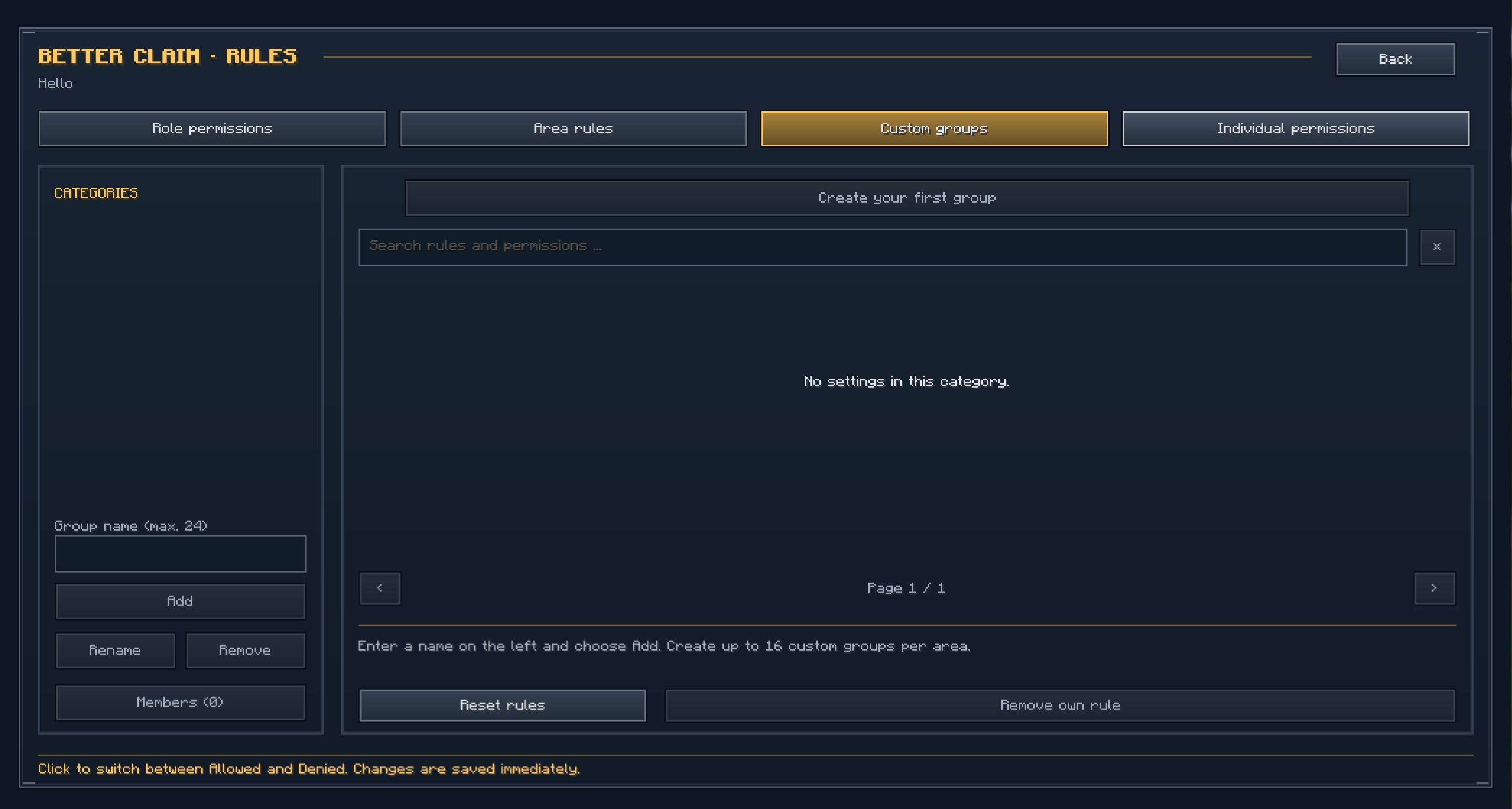
For more specific access, create your own groups and assign individual players to them.
You could create a Builders group that can place and break blocks, a Farmers group that can harvest crops and manage animals, or allow visitors to use a public workshop while keeping storage private.
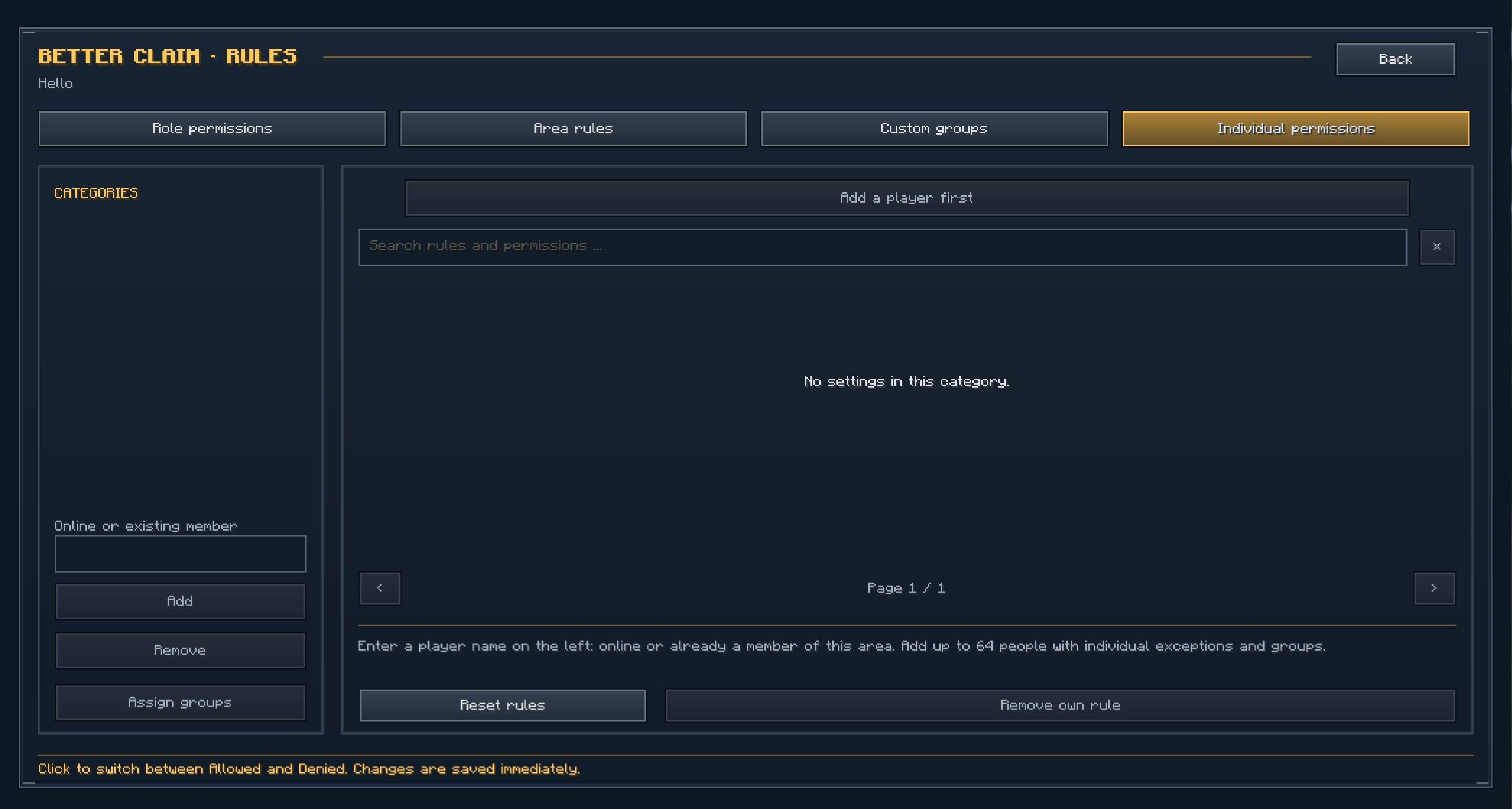
Individual exceptions let you adjust a particular player’s access without changing everyone else’s settings.
An explicit personal setting takes priority over group permissions. When several groups disagree, an explicit group denial takes priority over a group allowance. Fixed server policies remain binding.
Detailed permissions
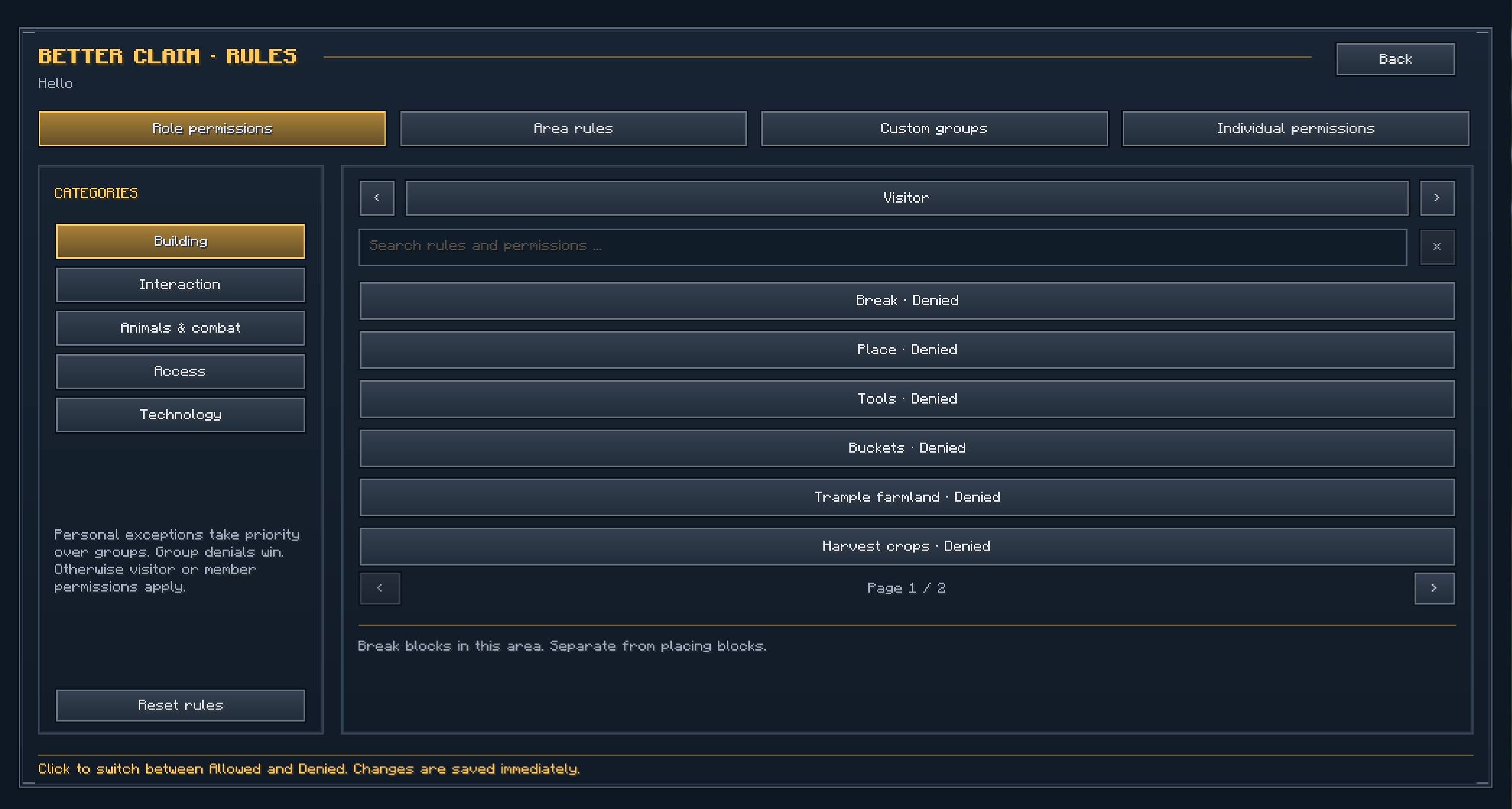
Better Claim lets you control individual actions instead of giving every trusted player the same unrestricted access.
| Category | Examples |
|---|---|
| Building | Breaking and placing blocks, harvesting, planting, fertilizing, buckets and tools. |
| Containers and workstations | Chests, barrels, shulker boxes, furnaces, enchanting tables and anvils. |
| Interaction | Doors, trapdoors, gates, beds, signs, item frames and armor stands. |
| Animals and villagers | Feeding, breeding, shearing, taming, riding, trading and damage. |
| Redstone and technology | Buttons, levers, pressure plates, tripwire, hoppers, dispensers and supported machine interactions. |
| Access and items | Entering an area, picking up items or XP, dropping items, ender pearls, chorus fruit and portals. |
Related permissions can inherit a broader setting. For example, chest access can follow the general container permission while still allowing you to set a separate chest rule.
The permission editor includes descriptions and a search function. You can search by name, description or technical identifier.
Environmental protection
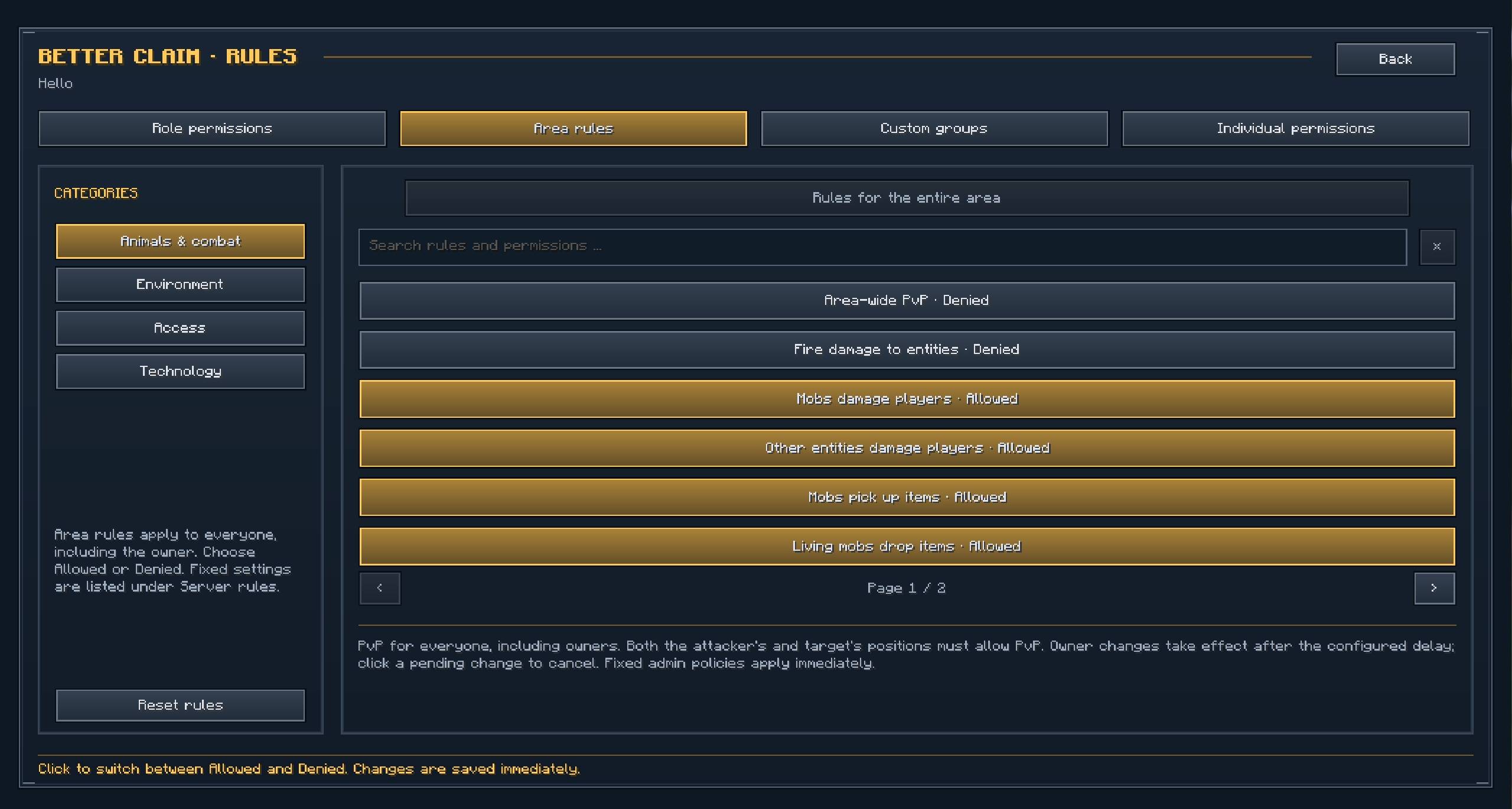
Area rules control effects that apply to the whole protected area.
Available settings include:
- Explosion damage to blocks, players and other entities.
- Mob griefing and fire spread.
- Natural hostile and friendly mob spawning.
- Spawner-based mob spawning.
- Raids.
- Certain projectile and environmental effects.
- Item pickup and drops by mobs.
- Portal use by mobs and other entities.
- Automation crossing area boundaries.
Explosion protection can be configured separately for terrain and entities. You can therefore protect buildings while choosing whether explosions should still damage creatures or players.
A claim does not automatically remove monsters or prevent every source of damage. Natural mob spawning is allowed by default, and separate rules control different hazards.
Area rules apply throughout the area, including to its owner.
PvP and combat settings
PvP uses a shared area rule. It applies equally to owners, members and visitors.
Both the attacker’s location and the target’s location must permit PvP for an attack to be allowed by Better Claim. Group permissions and personal exceptions do not override this rule.
Server admins can also configure:
- A combat lock that temporarily prevents claiming and removing claims after PvP.
- A delay before an owner’s PvP change becomes effective.
- An optional reservation period before new claims become protected.
When a claim reservation delay is enabled, reserved chunks are not protected during the countdown. Payment is taken when reserving, and cancelled reservations are refunded. Combat can cancel pending reservations.
These timers can be adjusted or disabled independently.
Chunk loaders
Enable a chunk loader on selected claimed chunks to keep them loaded while the server is running.
Player chunk loaders can remain active while their owner is offline. They have their own limits and payment settings, separate from ordinary claims.
Admins can configure:
- Whether player chunk loading is available.
- The maximum number of loaders per player.
- One-time activation costs.
- Optional recurring loader rent.
- Separate settings for server-owned loaders.
Deactivating a loader does not refund its activation cost. Manually activating it again can charge the configured cost again.
A server restart does not charge the activation fee again for an existing loader.
Chunk loading requires the server or singleplayer world to remain running. Closing the world stops its simulation.
Optional claim and chunkloader rent
Both rent systems are disabled by default.
Servers can enable recurring payments for claimed land, chunk loaders or both. Each system has its own price, billing interval and grace period.
Rent can use raw XP points or a configured item. XP payments use experience points, rather than experience levels.
Players deposit currency into a prepaid balance. Claims and loaders using the same currency share that balance; different item currencies and XP are tracked separately.
Each new claim or newly activated loader receives a full first billing interval. One-time purchase or activation costs remain separate.
Menus show your balance, outstanding rent, current rate and upcoming deadlines. Reminder messages warn you before payment is due.
What happens if rent is unpaid?
For claim rent, an unpaid invoice starts the configured grace period. When that period ends, associated loaders stop and the affected chunks enter protected recovery reservations.
By default, these chunks remain protected for another two days of server uptime. During that period, only the former owner can reclaim them after paying outstanding rent. Their saved area permissions continue to apply.
If the recovery period ends without reclamation, the chunks become unprotected and available to everyone. Admins can change this duration or set it to zero for immediate release after the grace period.
For chunkloader rent, an expired grace period disables the affected loaders. The claims and their protection remain.
Rent continues while players are offline, but billing pauses while the server is stopped or the relevant rent system is disabled. Deposits are not refundable.
Custom entrance messages
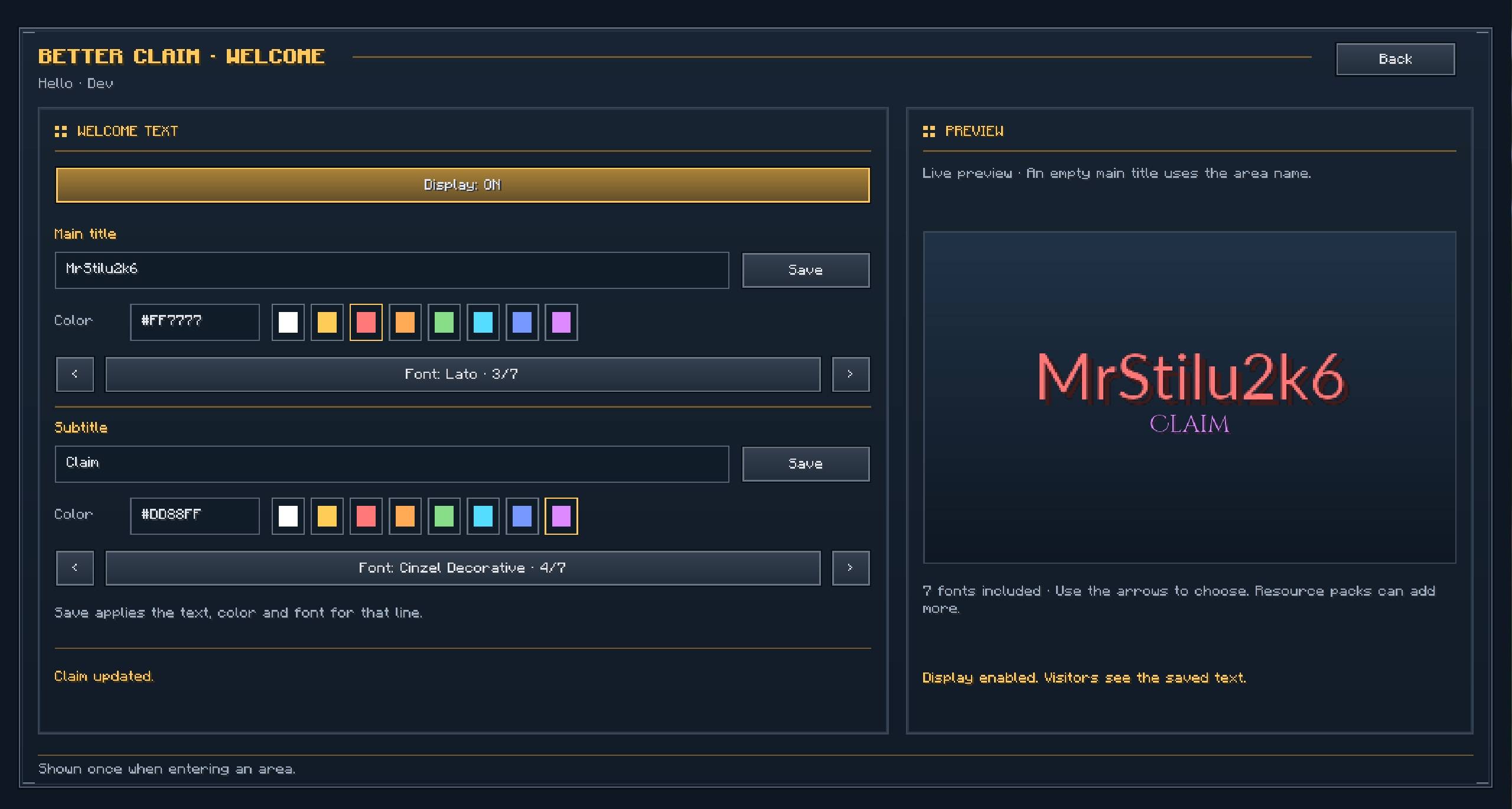
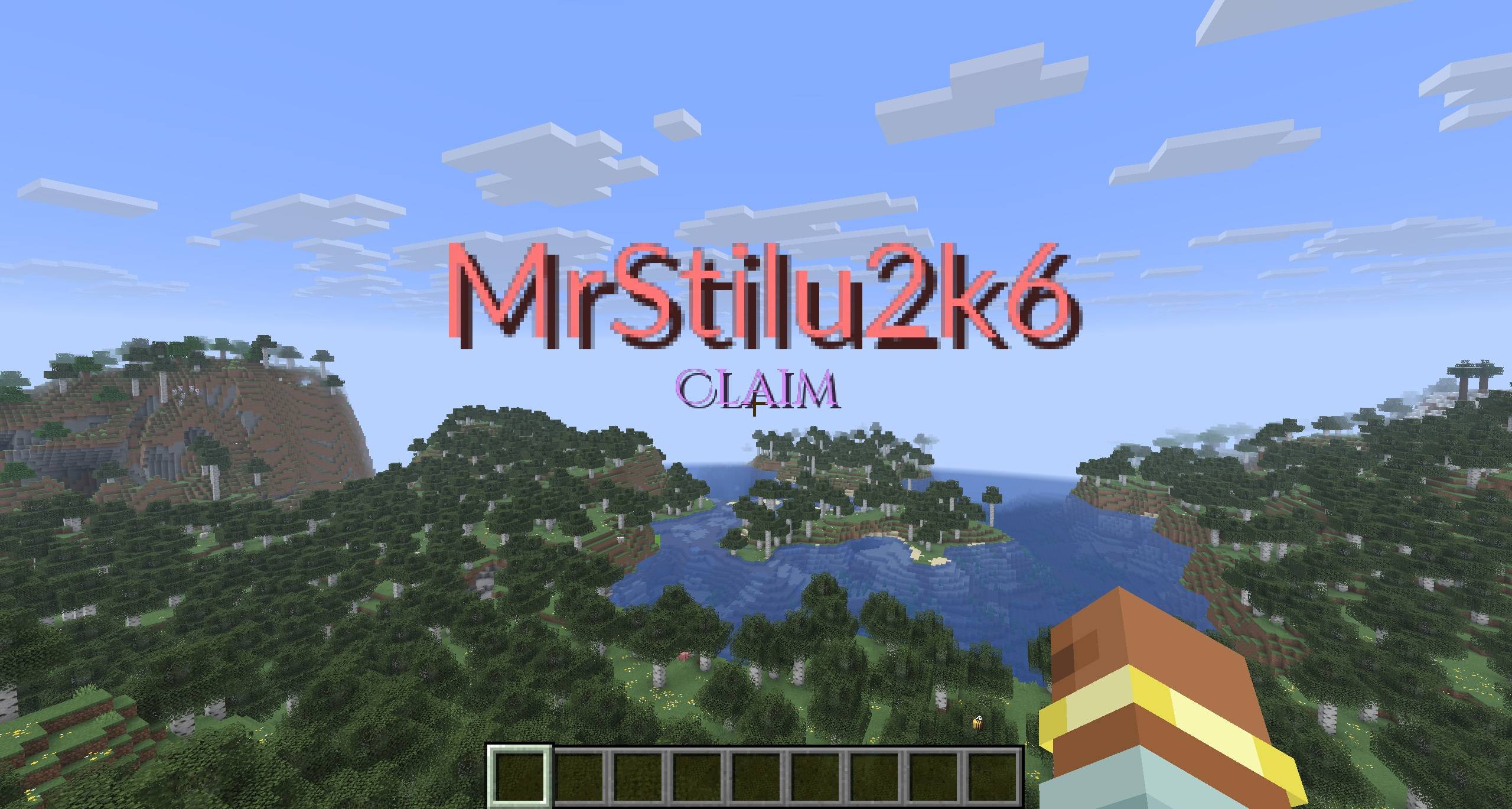
Give each area a welcome title and subtitle that appear when players enter it.
You can customize the text and colors. The optional client interface also offers font choices and a live preview.
This can identify a player’s base, introduce a public building or announce entry into a server-managed location.
Players without the client mod receive native Minecraft titles with colors and the standard font. Additional fonts require the corresponding client content.
For server admins and modpack creators
Open administration with /betterclaim admin menu. Administrator permissions are required.
The menus provide access to gameplay configuration, server policies, rent settings and server-owned areas.
Costs and limits
Claims and chunk loaders have separate payment settings. You can make them free, charge XP points or require a configured item.
Optional price scaling doubles the price for each additional owned claim or active loader. For example, a base price of 50 can become 50, 100, 200, 400.
You can also configure claim limits, loader limits, action distance and whether players may create separate bases.
The current Fabric 26.3 defaults include:
| Setting | Default |
|---|---|
| Claims per player | 30 across all dimensions of the world. |
| Claim cost | Free. |
| Separate bases | Allowed. |
| Player chunk loaders | Enabled, up to 5 per player. |
| Loader activation cost | 55 XP points per loader. |
| Recurring rent | Disabled for claims and loaders. |
| PvP inside claims | Disabled, with owner configuration available. |
| Claim reservation delay | Disabled; confirmed claims take effect immediately. |
Existing installations retain their saved configuration, so their values may differ.
Server policies
Admins can decide which settings area owners may configure.
| Policy | Effect |
|---|---|
| Owner chooses | Makes the setting available for area configuration. |
| Always allowed | Fixes the setting to allowed. |
| Always blocked | Fixes the setting to blocked. |
Fixed settings are removed from the editable player list and remain visible in a read-only server policy overview.
You can also change the default environmental rules for areas that have no explicit choice saved.
This allows a server to enforce shared rules while leaving other decisions to individual owners.
Server-owned areas
Create server claims for spawn, public infrastructure, event locations or administrative builds.
Server claims are free and do not use a player’s personal claim allowance. They support area names, permissions, sharing and welcome messages.
Server-owned chunk loaders have their own controls and limit. They can remain enabled independently of player chunk loading.
Server claims and server loaders are exempt from recurring rent.
Useful commands
The menus cover ordinary gameplay. Commands are also available for direct control.
Arguments in square brackets are optional.
| Command | Function |
|---|---|
/betterclaim |
Opens the available Better Claim interface. |
/betterclaim menu vanilla |
Opens the built-in Minecraft menu. |
/betterclaim help |
Shows command help. |
/betterclaim info |
Shows information about the current chunk. |
/betterclaim nearby |
Shows nearby chunk ownership. |
/betterclaim claim [selection] |
Previews claiming the current chunk or selection. |
/betterclaim unclaim [selection] |
Previews removing the current claim or selection. |
/betterclaim loader on [selection] |
Previews enabling chunk loading. |
/betterclaim loader off [selection] |
Previews disabling chunk loading. |
/betterclaim rent status |
Shows claim rent information. |
/betterclaim rent deposit <amount> |
Deposits currency into the rent balance. |
/betterclaim rent loader status |
Shows chunkloader rent information. |
/betterclaim rent recovery |
Lists your protected recovery reservations. |
/betterclaim admin menu |
Opens administration. |
Claim and loader actions display their targets and costs before confirmation. Ordinary player actions do not require operator permissions.
Addon API
Better Claim includes a public API for integrations.
Addons can query claim ownership and access, react to claim changes and area transitions, and register additional permissions or area rules.
Registered settings appear in Better Claim’s existing menus, including search, groups, personal exceptions and server policies.
An integration must connect its own actions to the API and enforce the result. Registering a permission alone does not protect actions from another mod.
Saving and configuration
Claims, ownership, permissions, groups, welcome messages, loader selections and rent records are saved with the world.
For the current Fabric 26.3 build, gameplay configuration is stored in:
<world folder>/serverconfig/better_claim.jsonThe administration menus save supported configuration changes directly.
Credits
Made by MrStilu2k6.
If you find a bug or have an idea for the mod, feel free to leave a comment or open an issue.
If you enjoy the mod and want to support further development:
常见问题
Better Claim 支持哪些 Minecraft 版本?
Better Claim 支持 Minecraft Java 版 1.21.1–26.3,共 3 个版本,可用的加载器:Fabric / Forge / NeoForge。下载时注意选择和你游戏版本一致的文件。
Better Claim 怎么安装?
先用 PCL2 或 HMCL 启动器安装对应版本的 Fabric / Forge / NeoForge,再把下载的 .jar 文件放进游戏目录的 mods 文件夹,重新启动游戏即可。开启了版本隔离的,mods 文件夹在 versions/版本名 下面。
MrStilu2k6 的其他作品
查看全部 →
Gateway of Doom
在主世界、下界和末地开启战斗传送门。抵御随机波次,迎战四个Boss。包含20种自定义生物、自动事件、地狱结界,以及供整合包作者使用的游戏内编辑器。

Better Party
Better Party 为 Minecraft 带来精致的 MMORPG 风格组队系统,支持公开和私人队伍、队伍聊天、队友伤害保护、附近玩家共享经验,以及可完全自定义的实时 HUD。

Better Party X Xaero’s World Map
Display Better Party members on Xaero's World Map as player heads or colored dots, with party-admin visibility controls and personal client settings.

Better Revive
A death & revive system with graves, revive potions, grave compass, revive scroll, Hardcore Support and more!
评论
登录后评论和评分