
Featurify – WorldGen Control
A worldgen configuration mod that eliminates the need for datapacks. Add, remove, replace, and tweak features and biomes.
截图
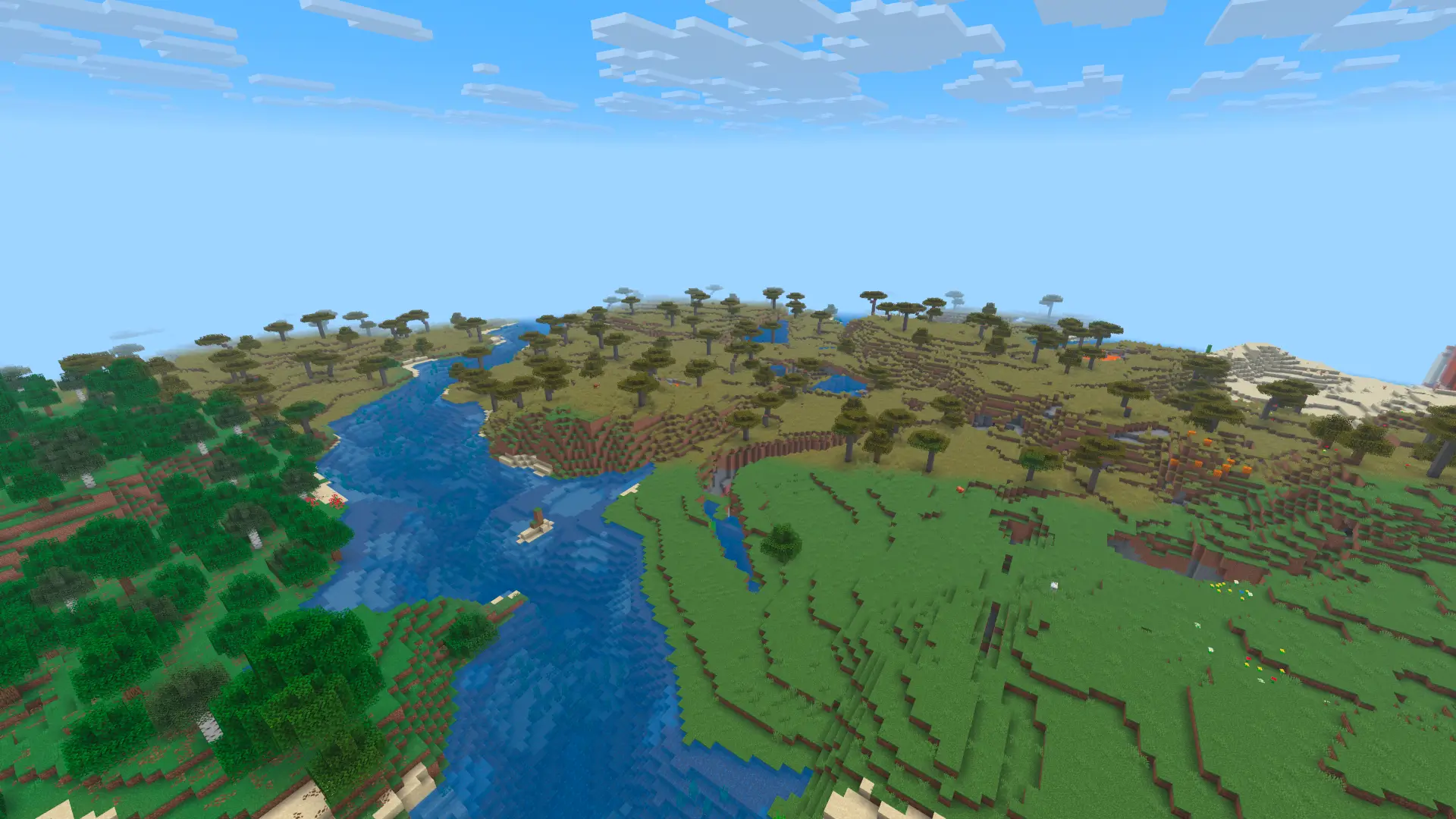
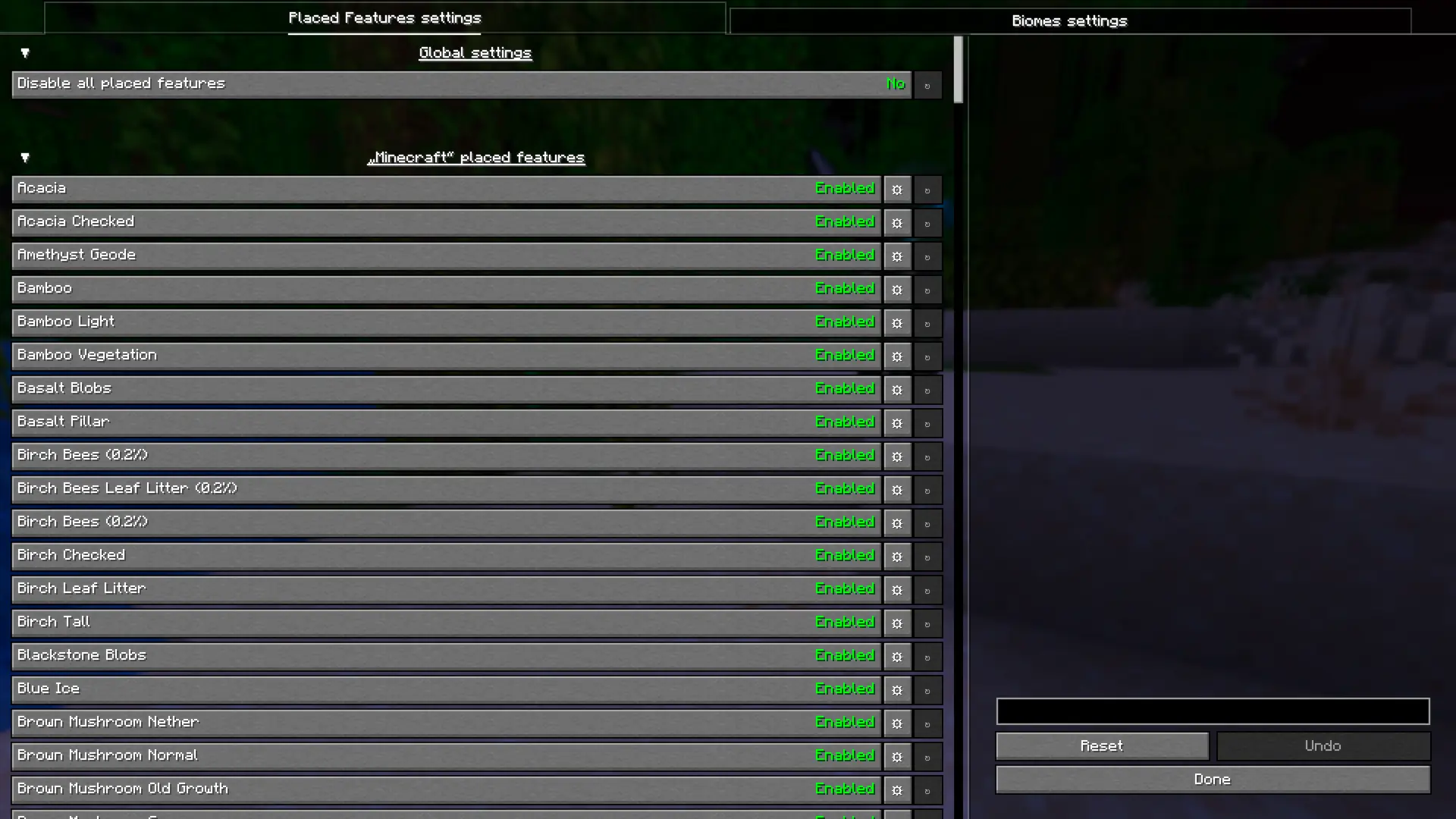
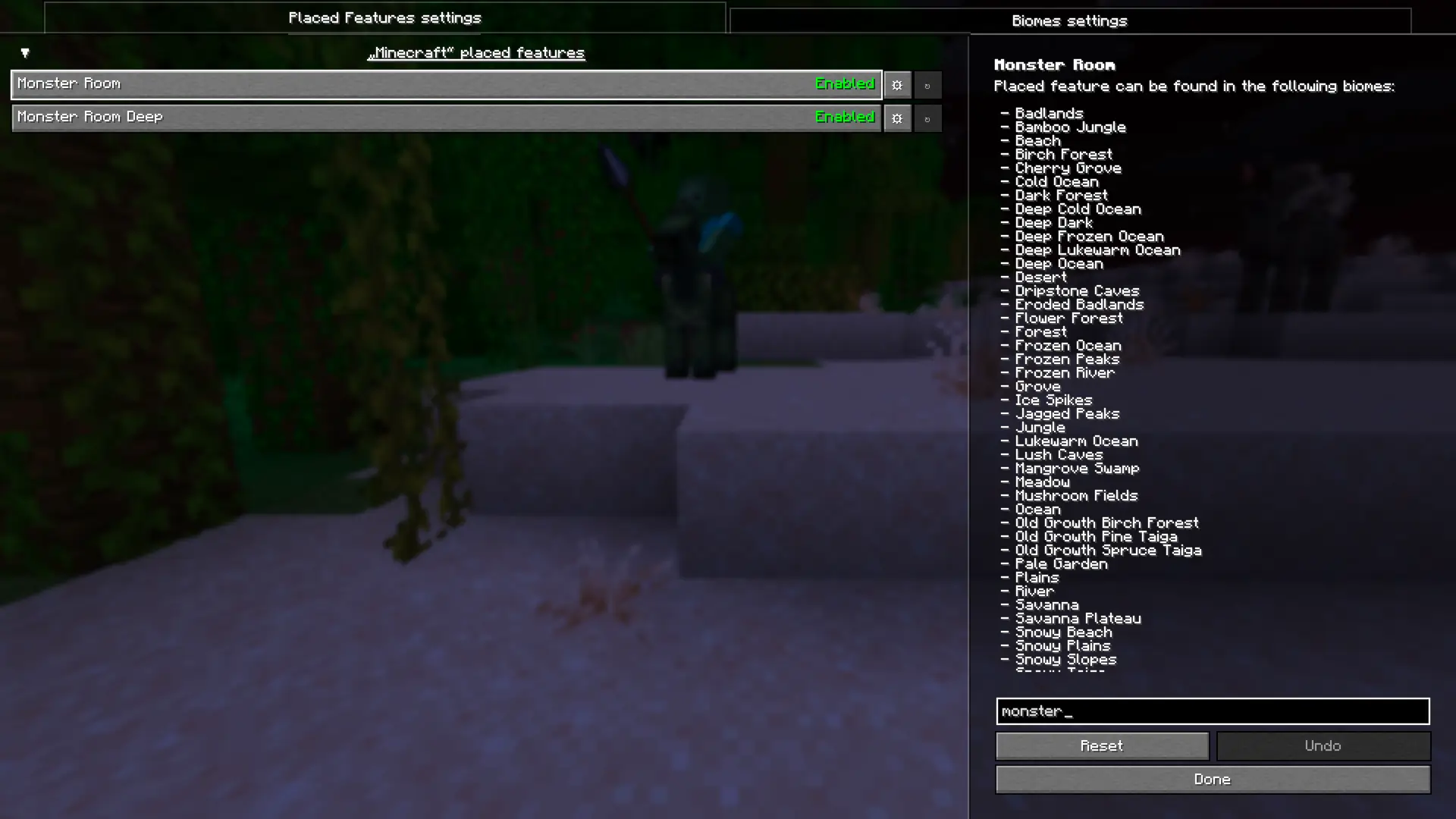
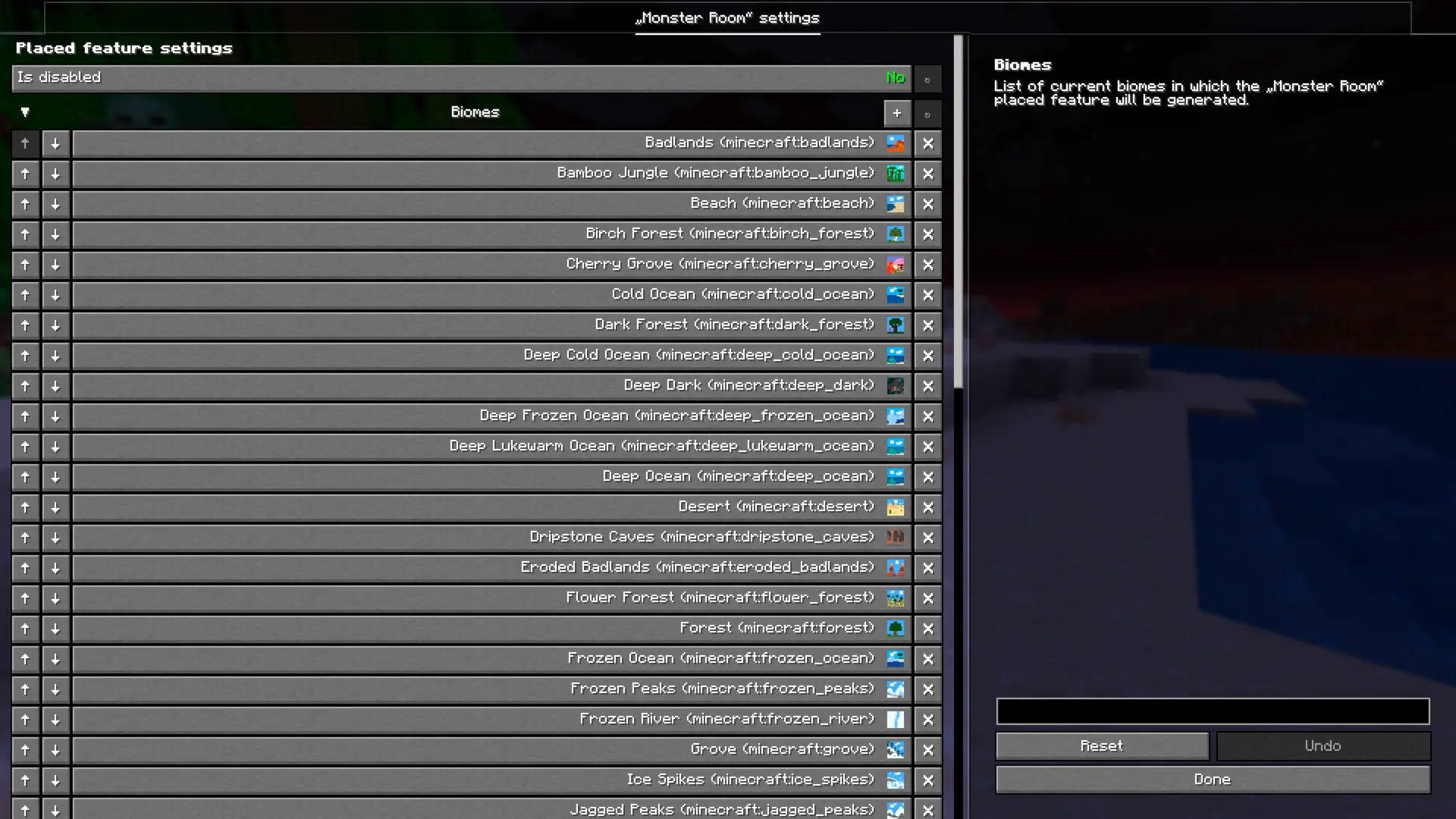
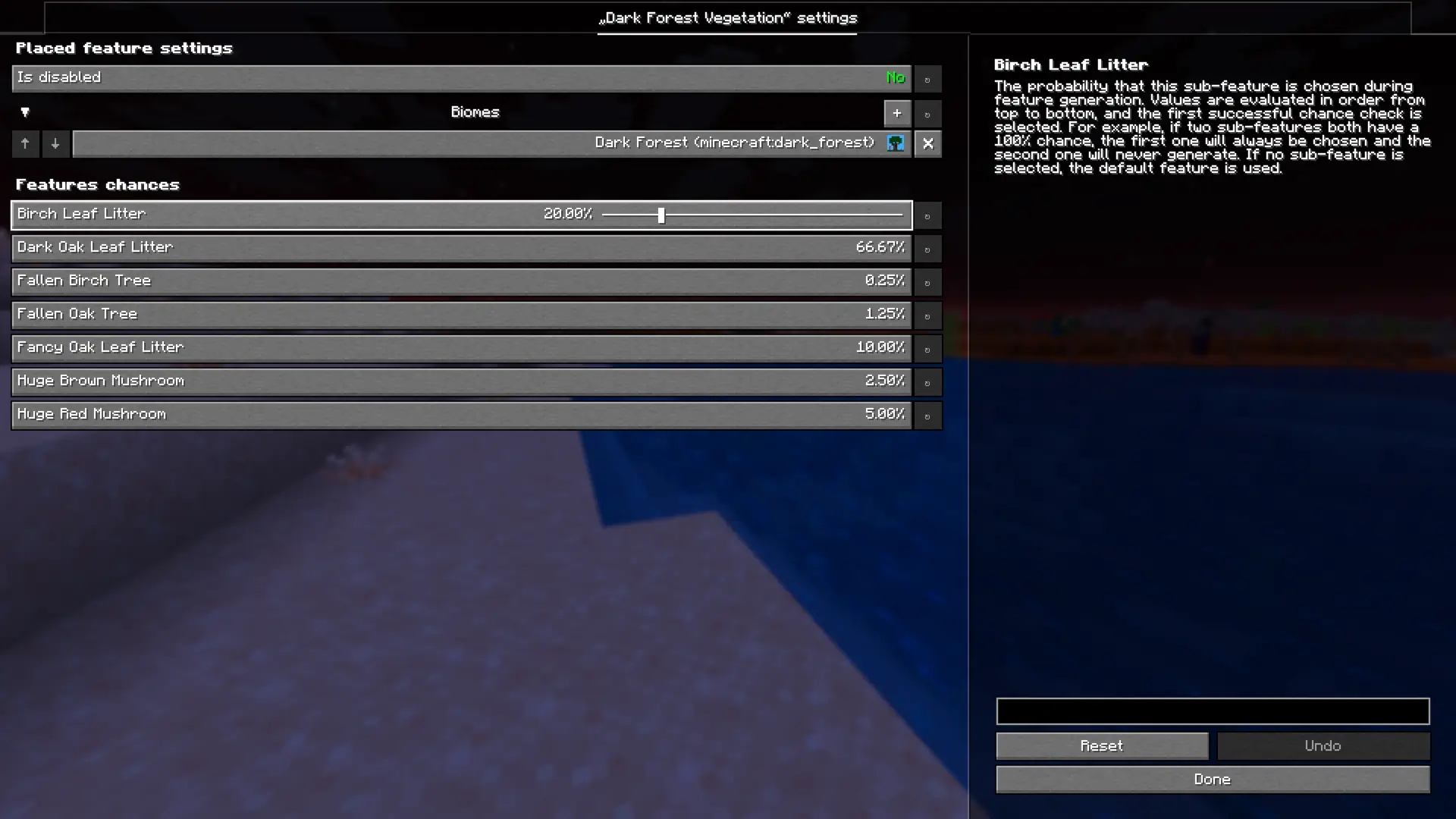
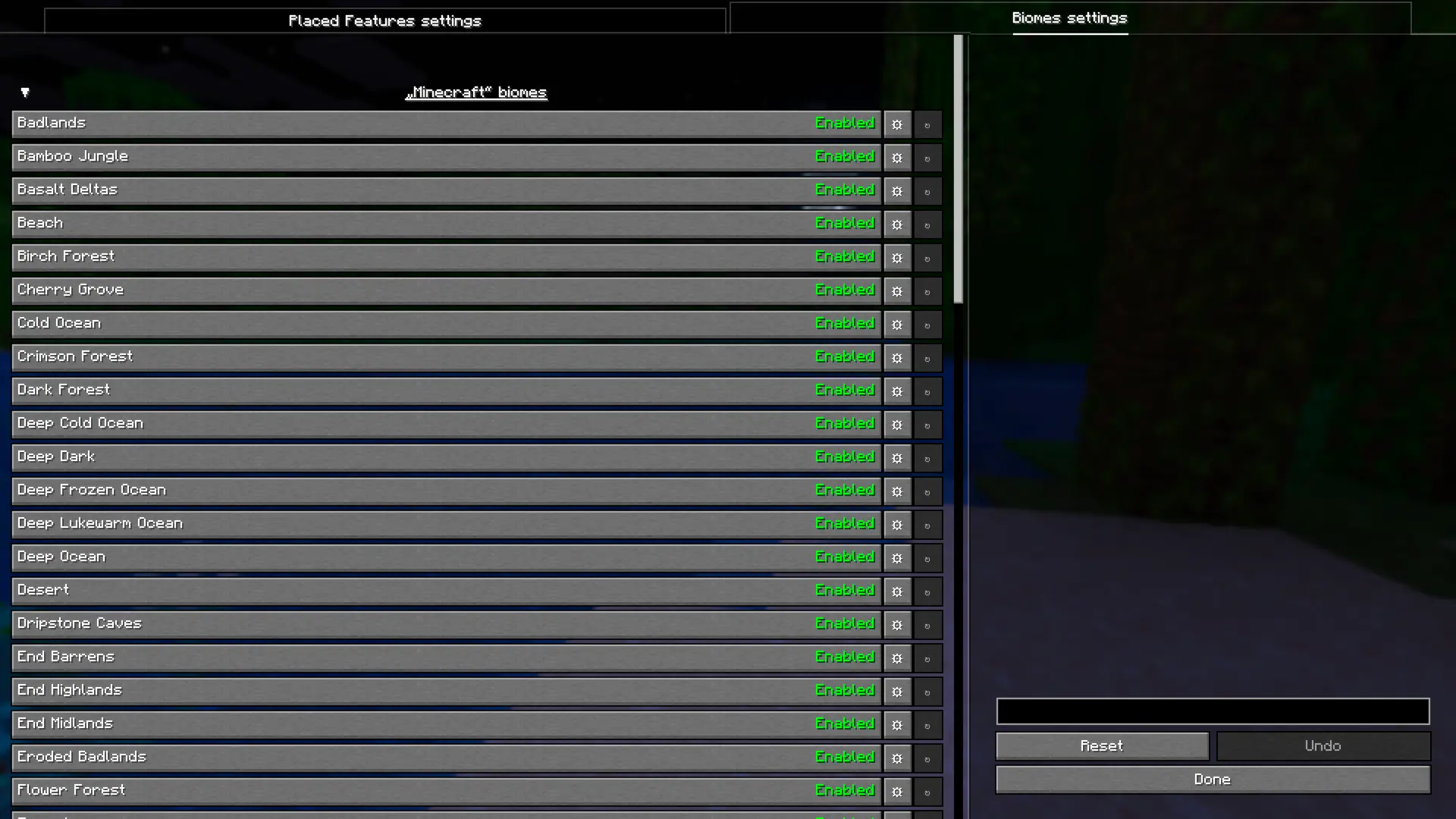
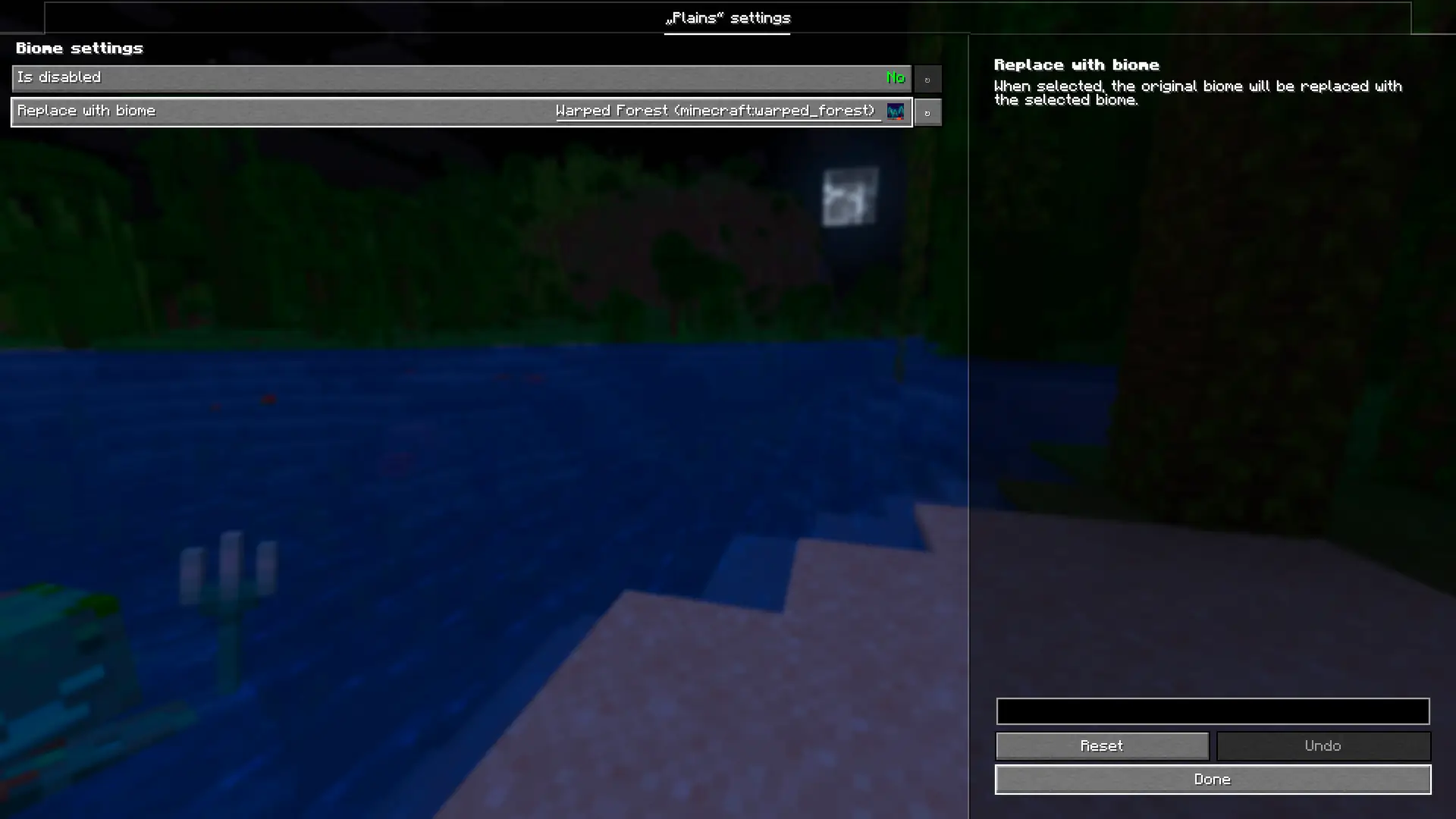
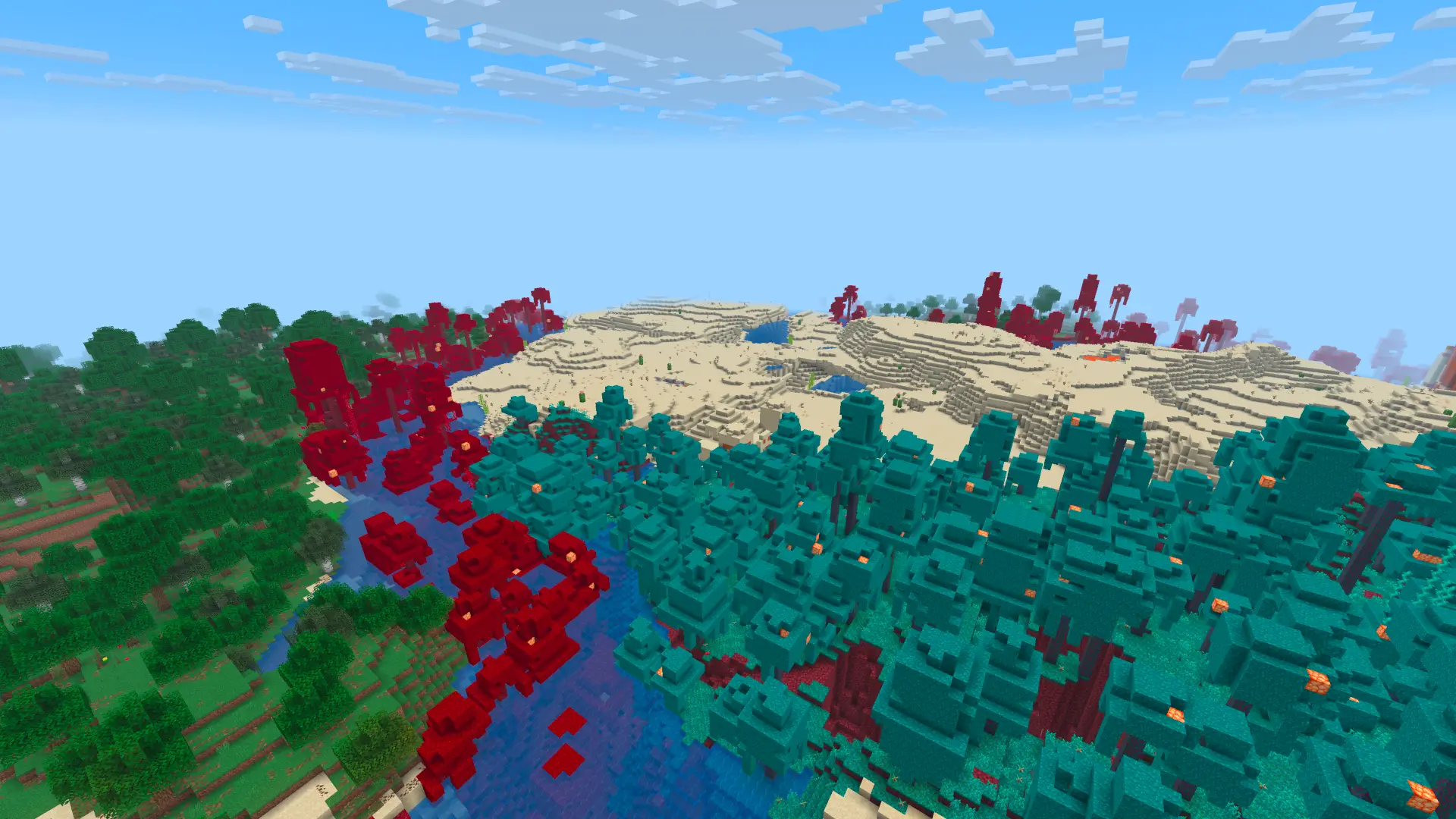
介绍



Featurify is a worldgen feature configuration mod that eliminates the need for datapacks. Add, remove, and tweak features in any biome.
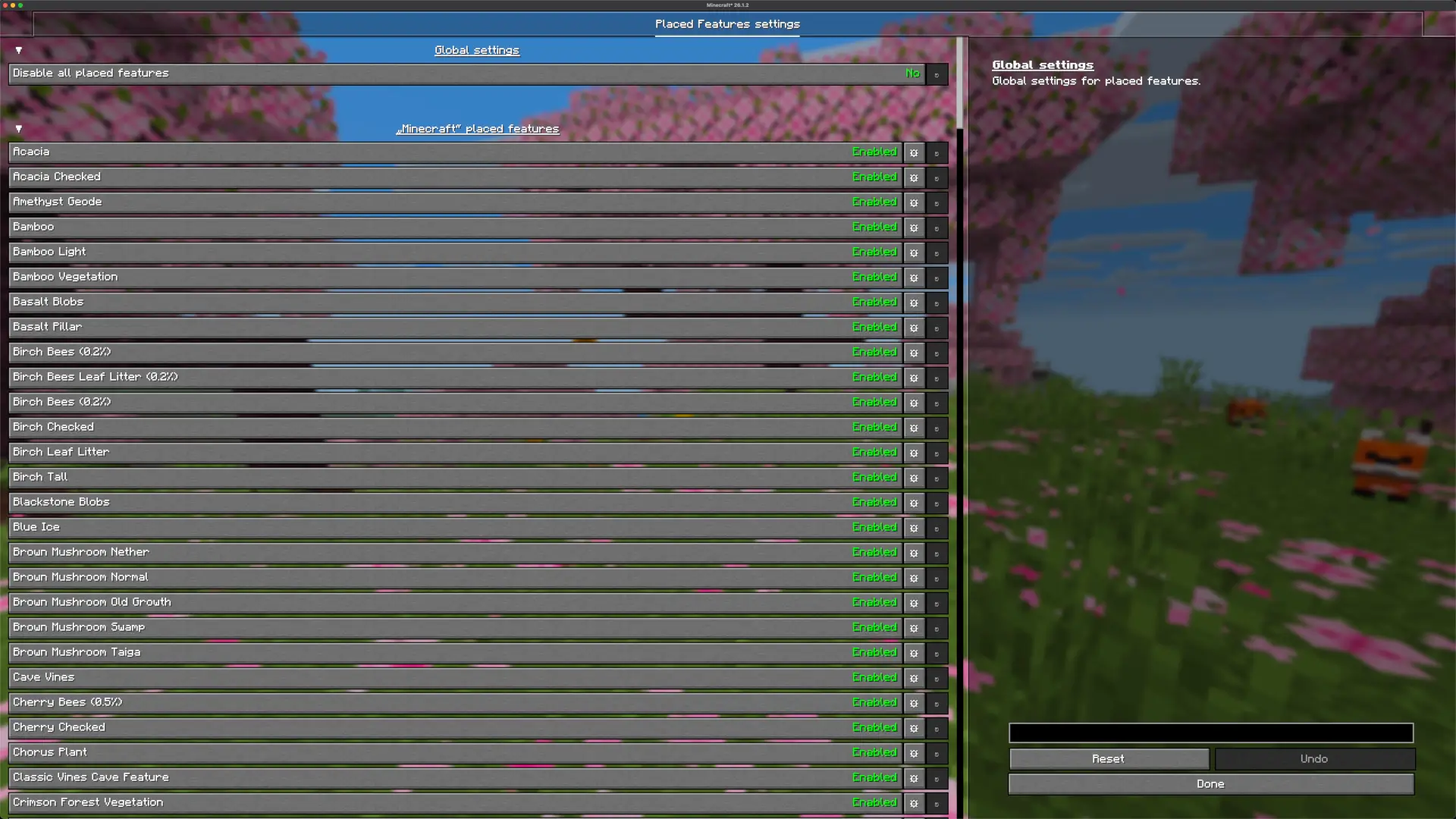
Currently, it is possible to:
- Globally disable all placed features: Disable all placed features across your world with a single setting.
- Disable individual placed features: Disable specific placed features individually, preventing them from generating in your world.
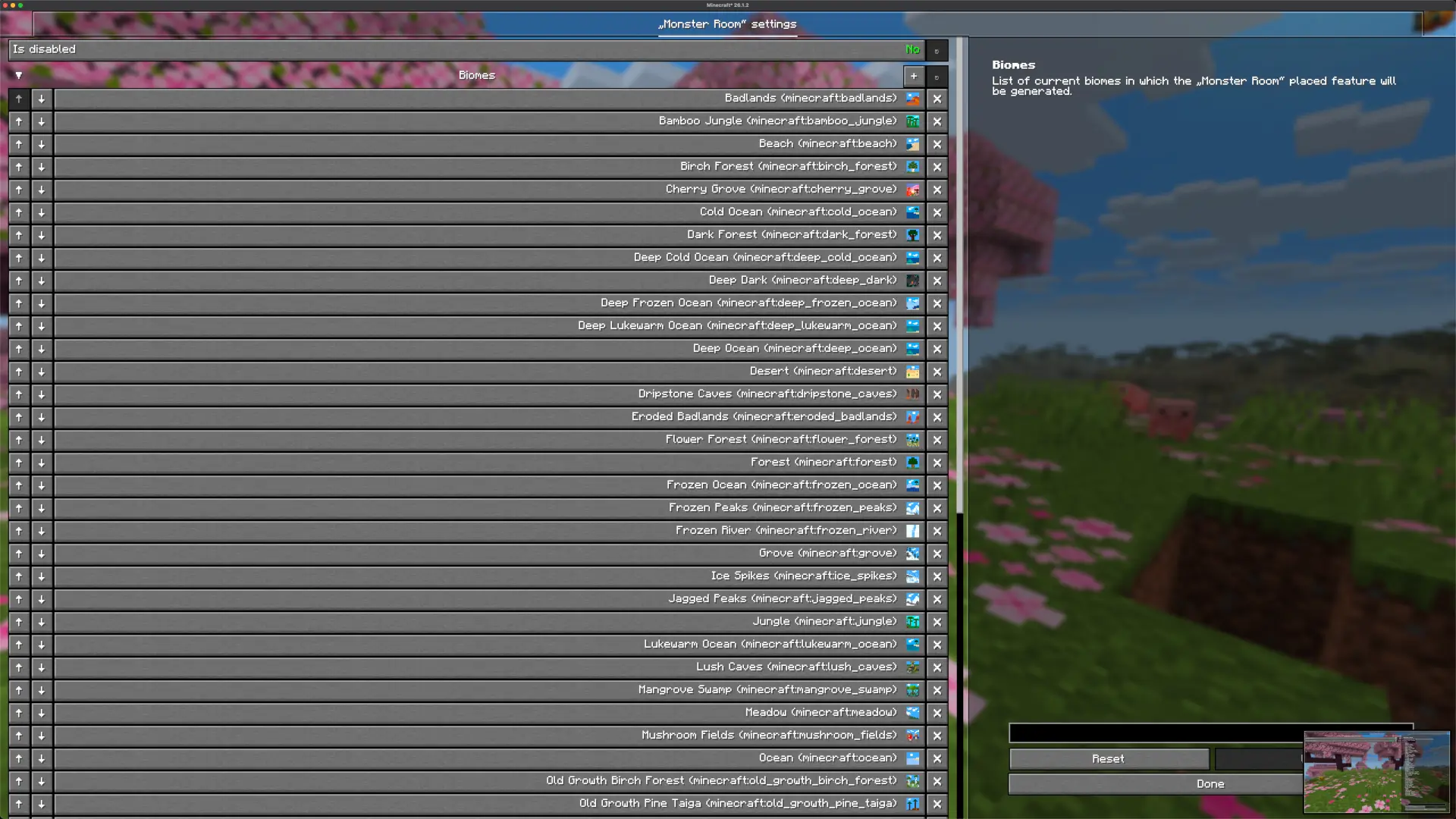
- Manage biomes for specific features: Add or remove biomes for individual placed features to control where they generate.
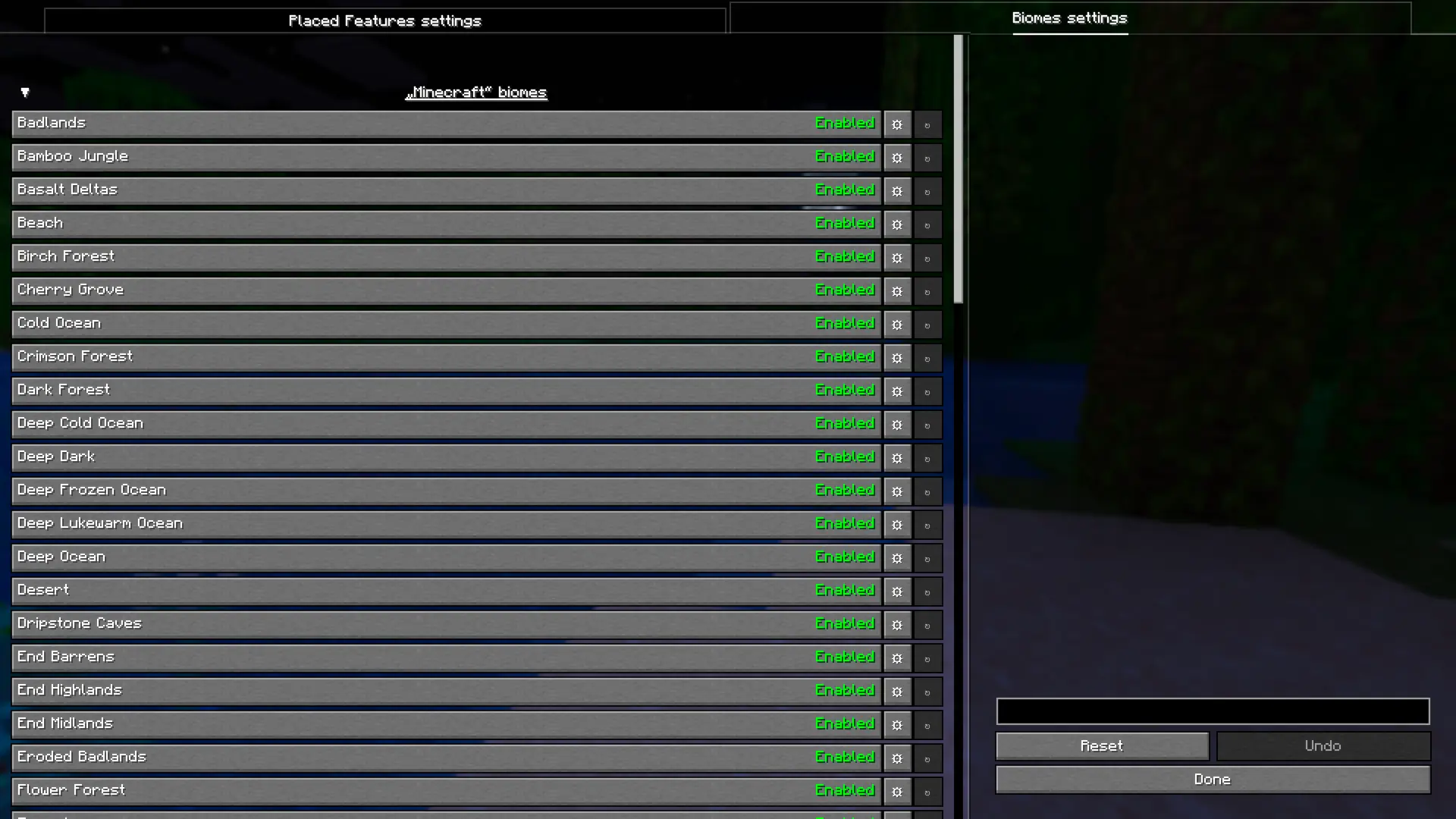
- Disable specific biomes: Disable specific biomes individually, preventing them from generating in your world.
- Replace specific biomes: Replace specific biomes with another biome.
Since the mod is still in the early development phase, you can expect a lot of more features in the future.
Available Commands:
- /featurify dump: Dumps the complete config file with all available settings to JSON file.
- /featurify config status: Prints version (hash) of both the client and server config files in chat.
- /featurify config sync fromServer: Synchronizes the config file from the server to the client.
- /featurify config sync toServer: Synchronizes the config file from the client to the server.
💡 How to use the mod
This mod is designed for in-game configuration, so it requires the YACL (YetAnotherConfigLib) mod.
Fabric/Quilt
If you’re using Fabric or Quilt, you’ll also need the Mod Menu
mod or another mod that provides access to mod configs.
NeoForge/Forge
No extra mods are needed.
🖥️ In-Game configuration
All placed feature settings can be configured directly in game through intuitive configuration screens. Changes are applied immediately, making it easy to add, remove, and modify placed features without editing files or creating datapacks.
The same goes for biomes, you can disable specific biomes or replace them with another biome directly in game, and changes are applied immediately.
📝 JSON file configuration
All configurations mentioned in the In-Game section of this guide are mirrored and saved in a JSON file located at
config/featurify.json.
This file is particularly useful for managing configurations on the server side. For that case it is recommended to
configure everything based on the In-Game section of this guide.
⚙️ Compatibility
Featurify is designed to be fully compatible with most of the worldgen mods and datapacks, and it currently
offers enhanced compatibility with the following:
Global datapack loaders:
WorldGen mods:
Since feature generation is a complex system, things can occasionally break, especially with mods that implement their own custom feature generation logic or heavily alter vanilla generation behavior.
💬 Community
Feel free to join our community at the discord server to chat, share your
creations, ask any question or to simply be updated about the latest development of the mod and notified when the new
release is out. Also don’t hesitate to report any crash or bug
via GitHub issues.
👋 Support
I will continue developing my mods as a hobby because I truly enjoy it. If you’d like to support me, you can do so
on Patreon or Ko-fi. Your support is greatly
appreciated.
📜 License
The mod is licensed with CC BY-NC-ND 4.0
license.
Please feel free to explore my code for examples of how I’ve tackled and solved various challenges while developing this
mod. You’re welcome to incorporate code snippets into your own projects. Also feel free to use this mod in any modpack (
although credit/link back to this page will be greatly appreciated).
常见问题
Featurify – WorldGen Control 支持哪些 Minecraft 版本?
Featurify – WorldGen Control 支持 Minecraft Java 版 1.20–26.3,共 18 个版本,可用的加载器:Fabric / Forge / NeoForge / Quilt。下载时注意选择和你游戏版本一致的文件。
Featurify – WorldGen Control 怎么安装?
先用 PCL2 或 HMCL 启动器安装对应版本的 Fabric / Forge / NeoForge / Quilt,再把下载的 .jar 文件放进游戏目录的 mods 文件夹,重新启动游戏即可。开启了版本隔离的,mods 文件夹在 versions/版本名 下面。运行环境:客户端和服务端都要装。
faboslav 的其他作品
查看全部 →
Friends&Foes (Forge/NeoForge)
添加了生物投票中落选和被遗忘的生物,在其原始概念基础上进行扩展,并加入新的原版风格特性。该模组包括:铜傀儡、螃蟹、怒目怪、哞花、冰术师、淘气鬼、凝灰岩傀儡、野火、幻术师、僵尸马

Villages&Pillages
这款结构模组为 Minecraft 带来了刺激的新玩法,加入了充满敌意的掠夺者,与宁静的村庄形成惊险对比。

Friends&Foes (Fabric)
加入了投票落选和被遗忘的生物,在原有概念的基础上进行扩展,并添加全新的原版风格特性。 模组包含:铜傀儡、螃蟹、凝视者、哞花、冰术师、淘气鬼、凝灰岩傀儡、野火、幻术师、僵尸马

Structurify – Structure Control
一款无需数据包的结构配置模组。可分散结构、避免重叠、强制生成于平坦地形,并自定义结构大小和生物群系。
评论
登录后评论和评分