
Random Item Speedrun
Allows you to test your knowledge of the game and your ability to quickly find items
截图



介绍
Random Item Speedrun
This mod tests the player’s gear by forcing them to collect one randomly selected item

Usage
After installing the mod, press the Y key (default) to open the run start screen. This screen displays a list of speedruns and additional information about each run by tapping on the desired run. To start a speedrun, press the corresponding button, and the item you need to collect will appear on the screen. For more accurate run information, the item name and elapsed time will be displayed in the corner of the screen.
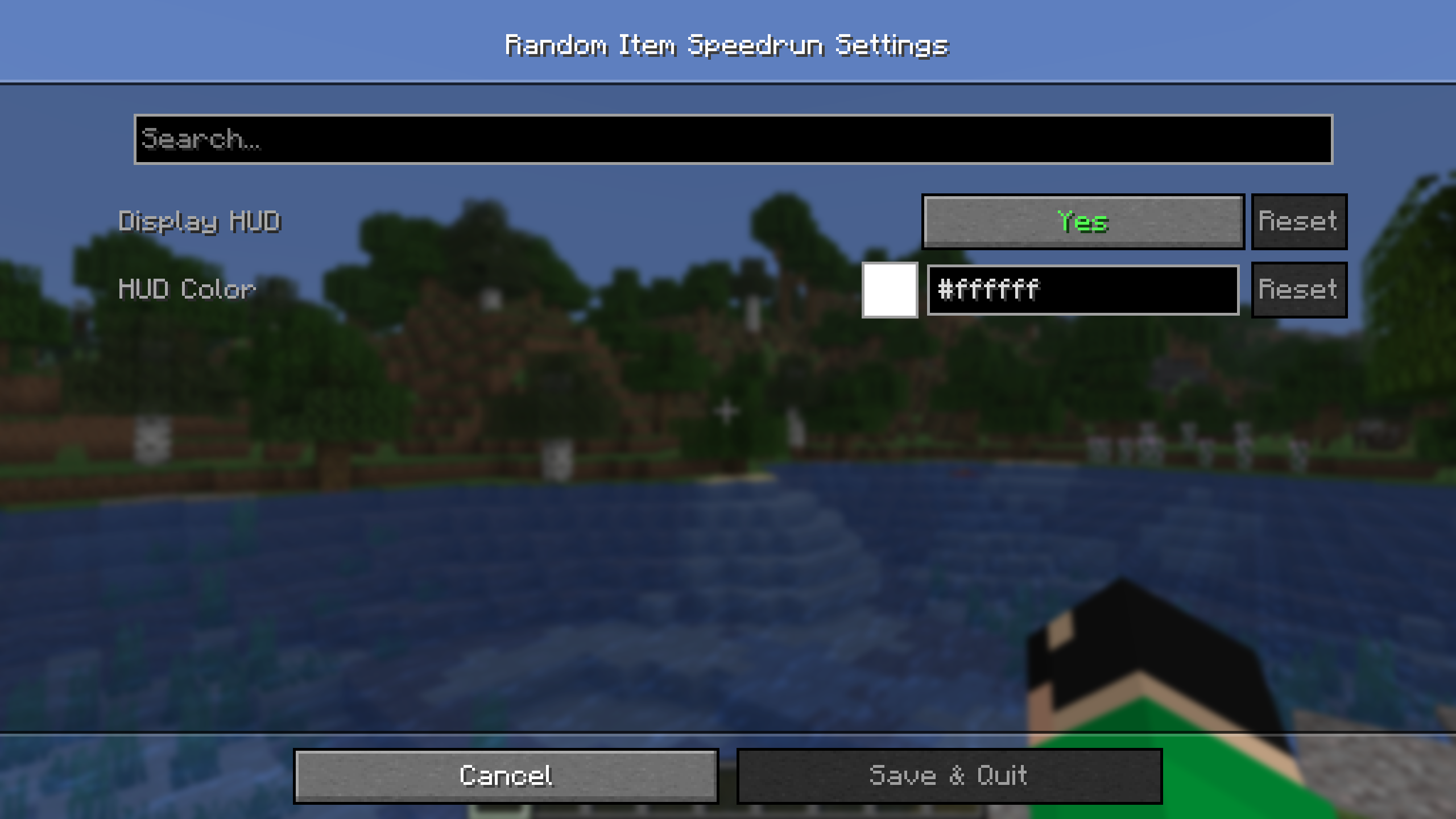
The mod has settings where you can change the HUD parameters (more customization options are planned for the future).
Since version 2.0, the mod has been running on the server. This means all players can participate in the same run simultaneously. The name of the player who finds the item will also be saved in the run list.
You can specify the difficulty of drop items in the mod settings:
- Easy – items that don’t require entering the Nether,
- Normal – items that don’t require entering the End,
- Hard – all items except those that take too long to obtain,
- Hardcore – all items.
To start/stop the game without entering the mod screen, you can assign a key in the binding settings. Pressing the key will then instantly change the game status.
Settings
Click to open

🤝 Support

常见问题
Random Item Speedrun 支持哪些 Minecraft 版本?
Random Item Speedrun 支持 Minecraft Java 版 1.20–26.3,共 24 个版本,可用的加载器:Fabric / Forge / NeoForge / Quilt。下载时注意选择和你游戏版本一致的文件。
Random Item Speedrun 怎么安装?
先用 PCL2 或 HMCL 启动器安装对应版本的 Fabric / Forge / NeoForge / Quilt,再把下载的 .jar 文件放进游戏目录的 mods 文件夹,重新启动游戏即可。开启了版本隔离的,mods 文件夹在 versions/版本名 下面。运行环境:客户端和服务端都要装。
BizCub 的其他作品
查看全部 →
Simple Datapacks
简化数据包的使用

X Ray (no cheats)
在矿洞中更快、更轻松地找到矿石。
X Ray
Find ores in mines faster and easier.

More Xp More Health
Each new level of experience increases the player's overall health. Now the player is invincible!
评论
登录后评论和评分