
截图
介绍
A Nice little mod with a couple of QoL features:

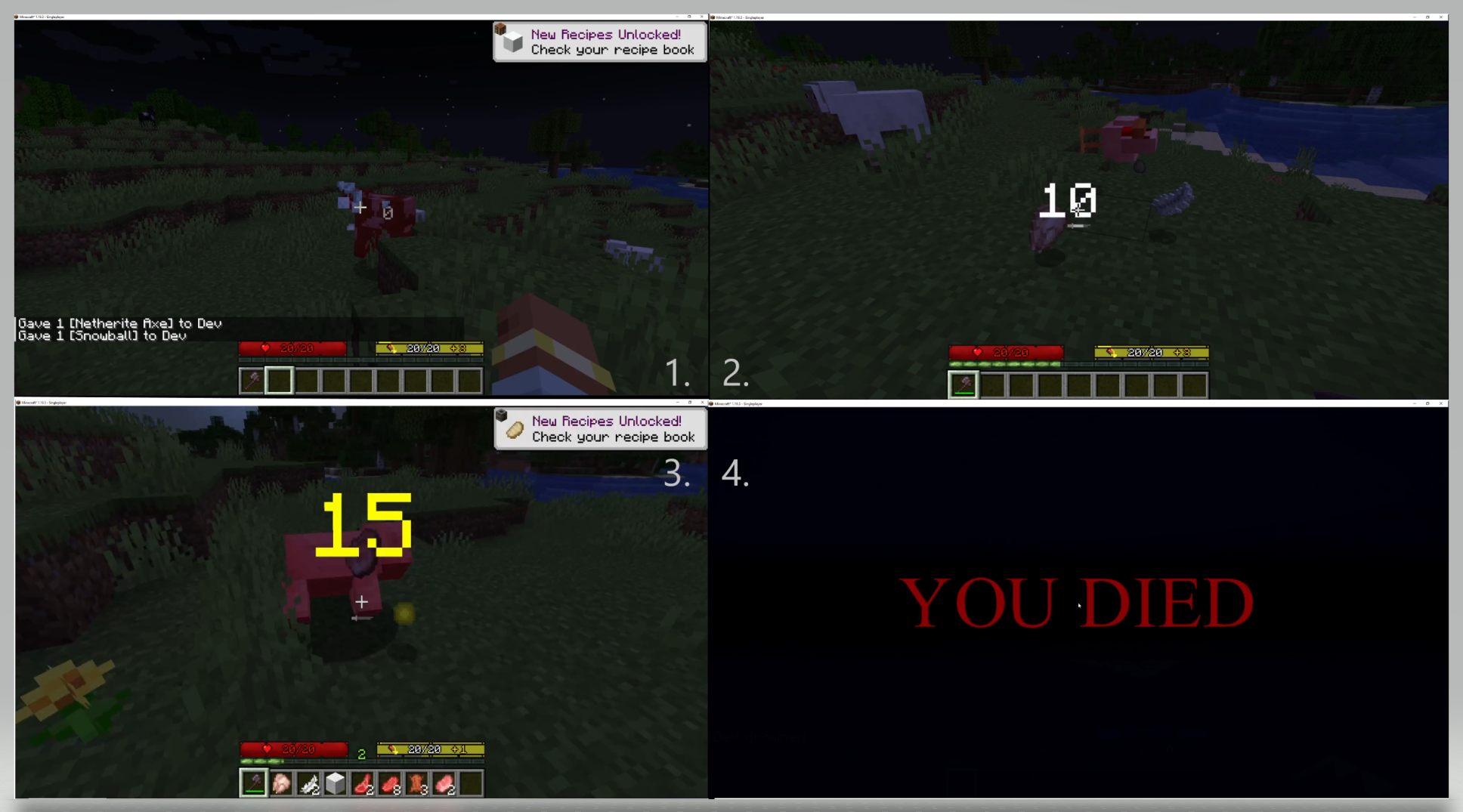
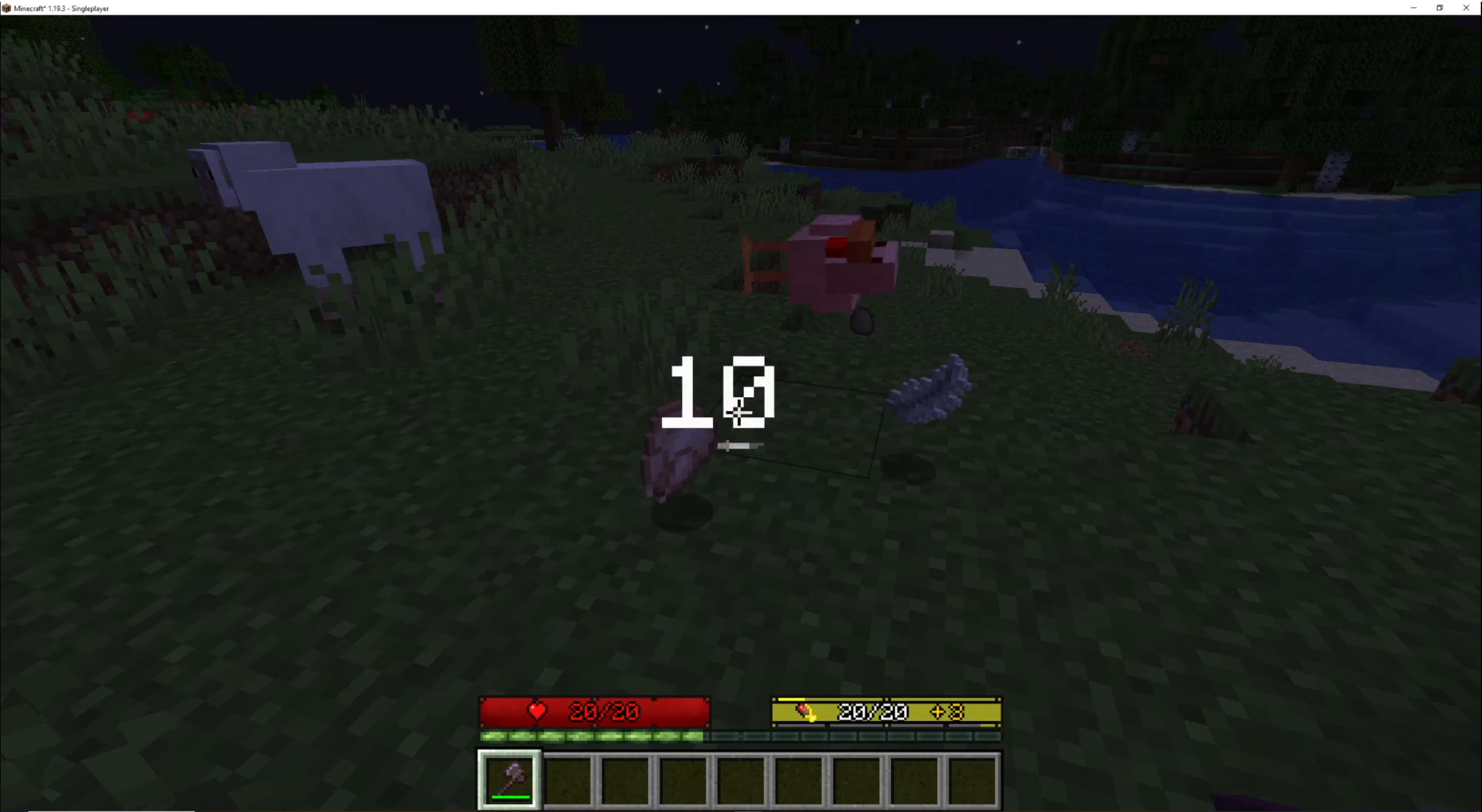
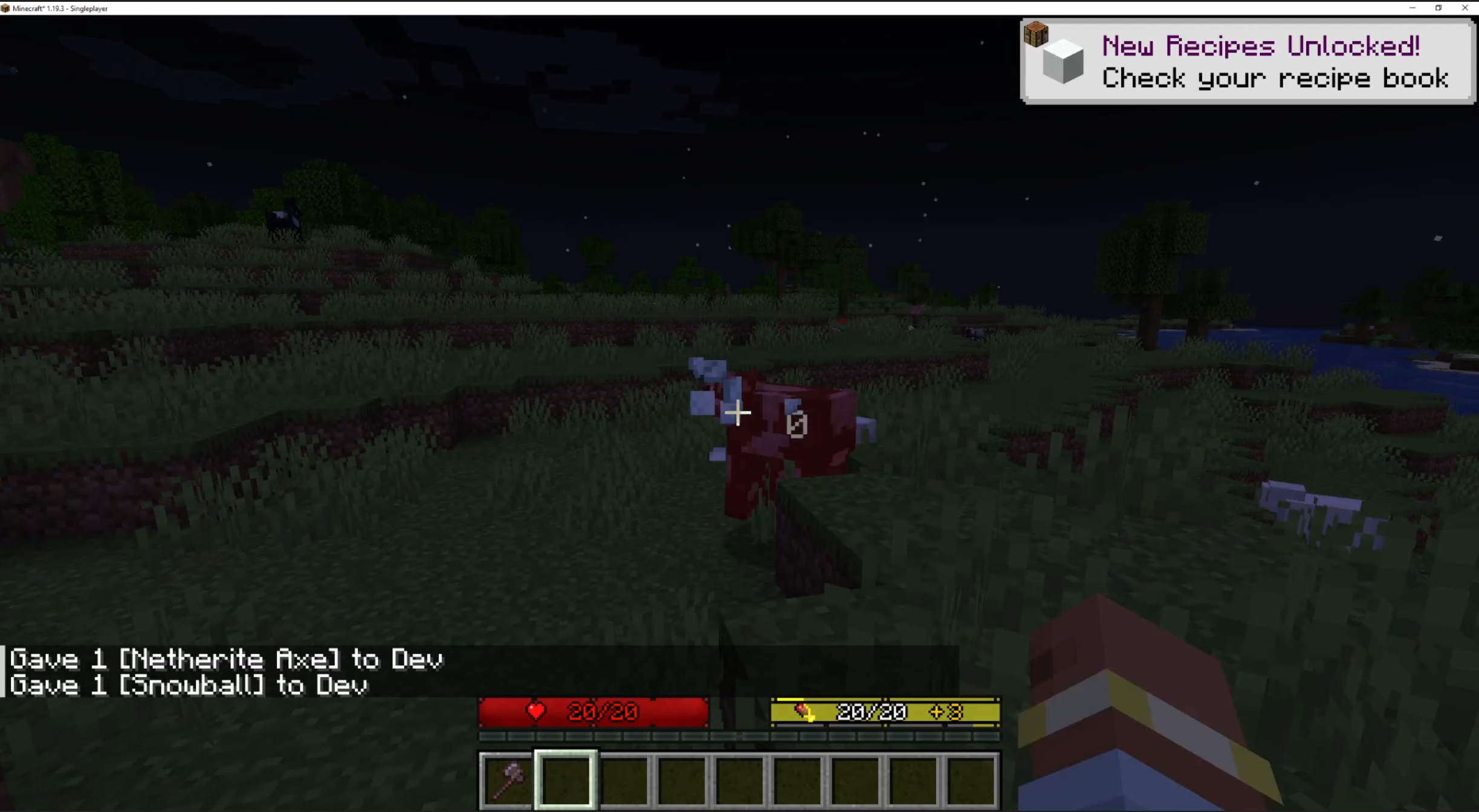
A Damage Indicator that features an Entity taken damage by a player. <1.0.5>
1. A Gray Damage as demonstrated from throwing a Snowball at a Cow, dealing 0 Damage. <1.0.5>
2. A White Damage as demonstrated from killing a Chicken with a Netherite Axe that deals 10 Damage. <1.0.5>
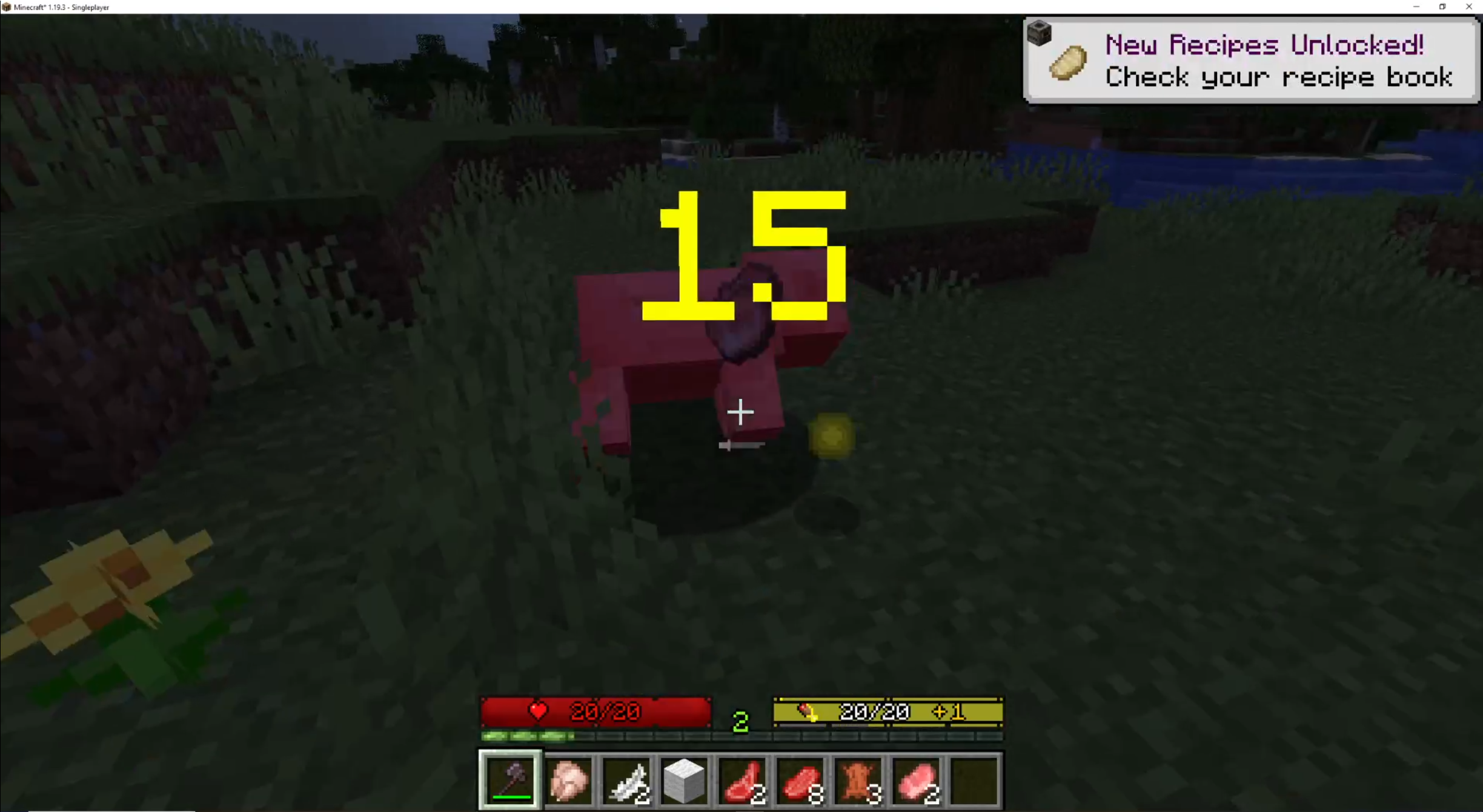
3. A Yellow Damage as demonstrated from landing a Critical Strike on a Pig with a Netherite Axe dealing a total of 15 Damage with a slightly bigger font. <1.0.5>
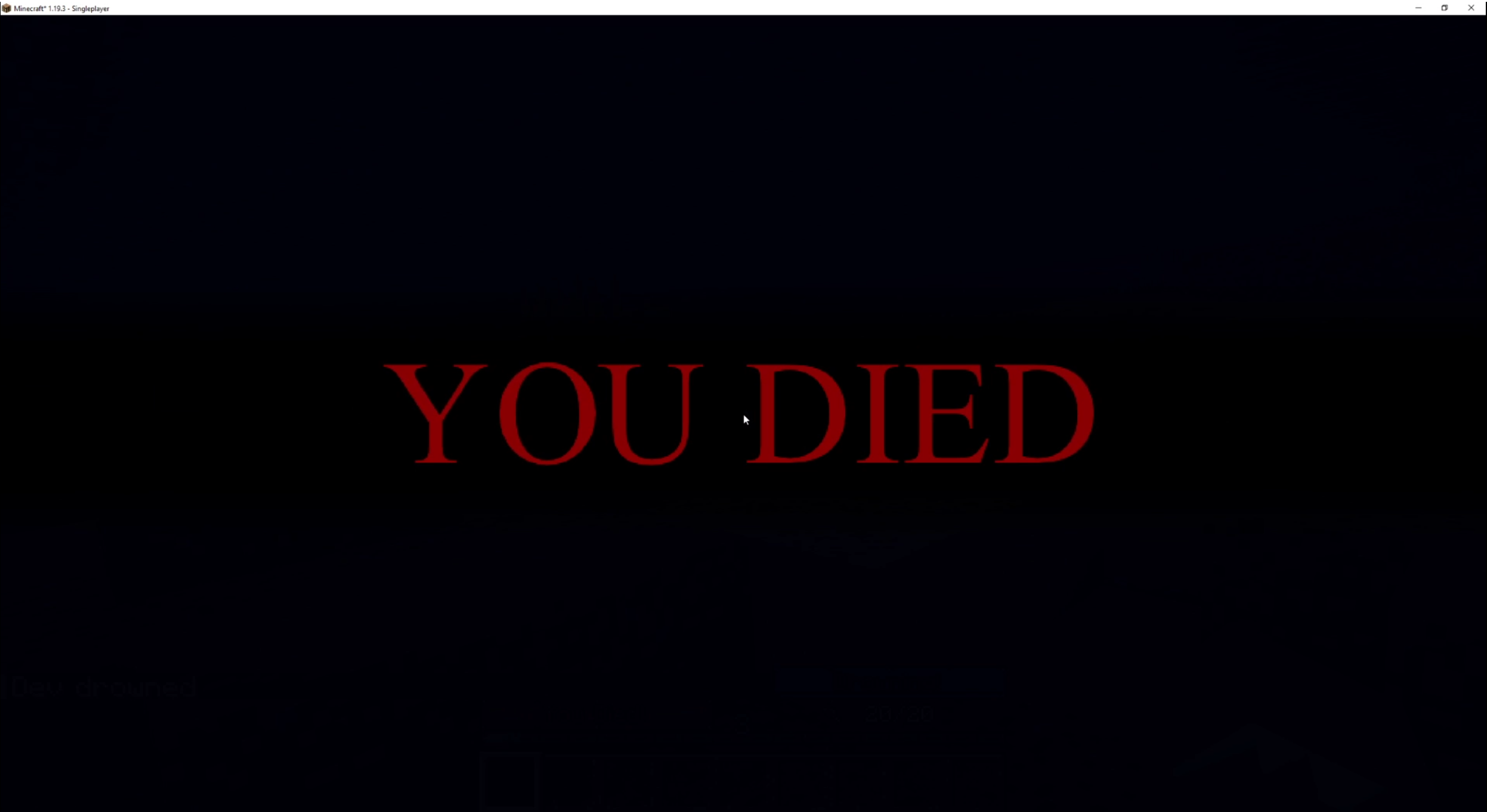
4. A “YOU DIED” Screen for Dark Souls Memes <1.1.0>
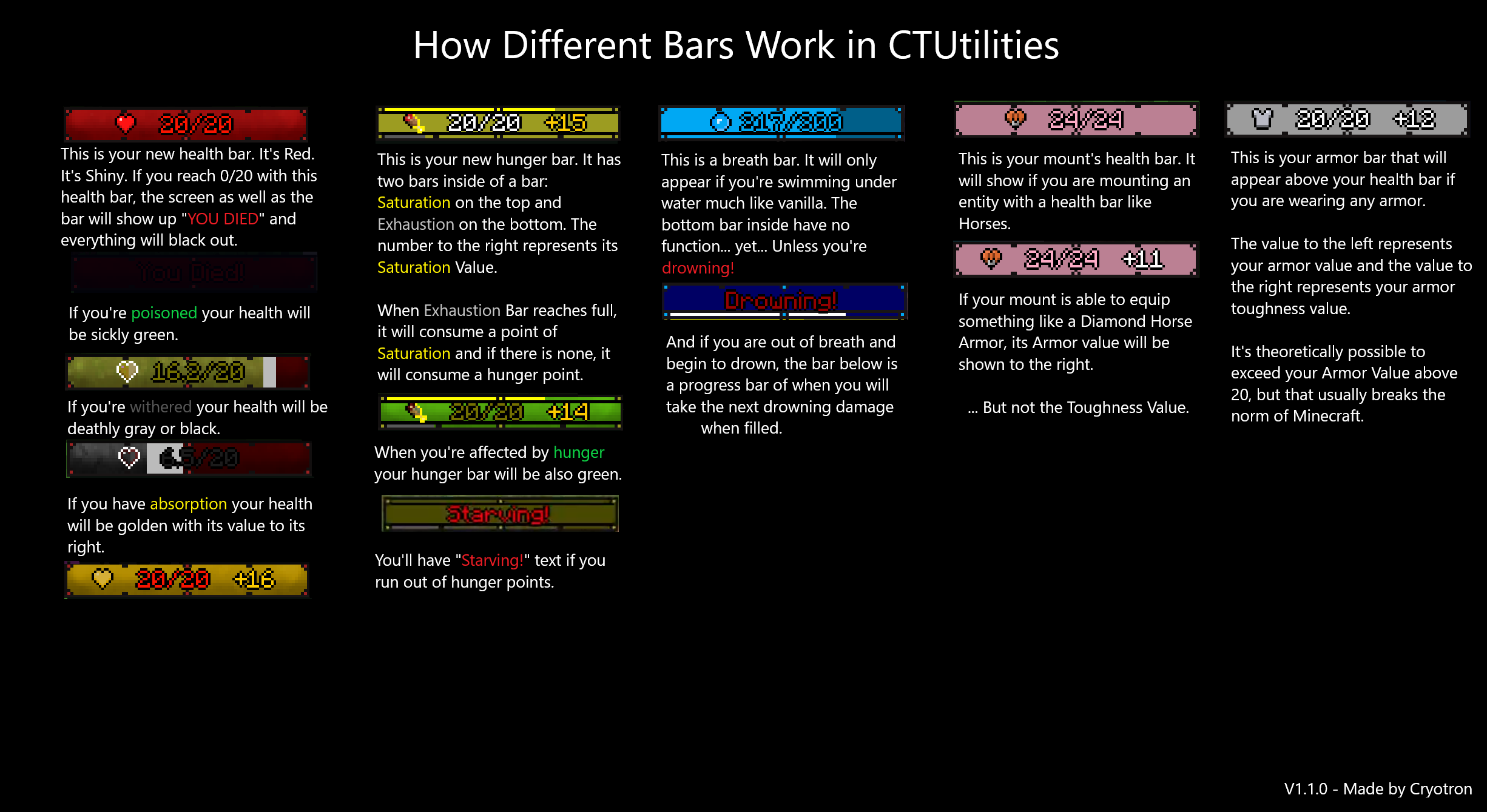
Bars and Numbers instead of Icons including Hunger Improvements that display Saturation and Exhaustion Levels <1.0.5>

There are also features that are not shown in the pictures:
– Skipping Experimental Settings prompt when reentering Single Player World <1.1.0>
– Exit to Title Screen from Death Confirmation also skipped <1.1.0>
Versions:
1.1.0 – Implemented “YOU DIED” Screen, skipping Experimental Settings Prompt and Exit to Title Screen from Death Confirmation.
1.0.7 – Release for 1.19.3.
1.0.5 – Initial Release with Bars and Damage Indicators along with finishing touches behind the scenes.
1.0.0 – In Development Phase.
Devlog:
(2/21/2023) – 1.1.0 works on any versions of 1.19.3. However, it will not work for 1.19 to 1.19.2. I tried updating 1.0.7 version with access transformer and mixin; it caused problems.
In order to move forward, this mod will no longer add more stuff for 1.19 to 1.19.2 and will add new content for the latest version of 1.19.
If you are to use this mod between 1.19 and 1.19.2, download the 1.0.7 version.
NOTE: This mod is used on both server-side AND client-side. This is also a Forge mod.

Credits To:
————————
Nevermine (AoA) – For Health Bar Textures as well as its functionality. Rest of other bars are replicated and drawn by me.
Appleskin (Author: squeek502) – For Saturation and Exhaustion Level networking. The bars are done by me.
ToroHealth (Author: ToroCraft) – For damage indicators. Upgrading it to Server-Side to fetch the damage done by player is done by me.
ShutUpExperimentalSettings (Author: Corgi_Taco) – For disabling Experimental Settings prompt.
YouDied (Author: GoryMoon) – For Dark Souls Death Screen Memes.
常见问题
Cryotron’s Utilities 支持哪些 Minecraft 版本?
Cryotron’s Utilities 支持 Minecraft Java 版 1.19–1.19.3,共 4 个版本,可用的加载器:Forge。下载时注意选择和你游戏版本一致的文件。
Cryotron’s Utilities 怎么安装?
先用 PCL2 或 HMCL 启动器安装对应版本的 Forge,再把下载的 .jar 文件放进游戏目录的 mods 文件夹,重新启动游戏即可。开启了版本隔离的,mods 文件夹在 versions/版本名 下面。
评论
登录后评论和评分