Womp’s Friend Mod
Adds custom player-like entities for you to tame and become friends with (You can customize them to whoever you'd like).
截图
介绍
This mod requires Fabric API
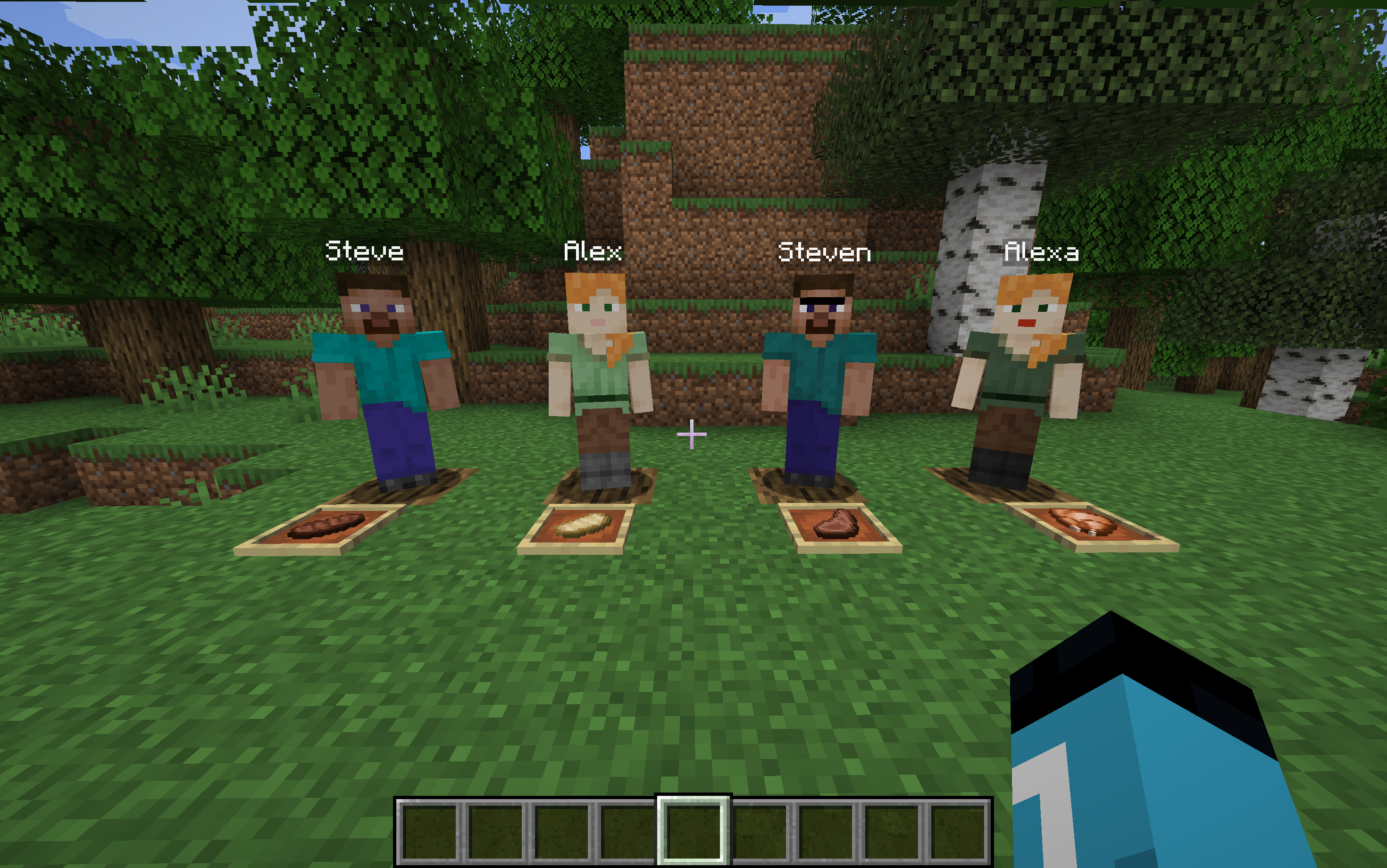
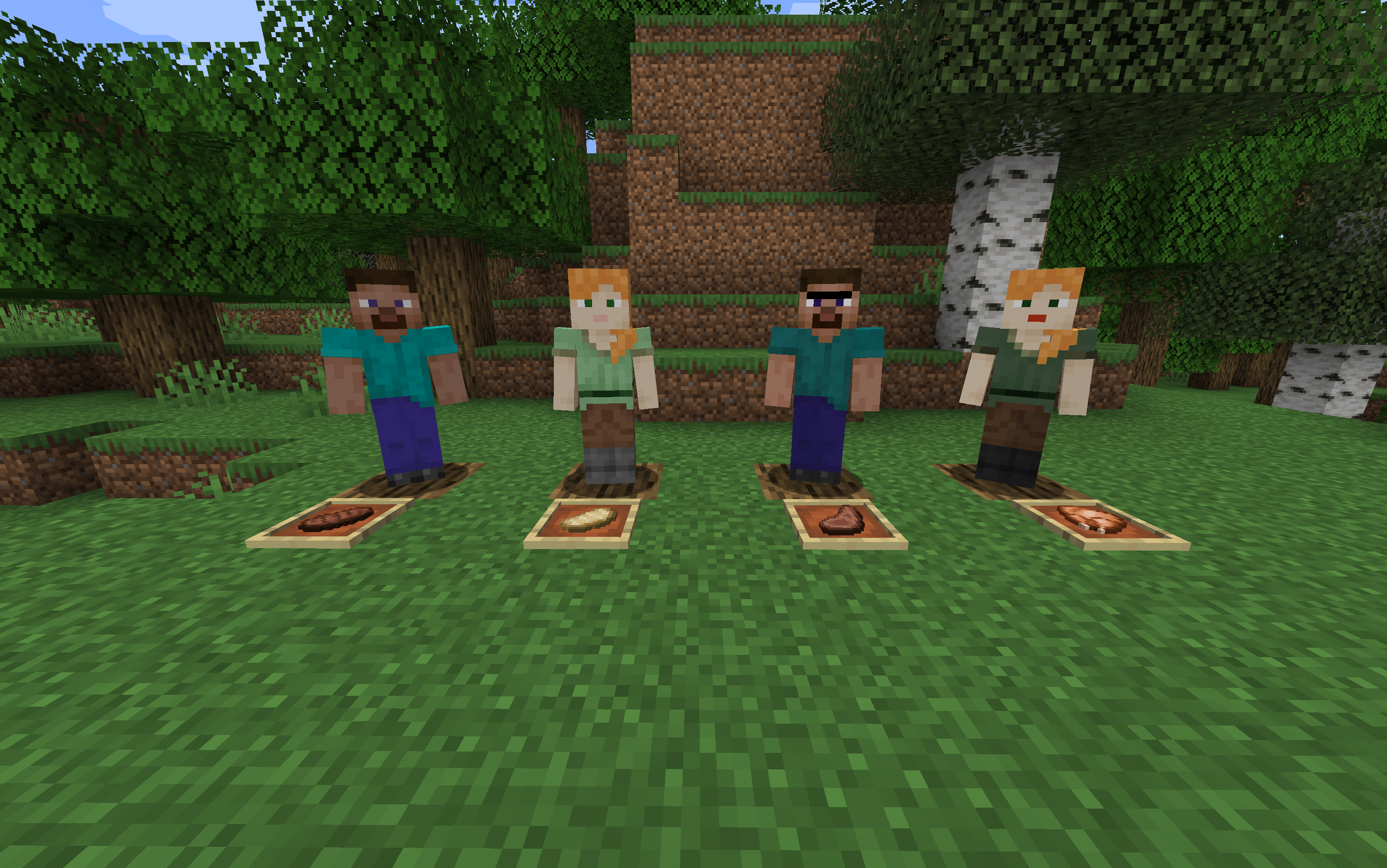
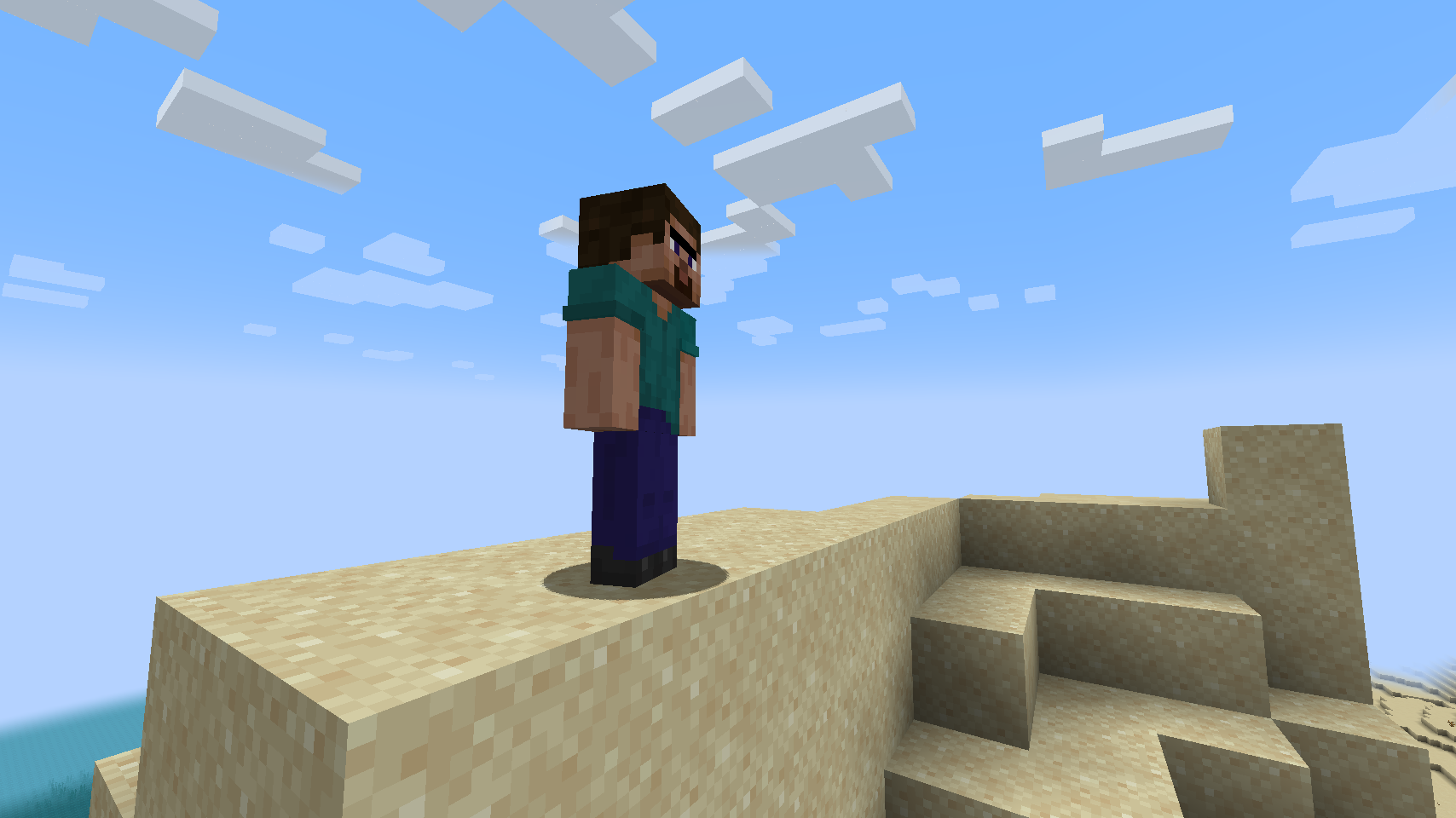
Have you ever wanted to add different players or people to your game for you to play with? If that’s the case, this is the mod for you! This mod adds four player-like entities that you yourself can customize. They have the following default names but don’t worry, you can change that too:
Steve (thick arms)
Alex (thin arms)
Steven (thick arms)
Alexa (thin arms)
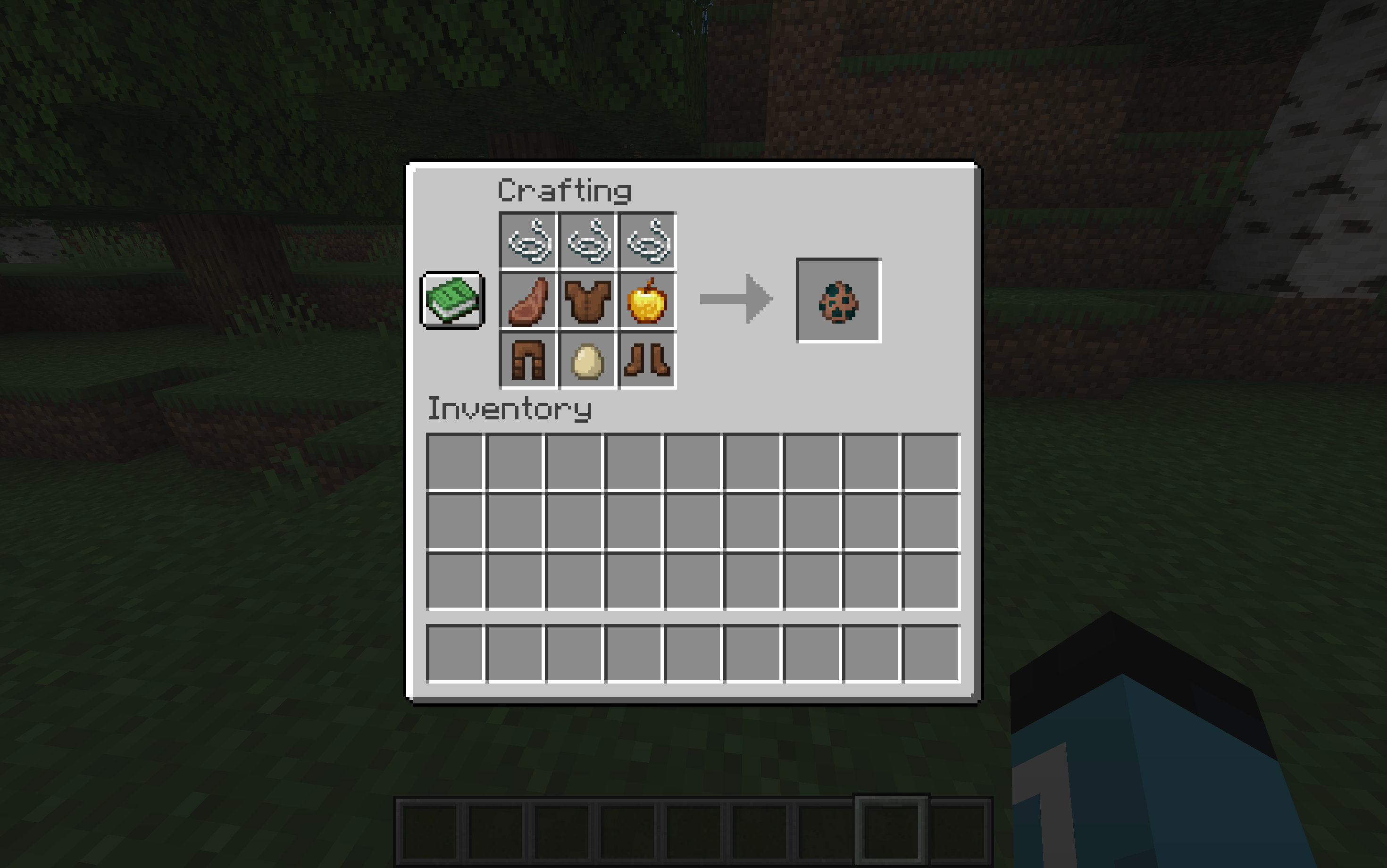
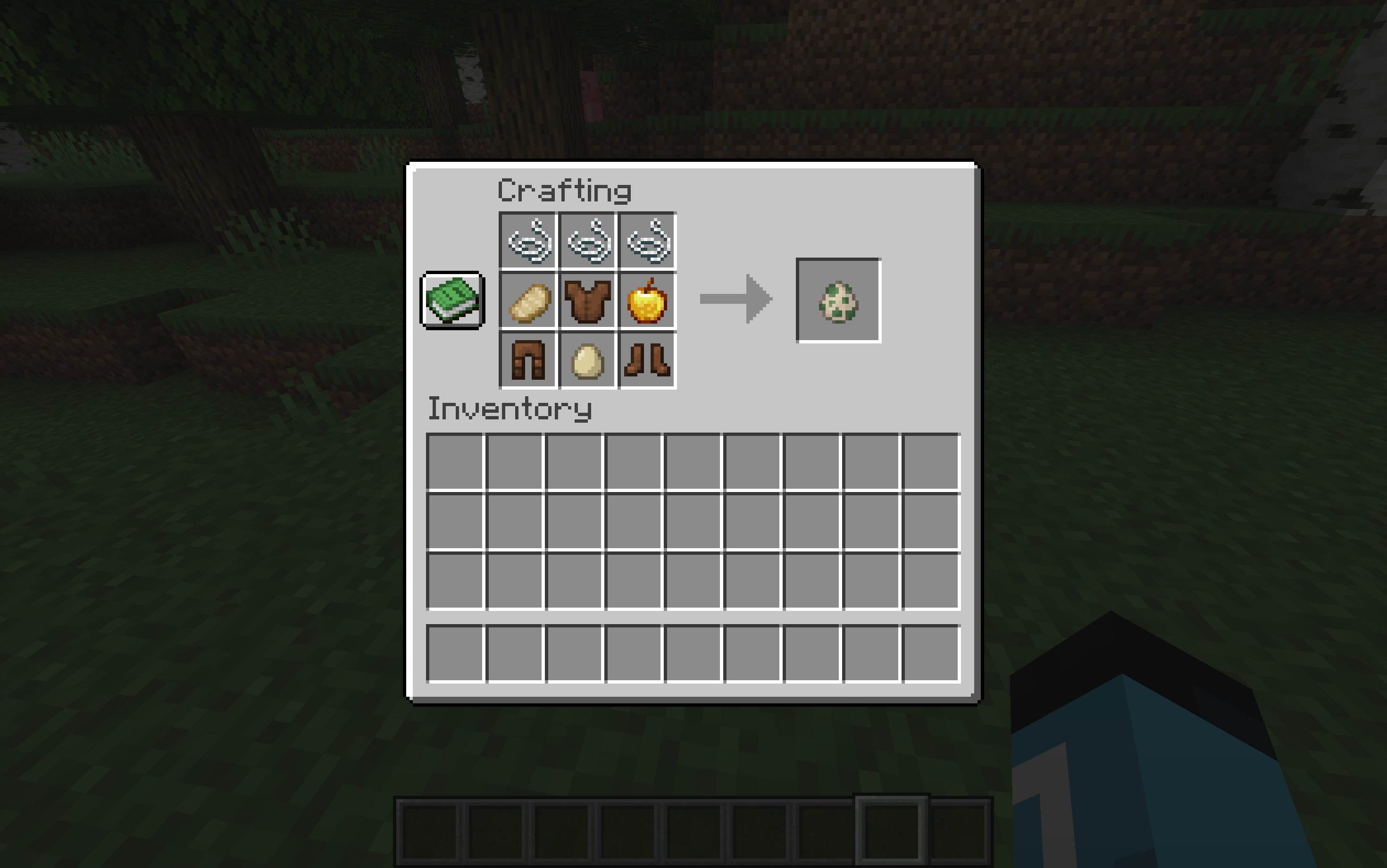
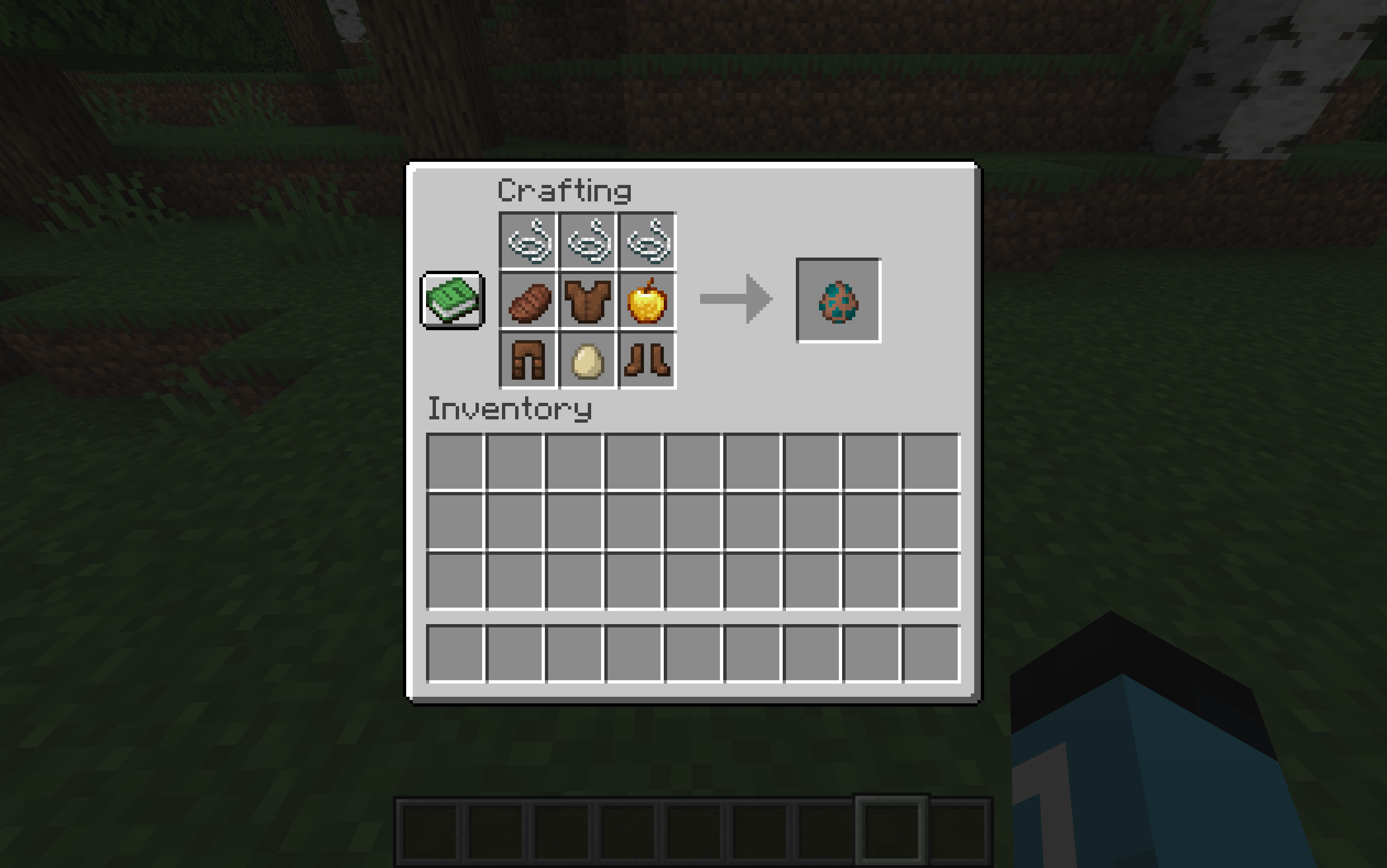
It’s also quite simple to tame each of them! You must simply feed them each their specific food:
Steve – steak
Alex – cooked pork chop
Steven – cooked mutton
Alexa – cooked chicken
They each have 20 hearts of health and to heal them, you can feed them any food item that is considered a meat.
If you would like to customize this mod, you can edit the resource pack in the source tab and add it to your game.
Please note: Steve is friend 1, Alex is friend 2, Steven is friend 3, and Alexa is friend 4.
A guide to edit the resource pack:
To change texture:
1) select any Minecraft skin texture that you would like to use
2) after you download the resource pack (or to add to any other one), open the main folder of the resource pack, then open the assets folder, then open the folder “friends” in this resource pack. From there open the folder titled textures
3) for whichever character you would like to change, remove that character’s texture, and rename your downloaded skin (must be a PNG) to that exact file name (ex: “friend1”). Then, move the downloaded skin into the folder in the place of the texture for friend1
Briefer version: open the resource pack folder and open assets, friends, textures, entity. Rename your downloaded skin file to one of the files depending one which friend you want to modify, and place your file in the folder
To change name:
1) open the folder of the resource pack and open both the assets and then friends folder
2) open the “lang” folder and open the file “en_us” (you can open it in whatever text editor you have)
3) find the name of the friend you would like to modify and without removing the quotation marks, just simply replace the name for both the entity and spawn egg (ex: “Steve” to “{selected name}”
**don’t forget to save your changes**
Briefer version: open the resource pack and then open assets, friends, lang, and the file en_us. Find the name of the friend whose name you want to change and replace it with whatever you may wish.
常见问题
Womp’s Friend Mod 支持哪些 Minecraft 版本?
Womp’s Friend Mod 支持 Minecraft Java 版 1.19.3–1.20.1,共 3 个版本,可用的加载器:Fabric。下载时注意选择和你游戏版本一致的文件。
Womp’s Friend Mod 怎么安装?
先用 PCL2 或 HMCL 启动器安装对应版本的 Fabric,再把下载的 .jar 文件放进游戏目录的 mods 文件夹,重新启动游戏即可。开启了版本隔离的,mods 文件夹在 versions/版本名 下面。
Womp6 的其他作品
查看全部 →
Womp’s Crayfish Mod
为游戏添加小龙虾。

Womp’s Shellfish Mod
(Fabric / Forge / NeoForge)为游戏添加多种贝类,丰富水生生态与氛围。

Womp’s Radish Mod
A mod that adds radishes.

Womp’s Mini Crayfish Mod
Adds just the classic crayfish plus newer features.
评论
登录后评论和评分