
Water Bucket Extinguish (PvP Utility)
PvP water bucket utility: one key puts out fire, frees you from cobwebs or refills your bucket, then hands your weapon back. Works on any server.
截图


介绍
A client-side Fabric mod for PvP and survival. Press one key and the mod switches to your water bucket, uses it, picks the water back up and gives you back whatever you were holding. It works on any server, vanilla ones included, and needs nothing installed on the server.
Which version do I need?
Download the file whose name ends with your Minecraft version:
| Minecraft | File name ends with | Java |
|---|---|---|
| 26.3 | +mc26.3.jar |
25 |
| 26.2 | +mc26.2.jar |
25 |
| 26.1, 26.1.1, 26.1.2 | +mc26.1.jar |
25 |
| 1.21.11 | +mc1.21.11.jar |
21 |
| 1.20.1 | +mc1.20.1.jar |
17 |
Every version needs Fabric Loader and Fabric API. Cloth Config adds the settings screen and Mod Menu adds a settings button to the mod list; both are optional. The official Minecraft launcher already comes with the right Java.
How to use it
Press ]. What it does depends on the situation:
| Situation | What the key does |
|---|---|
| On fire, standing on the ground, looking down | Places water at your feet, picks it up again a moment later and switches back to your item |
| Stuck in a cobweb | Places water to wash the cobweb away. Press again to pick the water back up |
| Not on fire, with an empty bucket in the hotbar | Fills the empty bucket from the water you are looking at |
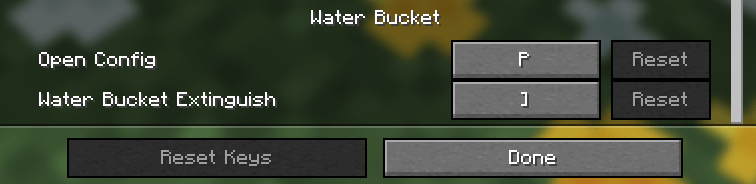
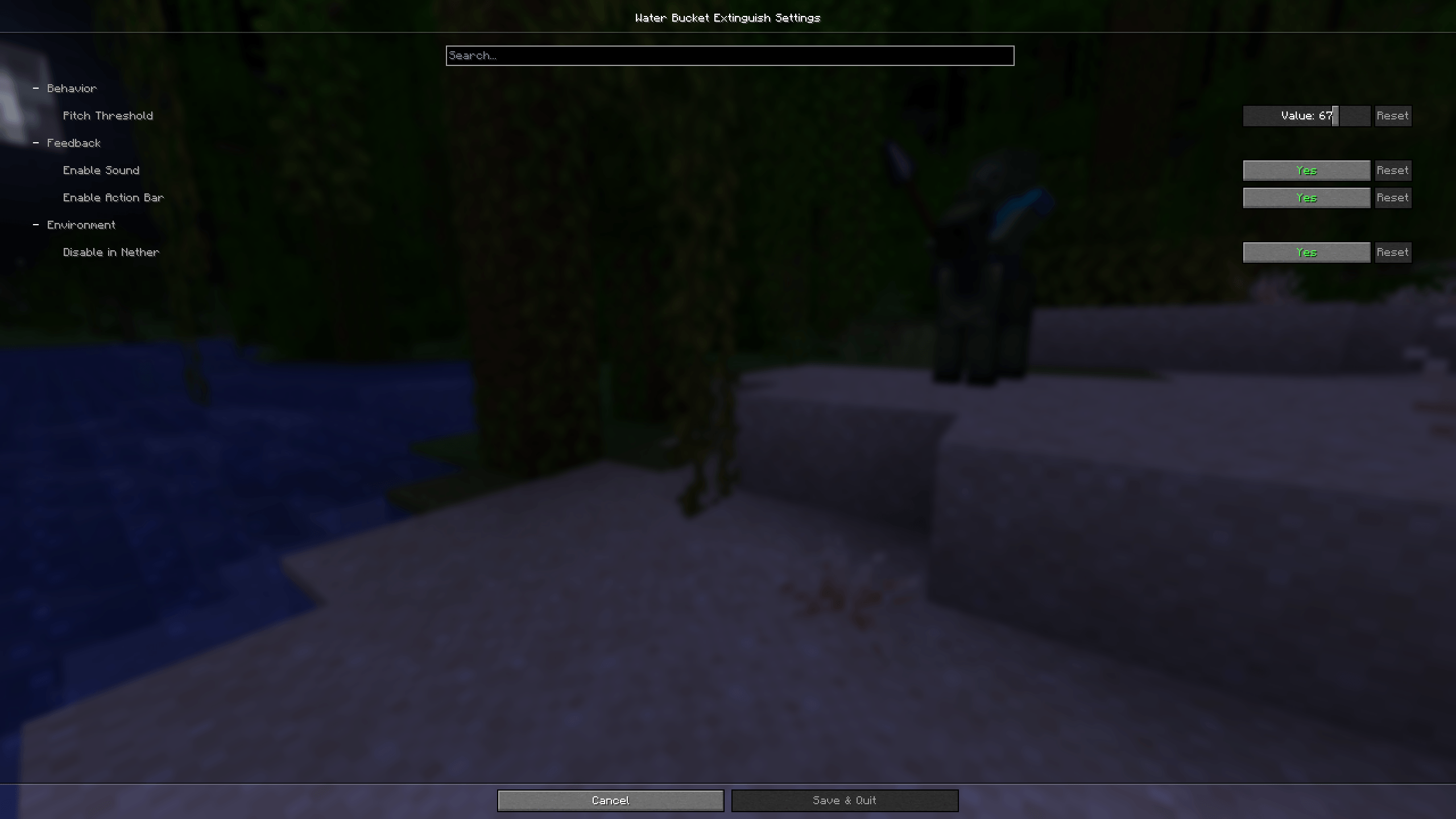
Press P to open the settings (needs Cloth Config). You can change both keys in Options, Controls, Key Binds.
The bucket has to be in your hotbar. With a full and an empty bucket there, the mod uses the right one for the job. If the key can’t do anything, a short message tells you why, for example “Look down to place water” or “No bucket in hotbar”. By default the key does nothing in the Nether, where water can’t be placed anyway.
Safe to use on servers
The mod only switches your hotbar slot and right-clicks, through the same game code a normal key press uses. It never fakes your position or where you are looking, and it never sends network packets of its own. Servers and anti-cheats see the same thing they would see from a player doing it by hand. Some servers don’t allow utility mods at all, so check the rules of the server you play on.
Bucket HUD
A small label in a corner of the screen shows whether a bucket is ready:
| HUD | Meaning |
|---|---|
 |
A bucket is in your hotbar |
| ⚠ Bucket Empty | Only an empty bucket is in your hotbar: it can refill, but it can’t put out fire |
 |
A bucket is in your inventory, move it to the hotbar |
 |
You have no bucket |
You can move it to any corner or turn it off. It hides with F1 and while the F3 screen is open.
Settings and commands

Every setting can also be changed with a command:
| Command | What it does |
|---|---|
/waterbucket |
Shows the mod version |
/waterbucket help |
Lists all commands |
/waterbucket bucket |
Tells you whether a bucket is ready |
/waterbucket stats |
Shows how often the mod has helped you |
/waterbucket stats reset |
Resets the statistics |
/waterbucket config pitch <0-90> |
How far down you must look for the fire case (default 67) |
/waterbucket config sound <true/false> |
Sound when the key does something |
/waterbucket config actionbar <true/false> |
Short messages above the hotbar |
/waterbucket config nether <true/false> |
Turn the key off in the Nether |
/waterbucket config hud <true/false> |
Show the bucket HUD |
/waterbucket config hudpos <corner> |
Where the HUD sits: top_left, top_right, bottom_left or bottom_right |
Add reset to any setting to restore its default, for example /waterbucket config pitch reset.
Settings are saved in config/waterbucketconfig.json and statistics in config/waterbucketstats.json.
Links
- Changelog
- Report a bug or suggest a feature
- Source code, with build and release notes in CONTRIBUTING.md
License
MIT. Made by RpYT.
常见问题
Water Bucket Extinguish (PvP Utility) 支持哪些 Minecraft 版本?
Water Bucket Extinguish (PvP Utility) 支持 Minecraft Java 版 1.20.1–26.3,共 7 个版本,可用的加载器:Fabric。下载时注意选择和你游戏版本一致的文件。
Water Bucket Extinguish (PvP Utility) 怎么安装?
先用 PCL2 或 HMCL 启动器安装对应版本的 Fabric,再把下载的 .jar 文件放进游戏目录的 mods 文件夹,重新启动游戏即可。开启了版本隔离的,mods 文件夹在 versions/版本名 下面。

评论
登录后评论和评分