
截图
介绍
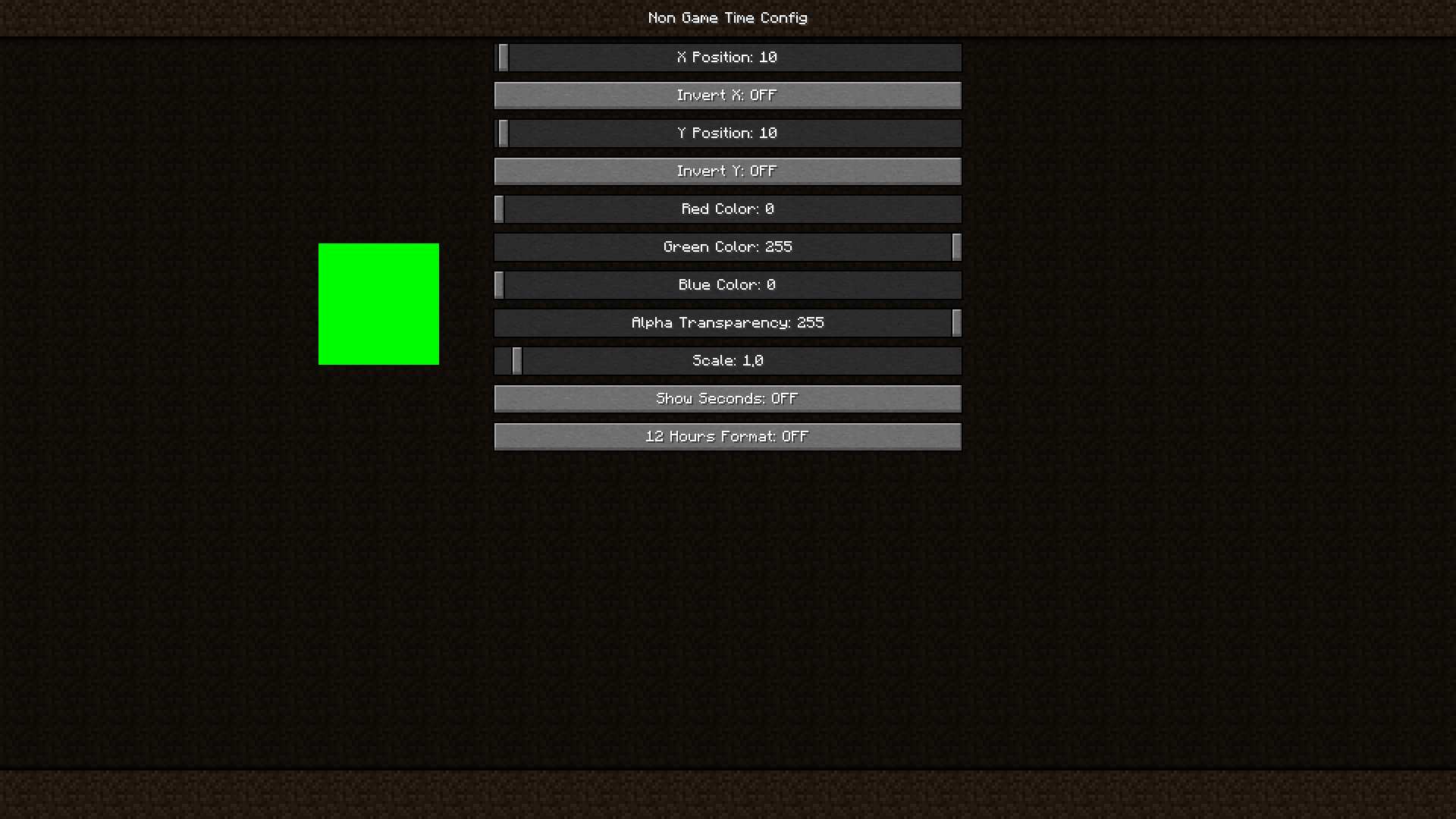
This mod help you to know what time is how. With it you don’t need to minimize Minecraft or watch on smartphone. You can place clock where you want, customize color and transparency, change size of it, etc. If you want to turn off it just set scale to 0.
All config you can see below:
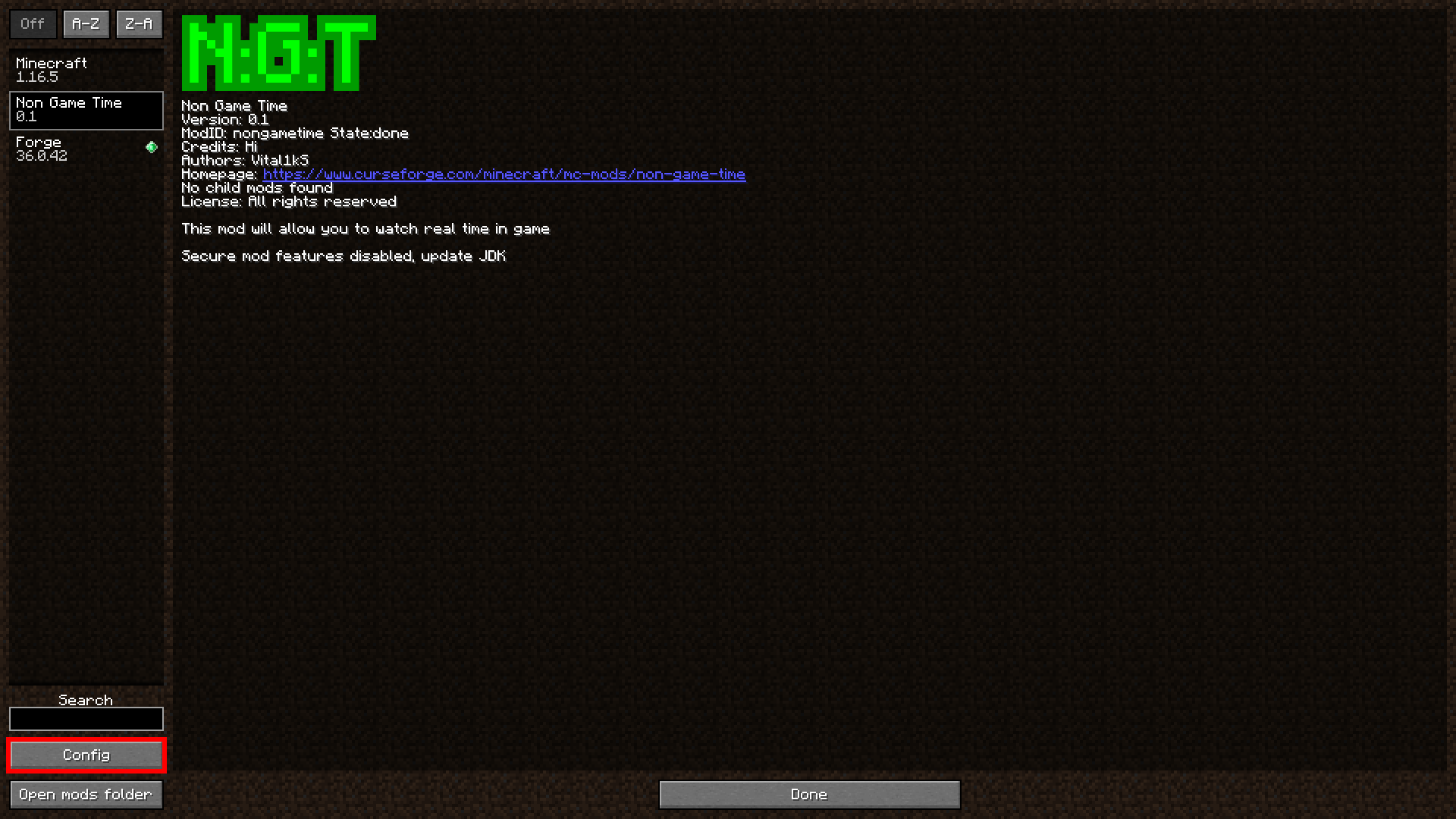
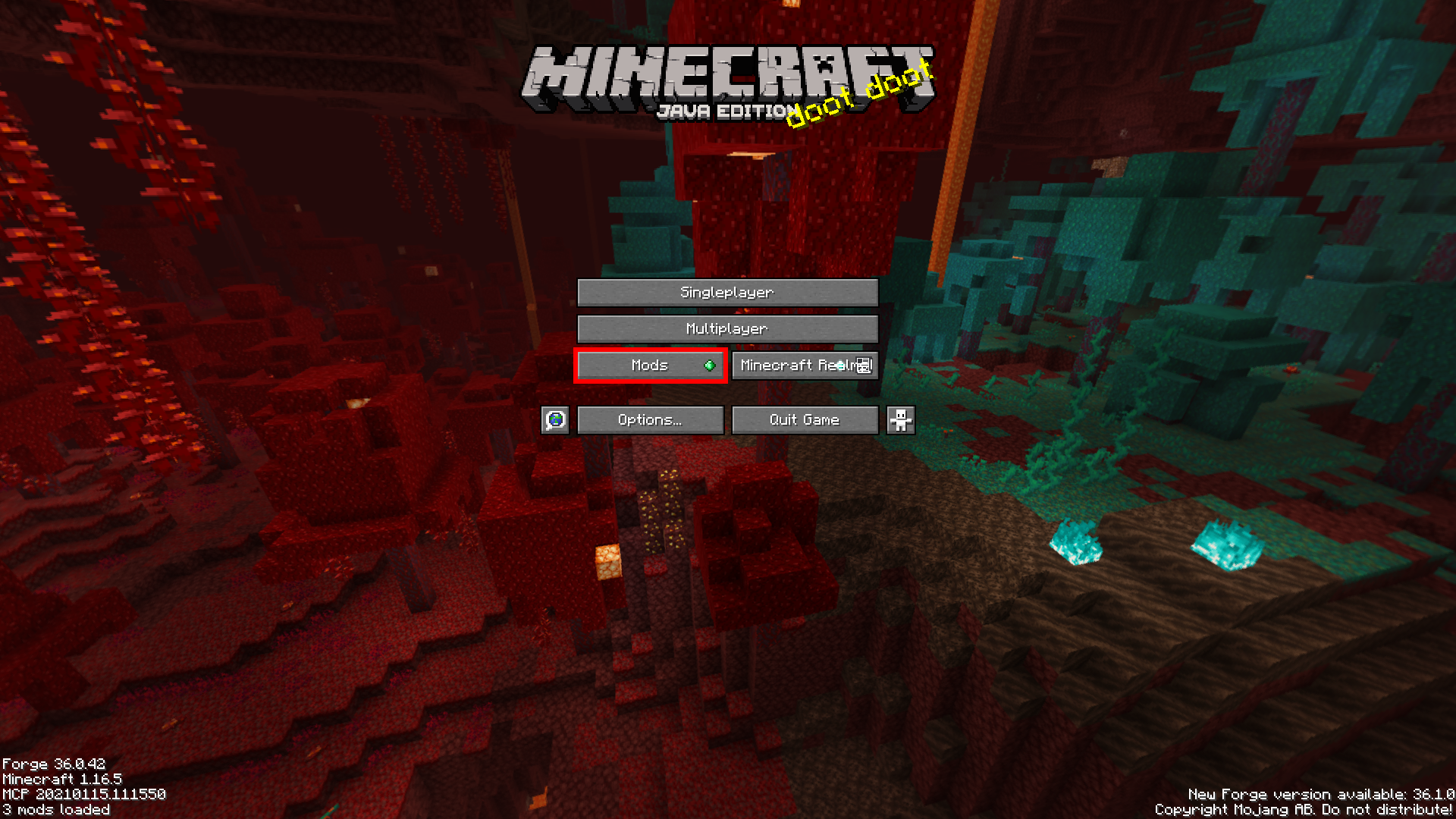
How to get to config menu:
1. Press “Mods” Button
2. Slect Non Game Time mod and press “Config” button
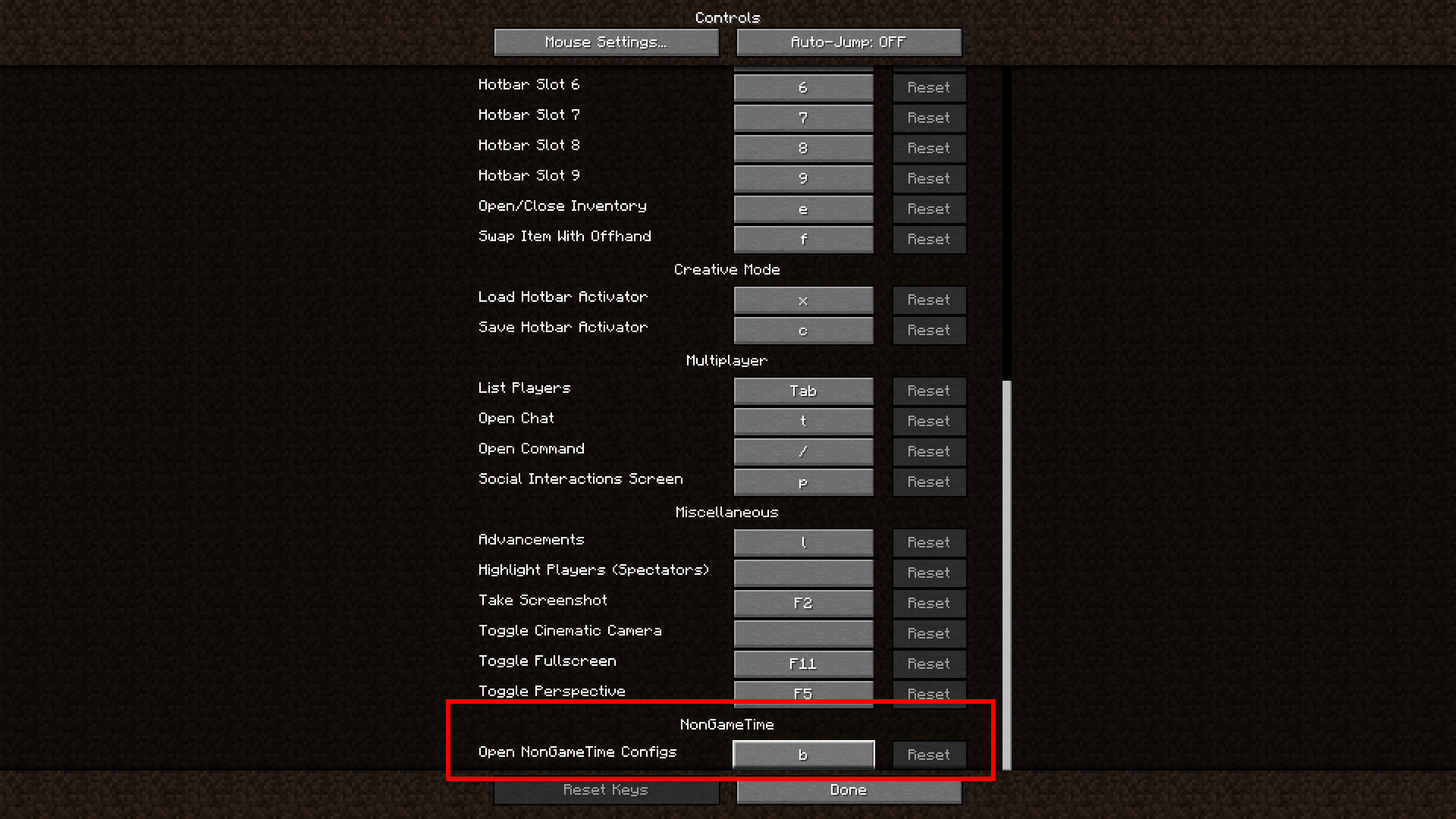
Also tiy can open it in game by pressing ‘B’ key
You can change key in controls settings

常见问题
Non Game Time 支持哪些 Minecraft 版本?
Non Game Time 支持 Minecraft Java 版 1.16.5,可用的加载器:Forge。下载时注意选择和你游戏版本一致的文件。
Non Game Time 怎么安装?
先用 PCL2 或 HMCL 启动器安装对应版本的 Forge,再把下载的 .jar 文件放进游戏目录的 mods 文件夹,重新启动游戏即可。开启了版本隔离的,mods 文件夹在 versions/版本名 下面。
Vital1kS 的其他作品
查看全部 →
Forgiveness
添加许多实用合成配方

Forgiveness | Durability
Allows uncraft armor and tools

Accurate Breaking
Allow you to break one block at once
Mineculator
Simple in-game chat calculator
评论
登录后评论和评分