Switch Hopper
A redstone-controlled hopper that switches its item output between two opposite directions.
截图
介绍
Switch Hopper adds a simple but useful redstone-controlled hopper for more flexible item transport.
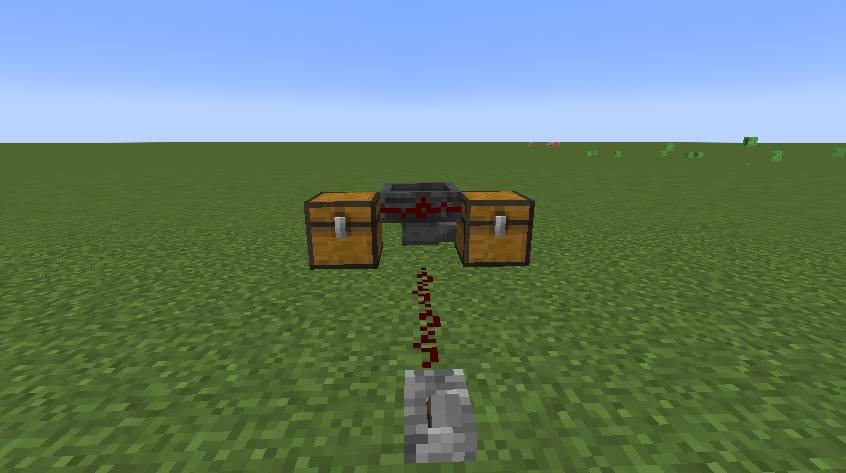
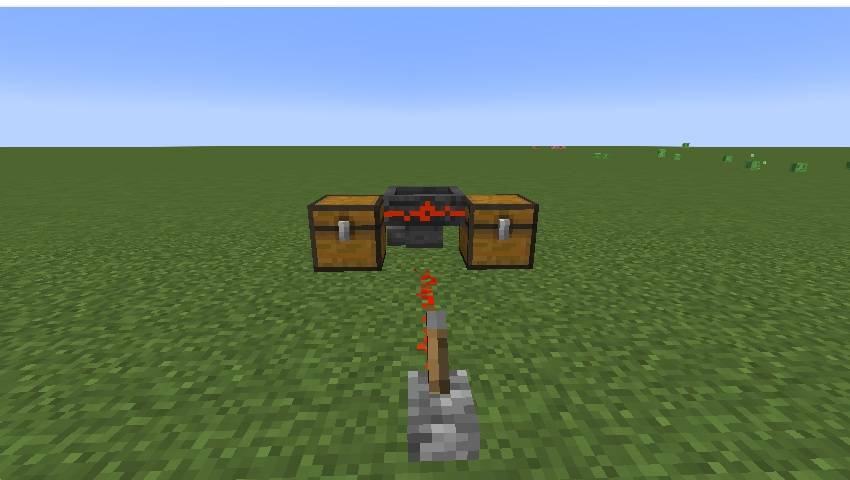
The Switch Hopper works similarly to a normal hopper, but with one important difference: its output can be switched between two opposite horizontal directions using a redstone signal.
Without a redstone signal, items are transported in the direction selected when the hopper is placed. When the hopper receives a redstone signal, the output switches to the opposite side. When the signal is removed, it switches back to its original direction.
The Switch Hopper can receive items from above and from the sides, and it can also pick up dropped items like a normal hopper.
Unlike a normal hopper, it will never output items downward. In addition, other hoppers placed below or beside it cannot pull items out of the Switch Hopper. This makes it possible to build more controlled item-routing systems without the hopper being accidentally emptied from another direction.
Features
- Redstone-controlled switching between two opposite horizontal outputs
- Output direction is determined when the block is placed
- No downward item output
- Cannot be emptied by other hoppers
- Accepts items from above and from the sides
- Can pick up dropped items
- Uses a normal 5-slot hopper inventory
- Compatible with hopper chains and automated item transport systems
Crafting Recipe
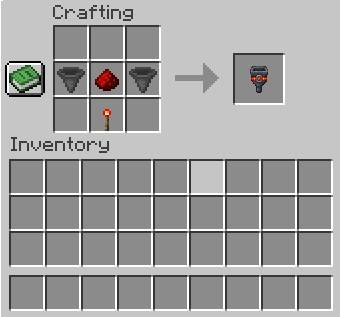
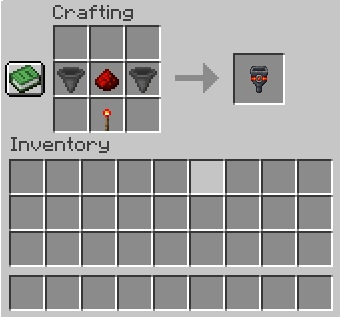
The Switch Hopper is crafted with:
- 2 Hoppers – placed in the middle row on the left and right
- 1 Redstone Dust – placed in the center of the middle row, between the two Hoppers
- 1 Redstone Torch – placed in the center of the bottom row
- The entire top row remains empty
License
Switch Hopper is released under the MIT License.
You are welcome to use this mod in modpacks, including public modpacks, as long as the terms of the MIT License are respected.
常见问题
Switch Hopper 支持哪些 Minecraft 版本?
Switch Hopper 支持 Minecraft Java 版 1.20.1–26.3,共 9 个版本,可用的加载器:Fabric。下载时注意选择和你游戏版本一致的文件。
Switch Hopper 怎么安装?
先用 PCL2 或 HMCL 启动器安装对应版本的 Fabric,再把下载的 .jar 文件放进游戏目录的 mods 文件夹,重新启动游戏即可。开启了版本隔离的,mods 文件夹在 versions/版本名 下面。
Arathorn76 的其他作品
查看全部 →
My Photo Paintings
Create customizable paintings in Minecraft using your own PNG, JPG and JPEG images.

Chest Counter (Chest Preview & Inventory Overlay)
Displays detailed information about the container you are looking at, including item count, fill level and top contents.
Creative Tab Counter
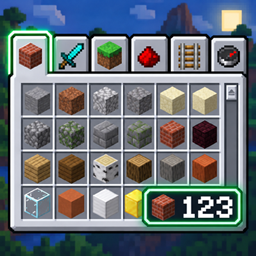
A small mod that displays the number of items in a selected Creative Mode inventory tab.

Auto Storage Labels and Signs
Automatically labels storage chests with signs and item frames based on their contents. Supports large storage systems, configurable placement and hanging signs.
评论
登录后评论和评分